

ForeverLayers
Find helpers on other detected layers in WoW Forever, with a simple switch window, player filters and saved favorites and optional AutoLayer and LayerSwap support.
Details
Expansion
 Forever
 Categories
Developers

Having issues?
ForeverLayers
Find helpers and request an invitation to another layer in WoW Forever. Use the simple window to find a helper, or the detailed window to choose a player yourself. Optional compatibility adds helpers using AutoLayer and a manual request for LayerSwap hosts.
Layer identification is provisional. The displayed code comes from NPC observations and is not an official layer number. Live communication between two updated players and actual transfers still need verification. The server decides who moves; joining a group does not guarantee a transfer.
Features
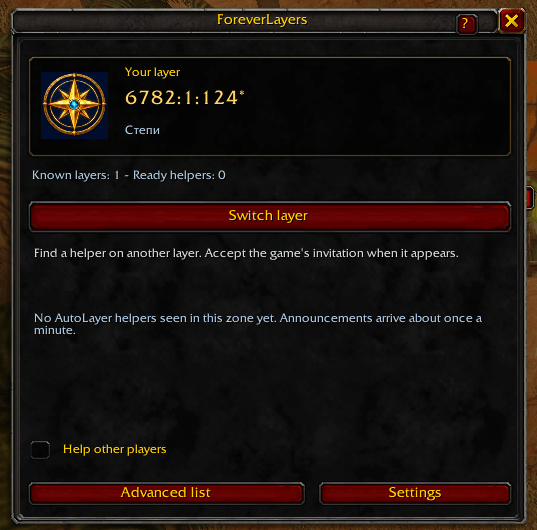
- Simple window: a compact copy-code readout and one Switch layer action.
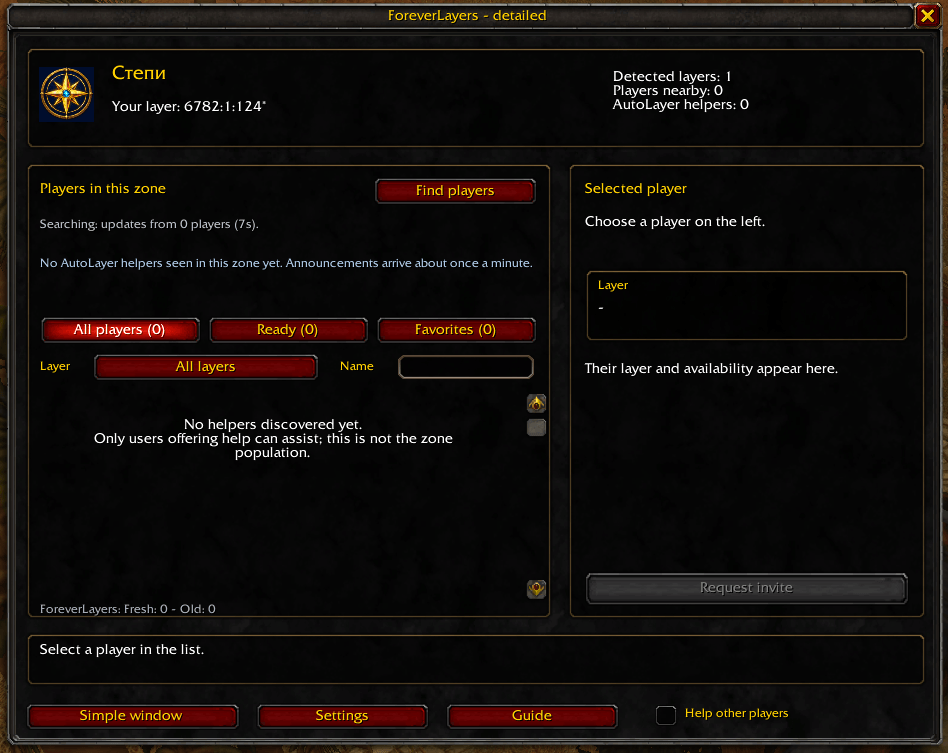
- Detailed player list: name search, layer filters, ready helpers and saved favorites.
- Unknown-layer users: discover participants even before they have fresh NPC observations, with a clear Layer not identified label.
- Optional compatibility: ForeverLayers helpers first, then AutoLayer leaders, followed by a separate button to ask in the
layerchannel. - Controlled search: bounded invitation attempts, cancellation and optional helping.
- Minimap readout: your provisional code and fresh discovered ForeverLayers layer/player counts.
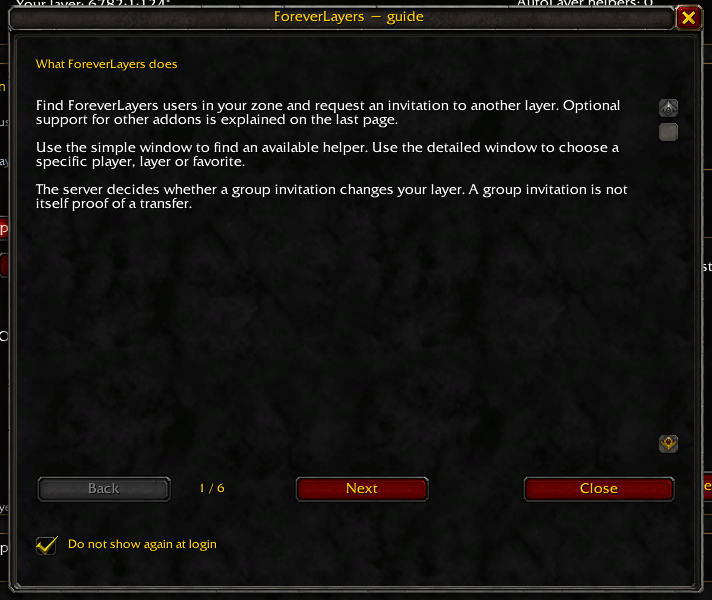
- Movable interface, built-in guide and diagnostics, including optional connection tests.
- Five interface languages, with a saved language selector.
No other addons are required on your client. Both native participants need an updated ForeverLayers. External helpers keep their supported AutoLayer or LayerSwap.
Getting started
- Install or update to 1.1.1. Fully restart WoW when installing for the first time or updating from 1.1.0 or earlier. Updating from 1.1.1-diagnostics.1 or .2 only needs
/reload. - Open the simple window with
/flayers compactor middle-click the minimap compass. - Hover over two different ordinary NPCs at least one second apart. Players and pets do not count. The addon also checks already visible NPCs when you start searching.
- Stay outside groups, combat and instances. A suitable helper must be in the same zone and on another detected copy.
- Click Switch layer. Accept the normal WoW group invitation manually when it arrives.
- Observe NPCs again after joining. With a ForeverLayers helper, both players observe NPCs so the addon can compare their new data. With an external helper, only your own observed code can be checked.
- Leave the group manually when finished.
To choose a player yourself, open /flayers, click Find players, select a
ready participant and use Request invite. Opening the simple window does not
start a search. Cancel stops an active search or request; closing the main
window does not. ForeverLayers does not automatically accept invitations, kick
players or leave groups.
Finding players and understanding missing data
Normal discovery uses hidden addon messages in the ForeverLayers channel;
direct exchanges use hidden addon whispers. You do not need to see an ordinary
message in chat when clicking Find players. Search status and the diagnostic
report show what happened.
Use 1.1.1 on both ForeverLayers clients: older releases contain communication and player-name bugs. Manual discovery has a five-second cooldown; each participant replies at most once every 30 seconds.
Participants without fresh NPC observations can reply and appear under All players with Layer not identified. They are excluded from ready helpers and detected layer counts. Observe NPCs before requesting or offering a transfer.
An empty list does not mean there are no other players or layers. The addon shows only discovered users in your current zone. Other clients may be outdated, not offering help, not yet heard from, or unable to communicate.
Layer/player readouts use fresh ForeverLayers observations; they are not a server-wide population or a complete count of layers. External codes are not added to those counts. Stale native entries are marked in the detailed list. An asterisk marks a provisional copy code.
Helping other players
Enable Help other players to receive invitation requests for the current
session. It resets after login or /reload; helpers must enable it again.
You do not need to enable helping to request an invitation yourself.
Incoming requests normally need your approval. Optional Auto-help approves validated addon requests while helping is enabled and invitation conditions are met. It is off by default. Ordinary whispers do not trigger it.
Helpers using other addons
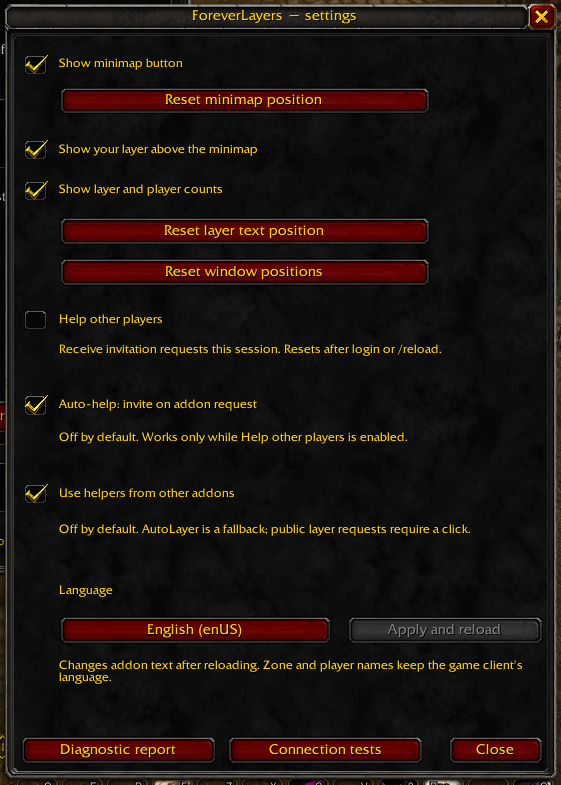
Enable Use helpers from other addons in Settings; it is off by default. Only players offering help through their addon's leader/host mode are candidates.
Switch layer prioritizes ForeverLayers helpers, then an advertised solo AutoLayer leader in the same zone on another reported copy. AutoLayer entries have a source label. Announcements can take about a minute to arrive and do not include the age of the leader's NPC observations.
If no suitable helper is found, Ask in layer channel sends one visible request for LayerSwap hosts, only when clicked. If the channel is still connecting, follow the prompt and click again. There are no automatic public requests.
LayerSwap on Forever does not check matching zones or publish a host list. A host in another zone, or several hosts, may answer. Check the invitation and arrange the same zone. These hosts cannot be listed or counted before they reply.
External addons do not exchange our post-join observations. The addon can check your own code change, but cannot report mutual confirmation from both players. Invitation acceptance and group exit remain manual. Cancellation cannot recall an invitation already sent by another player.
If AutoLayer is enabled on your own client, our AutoLayer adapter is paused to avoid conflicting handlers. Disable the local AutoLayer and reload to use the adapter. The remote helper keeps AutoLayer. Compatibility is based on AutoLayer 3.4.0 and LayerSwap 1.2.1 and still needs live verification.
Minimap controls and languages
- Left-click: detailed window.
- Middle-click: simple window.
- Right-click: settings.
- Drag: reposition the button.
- Shift-drag the layer text: reposition the readout.
The minimap button, layer text and counts have separate visibility settings.
English, Russian, Simplified Chinese, Traditional Chinese and Korean are supported.
The interface follows the client language by default, with English fallback.
In Settings, choose a language and click Apply and reload. Zone and player
names keep the game client's language. For English screenshots use
/flayers language enUS; restore automatic selection with /flayers language auto.
These commands reload the UI; finish active requests and leave combat first.
Diagnostics and feedback
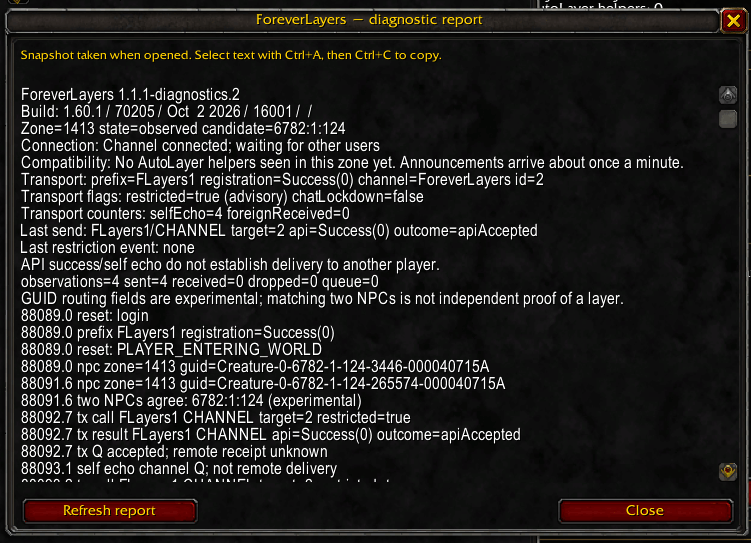
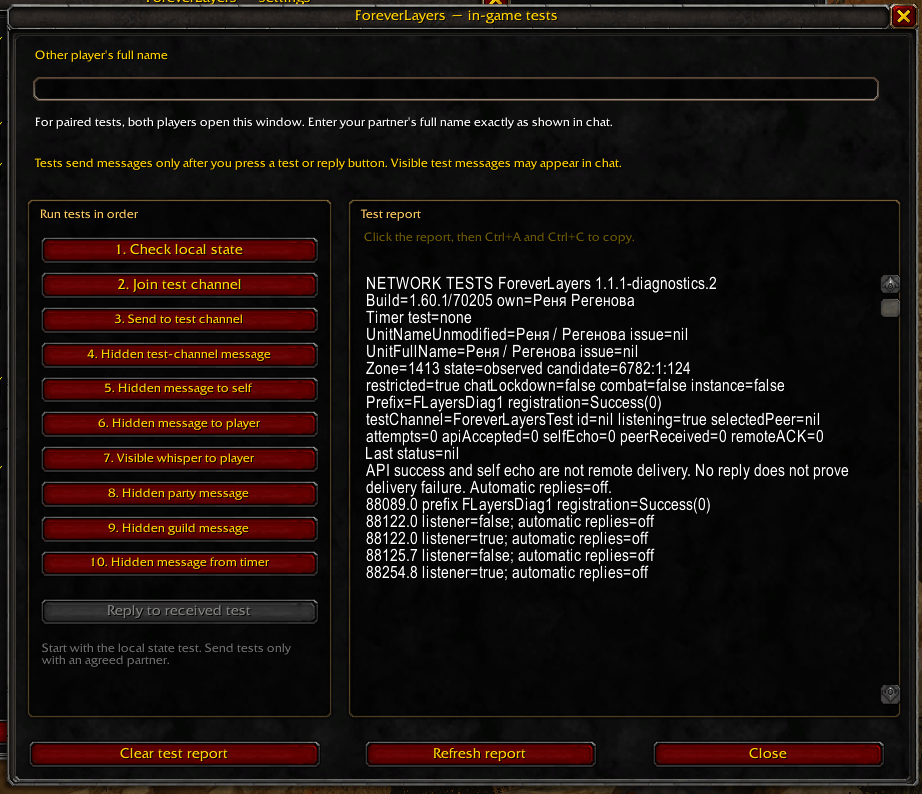
Open /flayers diag for the main report. Optional Connection tests in Settings
or /flayers tests can help troubleshoot communication. Opening the test window
does not send messages. Run individual tests deliberately; paired tests require
another participant and a manual Reply to received test. No diagnostic test
invites players or switches layers.
On a live Forever 1.60.1 / build 70205 client, ordinary discovery messages and a delayed self-whisper were accepted by the API and received back by the sending client. API success and your own echo do not prove delivery to another player. Live exchanges between two updated clients and real transfers still need testing.
Report the addon version, client language, game build and steps to reproduce the problem. For communication or transfer issues, reports from both players are helpful. For external-helper issues, include the other addon's version. Diagnostic reports contain player names and NPC identifiers.
Designed for WoW Forever 1.60.1 — Interface 16001.
Commands
/flayers— detailed window./flayers compact— simple window./flayers help— guide./flayers settings— settings./flayers helping— toggle helping for this session./flayers status— observation status./flayers diag— diagnostic report./flayers tests— optional connection tests./flayers reset— reset observations./flayers probe Full Name— check direct native communication.
/flayers test remains an alias for helping; it is not required to request an invitation.
You must be logged in to leave a comment.