
ForeverKey
Forever Pad Keyboard adds a gamepad-friendly keyboard to WoW Forever Beta, with contextual chat replies, common-request dropdowns, and autocomplete to reduce typing. Includes chat-channel shortcuts and a minimap toggle.
Details
Expansion
 Forever
 Categories
Developers

Having issues?
Forever Pad Keyboard
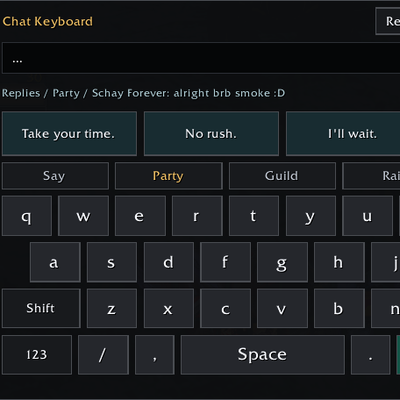
A gamepad-friendly on-screen chat keyboard for WoW Forever Beta, with contextual replies, common requests, and autocomplete to make controller typing less tedious.
Features
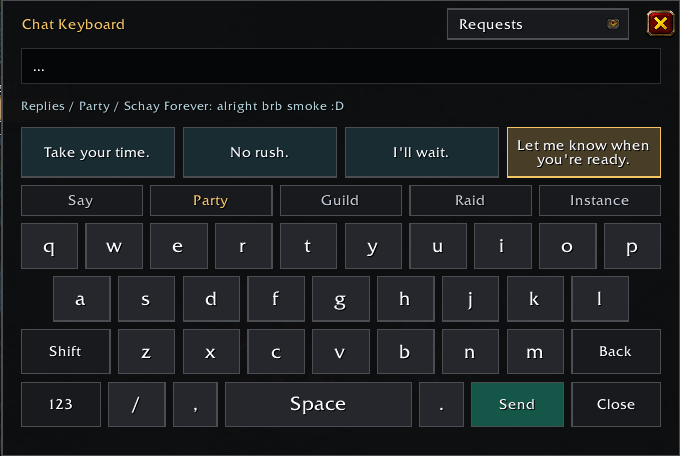
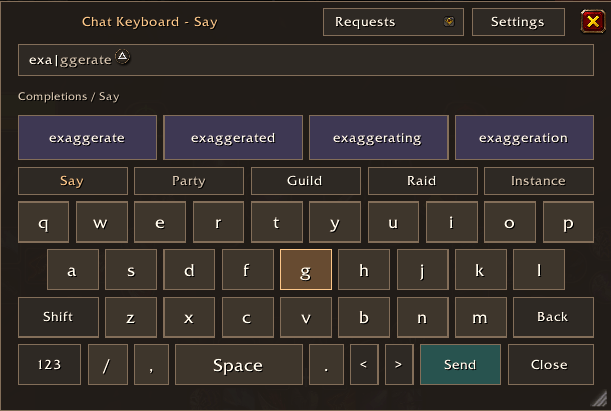
- Full virtual keyboard: QWERTY layout, Shift, Backspace, Space, punctuation, numbers, symbols, and a dedicated
/key for chat commands. - Controller and mouse support: Navigate with the D-pad, select with A, or click using your mouse or virtual cursor.
- Quick channel switching: Buttons for Say, Party, Guild, Raid, and Instance chat.
- Contextual replies: Suggested responses for greetings, readiness, invitations, thanks, apologies, help, loot, travel, summons, mana breaks, and more. Displays the source message and prepares replies for the appropriate channel or whisper recipient.
- Chat monitoring: Covers Say, Yell, Party, Raid, Guild, Officer, Instance, whispers, Battle.net whispers, community chat, and player emotes. Excludes numbered/global channels, NPC/system messages, and your own messages.
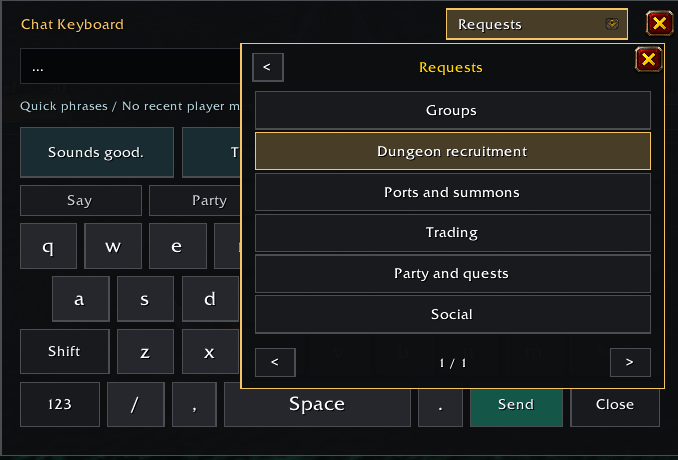
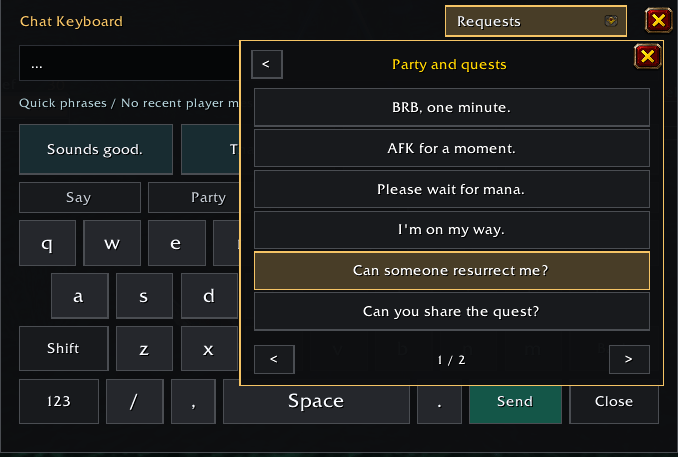
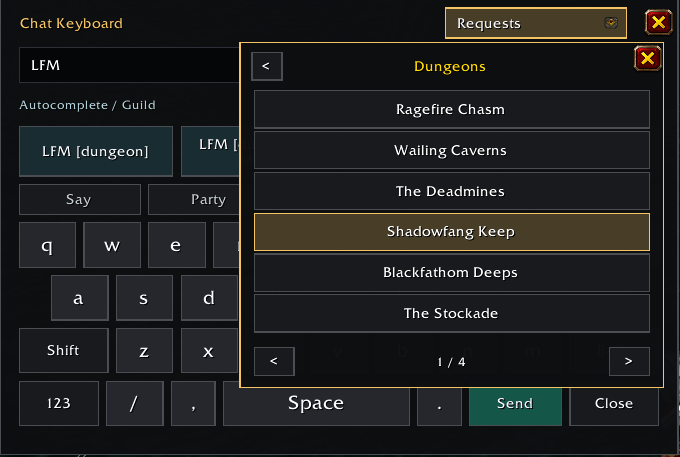
- Requests dropdown: Common phrases for groups, dungeon recruitment, ports, summons, trading, quests, and social messages.
- Dungeon picker: Complete LFM/LFG templates with 20 Classic dungeon destinations, including tank, healer, and DPS requests. Remembers your last selection.
- Autocomplete: Typing
can i buy a p,lfm brd, orlfg wcoffers matching completions. Supports common shorthand such asinv me,brb,oom, andrez me. - Minimap controls: Left-click enables/disables automatic popup; right-click opens the keyboard once. The icon is draggable.
- Optional gamepad detection: Choose automatic gamepad-only mode, popup whenever chat opens, or manual access.
- Draft protection: Review and edit every message before sending. Closing preserves your draft, and the keyboard stays closed during login and reloads.
- Custom positioning: Movable window with scaling to fit narrower screens.
Controller Controls
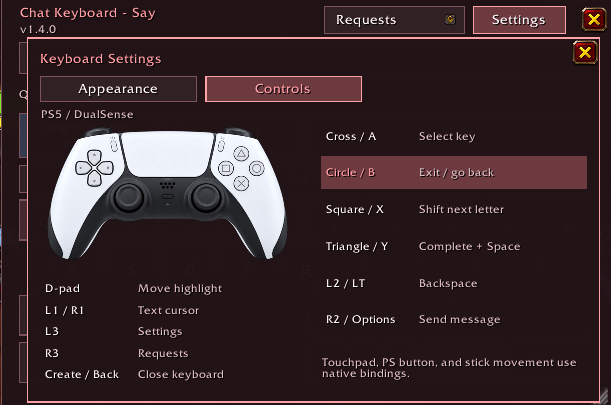
D-pad: Navigate · A: Select · B: Backspace · X: Shift · Y: Space
Start: Send · Back/View: Close · Left bumper: Refresh replies
Right bumper: More replies · Right stick click: Requests menu
The Requests menu also supports controller selection, paging, and back navigation.
Commands
/fpk on · /fpk off · /fpk auto · /fpk toggle · /fpk show · /fpk status
Compatibility and Privacy
Targets WoW Forever Beta interface 16001. Beta updates may require compatibility adjustments.
No addon dependencies, API keys, subscriptions, or companion apps. Suggestions use local English phrase matching, not generative AI. Incoming chat is held temporarily in memory and is never saved between sessions. Nothing is sent automatically.
Feature Roadmap
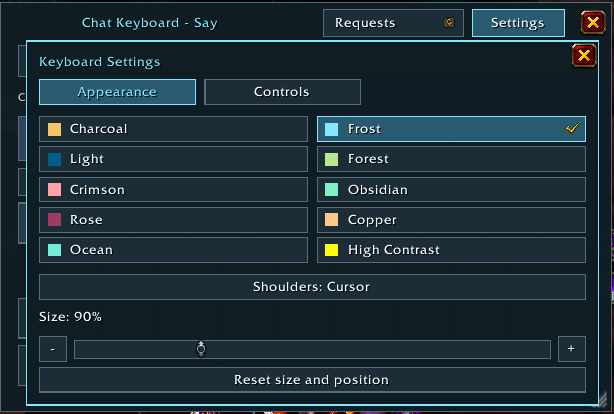
Implement better gamepad controls for backspaces/direct to send button/move to certain letters in existing wordsAdd additional options for reskins of the UIAdd in gamepad layout mapMake the UI resizeableAdd in autocomplete suggested words- Continue work on the suggested text to fine tune it better
You must be logged in to leave a comment.