

ForeverForge Training
Class and profession trainers made easy: train all in one click, upcoming spells by level and cost, pre-pick talents that are bought as you level, recipe sources, one-click disenchant, and enchant a trade item by clicking it.
Details
Expansion
 Forever
 Categories
Developers

Having issues?
ForeverForge Training
Trainers, talents and professions — the easy way. Part of the ForeverForge suite for WoW: Forever. Needs the ForeverForge core addon.
Type /fftrain for the settings.
Shortcuts
- ⭐ Enchanters: one click per enchant - Drop a cheap item in ITEM TO ENCHANT and every ENCHANT click goes on it - no clicking the item, no 'replace the existing enchant?' box. Three clicks an enchant become one.
- ⭐ COST & PROFIT on every recipe - Craft cost, and what it makes sold to a vendor, posted or disenchanted - plus the best profit beside each recipe (+80s AH). Prices from Auction.
- Skill-up levels on every recipe - (70-110/130/150) = orange to 110, yellow to 130, green to 150, gray after - from Forever's own data. Filter the list to the colors that still give points.
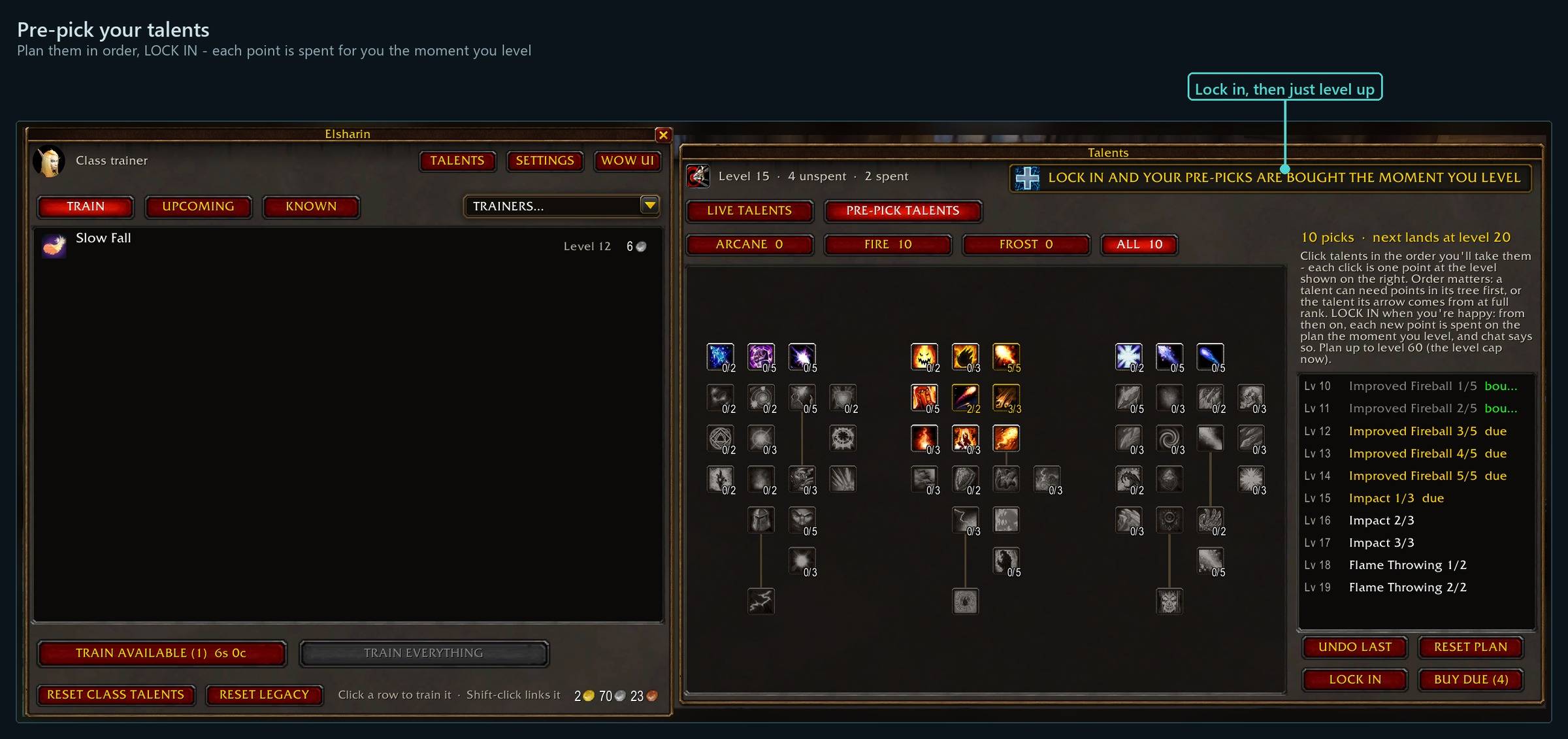
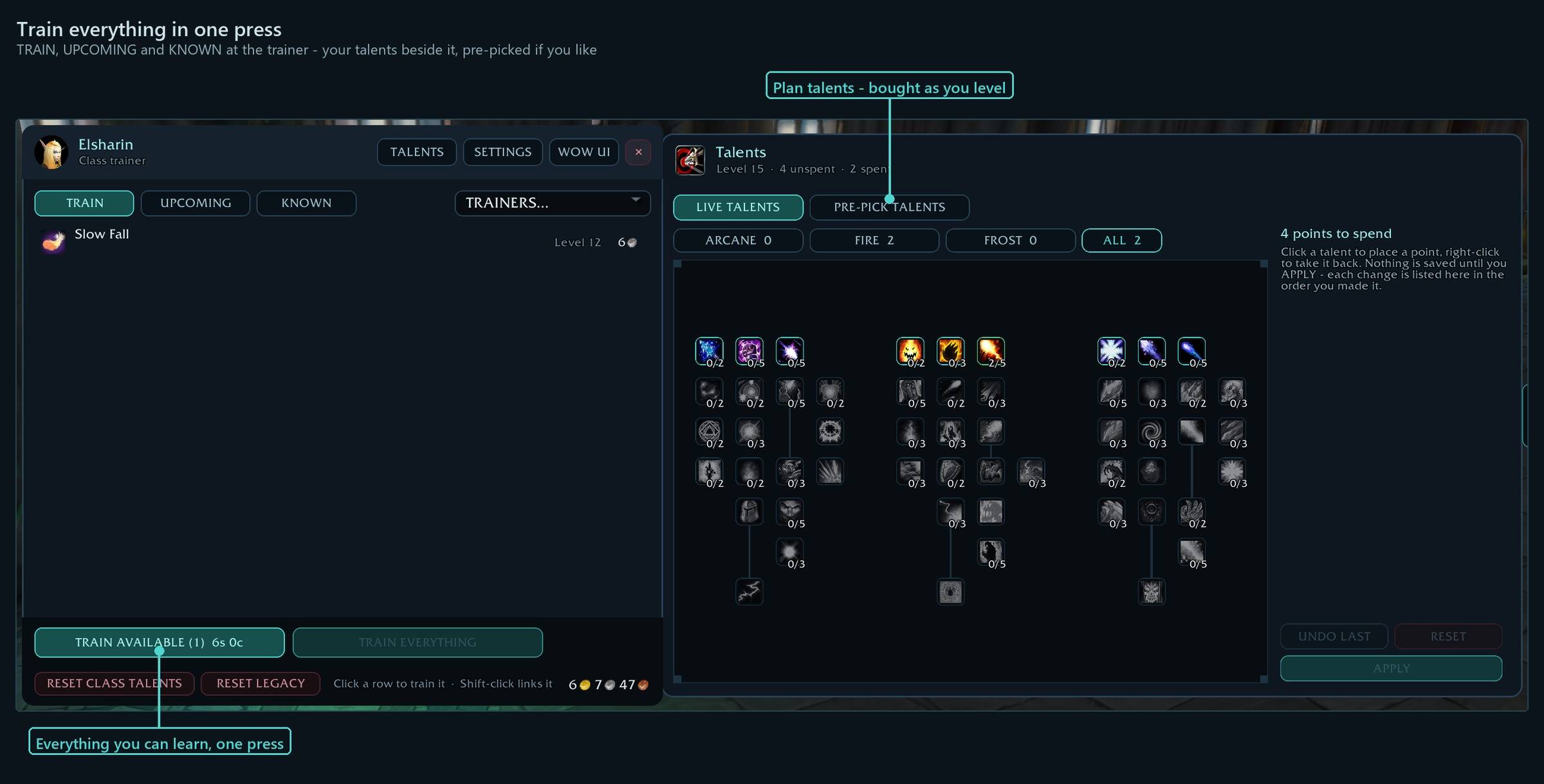
- ⭐ Pre-pick your talents - Plan them in the panel beside Blizzard's talent window (N) - they're bought for you the moment you level.
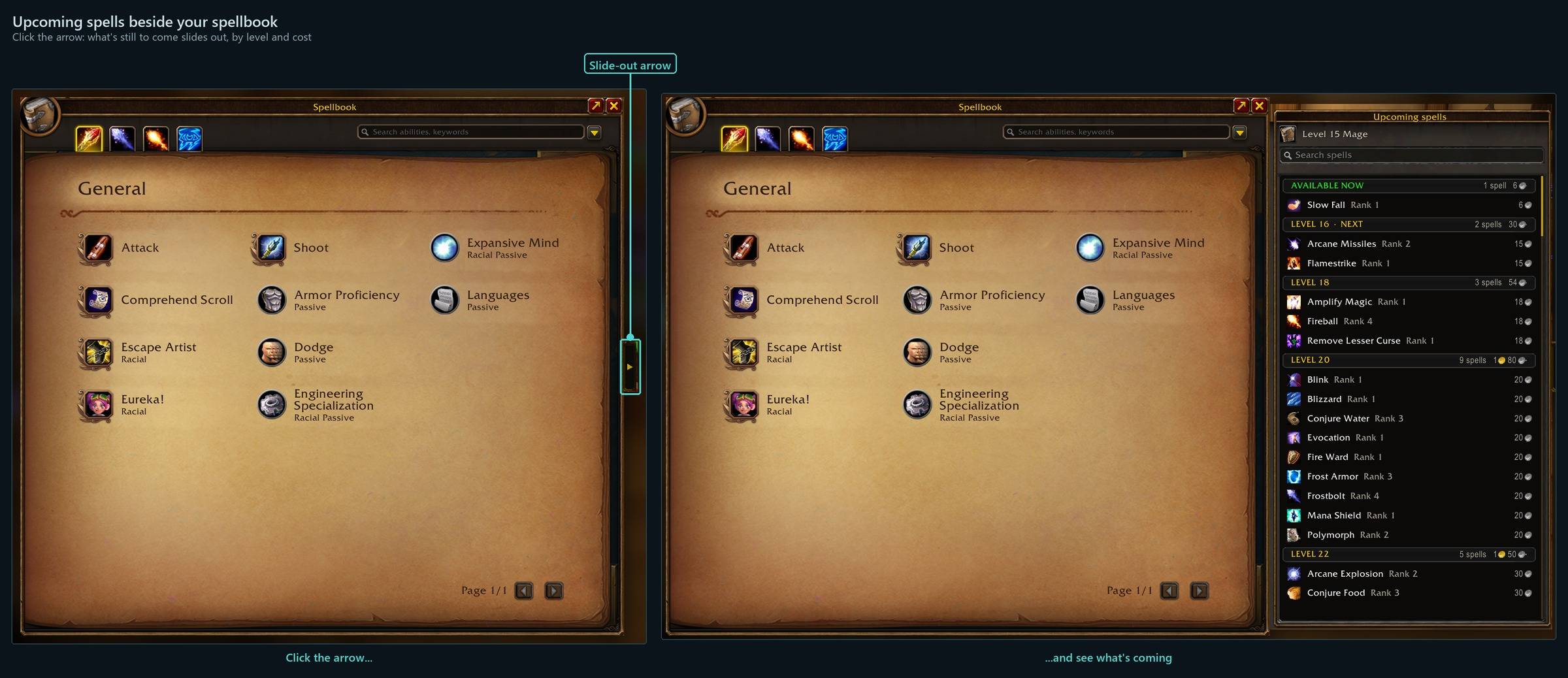
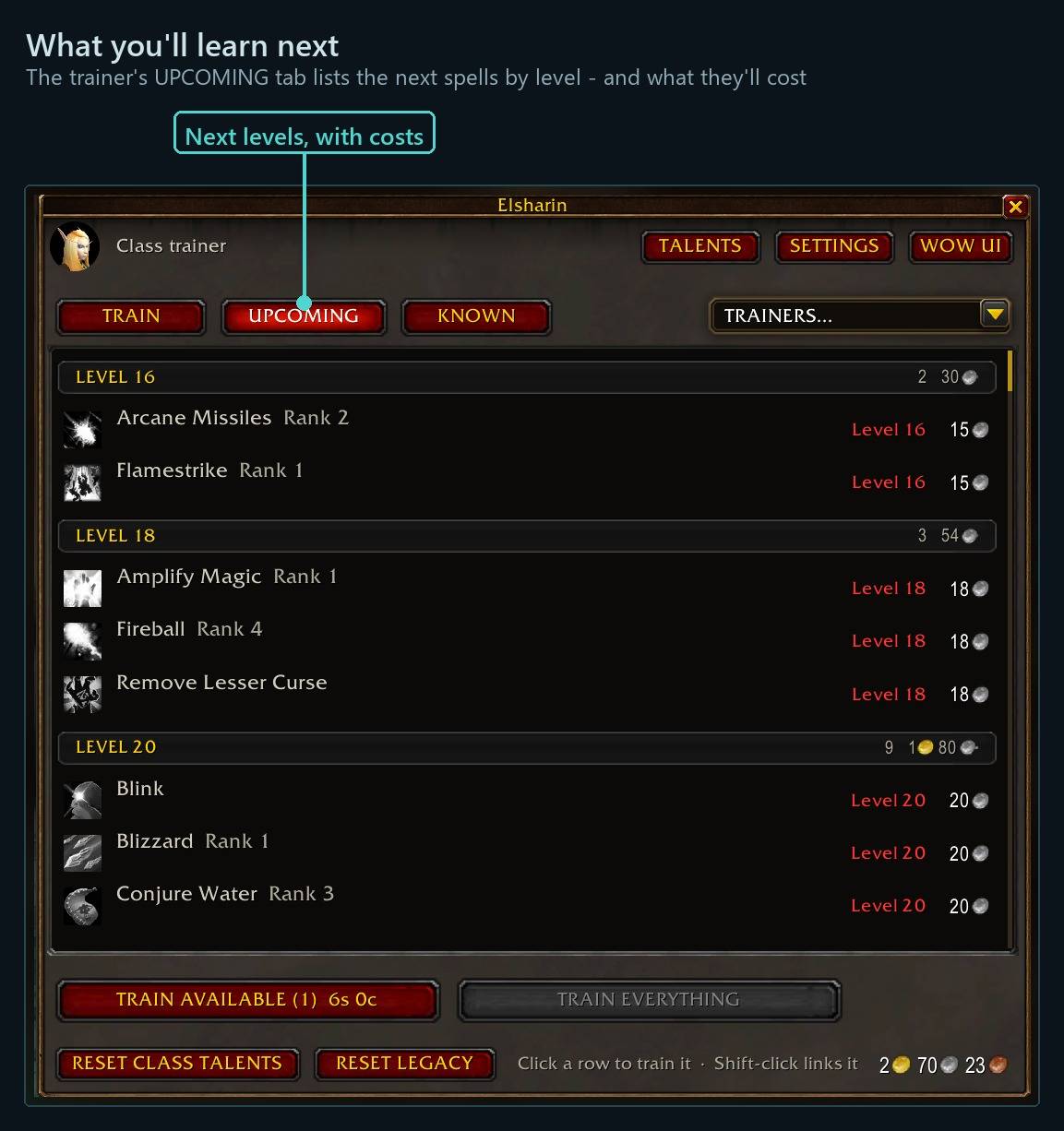
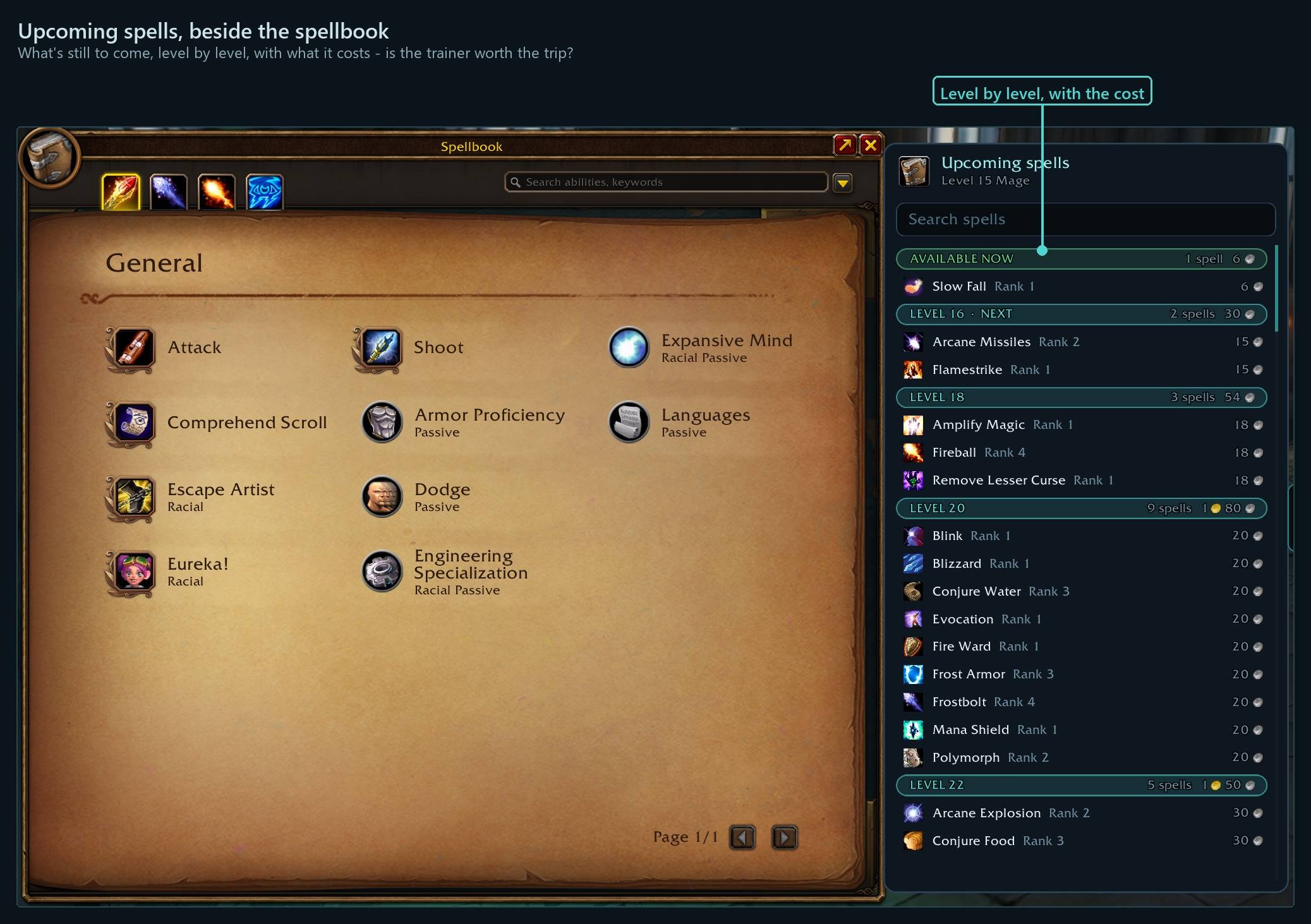
- Upcoming spells beside the spellbook - What's still to come, by level and cost, so you know whether the trainer is worth the trip.
- ⭐ Enchanting in a trade? Click their item - Click the other player's 'Will not be traded' item and pick an enchant (or Pick Lock, an armor kit…) - it's made and put on it for you.
- Keep clicking TRAIN at a pet trainer - The next skill your pet can afford is picked for you each time.
Every shortcut for every ForeverForge addon: in game under /forge » Core » Tips & shortcuts, or the #feature-guide channel on the ForeverForge Discord.
Trainers
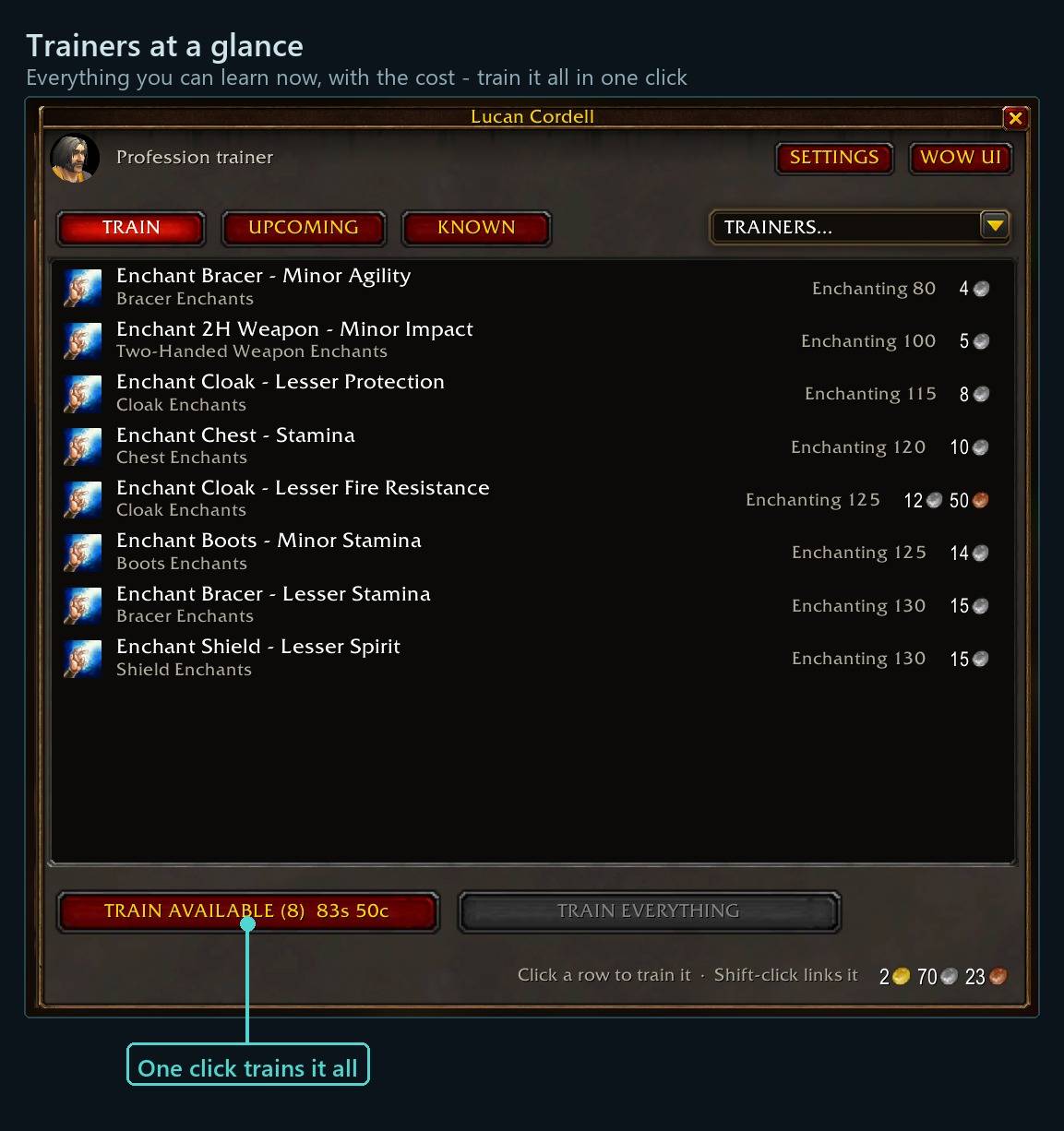
- Straight to training — talk to a trainer and training opens at once (hold Shift for the chat).
- Train everything in one press — including the ranks that only unlock once the rank before is learned. Other "train all" buttons need several presses; this one doesn't. A confirm box shows the total cost in large gold, and when gold is short it trains what fits, cheapest first.
- Talent resets for class and legacy talents: click, talk to the trainer, and the addon picks the chat options for you and asks first, with the cost.
- Trainer finder — every trainer you've visited (and the built-in ones), your class first. Click one for a map pin and the tracking arrow.
Upcoming spells — beside the spellbook
Open your spellbook and the spells still to come slide out beside it: Available now, Missing requirements, then one slim bar per level with its spells and what they cost. Out in the world and about to ding? See whether the next levels are worth the trip to a trainer. Blizzard's spellbook can also be dragged anywhere.
Talents
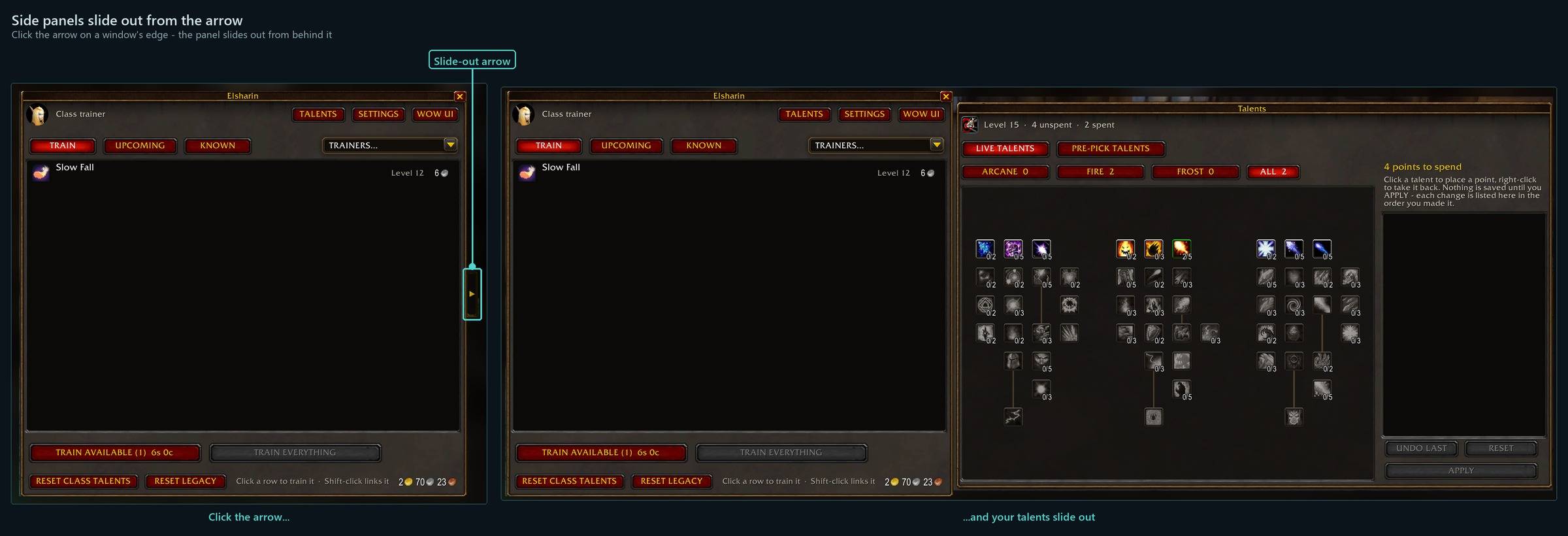
They slide out from behind the class trainer window (or /fftrain talents anywhere):
- Live talents — spend points, Apply to save.
- Pre-pick talents — plan your talents in order, level by level, as far as you like. When you level up, the next pick is bought for you and chat says so (after the fight, if you ding in one).
Professions
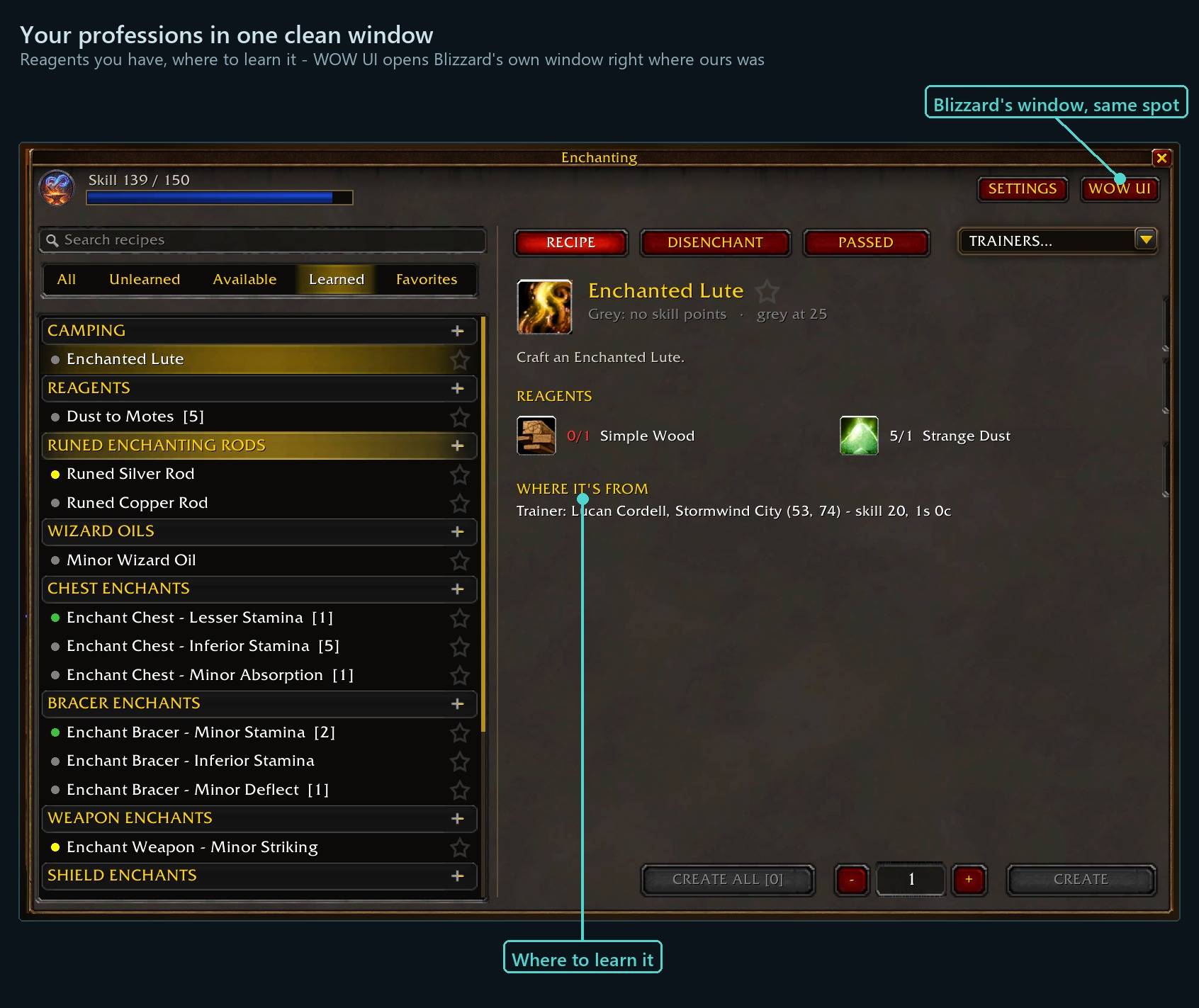
A profession window in the ForeverForge look, laid out like Blizzard's:
- Your professions as tabs down the right side, plus a CAMPING tab with every profession's camping recipes in one list.
- Filter recipes: All / Unlearned / Available / Learned / Favorites. Star the recipes you make for people and find them in one click.
- Where every recipe comes from — trainer (skill and cost) or vendor — for recipes you know and ones you don't.
- Create All [n], a quantity box and Create; shift-click a reagent to search the auction house (with ForeverForge Auction).
- Disenchant tab for enchanters: everything you can disenchant, cheapest first — one click disenchants it; right-click skips it, shift+right-click always ignores it.
- Trade window — click their item (no other addon we know of does this): click the other player's "Will not be traded" item and a list shows what you can do to it — enchants for that slot (ranks of one enchant grouped, anything you lack reagents for in red at the bottom), Pick Lock on a lockbox, and armor kits, stones, oils, scopes and skeleton keys from your bags. Pick one and it's made and put on their item; your enchanting window opens out of sight and closes after. Point at an entry for its full tooltip and reagents. Only starred enchants (setting): star one enchant per slot and it's click their item, click the enchant.
The ForeverForge suite
One look, one settings window (/forge), made for WoW: Forever. Pick the ones you want - they all use the ForeverForge core addon, and the LFG Bulletin Board also runs on its own.
- ForeverForge (the core) - one settings window for the whole suite, faster auto loot, auto quests, and vendors that sell your greys and repair.
- Bags - one bag window with smart sections or your own sorting, and Ctrl+Shift+click to disenchant, prospect, mill or pick locks.
- Auction - a faster, simpler auction house: price tooltips you can customize, one-press posting, a sniper and safe bulk buying.
- LFG Bulletin Board - group posts sorted by dungeon and shared between players, so you see groups from every zone.
- UI - unit frames, action bars, chat and meters in one clean look.
- Training - pre-pick your talents, see the spells still to come, and a better trainer window.
- Macros - build macros line by line in plain English, plus the one-click tag macro.
- Mass Mail & Trade - send a pile of items to anyone: one mail per click, trades that fill themselves.
- Custom Info Panels - build info bars: FPS, gold, bags, coords, durability, XP and more.
- Skill Tracker - progress bars for your professions and weapon skills.
Bug reports and suggestions: ForeverForge Discord Support development: ko-fi.com/walord
You must be logged in to leave a comment.