

ForeverBuffBuddy
Track missing and expiring buffs in WoW Forever. Buff players with a click, set reminders, and customize your party and raid tracker.
Details
Expansion
 Forever
 Categories
Developers

Having issues?
ForeverBuffBuddy
Keep your party and raid buffed without searching through everyone’s buff icons.
ForeverBuffBuddy shows which players need buffs you can cast and reminds you when existing buffs are about to expire. Click an entry to apply the buff.
Built for WoW Forever.
Buff tracking
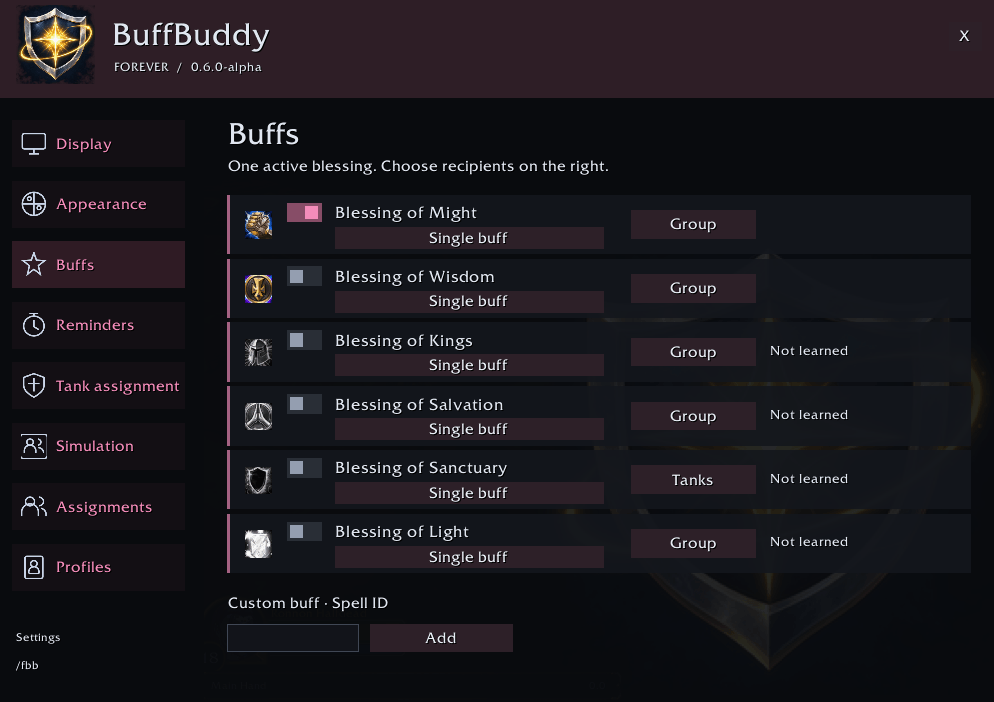
Track buffs available to your class, including supported group buffs and Greater Blessings.
Only receive buff suggestions for spells you have learned.
Show missing buffs and buffs approaching expiration.
Filter the tracker by casting range to keep distant players out of the list.
Keep the tracker visible or have it disappear when nobody needs a buff.
Click to buff
Apply buffs directly from the tracker with a left click. Each cast requires your input; the addon does not cast automatically.
The tracker hides during combat.
Buff reminders
Choose when you want to refresh your buffs. Expiring buffs appear with a countdown and a visual duration indicator.
Reminders can be enabled or disabled, and the reminder threshold is adjustable.
Buff assignments
Use optional rules to assign buffs by class, role, or specialization, with manual player assignments when needed.
For example, you can assign Blessing of Wisdom to a Balance Druid and a different blessing to a tank. Configure fallback choices for situations where your preferred buff is unavailable.
Specialization detection is experimental and depends on information available from the game client. When a specialization cannot be identified, fallback rules and manual assignments remain available.
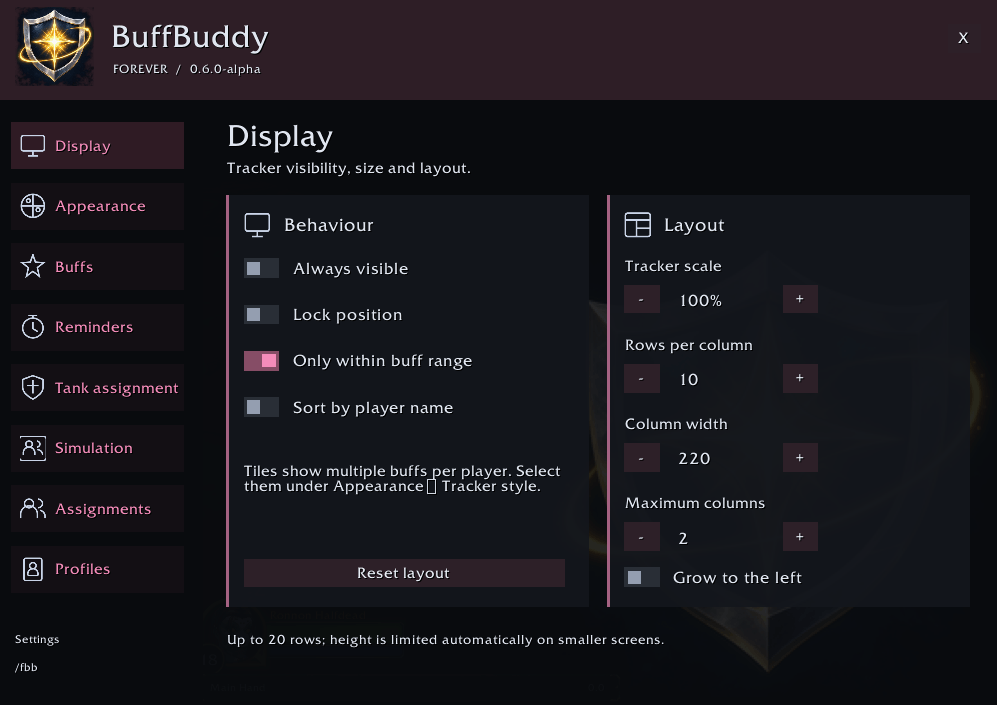
Choose your layout
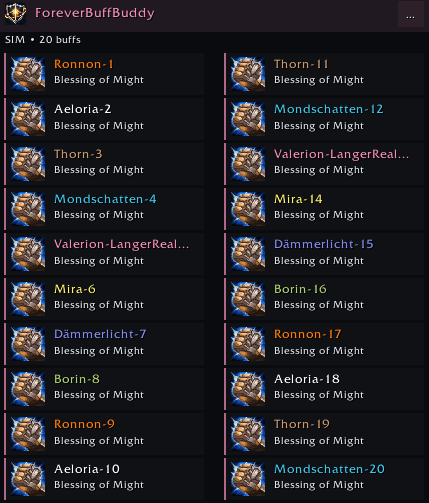
Switch between list, player card, icon grid, and timer bar layouts.
Customize colors, fonts, backgrounds, borders, spacing, and scale. Use your class color or choose your own colors.
Arrange larger groups across multiple columns, and use the simulation mode to preview groups of 5, 10, 20, or 40 players without joining a raid.
Profiles
Save different configurations and switch between them. Import and export profiles to share settings or transfer a setup between characters.
Getting started
Type
/fbbto open the options.Choose the buffs you want to track.
Adjust your layout and reminder settings.
Click a player’s entry when they need a buff.
Language and compatibility
The options automatically use German or English based on your client language, with English as the fallback. Spell names use the names provided by your game client.
ForeverBuffBuddy is developed for WoW Forever. Compatibility with other World of Warcraft clients is not guaranteed.
Totems and pet auras are outside the scope of this addon.
Feedback
If you encounter a problem, please include your addon version, client build, character class, and a short explanation of what happened. Screenshots and Lua error messages are helpful.
You must be logged in to leave a comment.