
Forever Wayfinder
A standalone quest companion and personal Discovery Journal for World of Warcraft: Forever. It adds quiet markers and optional context to Forever's quest log and remembers your own travels
Details
Expansion
 Forever
 Categories
Developers

Having issues?
Forever Wayfinder
An illustrated atlas, personal journal, and quest guide for World of Warcraft: Forever.
Find unfinished quests, track your progress, and keep a record of your adventures.
Features
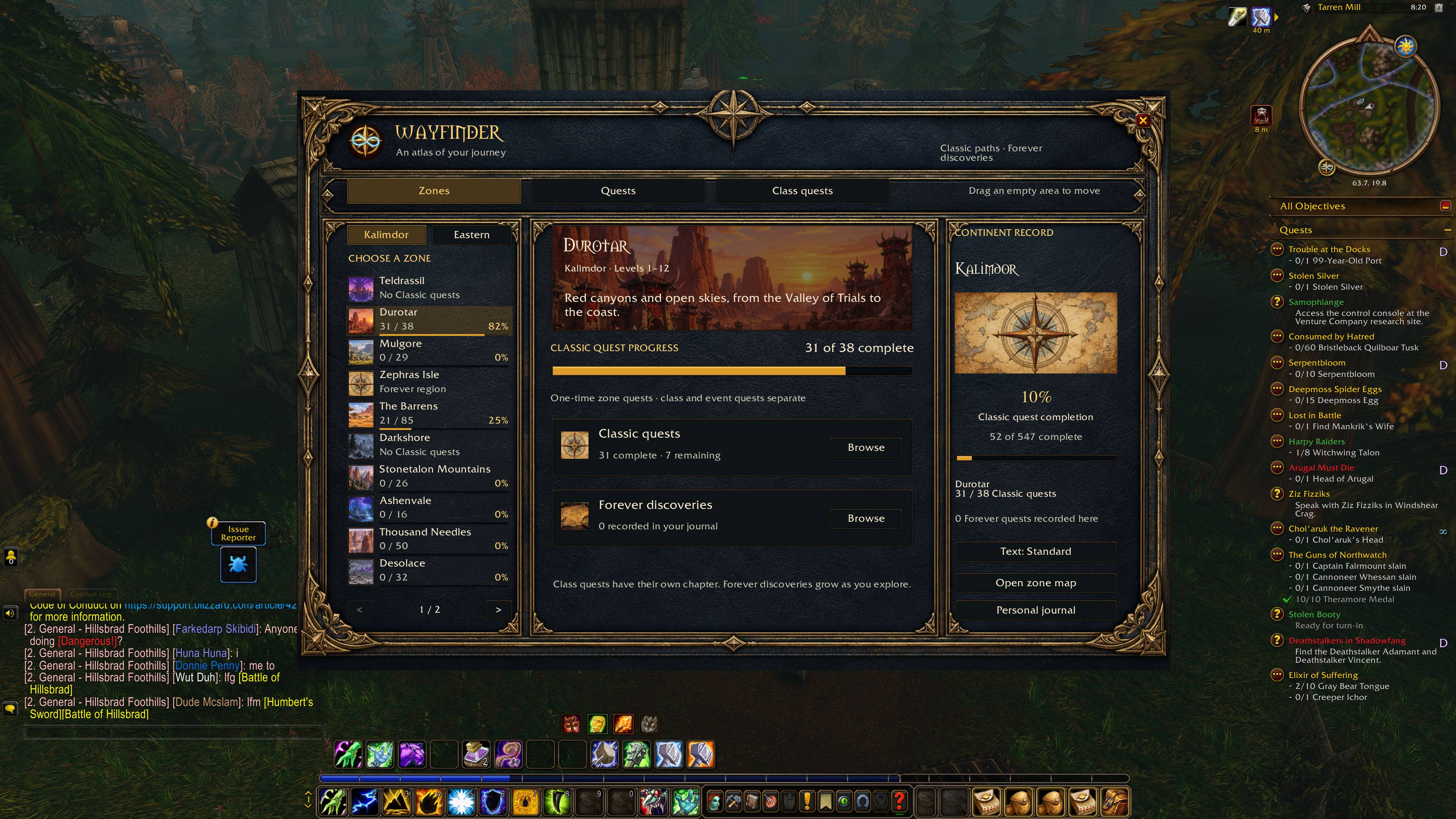
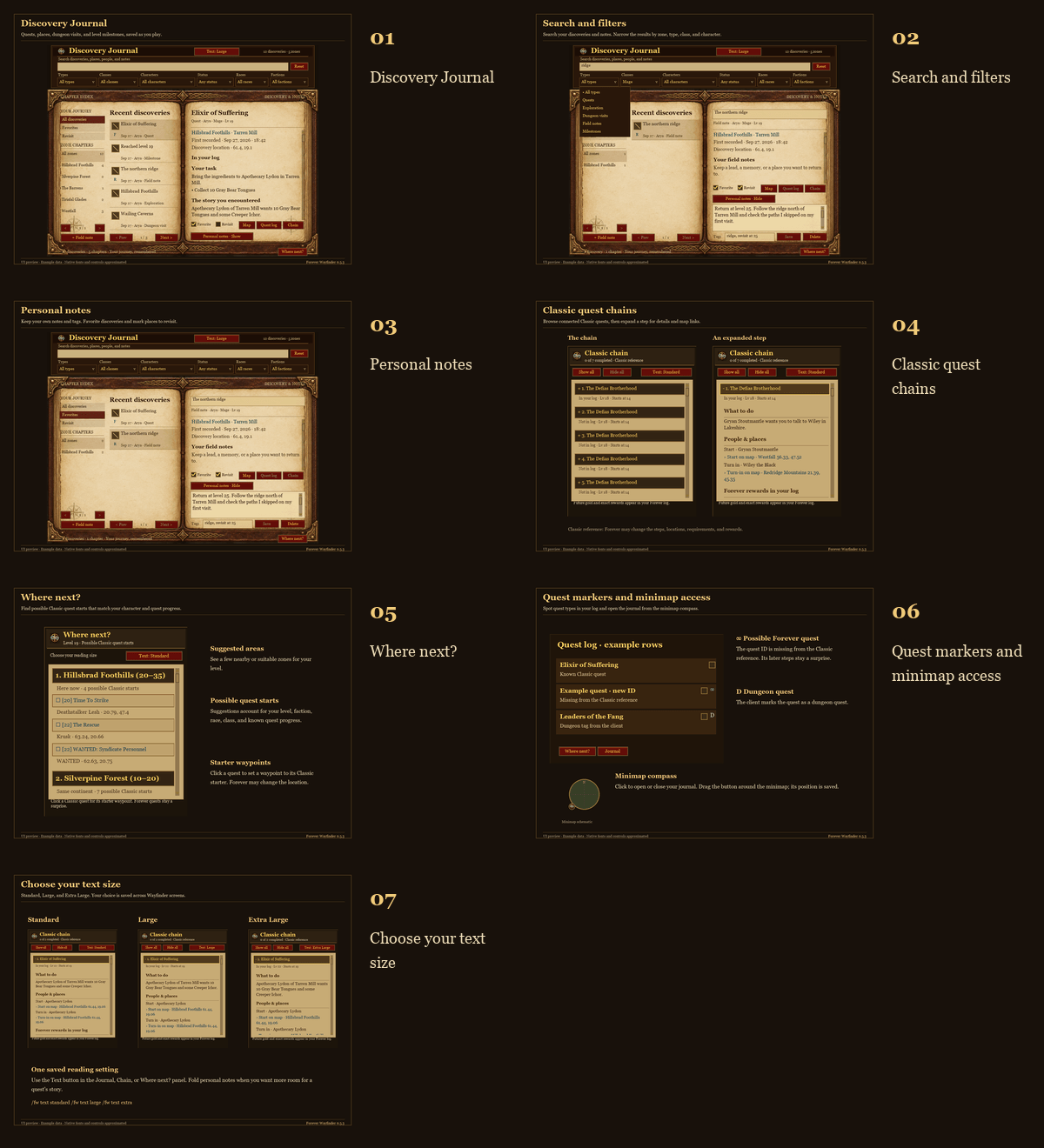
- Illustrated Atlas: Browse painted zone overviews across Kalimdor and the Eastern Kingdoms. Track Classic quest completion by zone and continent, filter unfinished quests, and click To find for a mapped starter waypoint. Class quests have their own chapter; Forever discoveries grow as you encounter them.
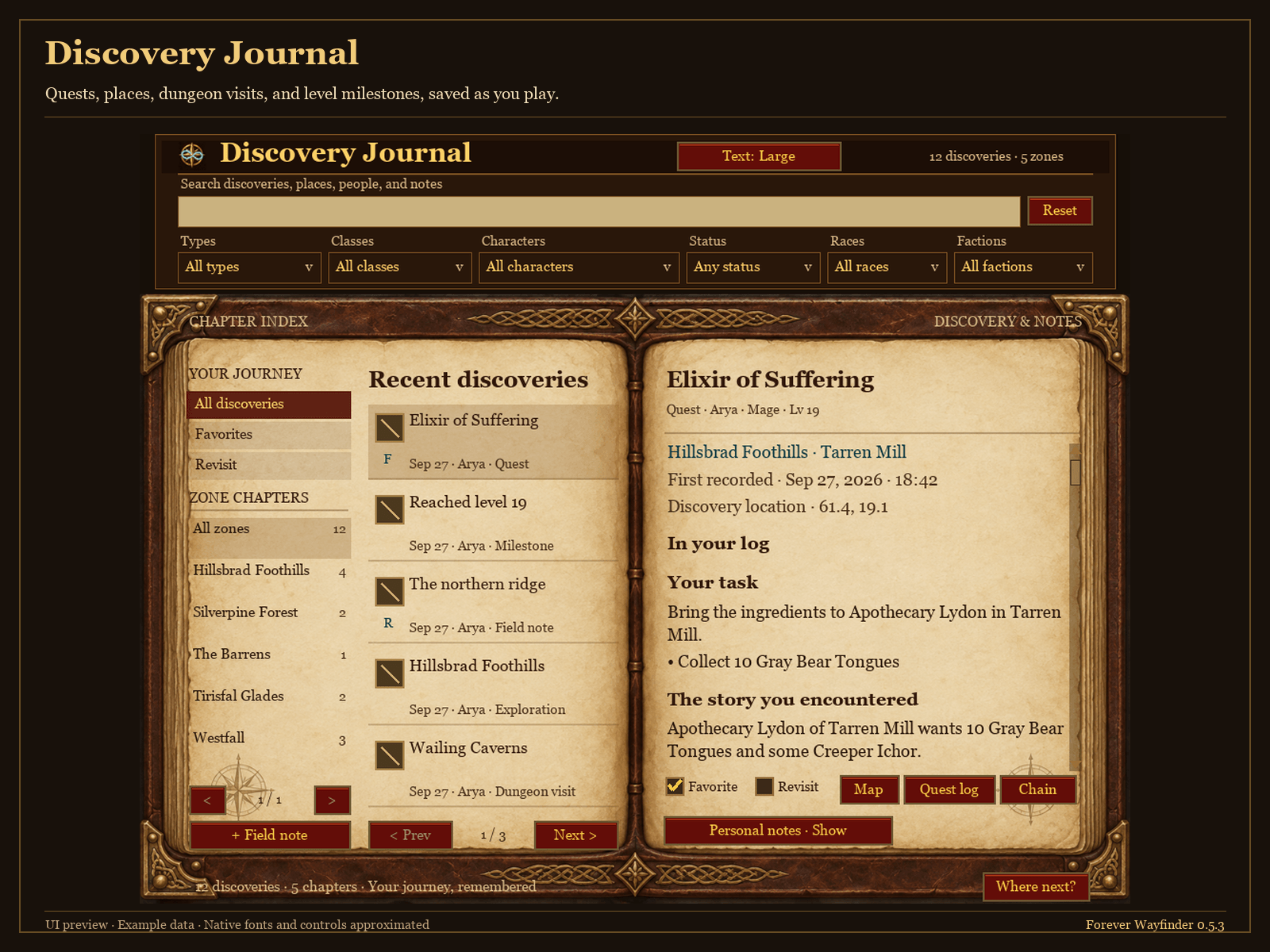
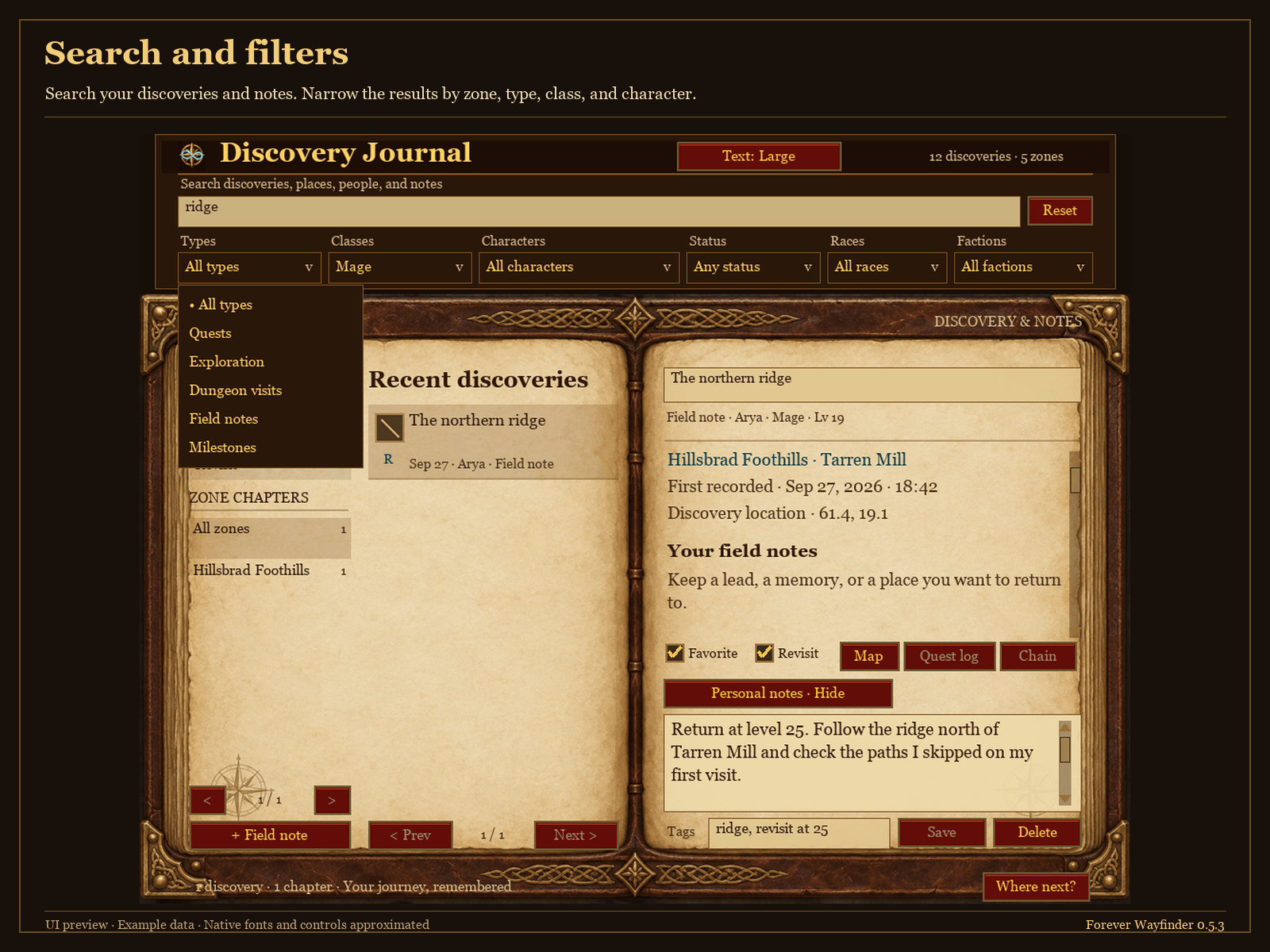
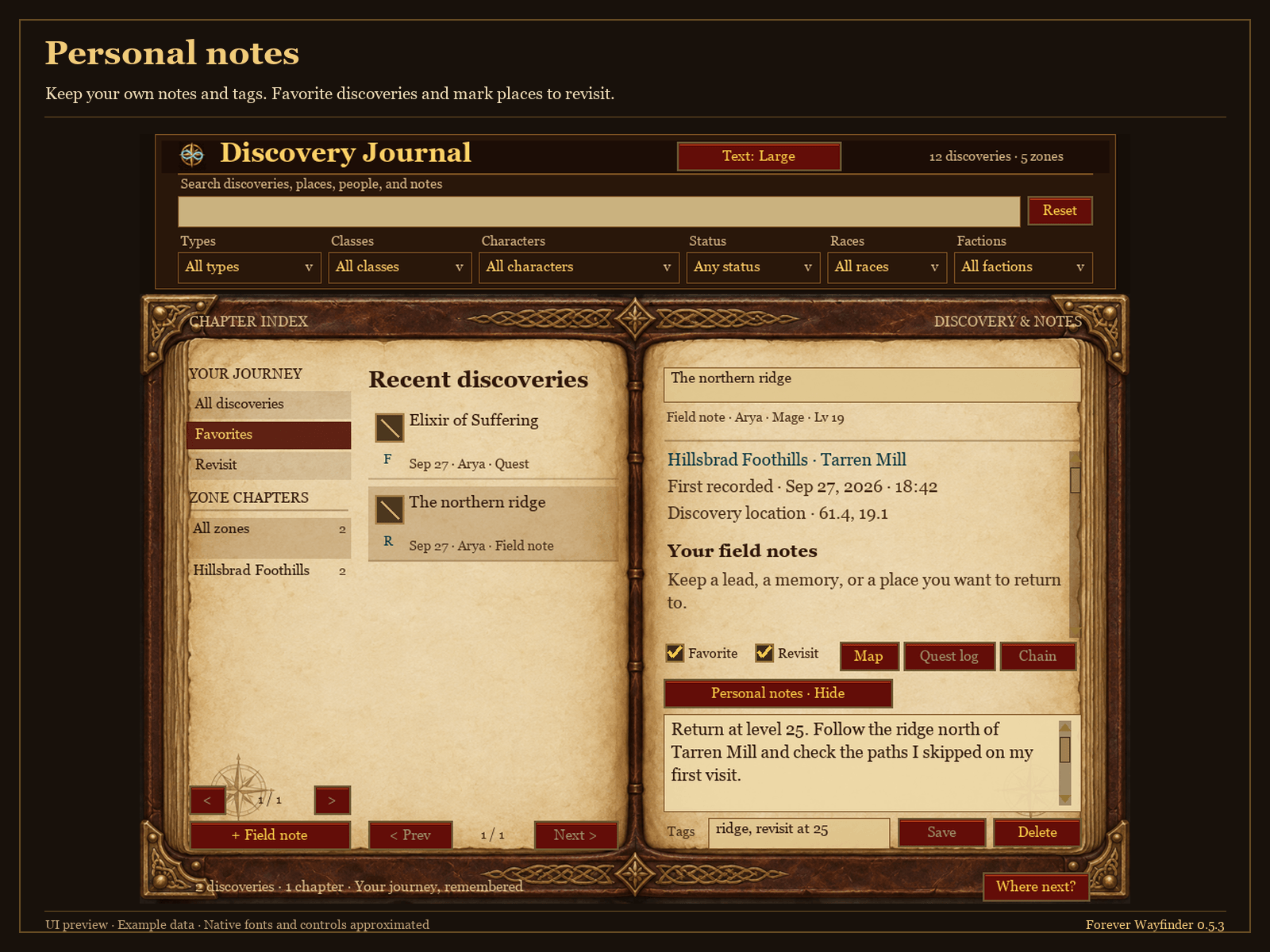
- Your Discovery Journal: Record quests, explored zones, dungeon visits, and milestones. Add personal notes, favorite discoveries, and mark places to revisit. Search your history and filter by character, zone, class, and more.
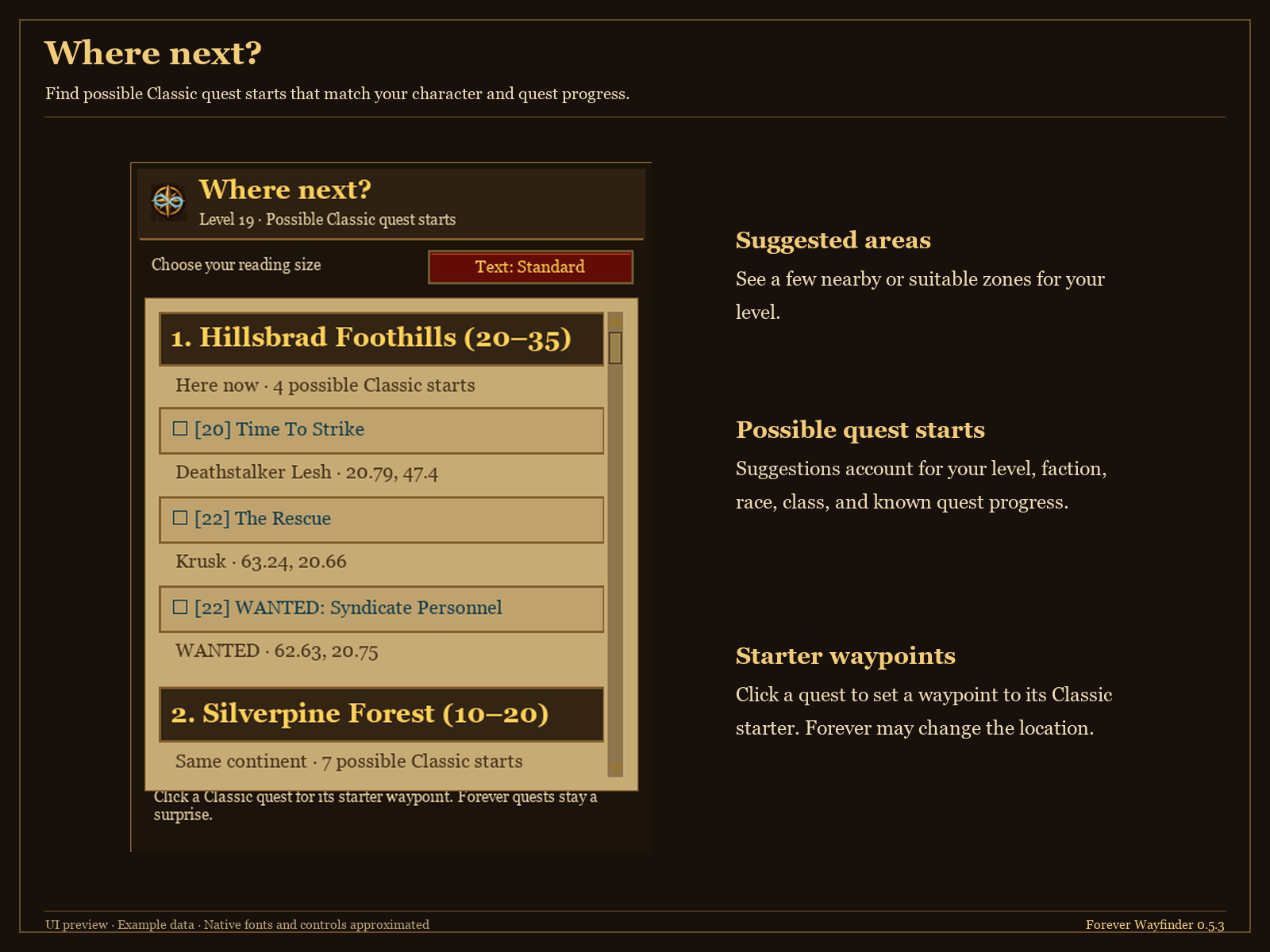
- Where next?: Find important class abilities and training, standout reward chains, and Classic quest starts suited to your character. Browse All, Class, Special, or Zones, with reward item tooltips and your next available quest step.
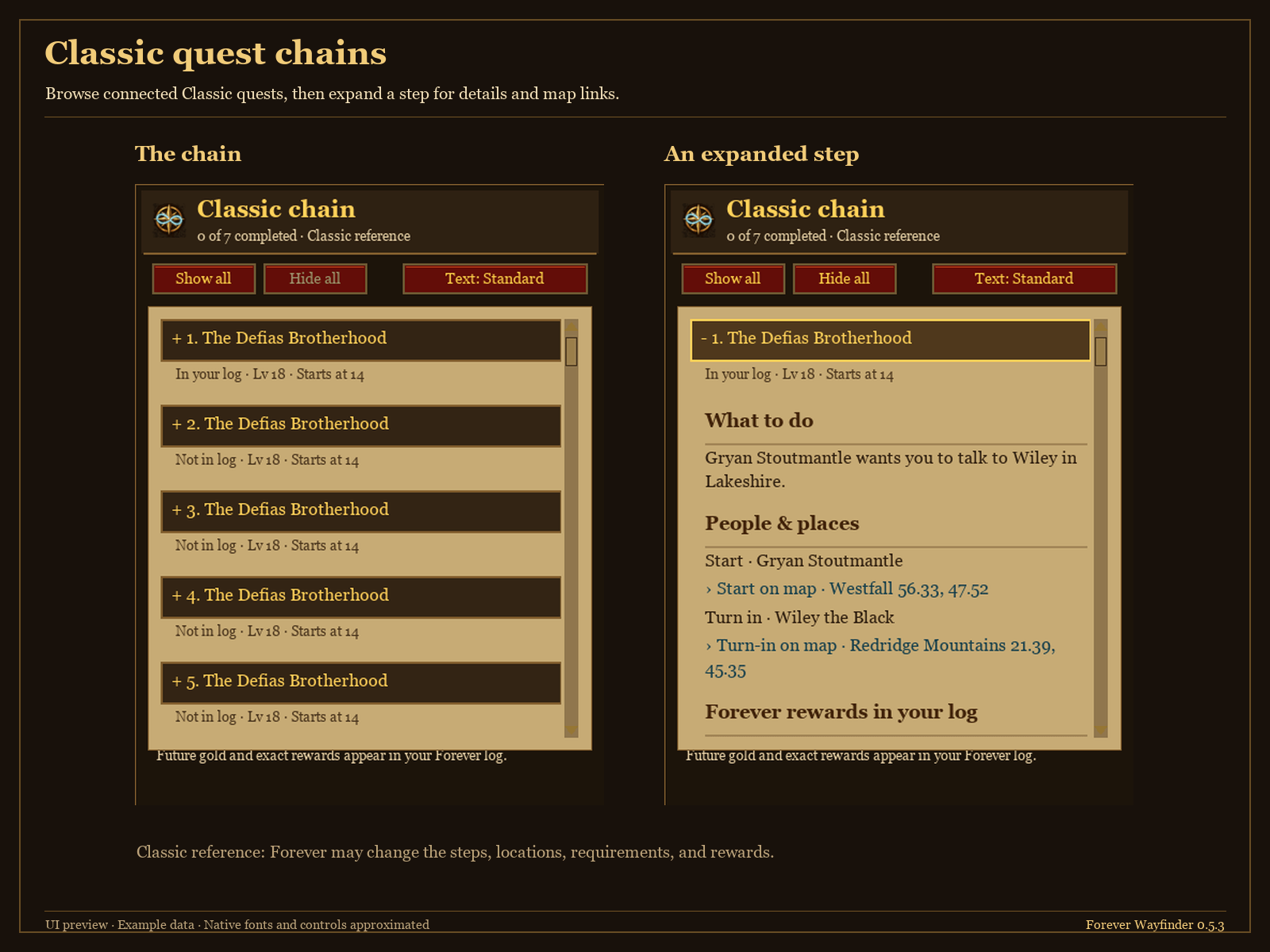
- Classic quest chains: Follow supported chains with objectives, quest givers, requirements, reference rewards, and clickable map locations.
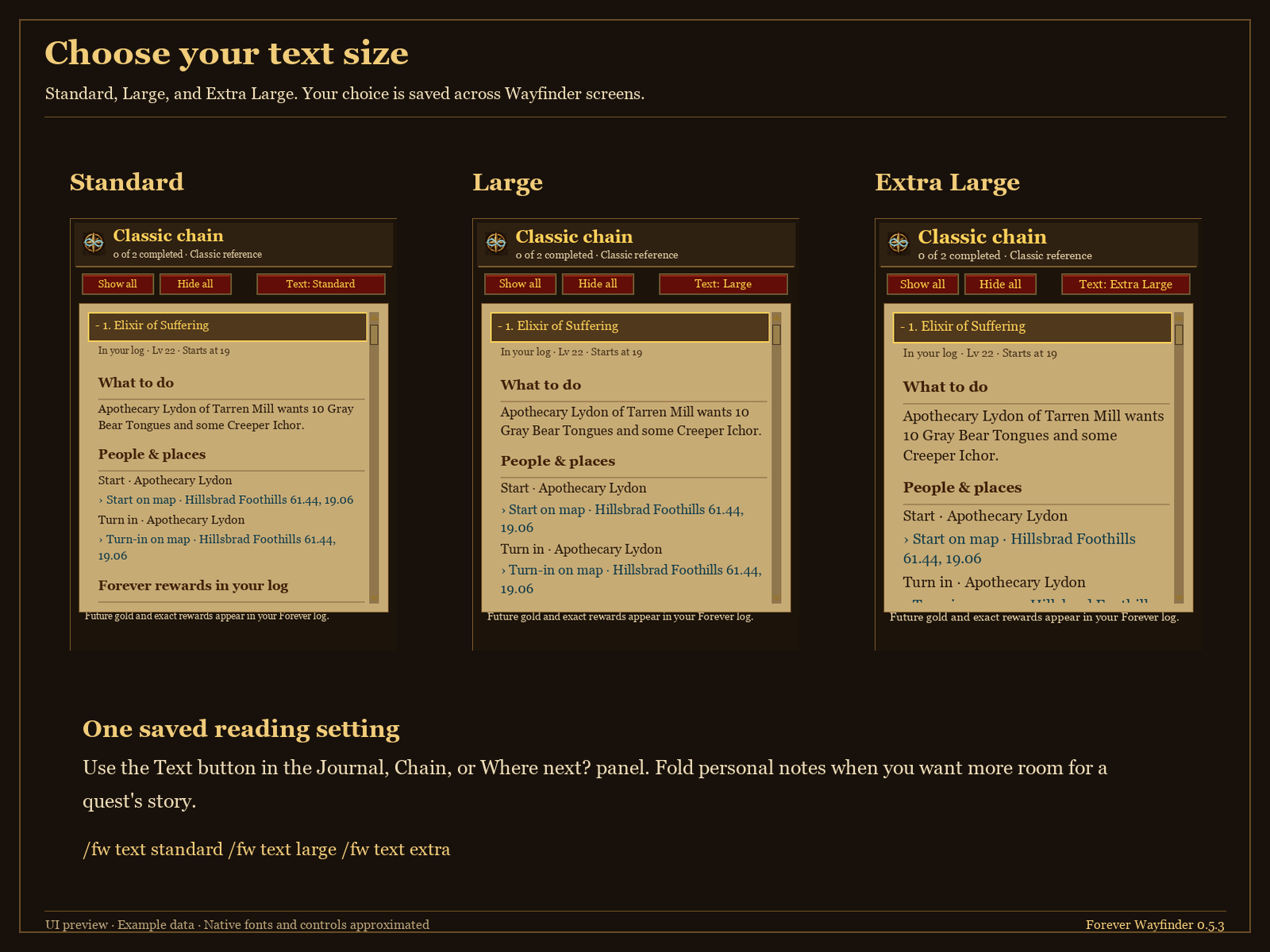
Move the Atlas by dragging an empty area; its position is saved. Choose Standard, Large, or Extra Large text. Works standalone—Questie is not required.
Commands
| Command | What it does |
|---|---|
/fw atlas | Open or close the Atlas. |
/fw journal | Open or close your Discovery Journal. |
/fw or /fw where | Open Where next? for quest suggestions. |
/fw chain | Show the supported Classic chain for the quest selected in your log. |
/fw text | Cycle through the three text sizes. |
/fw text standard, /fw text large, /fw text extra | Set your preferred text size. |
Getting started
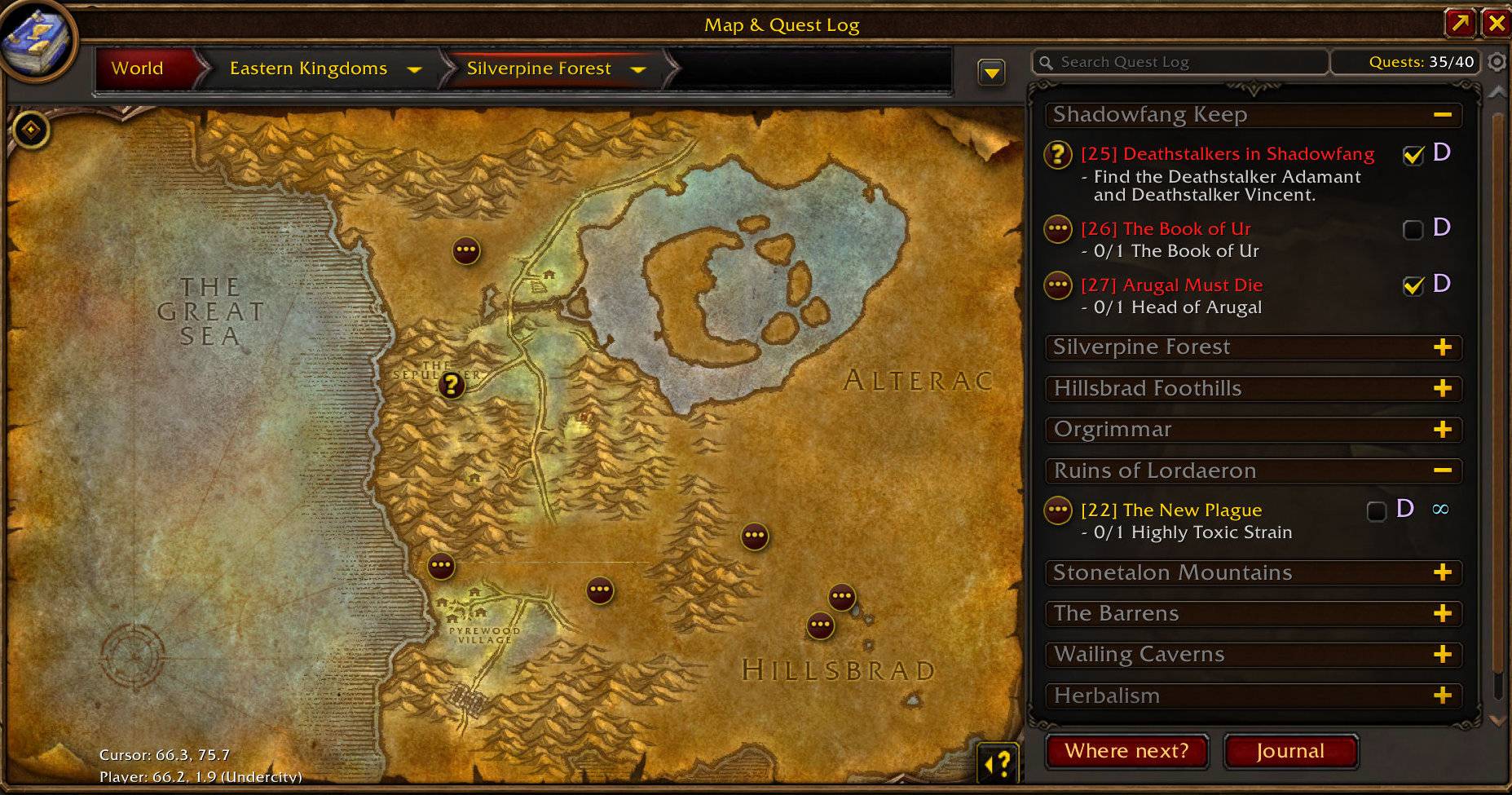
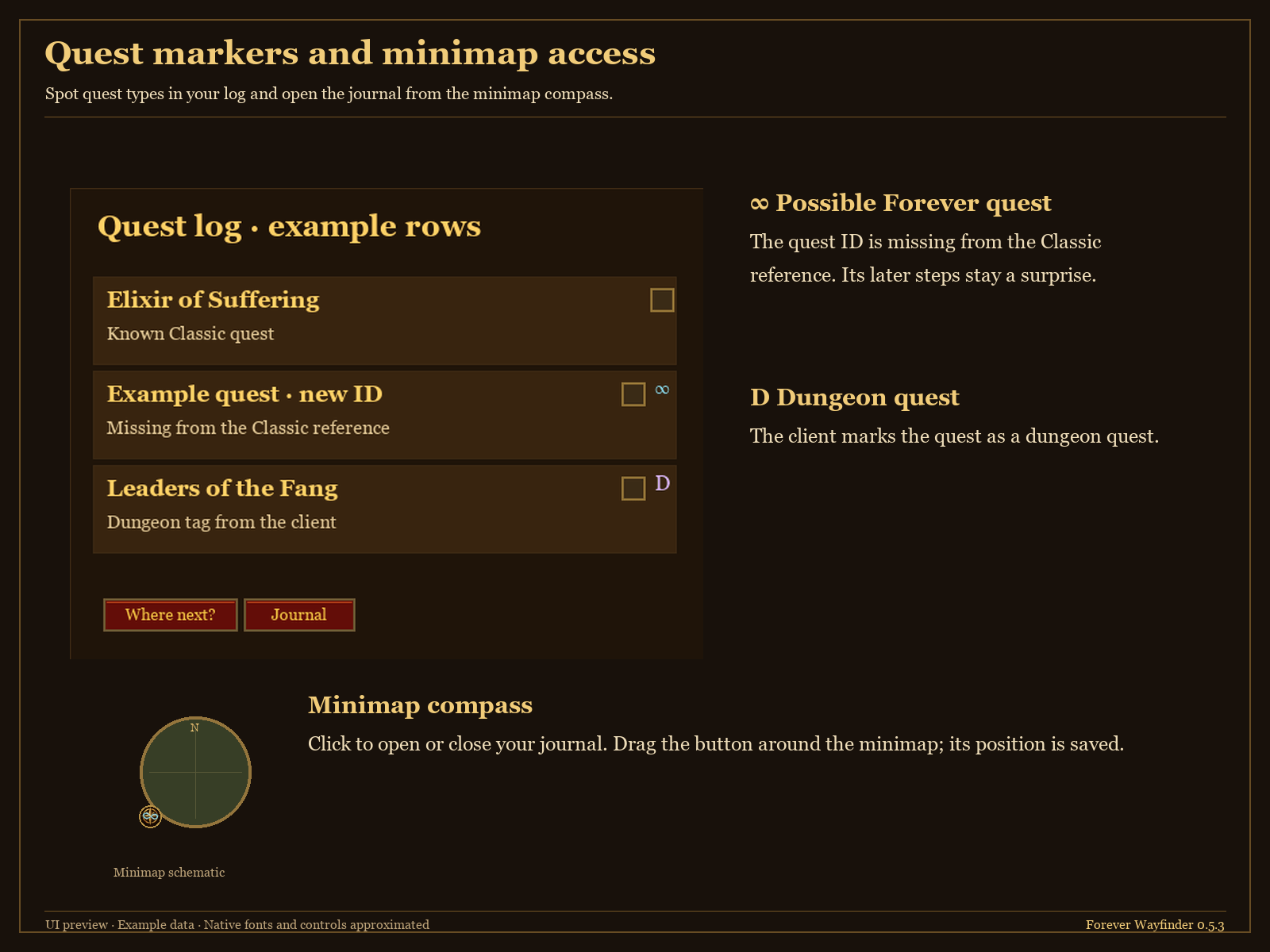
Click the minimap compass or the Journal button in your quest log.
Open Atlas from the journal, or use /fw atlas directly.
Notes
Classic completion can include older quests when the client reports their completed flags. Dated journal history starts at installation and is saved locally across your account.
Classic data is a growing reference; Forever may change quest locations, requirements, and rewards. Map only means no reliable starter coordinate is bundled. Setting a waypoint replaces your current marker. ∞ marks a possible Forever quest; D marks a dungeon quest.
You must be logged in to leave a comment.