

ForEver Sticky Notes
Create, customize, and manage personal sticky notes directly in WoW Forever. Features account-wide and character-specific notes, customizable colors, minimization, and a convenient minimap button.
Details
Expansion
 Forever
 Categories
Developers

Having issues?
4Ever Sticky Notes
Keep your important information right where you need it — inside World of Warcraft!
4Ever Sticky Notes is a lightweight addon for WoW Forever that allows you to create, customize, and manage personal sticky notes directly on your screen.
Whether you're keeping track of crafting materials, remembering something for later, or maintaining a personal to-do list, 4Ever Sticky Notes provides a convenient way to keep your information accessible without leaving the game.
Features
Create and manage notes
- Create multiple sticky notes.
- Edit note titles and contents.
- Automatically update note data as you type.
- Create account-wide or character-specific notes.
- Manage notes through a dedicated Notes Manager.
Customize your notes
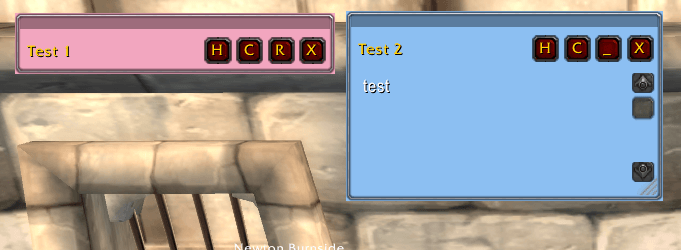
- Choose from five colors: Yellow, Blue, Green, Pink, and Parchment.
- Resize notes to suit your needs.
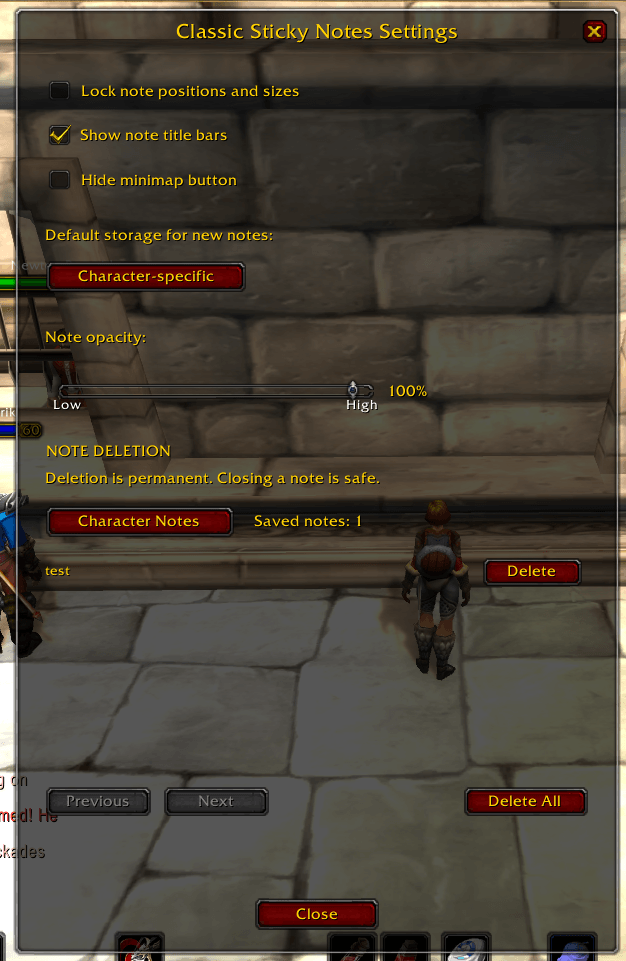
- Adjust note opacity.
- Show or hide note titles.
- Lock note positions and sizes to prevent accidental changes.
Convenient window controls
- Drag notes using the thin bar along the top.
- Minimize notes to free up screen space.
- Restore minimized notes to their previous height.
- Close notes without deleting them.
- Reopen hidden notes through the Notes Manager.
Notes Manager
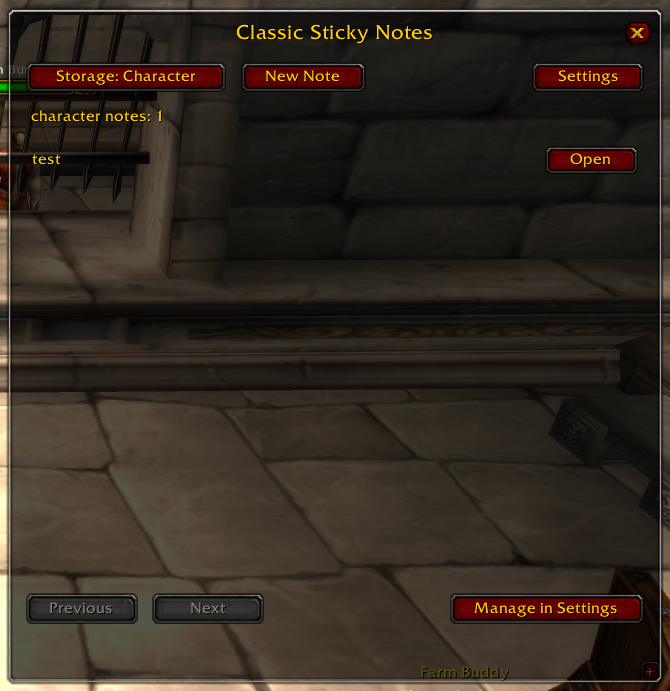
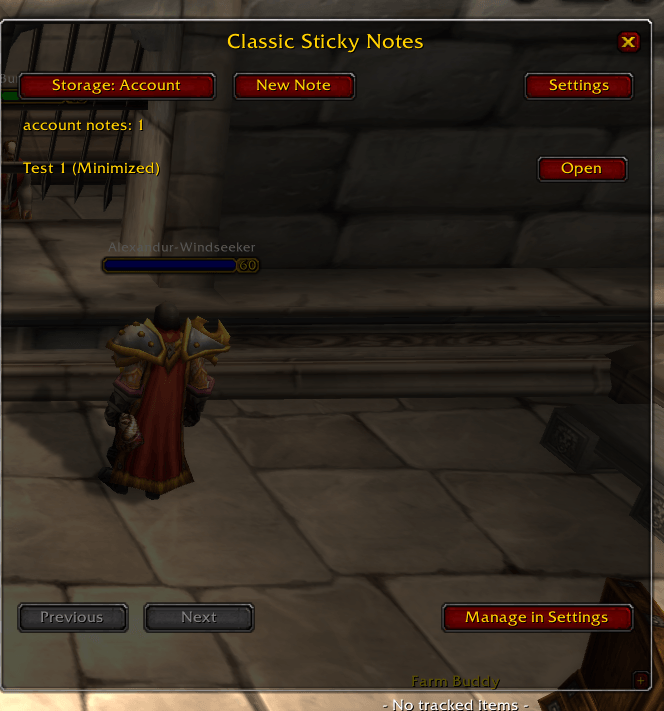
- View your account-wide and character-specific notes separately.
- Create new notes.
- Open hidden notes.
- Minimize and restore existing notes.
- Access addon settings.
Safe note deletion
Permanent deletion is available exclusively through the Settings window.
Select an individual note for deletion or delete all notes within a selected storage type. Confirmation dialogs help prevent accidental deletion.
Closing a note never deletes it.
Minimap integration
- Left-click to open the Notes Manager.
- Right-click to open Settings.
- Drag the minimap button to reposition it.
- Hide the minimap button through Settings.
Important: WoW Forever Beta Limitation
Notes currently do not reliably persist after logging out during the WoW Forever beta.
You can create, edit, customize, and manage notes during a gameplay session, but notes may be lost when you log out or restart the game.
The addon uses World of Warcraft's SavedVariables system to store notes. Persistence is expected to work once the underlying issue is resolved, potentially when WoW Forever leaves beta. However, this has not yet been verified.
Please do not use the addon to store information you cannot afford to lose during the beta.
This limitation will be revisited as the client develops.
Installation
- Download the addon.
- Extract the
4EverStickyNotesfolder into your WoW ForeverInterface/AddOnsdirectory. - Restart World of Warcraft.
- Enable 4Ever Sticky Notes from the AddOns menu, if necessary.
- Use the minimap button to open the Notes Manager and start creating notes.
How to Use
Creating a note
Left-click the minimap button, select your preferred storage type, and click New Note.
Customizing a note
Use the C button to select a color. Resize the note using its bottom-right corner, or drag the thin bar at the top to reposition it.
Minimizing a note
Click the minus (−) button to minimize a note. Click the plus (+) button to restore it.
Closing a note
Click X to hide a note. Reopen it at any time through the Notes Manager, provided its data is still available in the current session.
Deleting a note
Open Settings, select the appropriate storage type, choose the note, and click Delete Selected.
Deletion requires confirmation and cannot be undone.
Compatibility
Designed for WoW Forever.
This addon is intended for the WoW Forever client and is not guaranteed to function on other World of Warcraft versions.
Feedback and Bug Reports
If you encounter Lua errors, unexpected behavior, or problems with the interface, please report them through the CurseForge project page.
Include the error message and a description of what you were doing when the issue occurred.
You must be logged in to leave a comment.