

Forever Simple Settings
Every addon's options in one big, resizable window, opened from a minimap button, a key binding or /fsettings, even in combat.
Details
Addon ID:
27814
Addon Version:
0.3.2
Expansion:
1.60
Upload date:
Oct 06, 2026
Last Updated:
Oct 06, 2026
Downloads:
Less than 100
Website:
Source Link
Expansion
 Forever
 Categories
Developers

tarolg
Creator
Having issues?
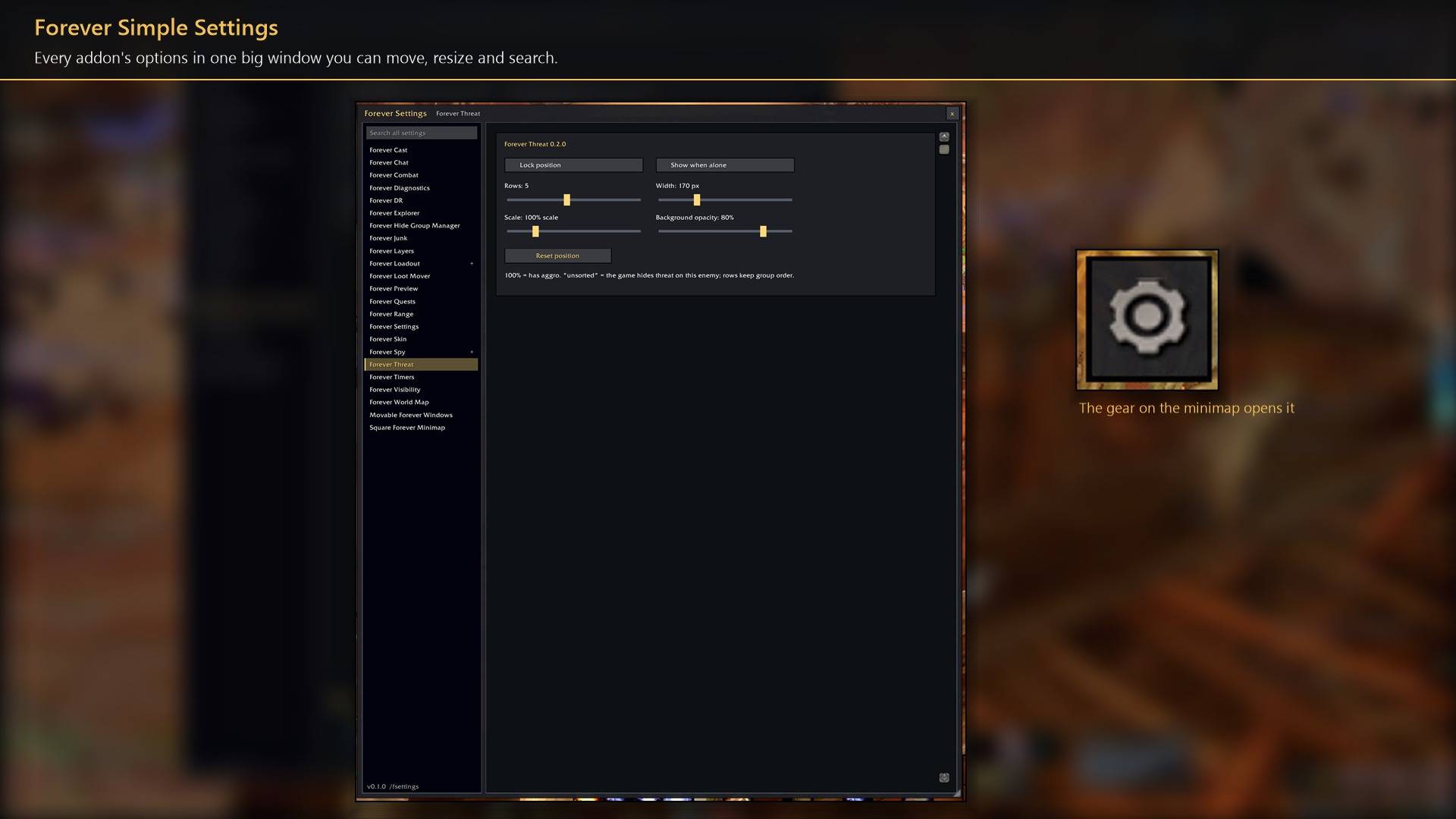
Forever Simple Settings shows every addon's options in one big window you can resize, in World of Warcraft: Forever. In game it is listed as Forever Settings.
The game's Options → AddOns window has a fixed size, so long pages scroll in a small box. Forever Settings shows the same pages in a window of your own:
- One click to open. A small gear on the minimap's edge: left-click opens or closes the window, right-click lists every addon so you can jump straight to one. A key binding and
/fsettingsopen it too, and it opens in combat as well. - Big and resizable. It opens almost as tall as your screen. Drag the title bar to move it and the corner to resize it; the size, place and last page are remembered. Window scale (70% to 150%) makes the window and its text bigger or smaller.
- Every addon on the left, with each addon's subpages under it.
- Search all settings. Type a word such as
scale,soundorchat, and only the addons whose page shows it stay listed. - Forever Simple addons open here. With it installed, their own commands (
/fcast,/fskinand the rest) open their page in this window. - Escape closes it; every other key still reaches the game, so you can walk with it open.
The pages are each addon's own Options page, not copies, so a change here is the same change as in Options → AddOns. It works with any addon that has an Options page, not only the Forever Simple ones.
Works better with
These addons are optional. Install any of them alongside this one for more:
- Every Forever Simple addon with options (Cast, Chat, DR, Junk, Loadout, Market, Quests, Range, Skin, Threat, Visibility, World Map, Movable Windows): its settings command, such as
/fcast, opens its page right in this window, even in combat. - Forever Simple Square Minimap: the minimap gear slides along the square edge.
You must be logged in to leave a comment.