

Forever Simple Chat
Chat that doesn't fade or vanish: saved history, drag-to-copy, clickable links, a spam filter and compact channel names.
Details
Addon ID:
27821
Addon Version:
0.2.3
Expansion:
1.60
Upload date:
Oct 06, 2026
Last Updated:
Oct 06, 2026
Downloads:
Less than 100
Website:
Source Link
Expansion
 Forever
 Categories
Developers

tarolg
Creator
Having issues?
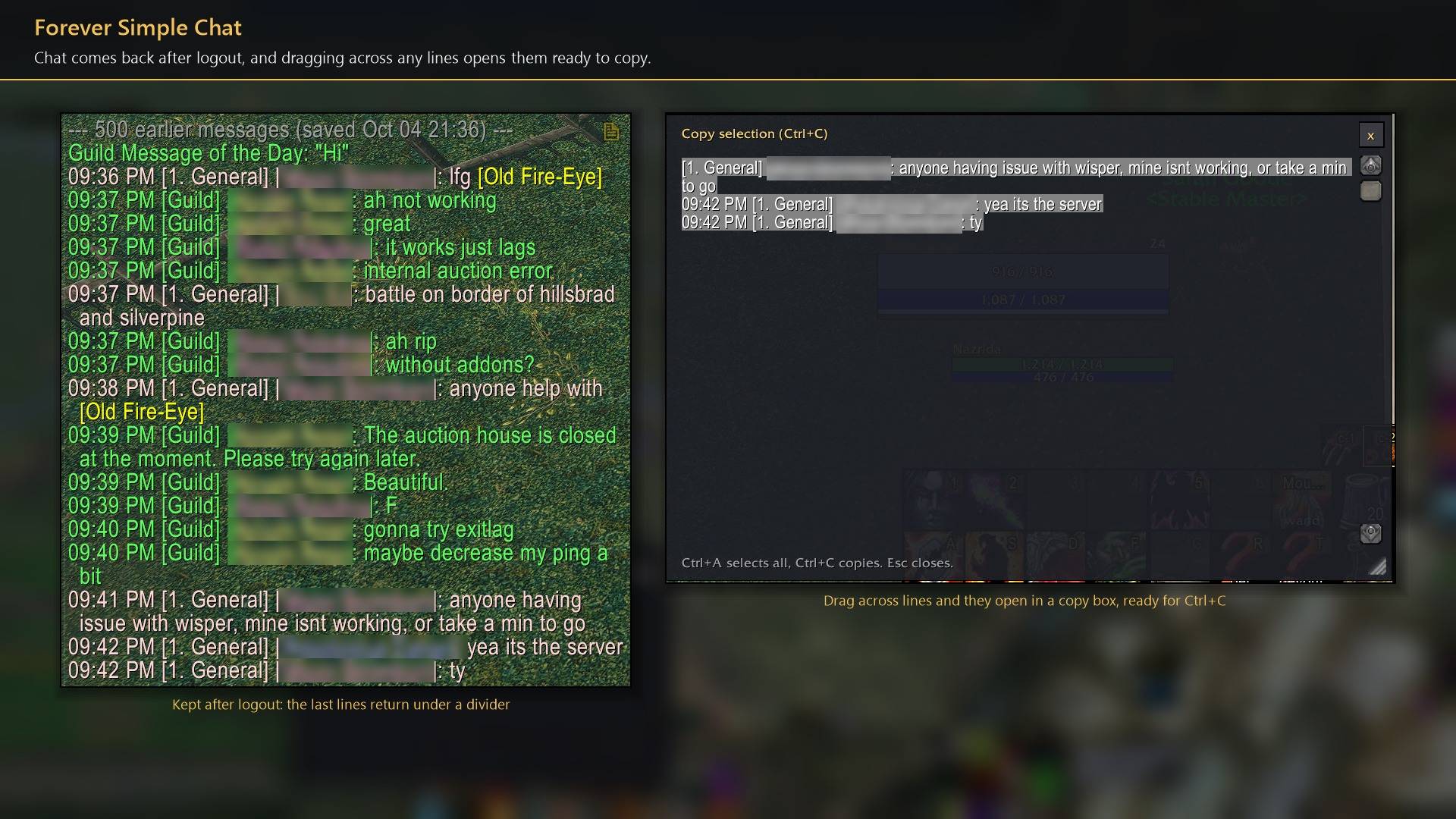
Forever Simple Chat keeps your chat in World of Warcraft: Forever. In game it is listed as Forever Chat. It works with Blizzard's chat windows rather than replacing them.
- Chat stays. Text never fades by default, and each window keeps 1000 lines (up to 5000). With Keep chat after logout, recent lines come back after
/reloador logout, including lines you typed (press Up to reuse them). - Copy anything. Drag across chat text and it opens in a copy box, ready for Ctrl+C. A corner button copies a whole window. Web addresses become clickable links.
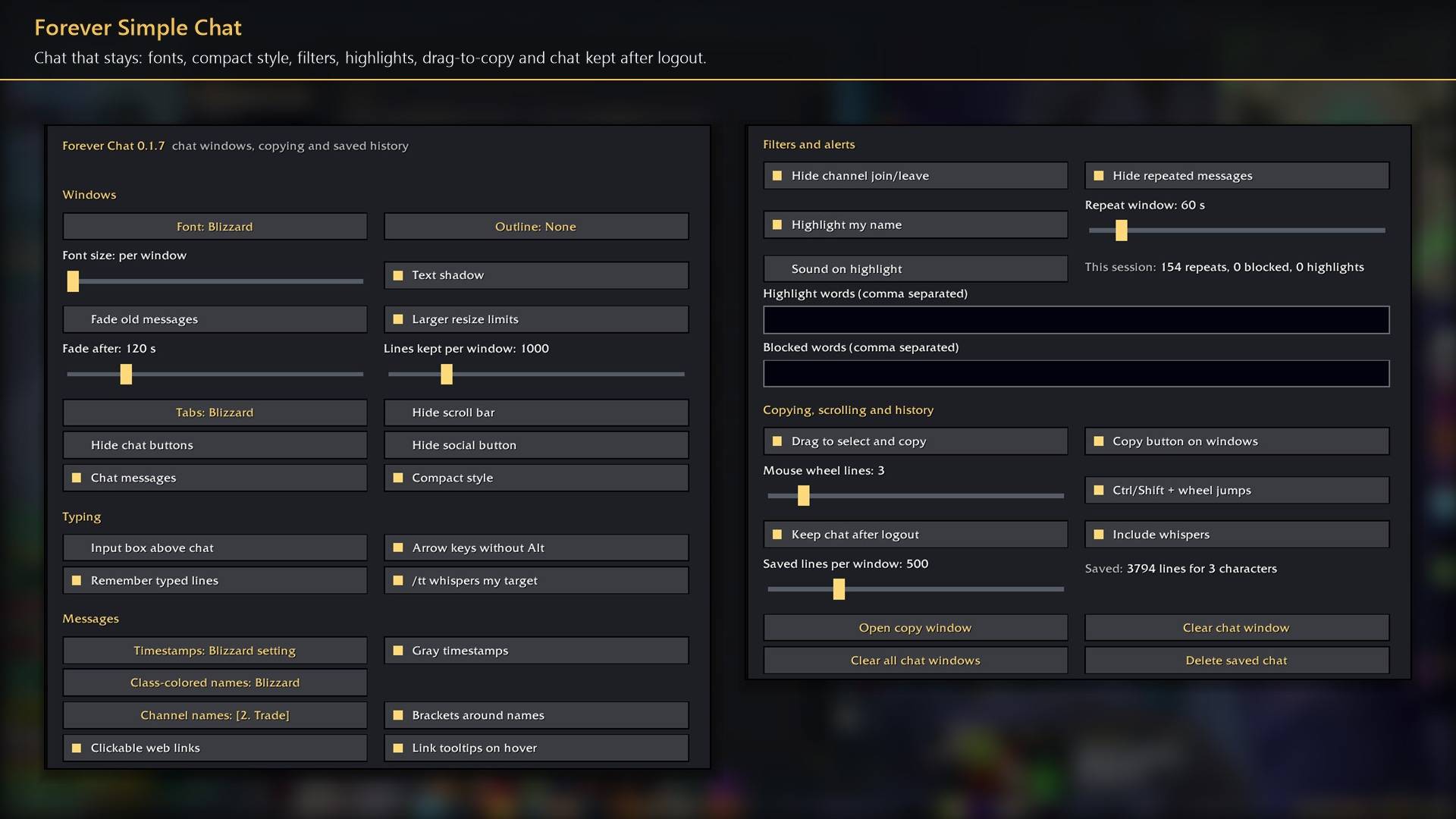
- Windows. Font, outline, shadow and size for every window, larger resize limits, tabs that can hide until mouseover, and an adjustable mouse-wheel speed (Ctrl + wheel jumps to top or bottom).
- Compact style. Flat tabs, a flat input box that outlines gold while you type, and small flat buttons. Turn it off to get Blizzard's look back.
- Messages. Timestamps, class-coloured names, short channel names (
[2. Trade],[T]or[2]) and tooltips when you hover item, spell, quest and achievement links. - Filters and alerts. Hide channel join/leave lines and repeated messages, block words, and highlight your name or chosen words with an optional sound.
- Commands.
/tt messagewhispers your target;/clearand/clearallempty chat windows.
Every setting is in Options → AddOns → Forever Chat (or /fchat).
Works better with
These addons are optional. Install any of them alongside this one for more:
- Forever Simple Settings:
/fchatopens these options in its big, resizable window, even in combat, instead of the game's small Options window.
You must be logged in to leave a comment.