

Forever Quests
A lightweight addon that adds a customizable [NEW] tag to all custom quests added in WoW: Forever.
Details
Expansion
 Forever
 Categories
Developers

Having issues?
Forever Quests
Forever Quests is a lightweight, highly optimized quality-of-life addon designed specifically for WoW: Forever.
As you explore the world, it can be hard to tell which quests are part of the original Vanilla experience and which ones are brand-new custom content. This addon solves that by automatically identifying custom quests and highlighting them with a clean, customizable tag so you never miss out on new adventures!
✨ Key Features
- Future-Proof Detection: Rather than keeping a list of custom quests, the addon cross-references your game with a built-in database of the original Vanilla quests. This means that any new custom quests added to WoW: Forever in future updates will be highlighted automatically.
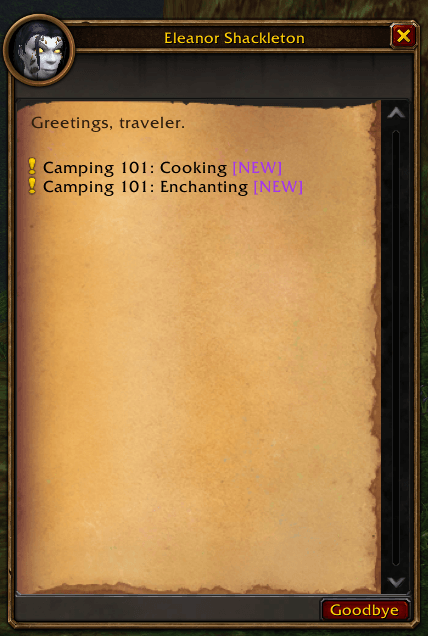
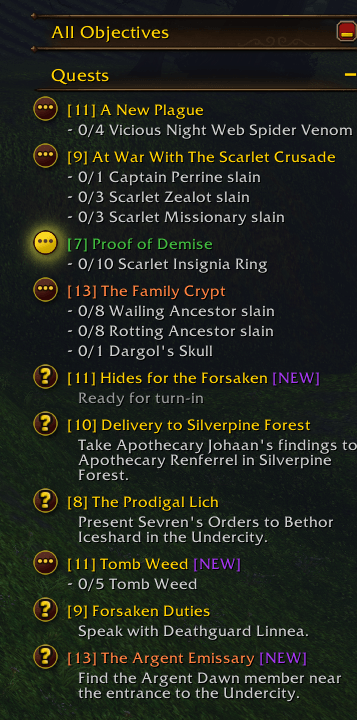
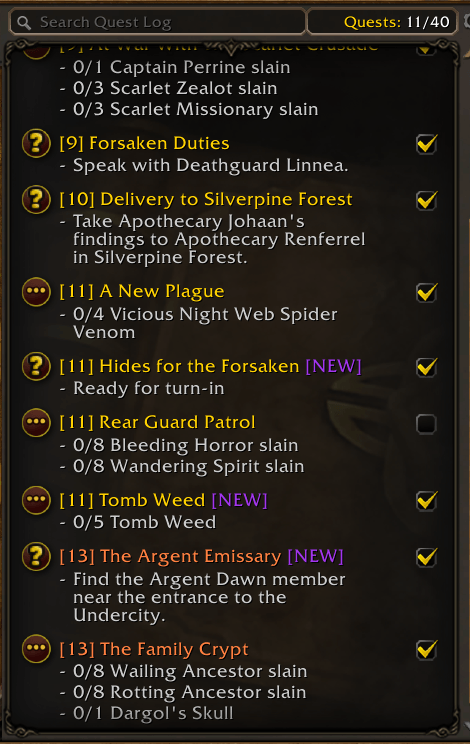
- Instantly Identify Custom Content: Automatically adds a
[NEW]tag next to any quest that wasn't in original Vanilla WoW. - Seamless UI Integration: The tag applies smoothly across your entire interface, including:
- NPC Gossip & Dialog Frames
- The Quest Log
- The Objective Tracker
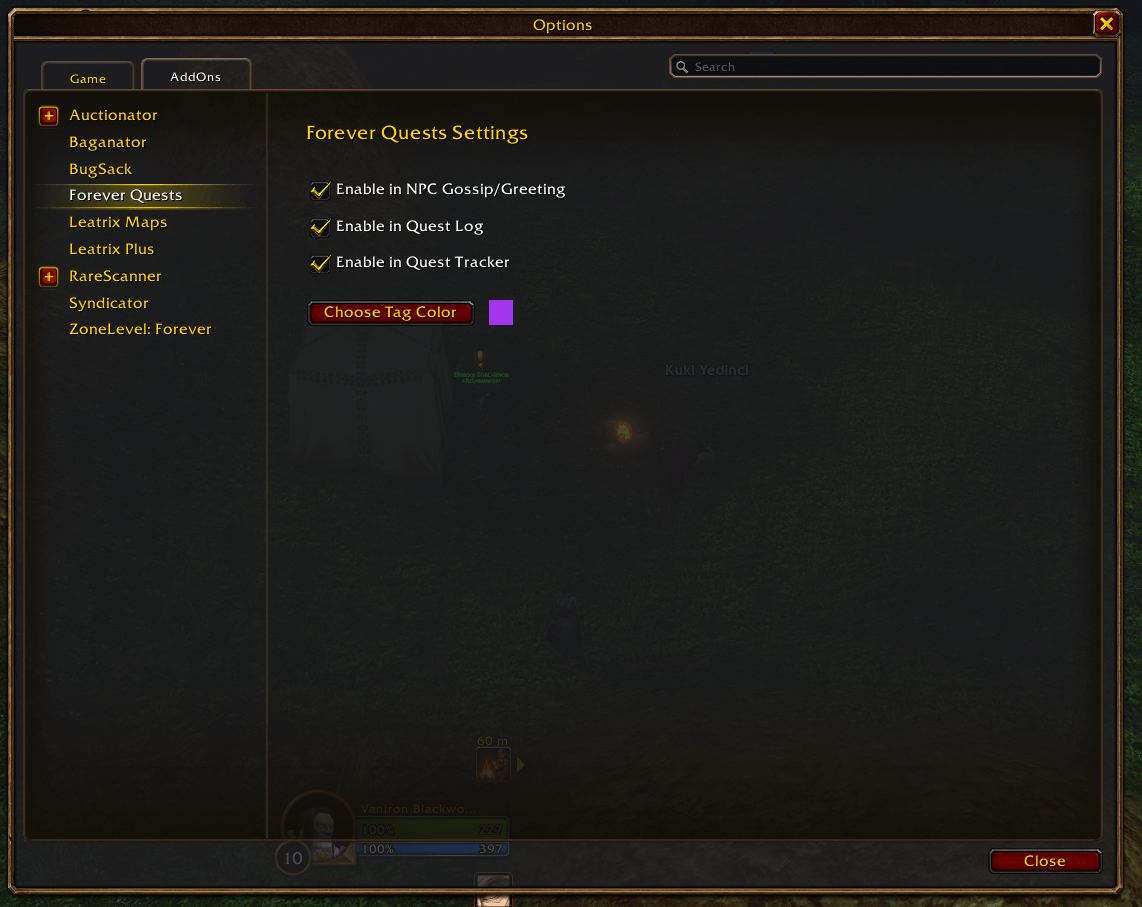
- Fully Customizable: Don't like the default purple tag? You can easily change the color of the highlight to match your UI preferences. You can also change the text.
- Toggleable Modules: Want the tags in your dialogs but not in your tracker? You can individually toggle the highlights for Gossip frames, the Quest Log, and the Tracker in the options.
- Extremely Lightweight: Built with performance in mind. The addon uses cached databases and event-driven updates to ensure absolutely zero impact on your framerate.
- DialogueUI Compatibility: Full compatibility with the DialogueUI addon. The
[NEW]tag injects perfectly into DialogueUI's dynamically recycled dialog options and correctly updates layout width.
⚙️ Configuration
Type /fq or navigate to your ESC -> Options -> AddOns menu to access the settings panel. From there, you can adjust the tag color and enable or disable specific features.
Feel free to leave feedback or report issues in the comments/issue section!
You must be logged in to leave a comment.