
Forever Leveling BiS
Best-in-slot gear while you level in WoW: Forever: the best quest reward, dungeon drop and crafted item for every slot, for your race, class, spec and level.
Details
Expansion
 Forever
 Categories
Developers

Having issues?
Forever Leveling BiS shows the best gear you can get right now while you level in WoW: Forever, and where to get it. Pick a slot to see the top quest rewards, dungeon drops and crafted items for your race, class, talent spec and level, and how much each one beats what you're wearing.
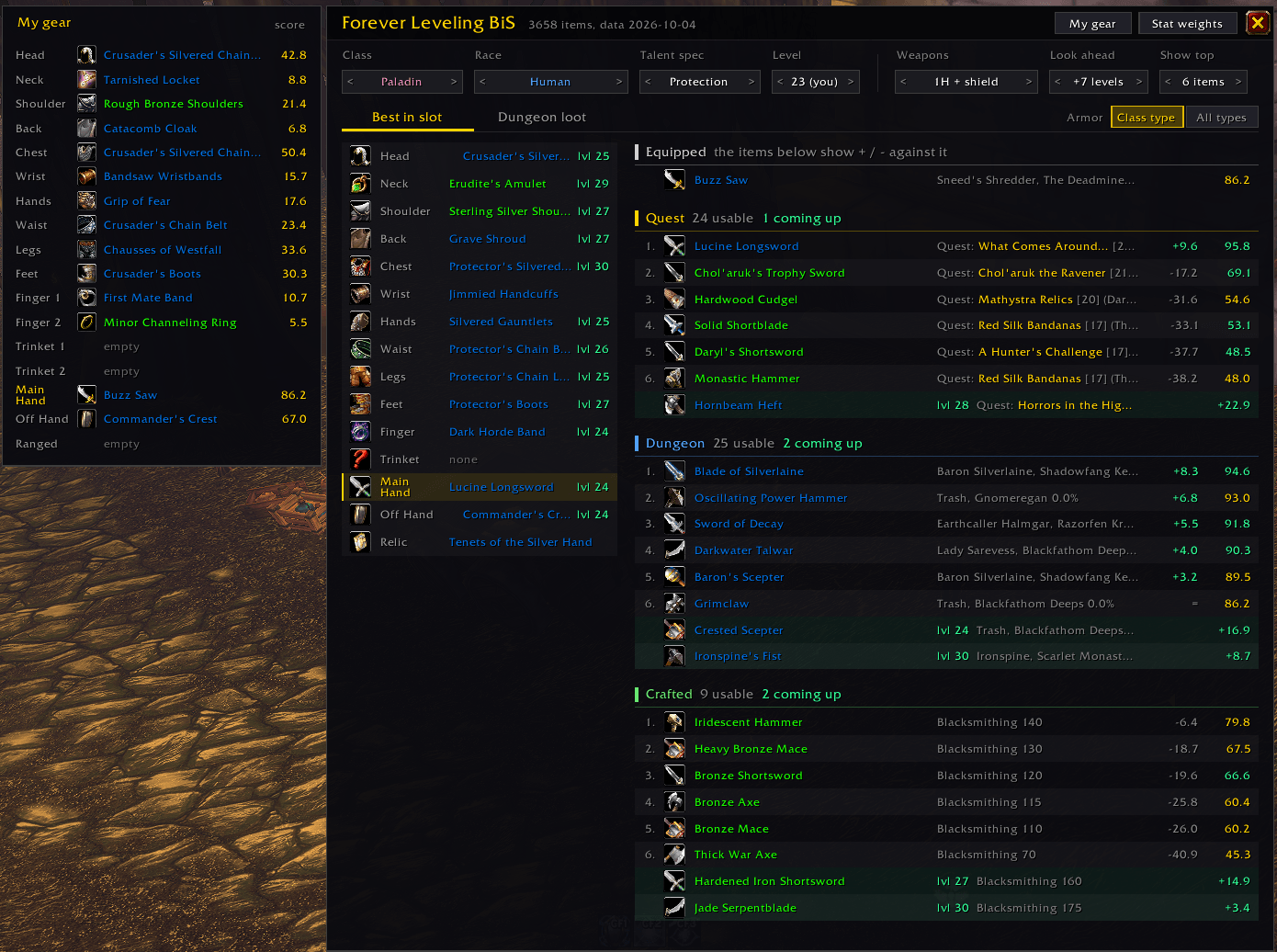
Best in slot for your level
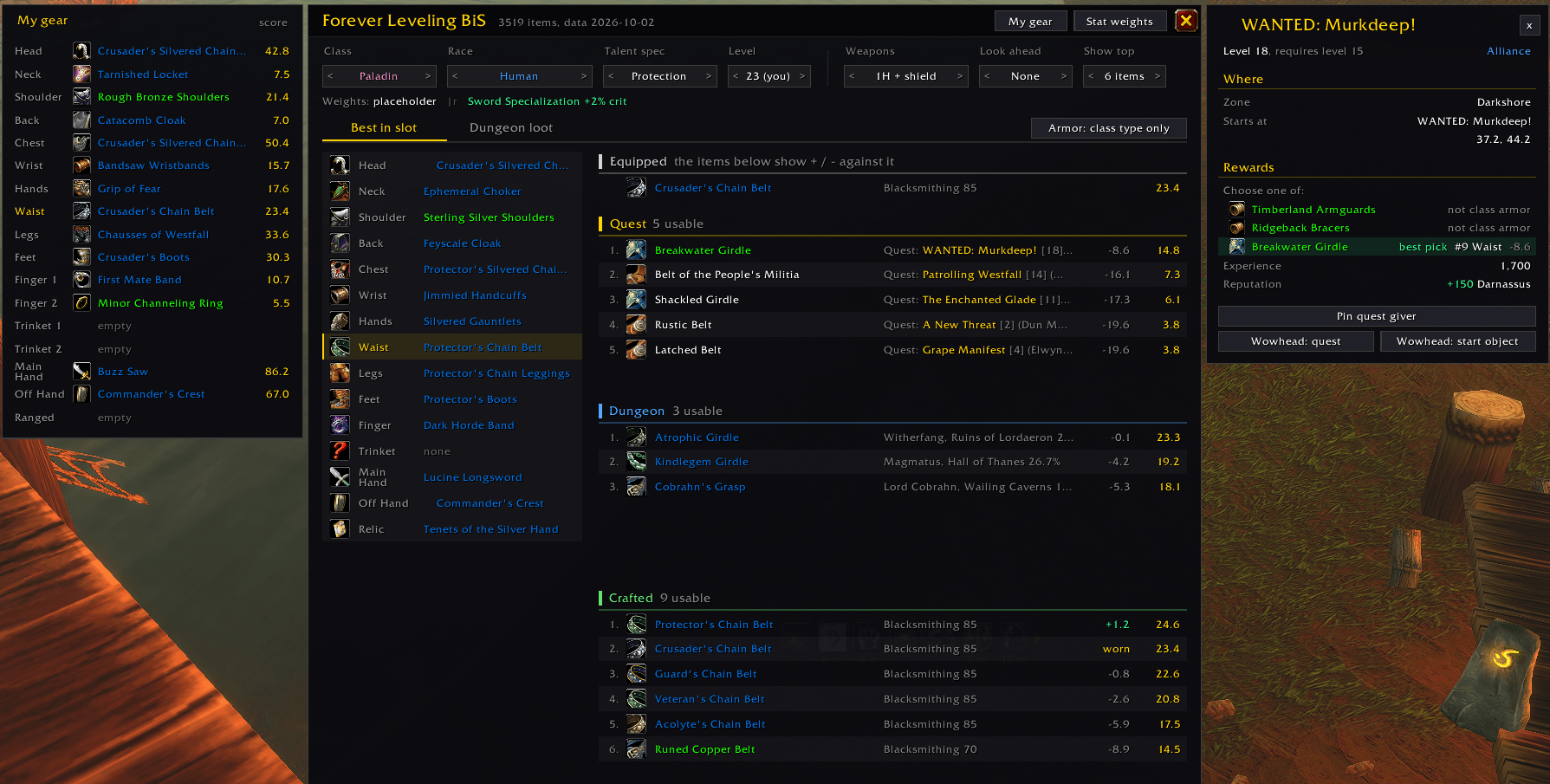
- Three sources, ranked separately: the top 1–10 Quest, Dungeon and Crafted items per slot, so there's always an option that fits how you play.
- Compare with what you wear: the My gear panel lists your worn gear. Every ranked item shows its gain over the item it would replace, and a check mark means you already wear that slot's best.
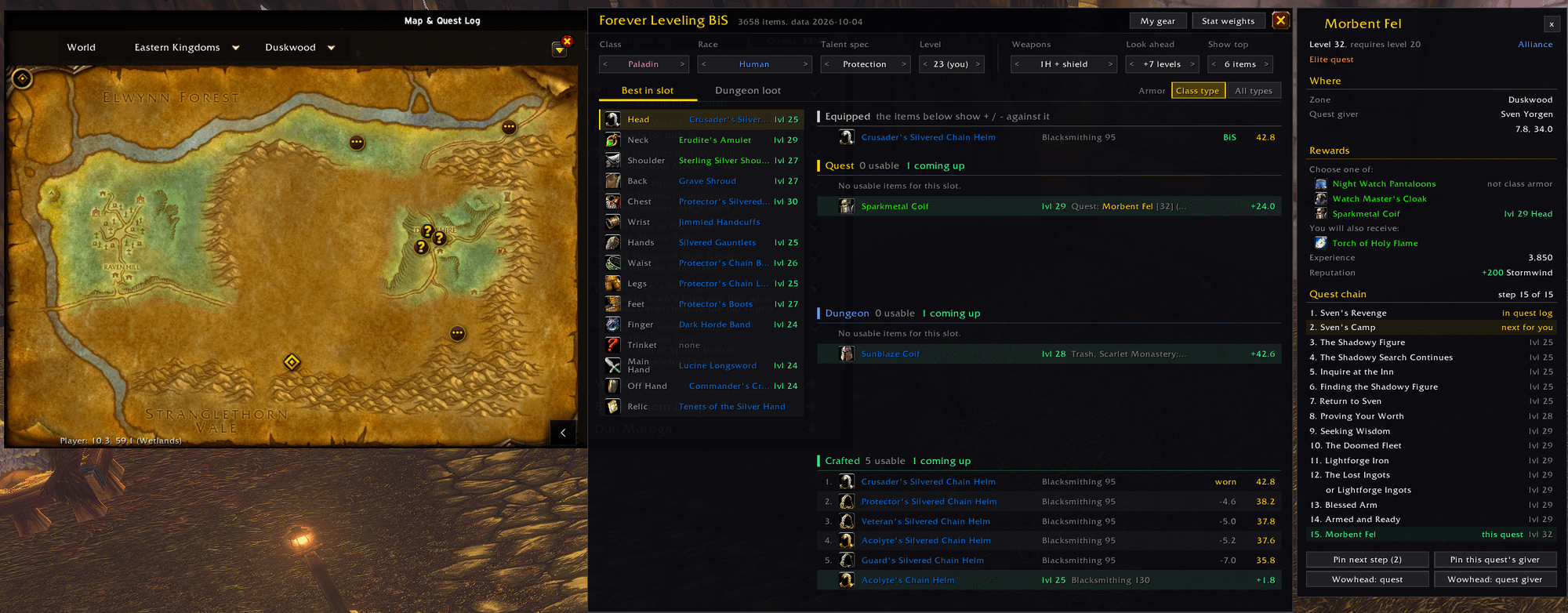
- Look ahead: green rows show the upgrades that unlock over the next few levels and the level each one unlocks at, so you know what's worth waiting for.
- Only gear you can use: armor and weapon proficiencies, faction-only quests, required level and class restrictions are filtered out.
- Weapon setups: two-hander, dual wield, 1H + shield, 1H + held off-hand, or Auto to use whichever scores higher.
Plan your next dungeon (new in 0.3.0)
Every dungeon is listed by level with how many upgrades it has for you. Each one opens on a Summary:
- Upgrades now: its best upgrade per slot over what you wear, biggest gain first.
- Pick up before you go: the dungeon's quests you haven't picked up yet, with a Pin giver button for each.
- Coming up: upgrades from this dungeon that unlock in the next few levels.
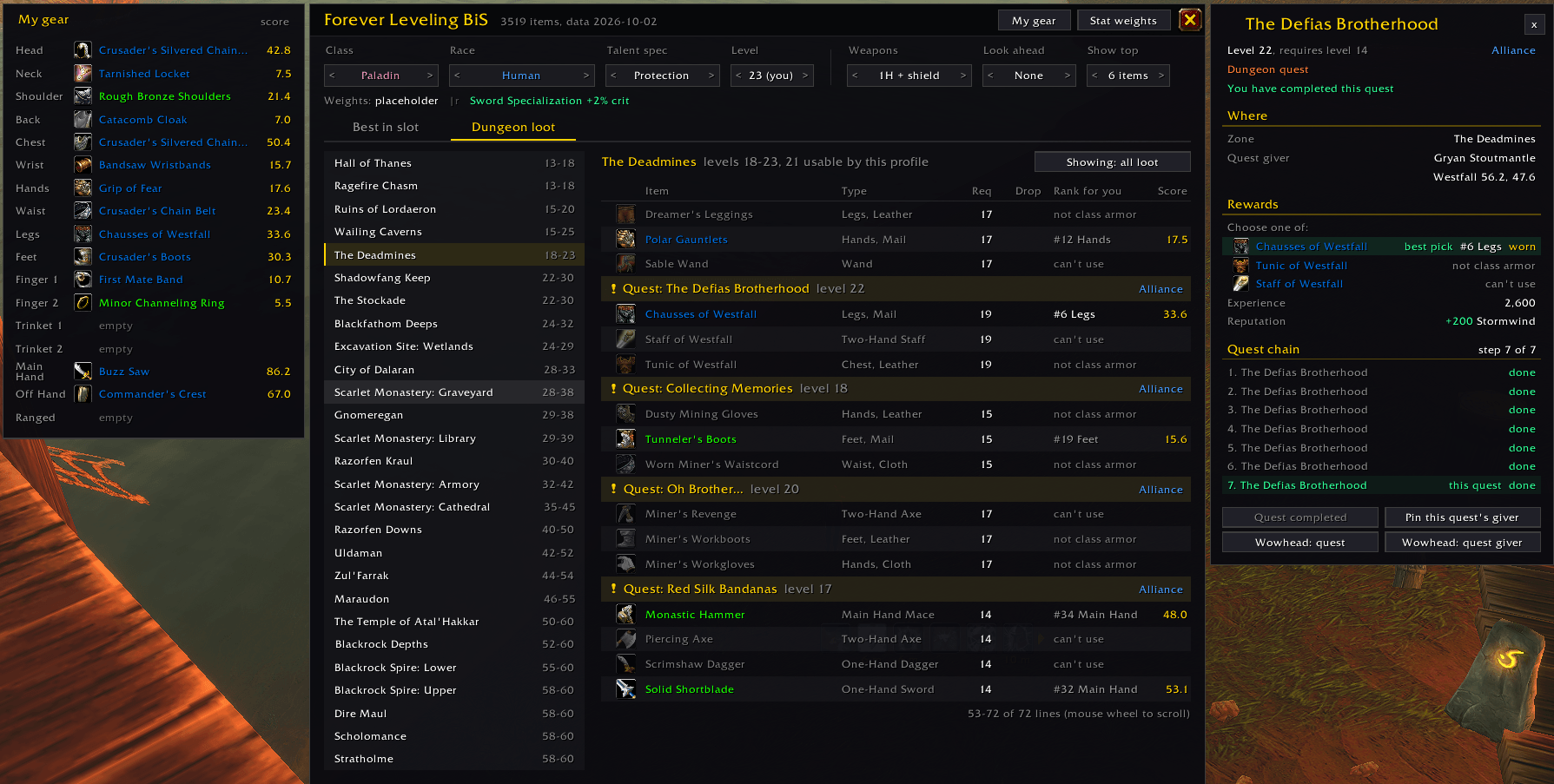
The Bosses and Quests views list each boss's drops and each quest's rewards, with where every item ranks for you and its gain over your gear. Show: For me / All loot switches between gear you can use and everything.
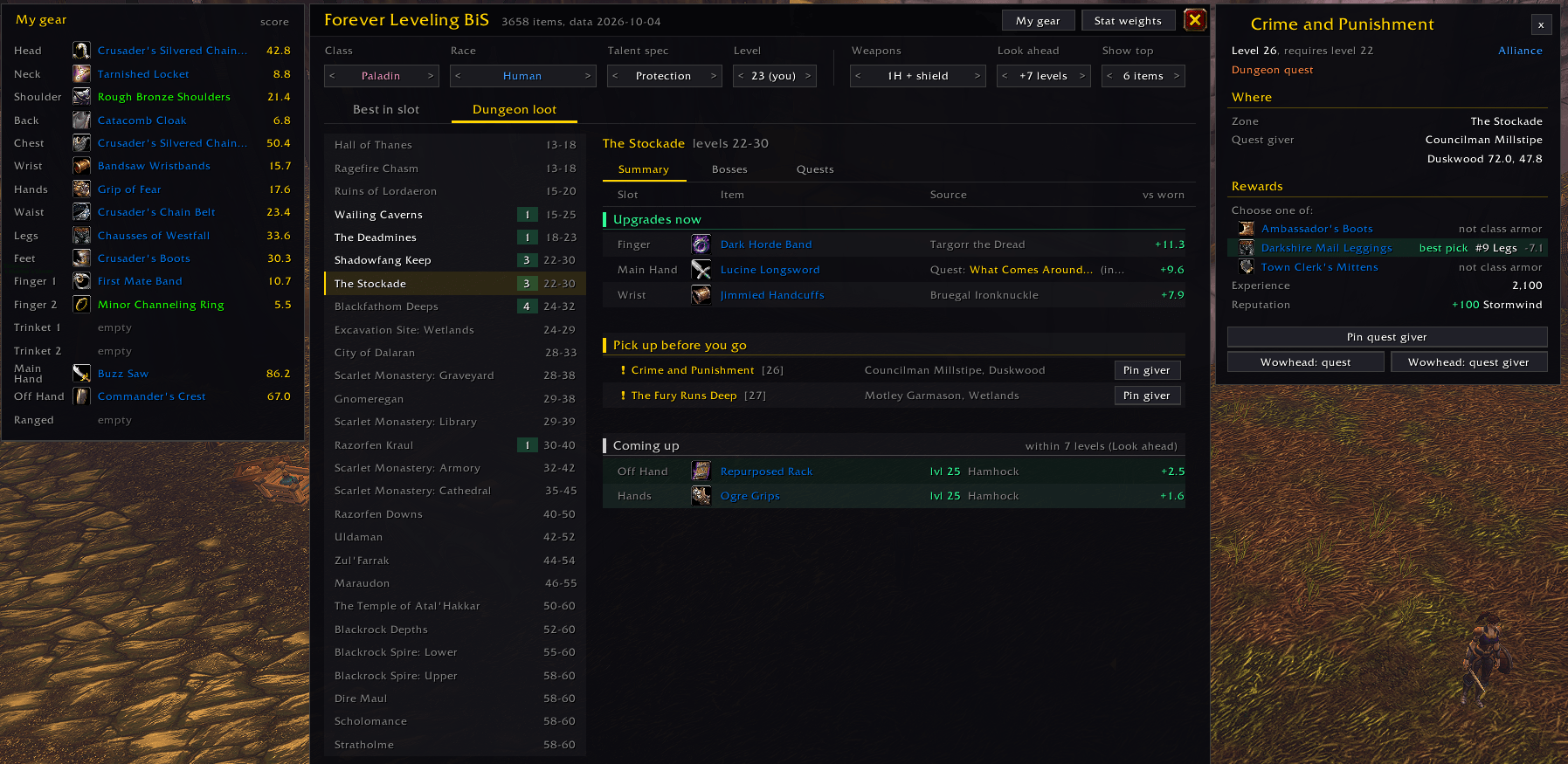
Crafting patterns (new in 0.4.0)
Pick a profession (Blacksmithing, Leatherworking, Tailoring, Engineering or Enchanting) to see its patterns for rare and epic gear, grouped by how you learn them:
- Waylaid Supplies vendor: the price in Merchant's Favor and your faction's vendor.
- Trainer: the training cost.
- Dungeon drops: by dungeon, with the boss (or trash) that drops each one. Click a dungeon to open it on the Dungeon loot tab.
Each pattern shows the skill it needs (green once you have it) and where its item ranks for you, with its gain over your gear. The tab opens on your profession, and the profession list shows how many of its patterns are upgrades for you. Show: For me / All patterns and a Slot filter narrow the list, and hovering a pattern shows every way to learn it.
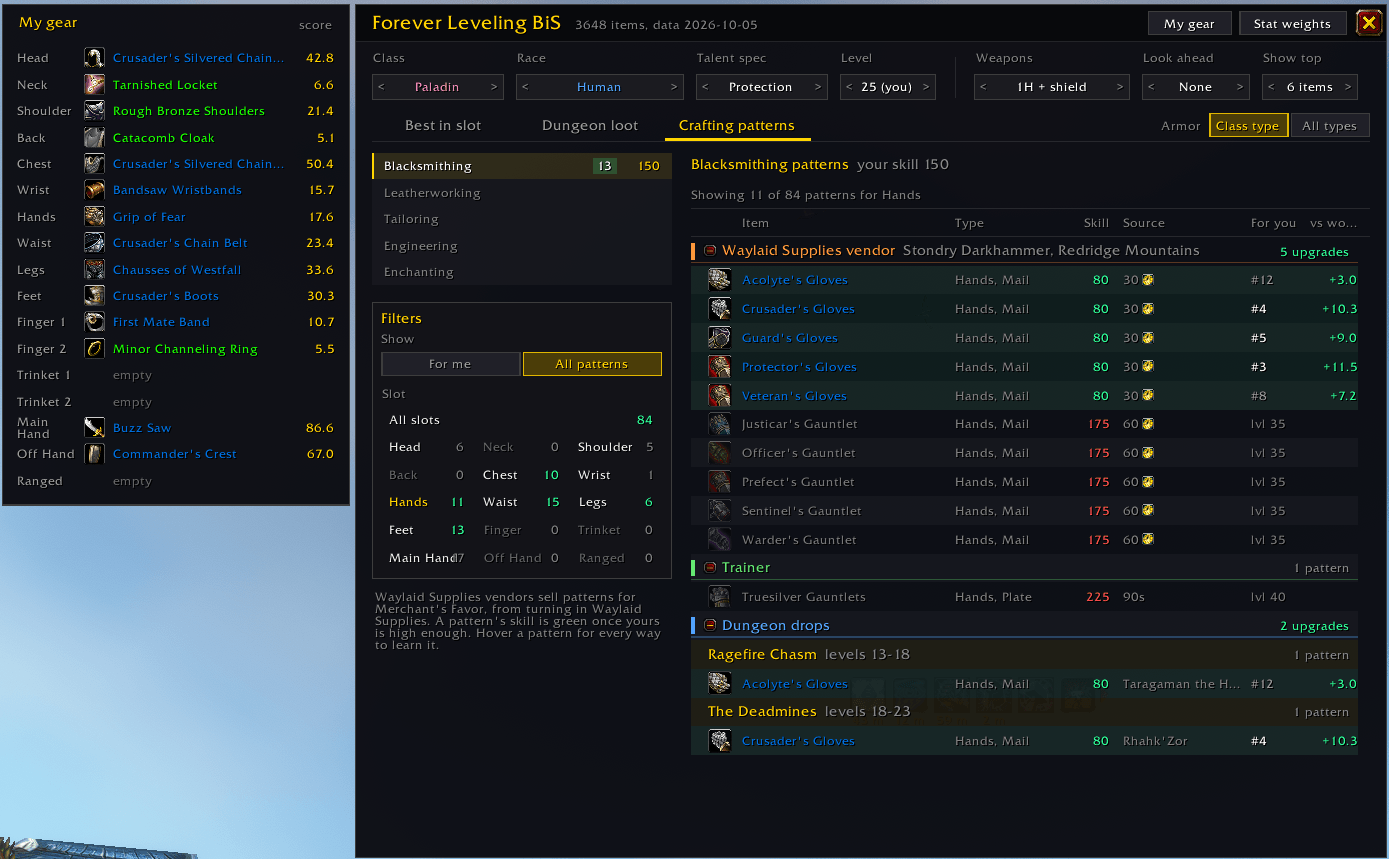
Quest details and map pins
- Click a quest for its level, zone, quest giver with coordinates and all its rewards, with the best pick for you highlighted. For a quest chain, every step is listed in order with your progress.
- Right-click a quest reward to pin the quest giver of your next step on the map. TomTom gets a waypoint too.
- Wowhead links for the quest and its quest giver.
Also
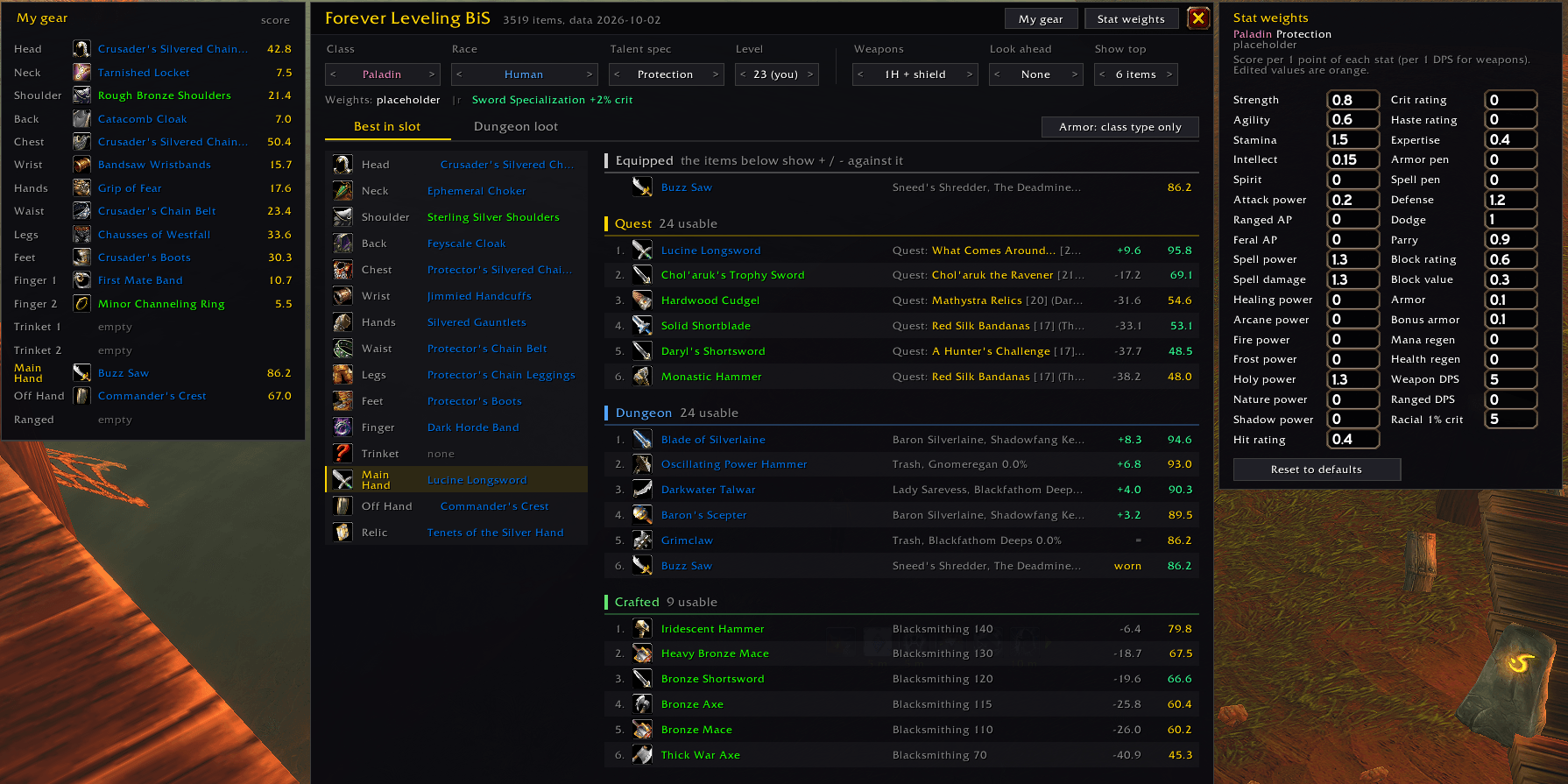
- Stat weights: edit any spec's weights in game. Changes are saved per class and spec.
- Plan other characters: switch class, race, spec and level in the window without logging in on that character.
- Tooltips list every source of an item. Shift-click links an item in chat; Ctrl-click previews it.
Getting started
- Click the minimap button (drag it to move it) or type
/bis(or/flbis). - Pick your Talent spec at the top of the window. WoW: Forever can't detect it yet, so it shows in orange until you do.
- Click a slot on the left to see its rankings, and turn on My gear to compare with what you wear.
Beta notes
- Stat weights are rough starting values. Open Stat weights and tune them for your spec. Suggestions are very welcome in the comments.
- Item data is built into the addon and covers the current beta build. Some new Forever dungeons don't have loot tables published yet; they will be added in updates.
- At level 60, raid quest rewards (AQ/ZG) can show up in the lists.
- Map pins find zones by name, so they need an English client.
Credits
Item, quest, crafting and drop data is compiled from Wowhead's WoW: Forever database.
Found a wrong item or a missing source? Leave a comment with the item name and where it actually comes from.
You must be logged in to leave a comment.