

Forever LazyChatButtons
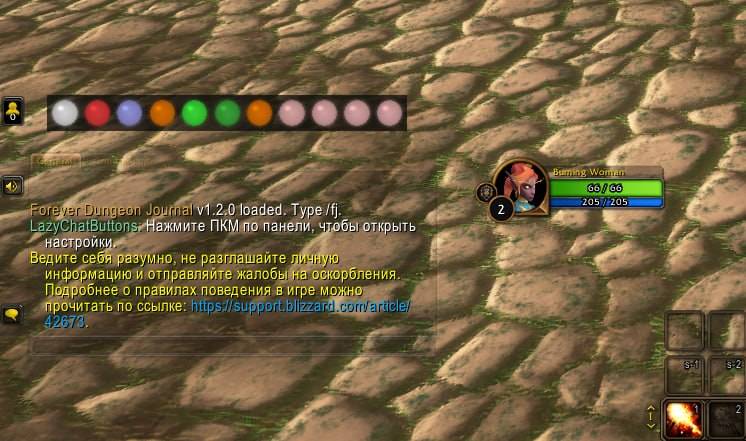
A compact toolbar for quickly selecting chat channels in WoW Forever. Clicking an orb opens the standard chat input and selects the channel; the addon never sends messages.
Details
Expansion
 Forever
 Categories
Developers

Having issues?
LazyChatButtons
A compact toolbar for quickly selecting chat channels in WoW Forever. Clicking an orb opens the standard chat input and selects the channel; the addon never sends messages.
Installation
Copy the LazyChatButtons folder into Interface/AddOns in your WoW Forever installation, then enable the addon on the character selection screen.
Usage
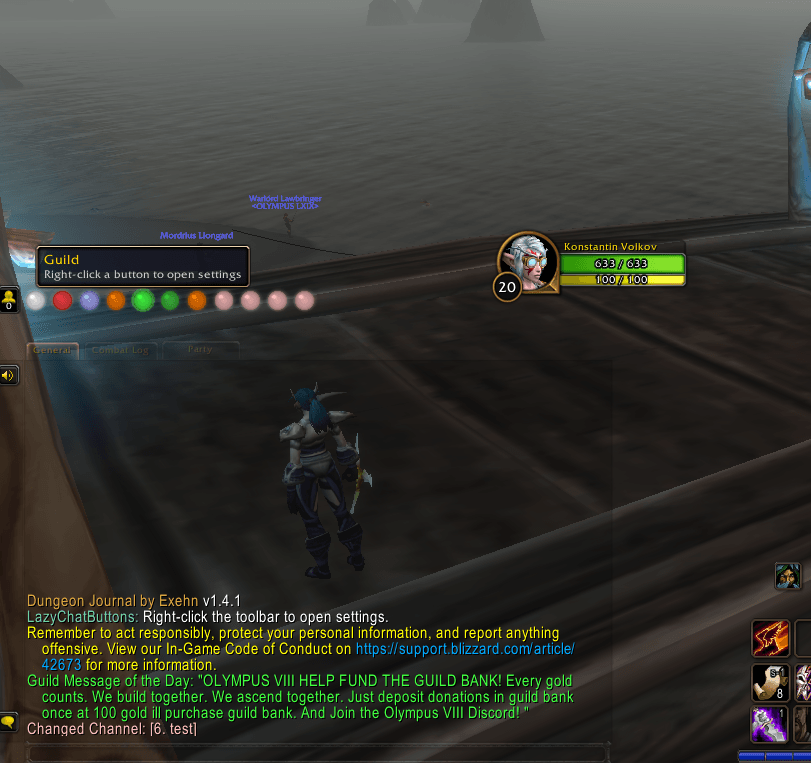
- Click an orb to select a channel. Hover over it to see the channel name.
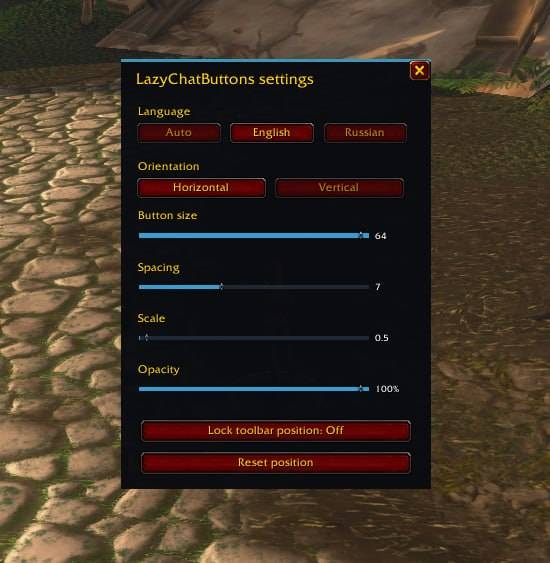
- Right-click an orb or the toolbar to open settings. The
/lcband/lazychatbuttonscommands toggle the settings window. - Drag the toolbar when it is unlocked. In settings, you can choose the language and orientation, adjust orb size, spacing, scale, and opacity, lock the toolbar, or reset its position.
- Supported channels include SAY, YELL, PARTY, RAID, GUILD, OFFICER, INSTANCE_CHAT, and joined channels. The temporary channel named
testis hidden.
The language can be set to automatic (based on the client language), English, or Russian.
Settings and plans
Settings are currently stored account-wide in the LazyChatButtonsDB SavedVariables table, usually at WTF/Account/<account>/SavedVariables/LazyChatButtons.lua within the game installation.
Class-specific profiles are planned but are not implemented yet. The plan is to store separate settings for each class, shared by characters of the same class. When profiles are added, existing settings should be migrated to the current character's class profile without being reset.
Addon files
LazyChatButtons.toc— the addon manifest, including the path to its icon for the addon list.Textures/Icon.tga— the addon icon referenced by the manifest'sIconTexturemetadata.Textures/Orb.tga— the orb texture used by the toolbar buttons.
You must be logged in to leave a comment.