

Forever Field Guide
Your personal bestiary for WoW Forever. Discover creatures, track observed loot and coins, inspect 3D models, save favourites and map encounter locations. Turn every adventure into a growing field guide.
Details
Expansion
 Forever
 Categories
Developers

Having issues?
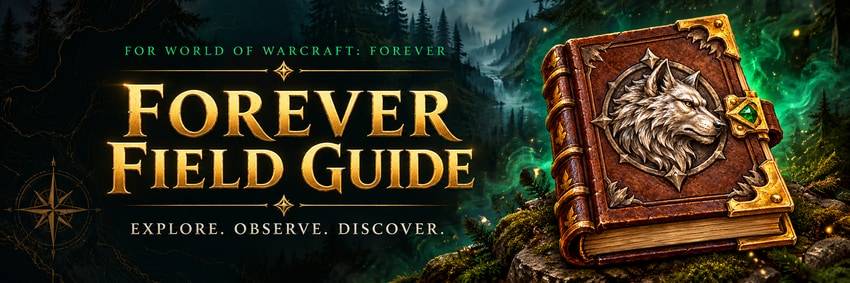
Make every encounter a discovery.
That wolf you fought. That unexpected green drop. That creature you want to find again. Give those discoveries a home.
Forever Field Guide is your personal creature journal for World of Warcraft: Forever. Discover creatures, build loot records from the corpses you inspect, track their coins and revisit your encounter locations—all in one in-game guide.
Your guide starts with your adventures and grows as you play.

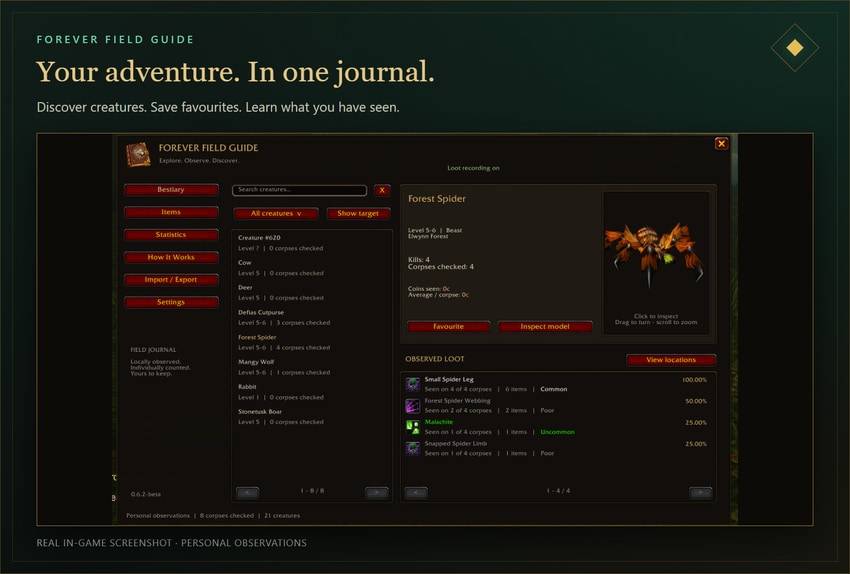
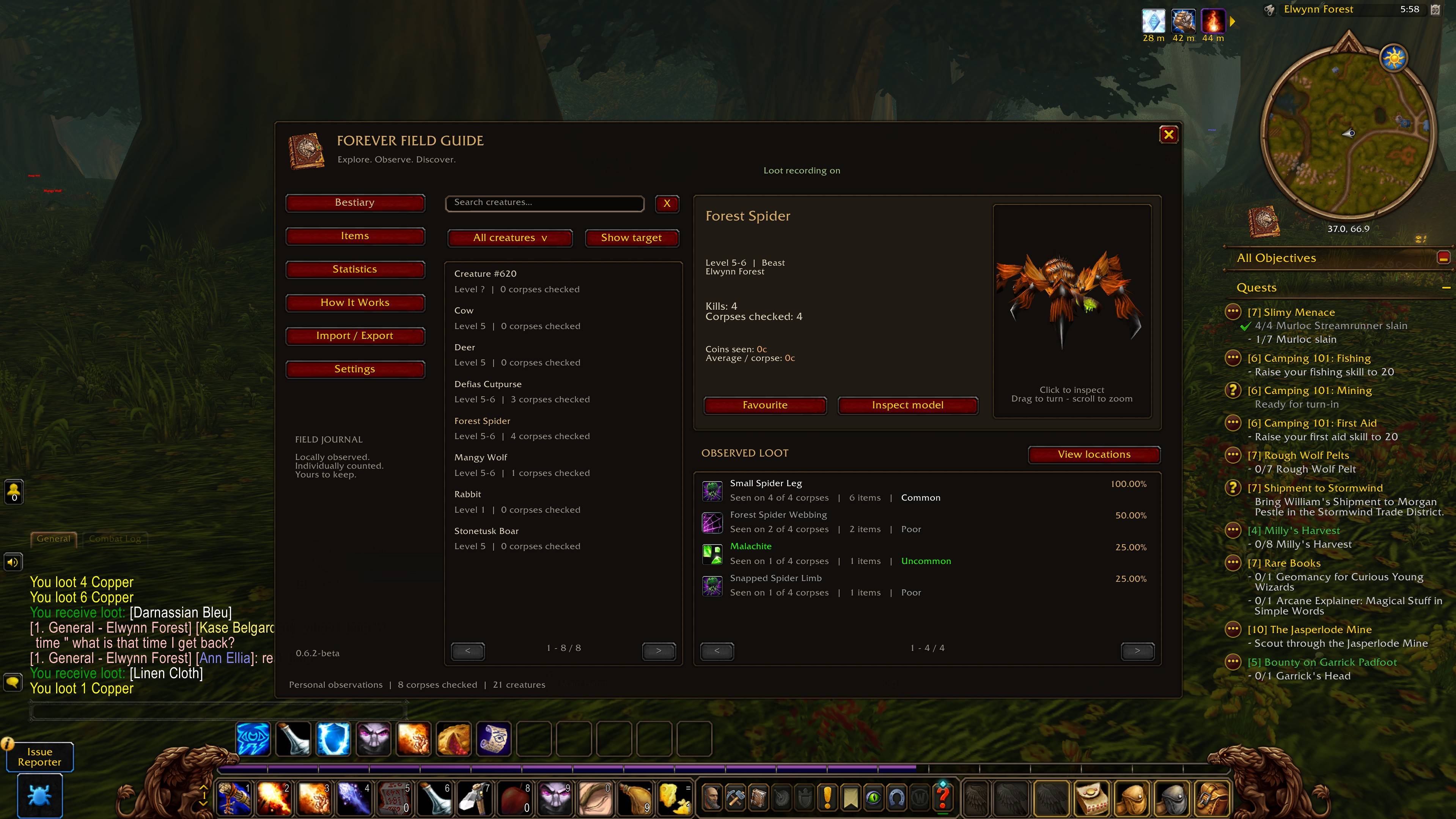
Meet the world. Build your bestiary.
Target or hover over creatures to begin filling your journal. Browse their names, levels, types and encountered zones, then save your favourites for a quick return.
- Search by creature name or NPC ID.
- Jump straight to the creature you are targeting.
- Start with a clean Simple view; enable Advanced view for extra filters and sorting.
- Keep friendly NPCs hidden by default, or reveal their silently recorded entries in Settings.
Learn the loot. Count the coins.
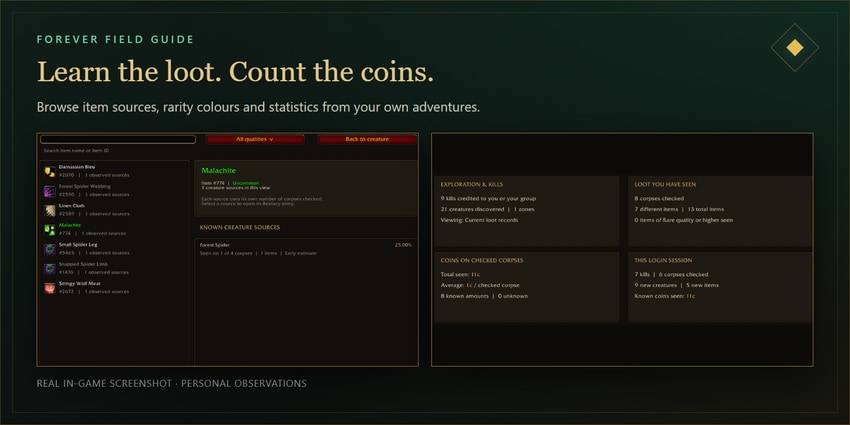
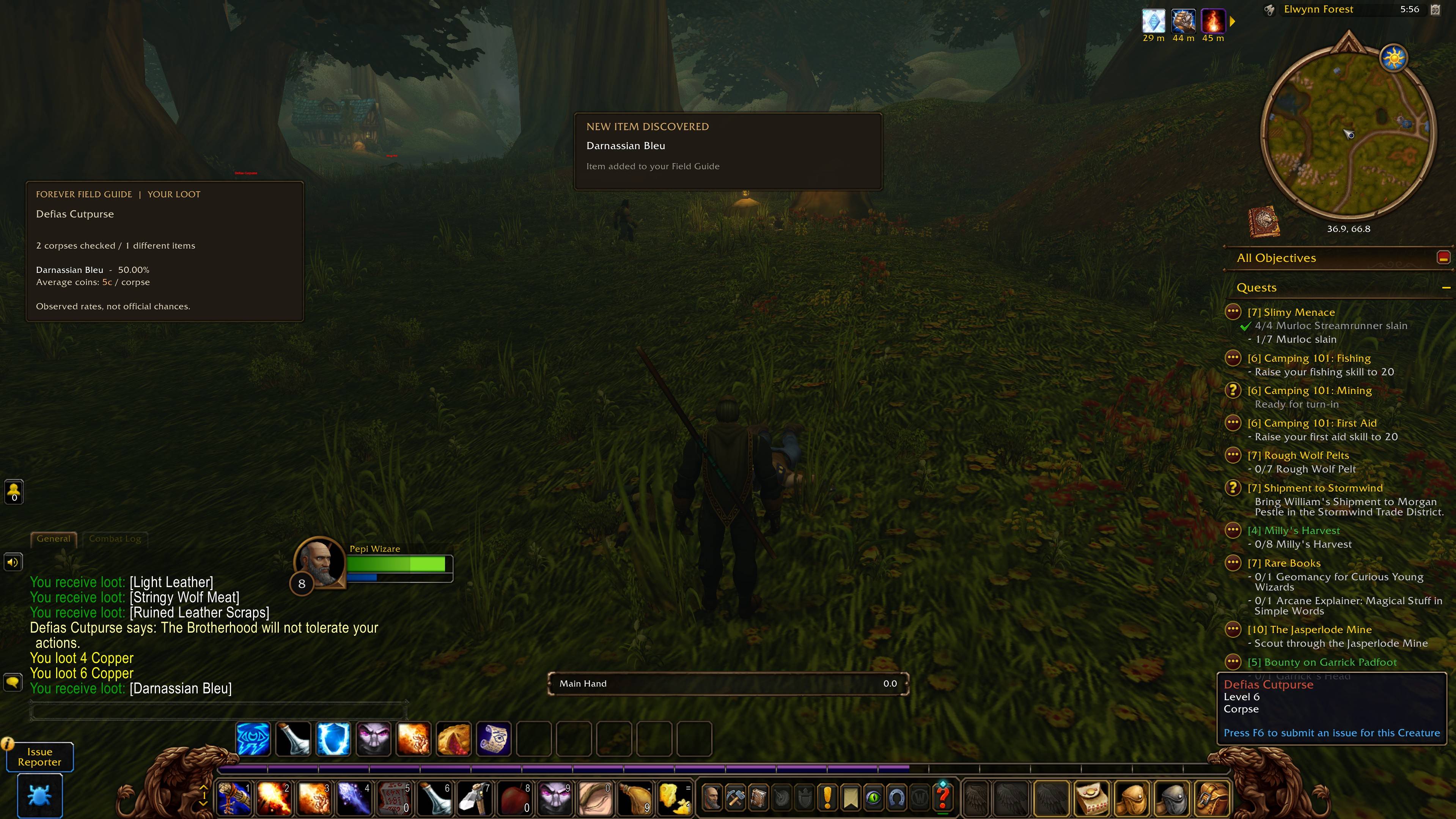
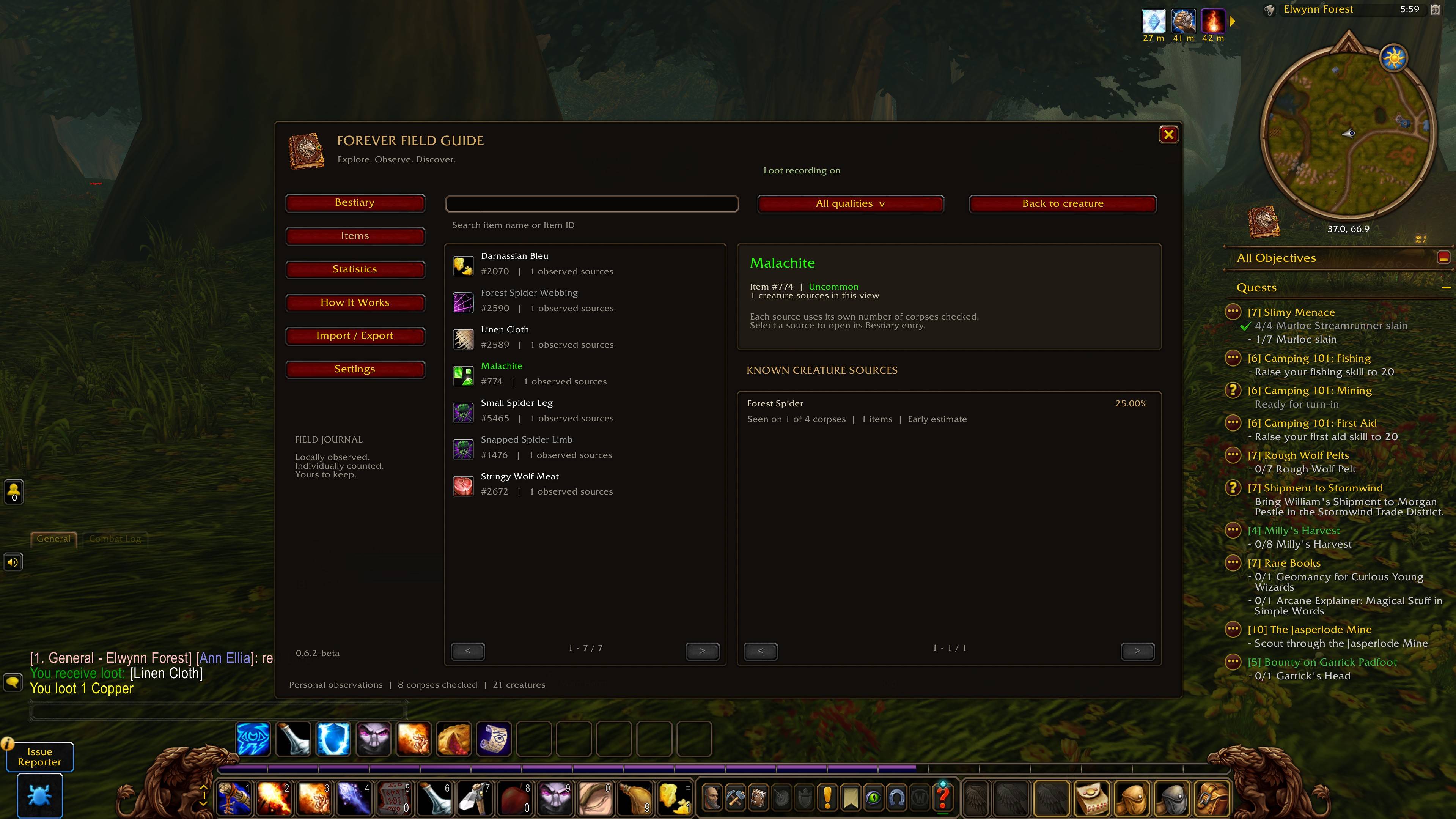
See what eligible creatures have actually shown you: weapons, armour, cloth, recipes, trade goods, vendor junk and coins. Item names use their rarity colours, and the item browser connects your discoveries to their recorded creature sources.
Check observed item rates, quantities and average coins per checked corpse. Readable loot is recorded when you inspect it—even if you leave it behind.
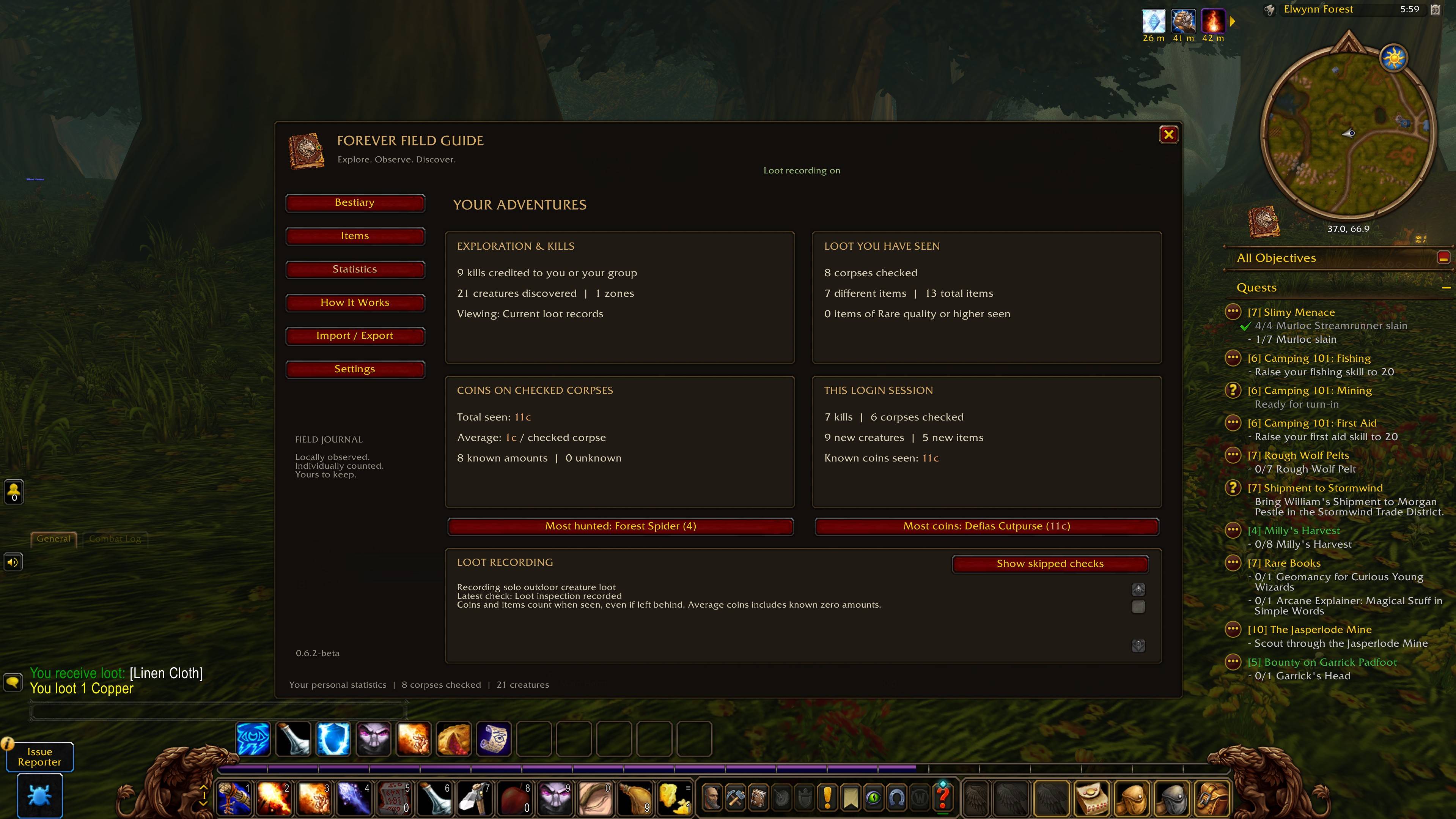
Your statistics show creatures discovered, credited kills, corpses checked, different items, coins and progress during your current login session.
Look closer. Much closer.
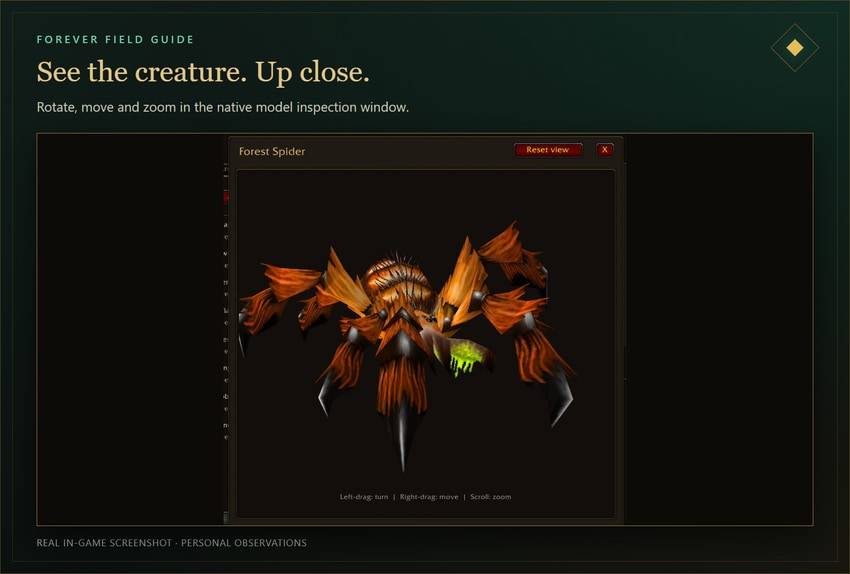
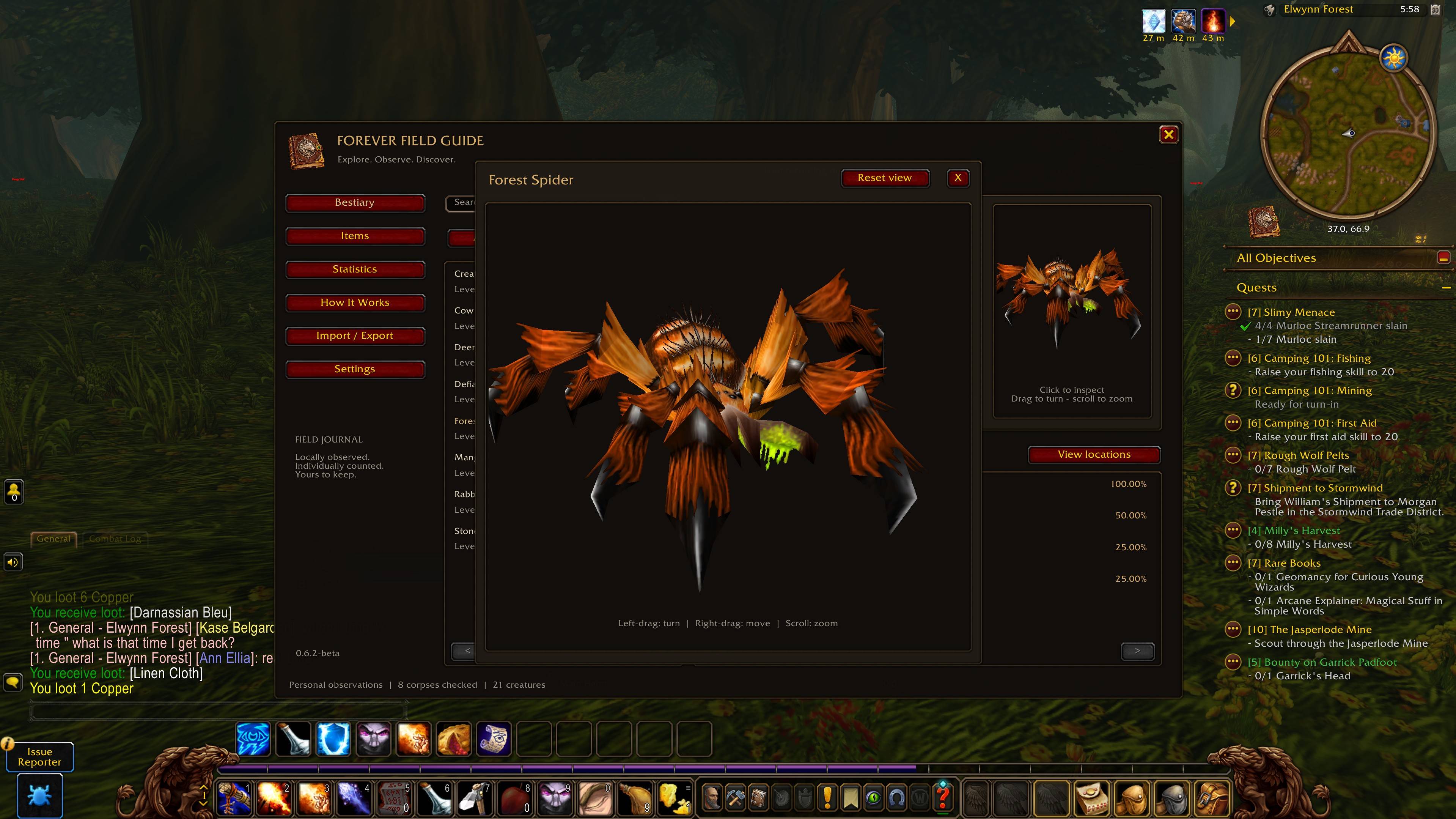
View a creature beside its journal entry, then choose Inspect model for a larger window. Rotate, move and zoom to explore its appearance using models supplied by the game.
Left-drag: rotate · Right-drag: move · Mouse wheel: zoom · Reset view: recenter.
Some creatures or appearances may not have an available model.
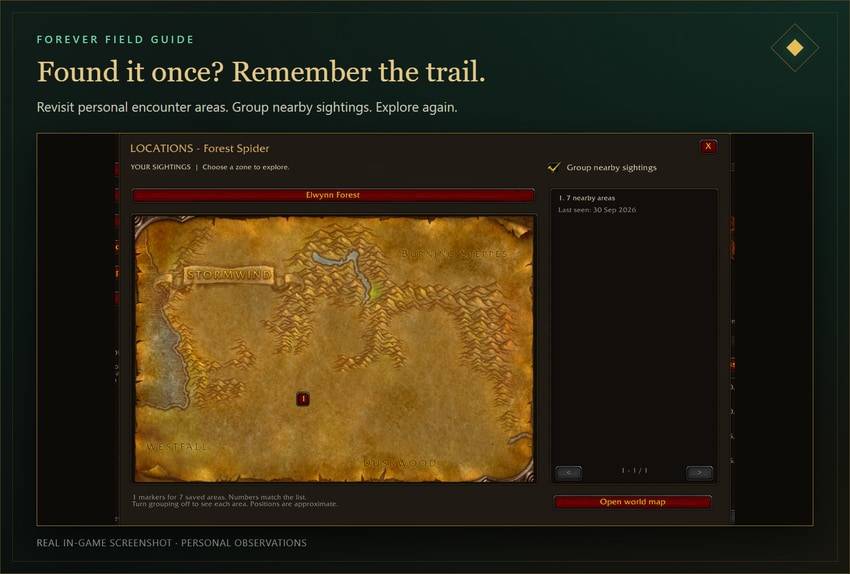
Found it once? Remember the trail.
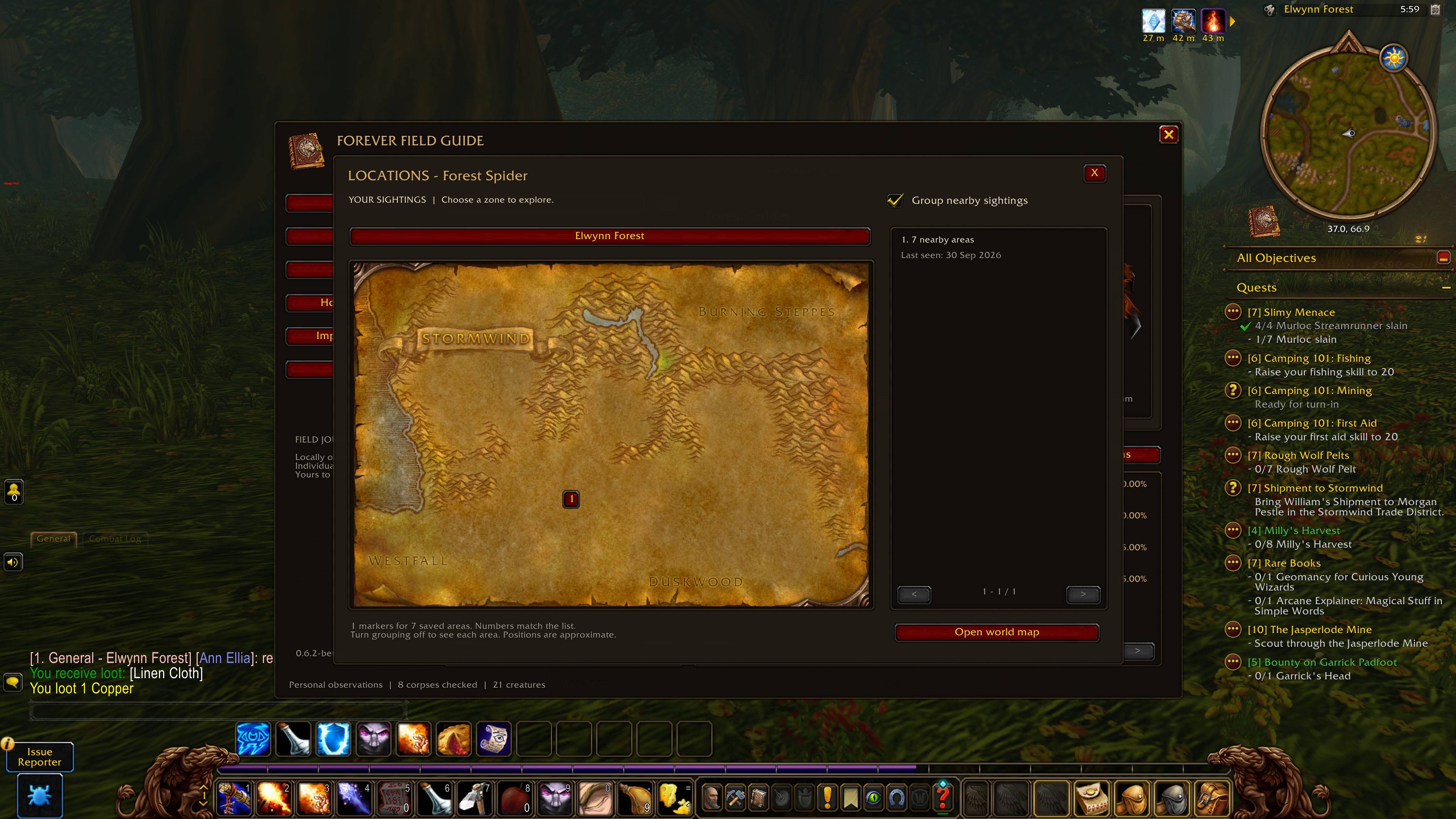
Open View locations to revisit saved encounter areas across recorded zones. Select numbered markers, check when an area was last seen, and toggle Group nearby sightings to keep a busy map readable.
Locations mark your approximate position when encountering a creature. Up to 64 areas per creature are retained; nearby encounters update an area, and new areas replace the oldest when that limit is reached.
Your guide. Your way.
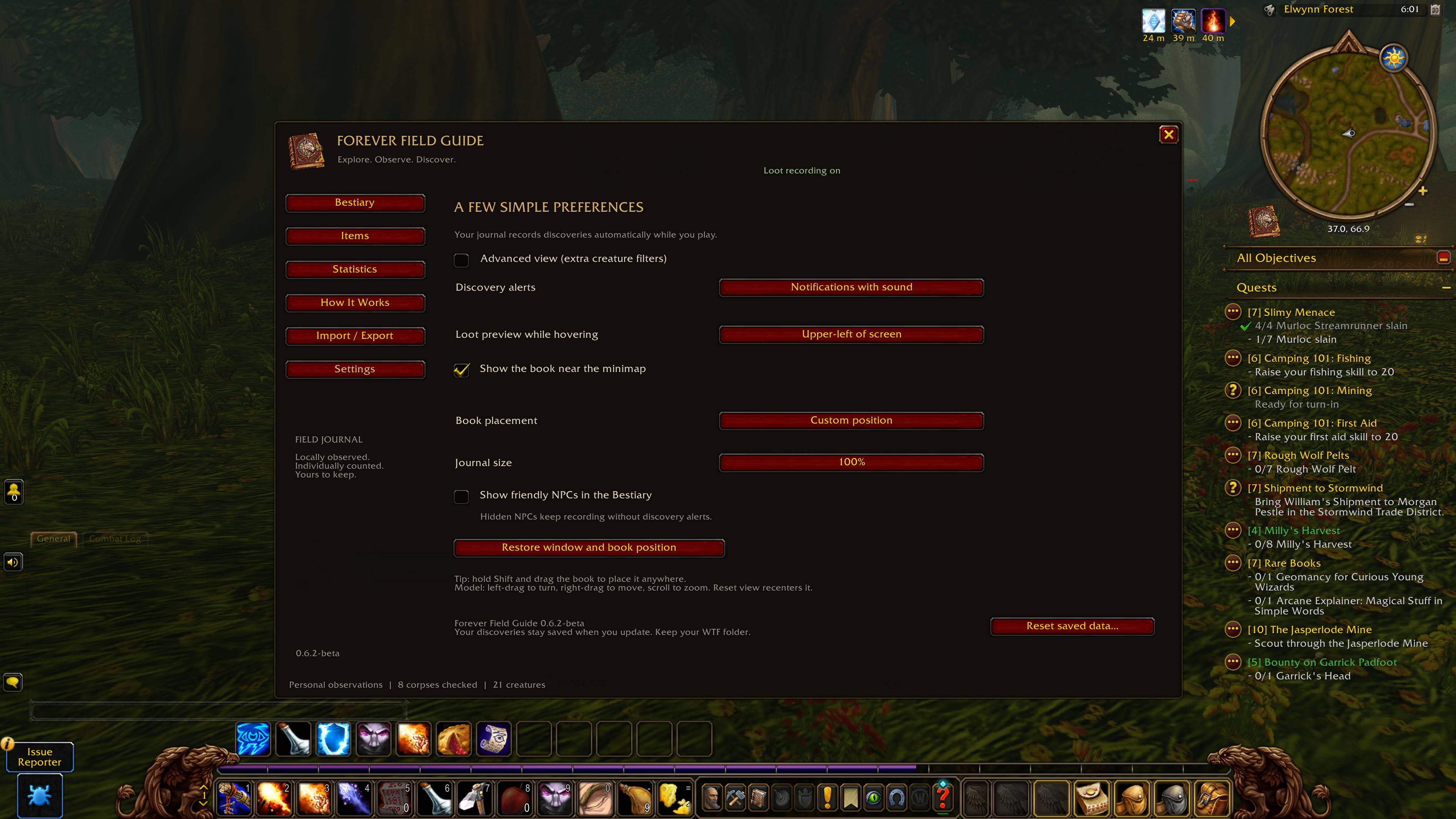
- Move the book: hold Shift and drag the launcher to a comfortable position.
- Choose your loot preview: creature tooltip, any of four screen corners, or off.
- Set the mood: quiet discovery alerts, alerts with sound, or no alerts.
- Make room: adjust the journal size and use favourites to find what matters.
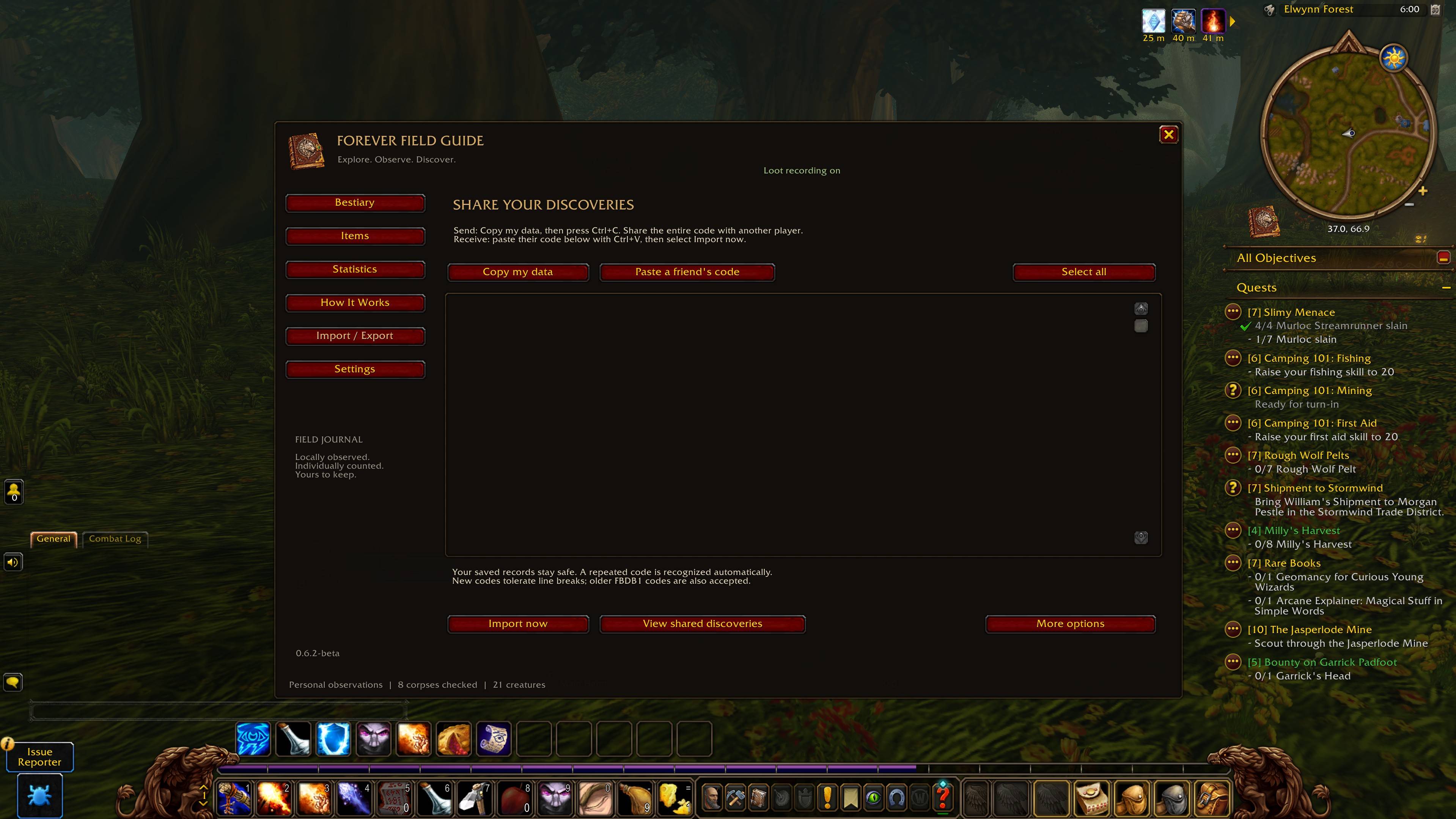
- Share discoveries: copy a share code or paste a friend’s code into Import / Export. Repeated imports do not double the same records.
Your personal observations stay separate from imported records. Discoveries are saved locally through WoW’s SavedVariables; no external account or companion service is required.
Open the book. Start exploring.
Install through CurseForge, launch your supported Forever client, then click the book near the minimap or type /ffg. Target creatures and inspect eligible loot to start your collection.
/ffg settings opens preferences. /ffg help opens the in-game guide. /ffg resetposition recenters the journal.
A few things to know.
Supported client: WoW Forever 1.60.1, build 70124, interface 16001.
Loot recording: solo outdoor, single-creature body loot following a kill credited to you or your pet during the current login session. Group, instance, area/AoE, profession, fishing and container loot are excluded. Quest-dependent, locked, currency, empty or unreadable windows may also be skipped. Statistics → Show skipped checks explains skipped observations. A different client build may pause loot recording while keeping the saved journal available.
What the numbers mean: “Corpses checked” counts distinct eligible corpses inspected. “Times seen” counts checked corpses containing an item. “Total items” includes stacks. If cloth appeared on 12 of 60 checked corpses, its observed rate is 20%. These are your collected observations, not official drop chances. Average coins uses known amounts, including known zero amounts.
Sharing and backups: share codes transfer creature and loot records; they do not restore your settings, favourites or detailed location history. Keep a full WTF backup before resetting. Reset saved data requires typing DELETE MY DATA and removes collected records, locations, favourites and statistics; display preferences are kept.
Real in-game screenshots from development; the interface may vary slightly by addon version. Banner and animated compass are promotional artwork.
Explore. Observe. Discover.
Your next discovery belongs in Forever Field Guide.
You must be logged in to leave a comment.