

Forever Enhanced Cursor
Cursor effects for WoW Forever: a smooth trail, a cursor ring, a cast ring and a see-through pointer while you look around, with profiles.
Details
Expansion
 Forever
 Categories
Developers

Having issues?
🖱️ Forever Enhanced Cursor

💬 Support, bugs & ideas: join our Discord to get help, report issues and suggest features.
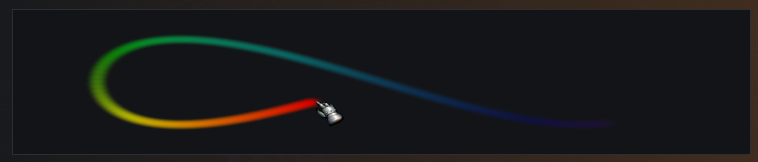
Cursor effects for World of Warcraft: Forever: a smooth trail, a ring round the cursor, cast progress round it and a see-through pointer that marks where the cursor comes back while you look around. Every effect starts off, so you only get the ones you turn on.
✦ Highlights
- ✨ Cursor trail: smooth, evenly spaced dots that fade behind the cursor, with glow, shrink and dots turned along the path
- 🌈 Trail colours: your class colour, one colour, a rainbow, or a gradient of up to ten colours that can repeat and flow
- ⭕ Cursor ring round the cursor, so it's easy to find
- ⏳ Cast ring: your cast progress round the cursor
- 👆 Cursor highlight while looking: the game hides the cursor while you turn or move the camera, and a see-through copy of its pointer marks where it comes back
- 👀 Live preview at the top of the Trail, Colours and Rings pages, drawn round the game's own pointer
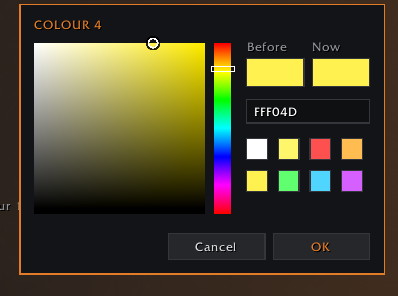
- 🎨 A colour picker of its own: each colour shows at once, and Cancel puts the old one back
- 👥 Profiles: one per character or one for all, shared as text, and switched for you by rules
- 🎓 A quick tour of the window on a first install, and on the General page any time
- 🗺️ Minimap button: click for the settings, right-click for What's new
✨ Trail
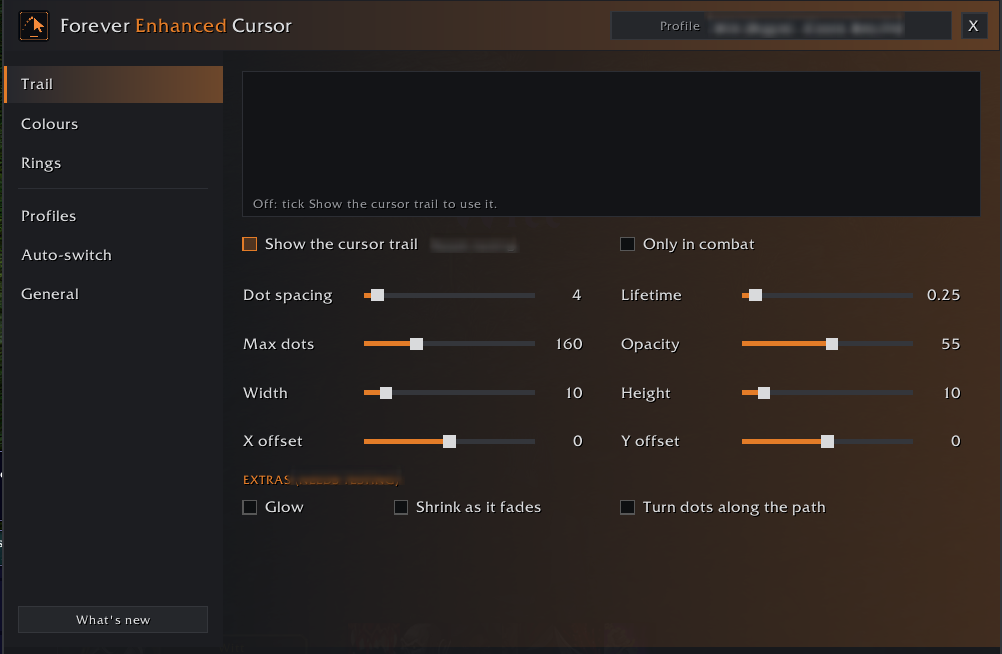
- Soft dots placed evenly along a smooth path, fading behind the cursor
- Dot spacing, how long each dot lasts, the most dots, width, height, opacity and an X / Y offset
- Only in combat, for the trail
- Extras: glow, shrink as it fades and dots turned along the path
🌈 Colours
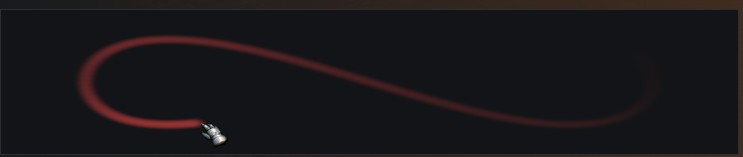
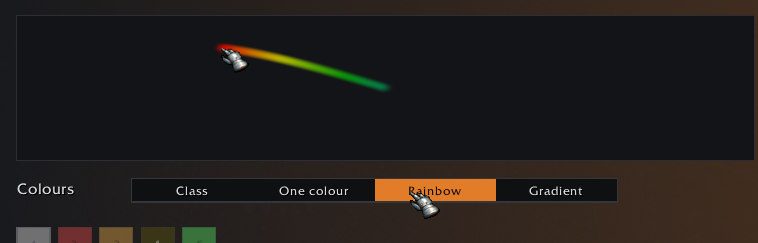
- Class, one colour, a rainbow, or a gradient of up to ten colours of your own
- Colours in use, Phases (how often they repeat along the trail) and Colour speed (how fast they flow out from the cursor)
- Pick any colour in the addon's own colour picker or type it as hex digits
⭕ Rings
- Cursor ring: size, thickness and opacity, in your class colour, a colour of your own or the trail's
- Cast ring: fills as you cast and drains as you channel, sitting just outside the cursor ring. Size, opacity and the same colours
- While looking: a see-through copy of the game's pointer, its fingertip where the cursor will come back. Size, opacity, untinted or a gentle tint, a gentle pulse, and for the right button, the left or both
- Each tab says whether its effect is on, and the tick at the top of the tab turns it on

👥 Profiles
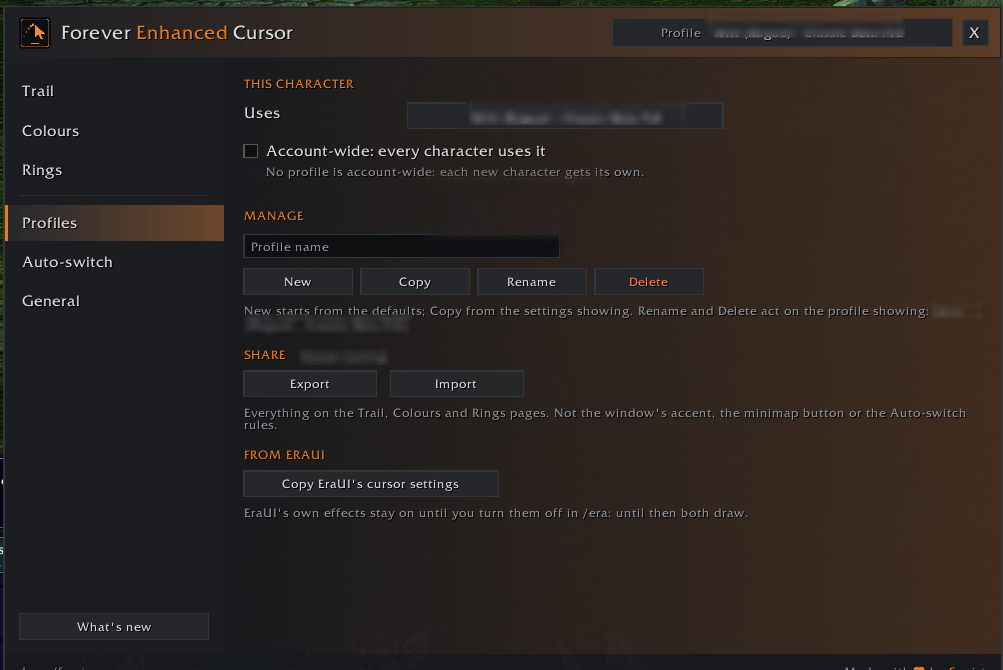
- Each character gets its own profile. New, copy, rename, delete and switch from the header's menu or the Profiles page, in combat too
- Account-wide: one profile for every character, new ones too
- Share a profile as text, and import one as a new profile or over yours, seeing what it changes first
- From EraUI: with EraUI loaded, copy its cursor settings into a profile, offered once
🔁 Auto-switch
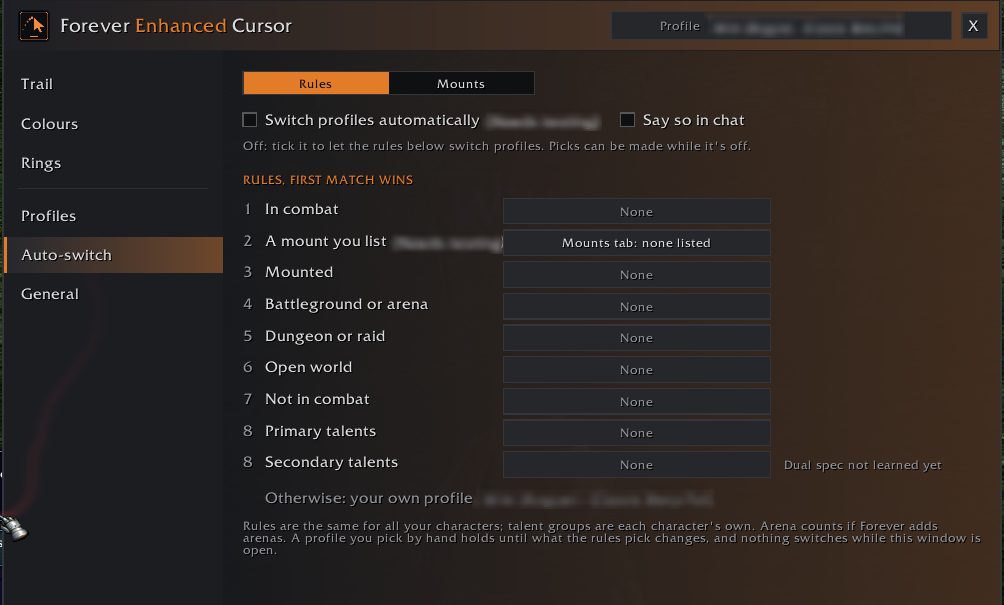
- Show another profile for a while, by rule: in combat, a mount you list (Needs testing), mounted, battleground or arena, dungeon or raid, open world, not in combat, and each talent group
- The first rule that matches decides. Your own pick stays yours, and nothing switches while the window is open
- Off until you tick it
⚙️ General
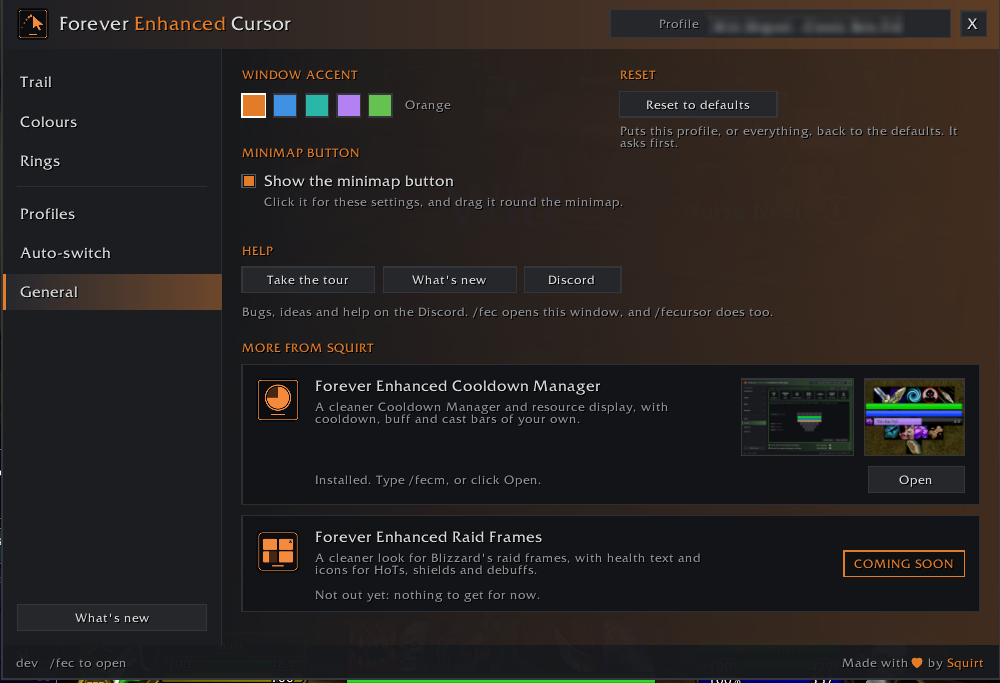
- The window's accent colour and the minimap button
- Reset: this profile or everything back to the defaults, asked first
- Help: take the tour, What's new, and the Discord button for bugs and ideas
- More from Squirt: Forever Enhanced Cooldown Manager, with screenshots, and Forever Enhanced Raid Frames, coming soon
- Hover anything in the window and the footer says what it does
💬 Commands
/fec(or/fecursor) opens the settings, also under Options > AddOns/fec resetasks whether to reset this profile or everything/fec tourstarts the tour of the window/fec newshows What's new/fec discordshows the Discord invite
EraUI has cursor effects of its own. While both are on you'll see both, and the pages say so: turn EraUI's off in /era to see only these.
✦ Also by Squirt
⏱️ Forever Enhanced Cooldown Manager: a cleaner Cooldown Manager and resource display, with cooldown, buff and cast bars of your own.
🩹 Forever Enhanced Raid Frames: coming soon.
Created by Squirt. Built for World of Warcraft: Forever.
You must be logged in to leave a comment.