
Forever Enhanced Cooldown Manager – Resources, Cooldown Pulse, Cast Bar & More
A cleaner look for Blizzard's Cooldown Manager and Personal Resource Display, plus cooldown, buff and cast bars of your own, for WoW Forever.
Details
Expansion
 Forever
 Categories
Developers

Having issues?
⏱️ Forever Enhanced Cooldown Manager

💬 Support, bugs & ideas: join our Discord to get help, report issues and suggest features.
A cleaner look for Blizzard's Cooldown Manager and Personal Resource Display on World of Warcraft: Forever, plus cooldown, buff and cast bars of your own that stack around your resource display, and a big pulse on screen when a cooldown is ready. Every feature is optional.
✦ Highlights
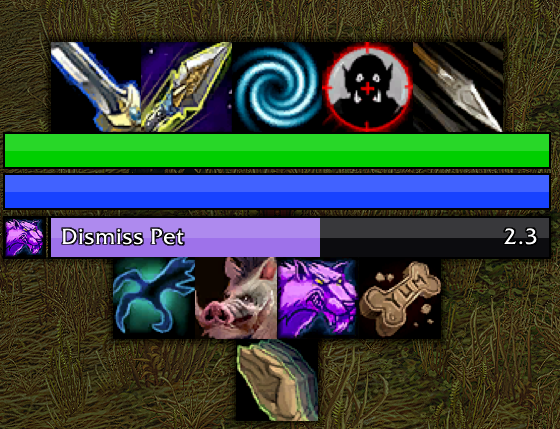
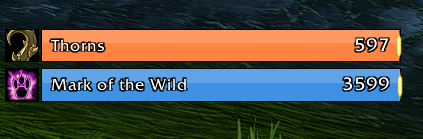
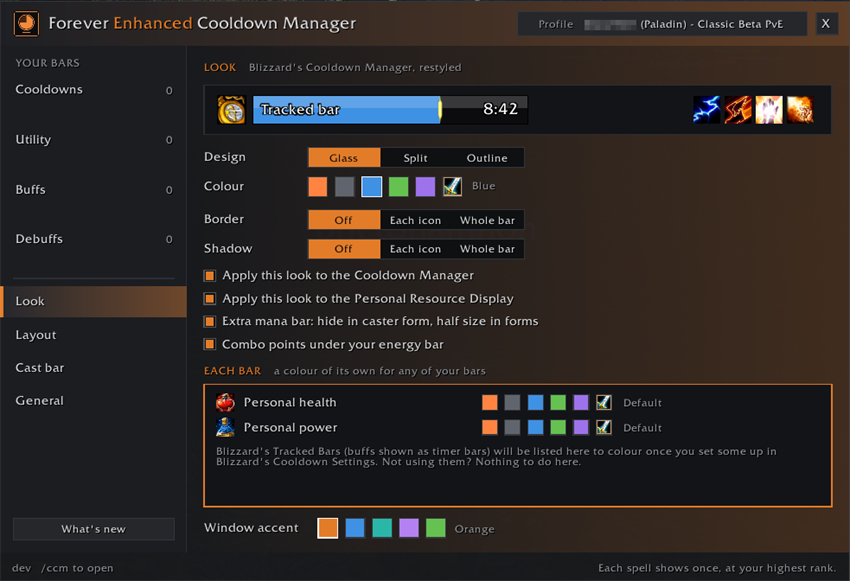
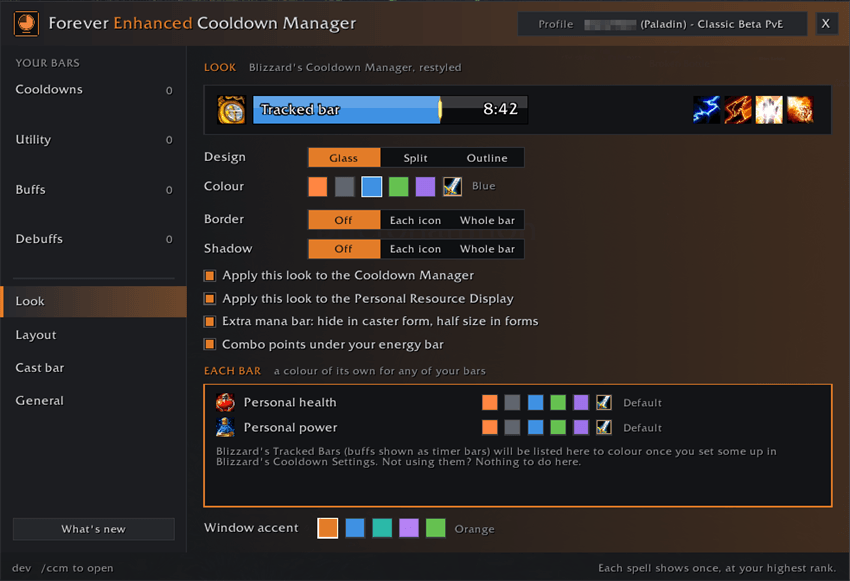
- 🔲 A new look for Blizzard's Cooldown Manager: square icons with big, bold countdown numbers, and Tracked Bars in three designs (Glass, Split and Outline) and six colours, or a colour of their own for any bar
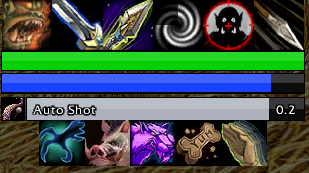
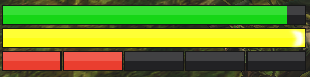
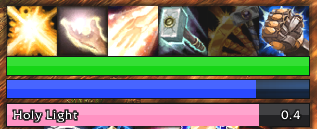
- ❤️ Personal Resource Display: its health and power bars in the same designs, in Blizzard's colours or yours. The extra mana bar some specs get hides in caster form and is half size in forms
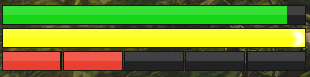
- 🔴 Combo points under your energy bar for rogues and druids in cat form, which Forever's display leaves out
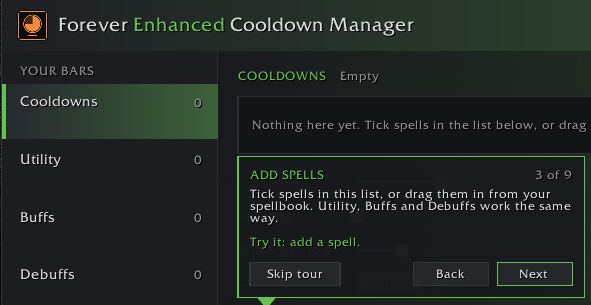
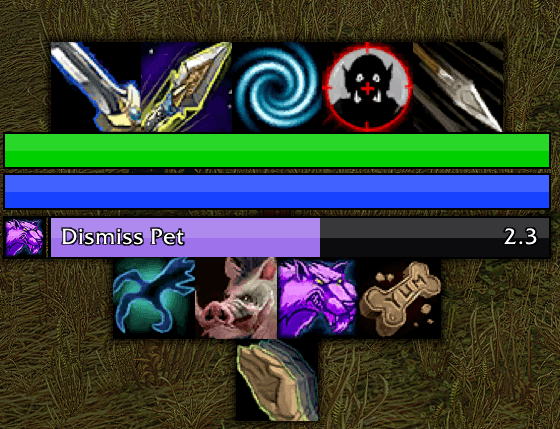
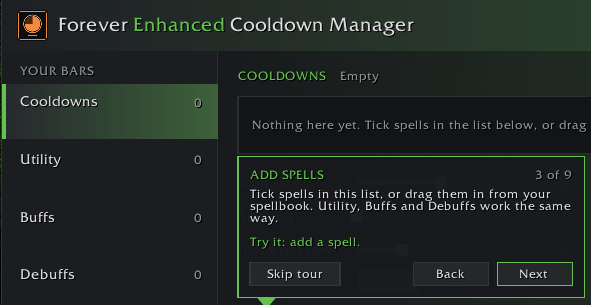
- 🧱 Your own bars: Cooldowns, Utility, Buffs and Debuffs. Tick spells or drag them in from your spellbook; each spell shows once, at your highest rank
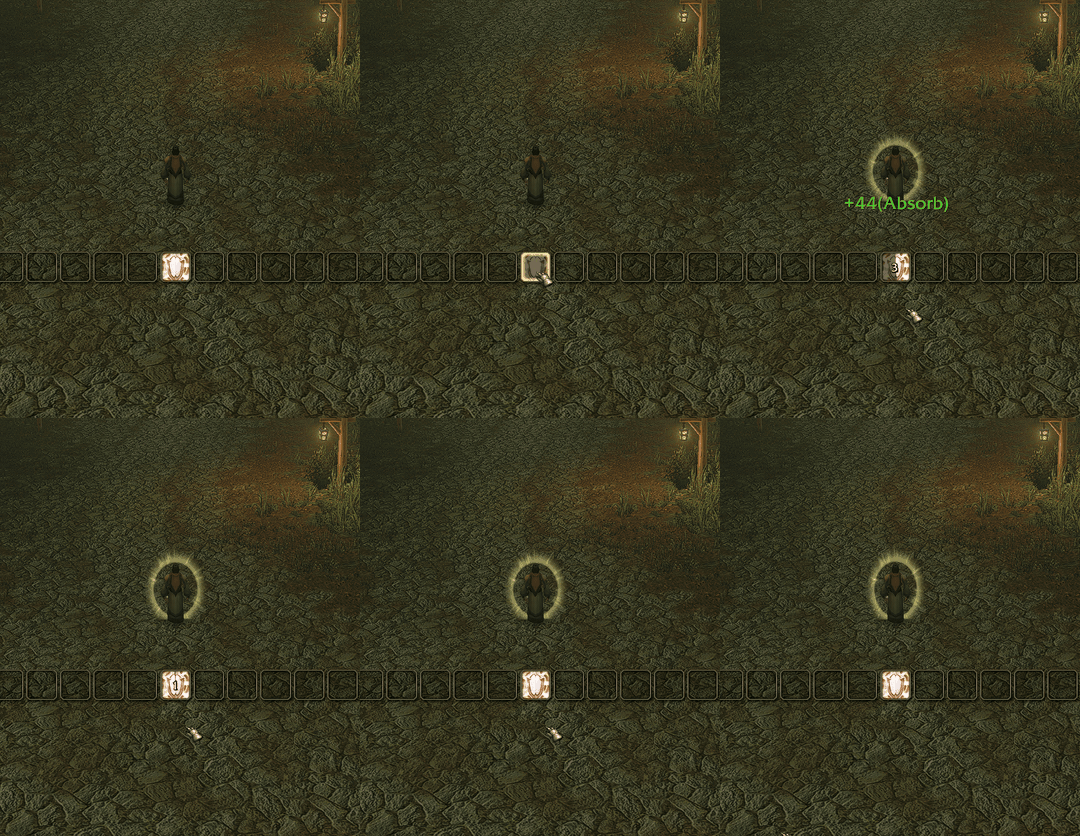
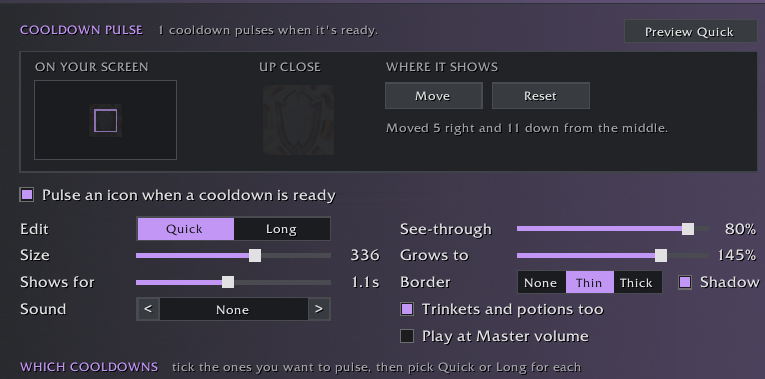
- 💥 Cooldown pulse: a big icon pops up in the middle of your screen when a cooldown you tick is ready. Each one pulses Quick or Long, each style with its own size, time and sound (15 to pick from, or Master volume), and trinkets, potions and bag items can pulse too
- ⚡ Procs and reactive abilities glow like your action bars: the game's own proc glow, or a gold edge if you prefer, on Riposte, Overpower, Execute and more, and on any spell the game lights up
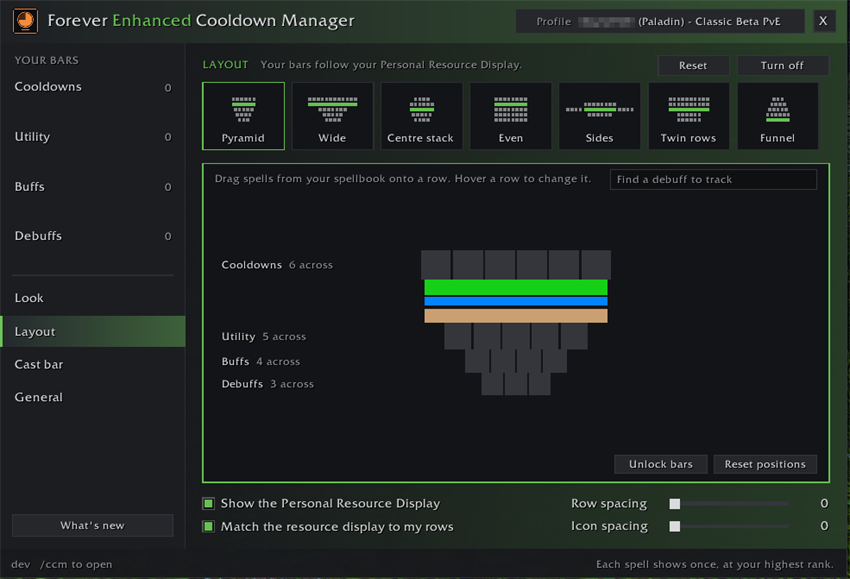
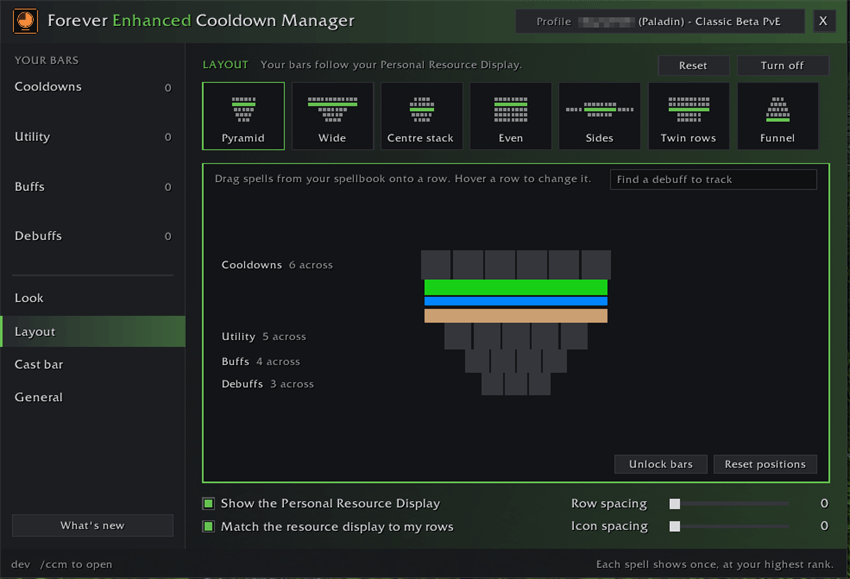
- 🧭 Layouts: one click stacks your bars around your Personal Resource Display, as a pyramid, wide rows, sides and more. Change any row, drag icons between rows or onto each other to swap them, take a bar out, or Reset
- 🎯 Debuff search: only your class's debuffs are listed, and you pick the spot in the Debuffs row
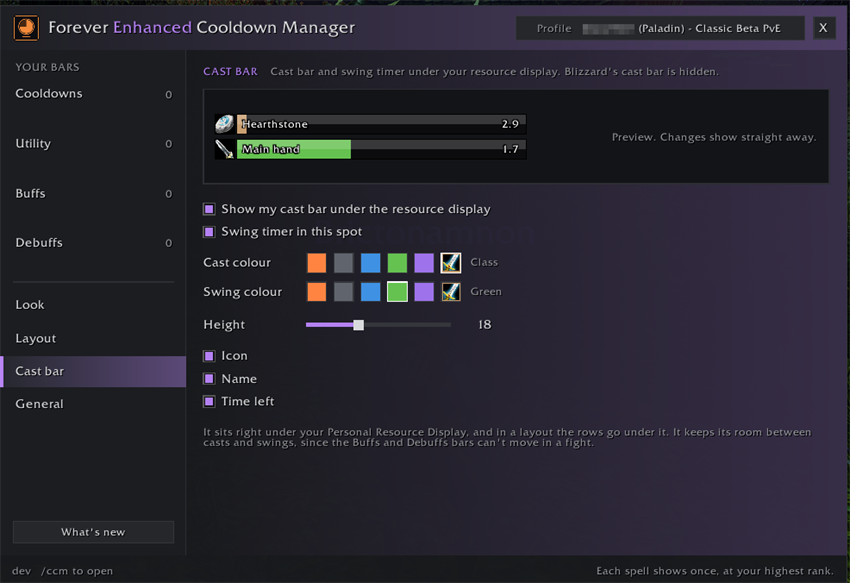
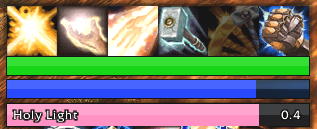
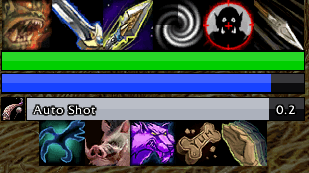
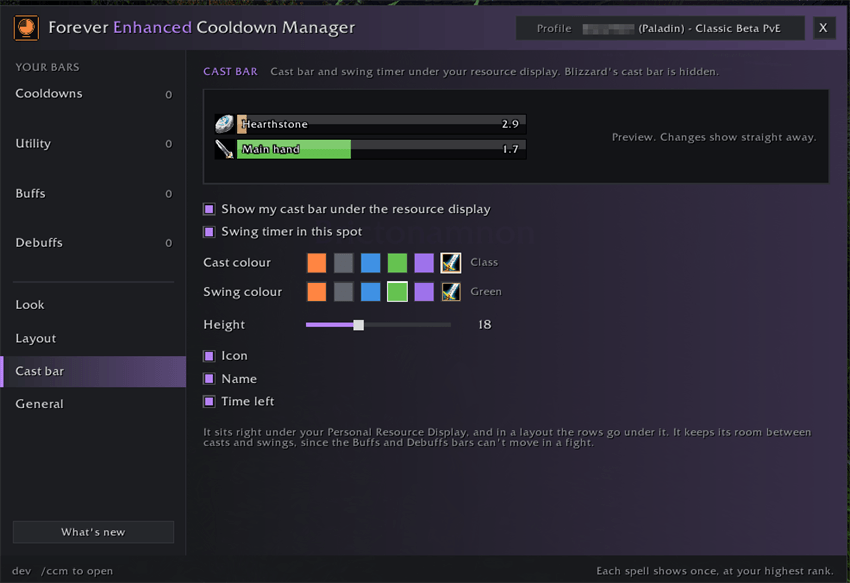
- ✨ Cast bar: your own, right under your resource display, with the spell's icon, name and time left. Blizzard's hides while it's on. A swing timer can share its spot, for your main hand and ranged swings (Auto Shot for hunters)
- ⏳ Raid Timers: the pull countdown, raid warnings, boss emotes and boss cast bars in your bar design, in raids and dungeons. Each part stays off until you tick it, with a live preview
- 🖼️ Borders and shadows round each icon or round whole bars
- ⌨️ Keybinds on icons: the key that casts each spell, from your action bars, on your bars and Blizzard's icons. Bottom or a top corner, in the size you pick
- 📏 All bars: one slider sizes every bar together, and Live preview shows your look and keybinds on the Layout page
- 🏹 Drag items in from your bags: any ammo becomes one icon for whatever you have equipped, with its count, plus trinkets, potions and your Hearthstone
- 🧪 Healthstones and potions: one icon for the best one you carry, switching as your bags change
- 🌫️ Show, dim or hide when ready, bar by bar
- 🔤 Font and bar texture of your choice, and grow arrows that show which way each bar grows while you move them
- 👥 Profiles: share one across characters and classes, and each character only shows its own class's and race's spells. Use on all characters sets it everywhere
- 🎓 A quick tour the first time you log in: it opens each page and points at the basics. Skip it, or take it again any time. After an update, Show me what's new tours just the new features, and the ? on every page walks you through that page
- 🗺️ Minimap button: click it for the settings, drag it round the minimap, set it free-floating to drag it anywhere, or hide it
✦ Getting started
- Log in: the settings open by themselves the first time, with a quick tour you can skip
- After that, click the minimap button or type
/ccm(also under Options > AddOns) - For your own bars, tick Use my bars on the General page, then add spells on each bar's page
- Pick a layout on the Layout page to stack them around your Personal Resource Display
Blizzard's Cooldown Manager must be on for its new look: /ccm tells you if it's off and can turn it on.
✦ Also by Squirt
🏰 EraUI: the Classic look for WoW Forever's whole interface, with quality of life options. The two work great together.
Made by Squirt for World of Warcraft: Forever. All rights reserved.
You must be logged in to leave a comment.