
Forever: Dungeon Quest Journey
DungeonJourney guides you through Forever dungeons and their quest chains — showing prerequisites, dungeon quests, progress, and where your journey starts.
Details
Expansion
 Forever
 Developers

Having issues?
Prepare for your next dungeon and follow its quests from pickup to turn-in.
DungeonJourney brings dungeon information, prerequisite chains, quest progress, bosses and loot together in one window, including Forever-specific destinations such as the Hall of Thanes and Ruins of Lordaeron.
Plan your dungeon run
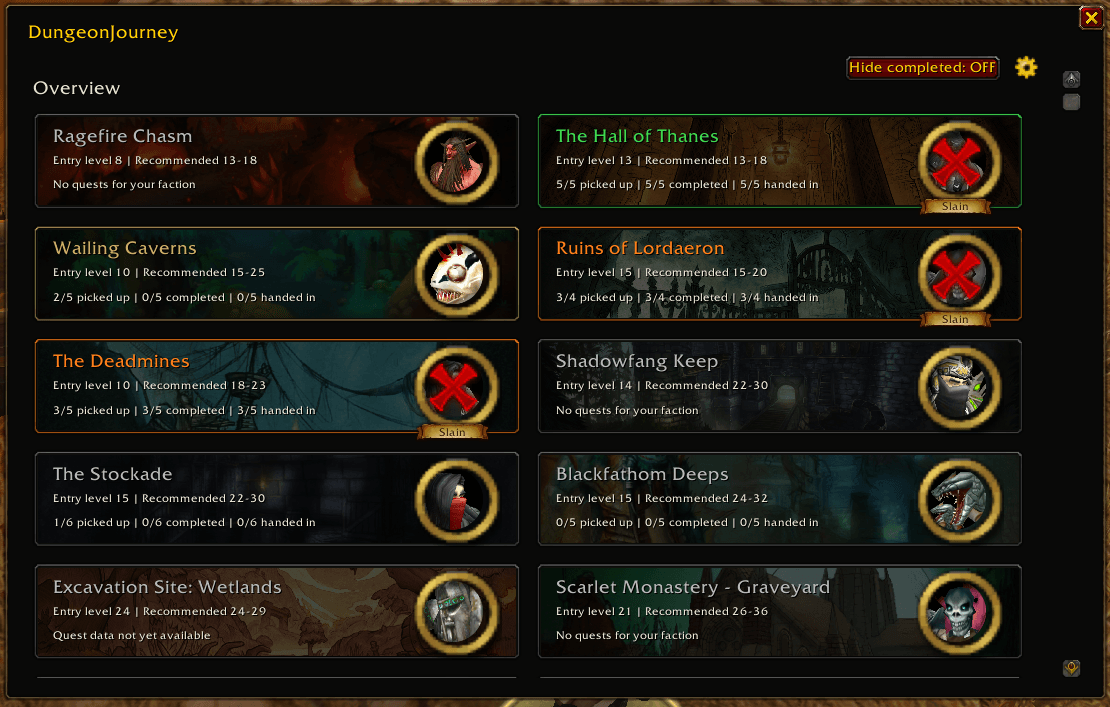
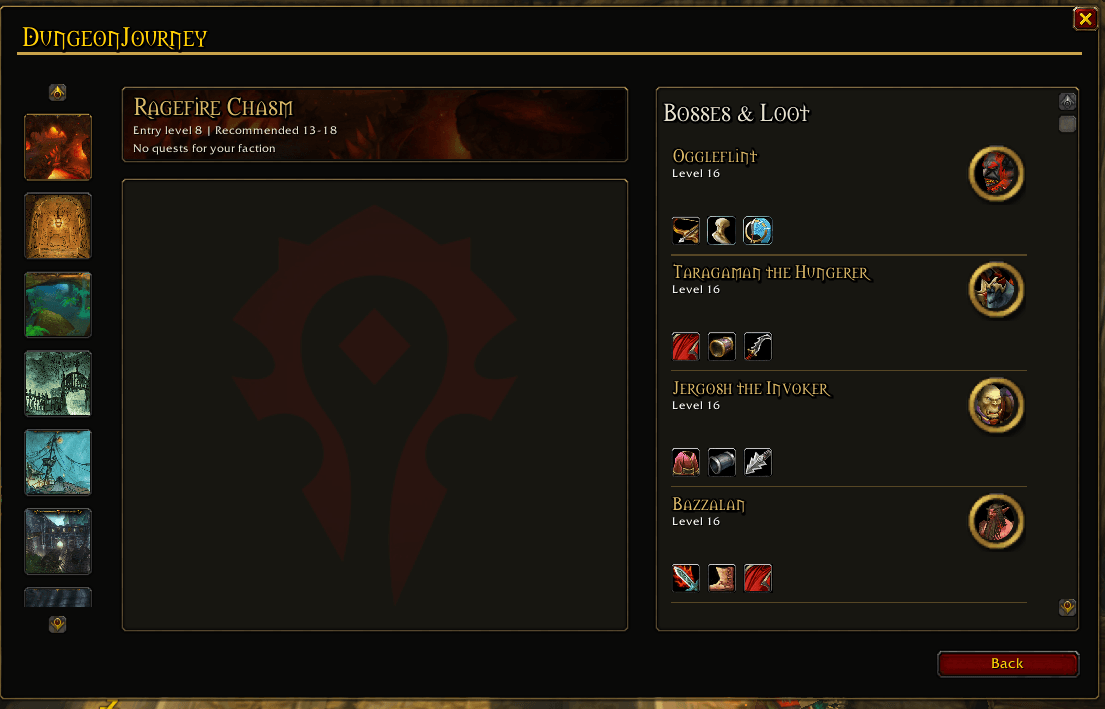
Browse dungeon overview cards with entry levels, recommended level ranges and quest progress. Switch dungeons through the scrollable sidebar, then keep the dungeon’s information in view while browsing its quest list.
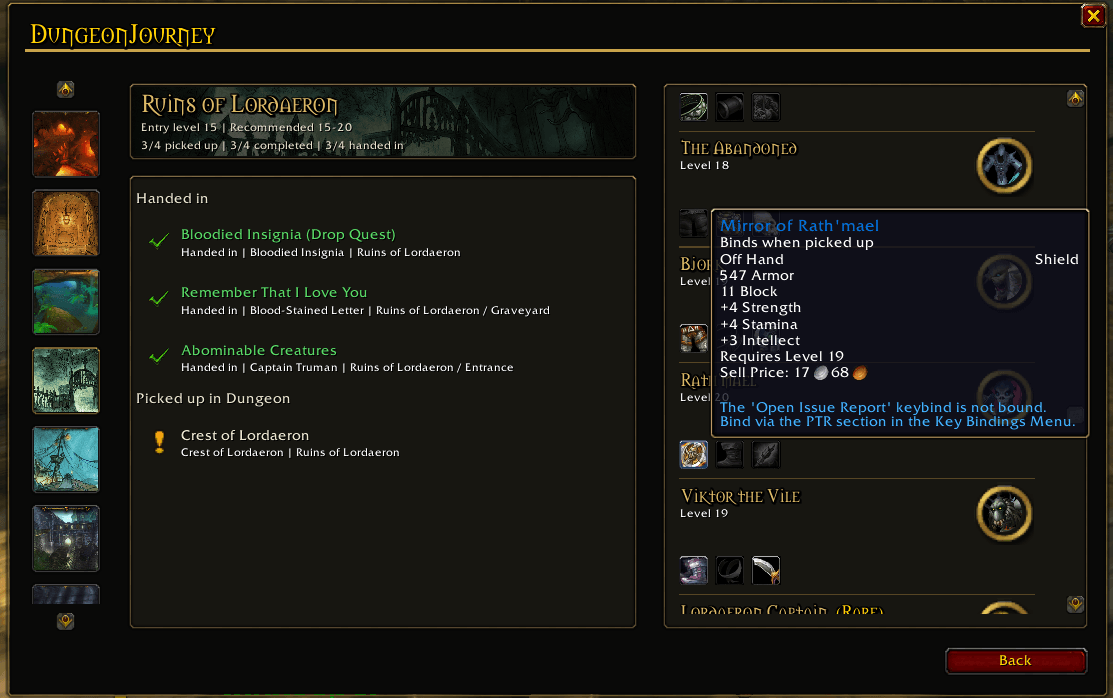
Progress distinguishes between quests you have picked up, quests whose objectives are completed, and quests you have handed in.
Follow quests and prerequisites
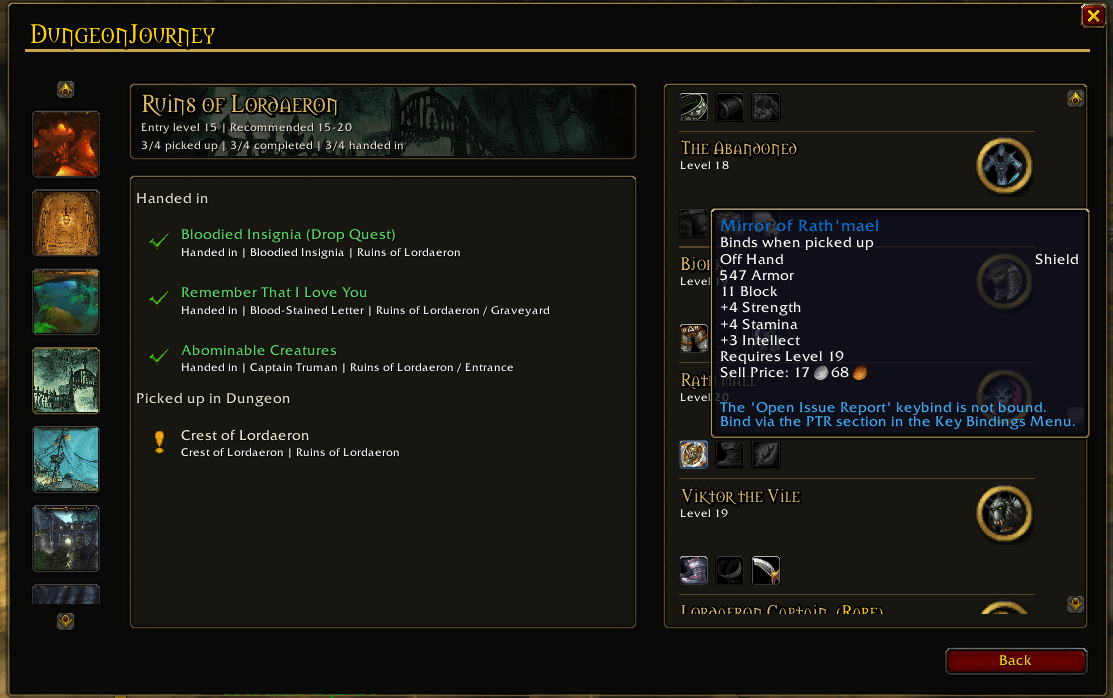
See quest objectives, pickup and turn-in information, rewards and follow-up quests in a dedicated detail panel.
Expand prerequisite chains in the main quest list to find the steps you still need. Quest details stay focused on the selected quest instead of repeating the prerequisite list.
Browse bosses, loot and rewards
The Bosses & Loot panel shows supported dungeon encounters, portraits and loot icons with item tooltips.
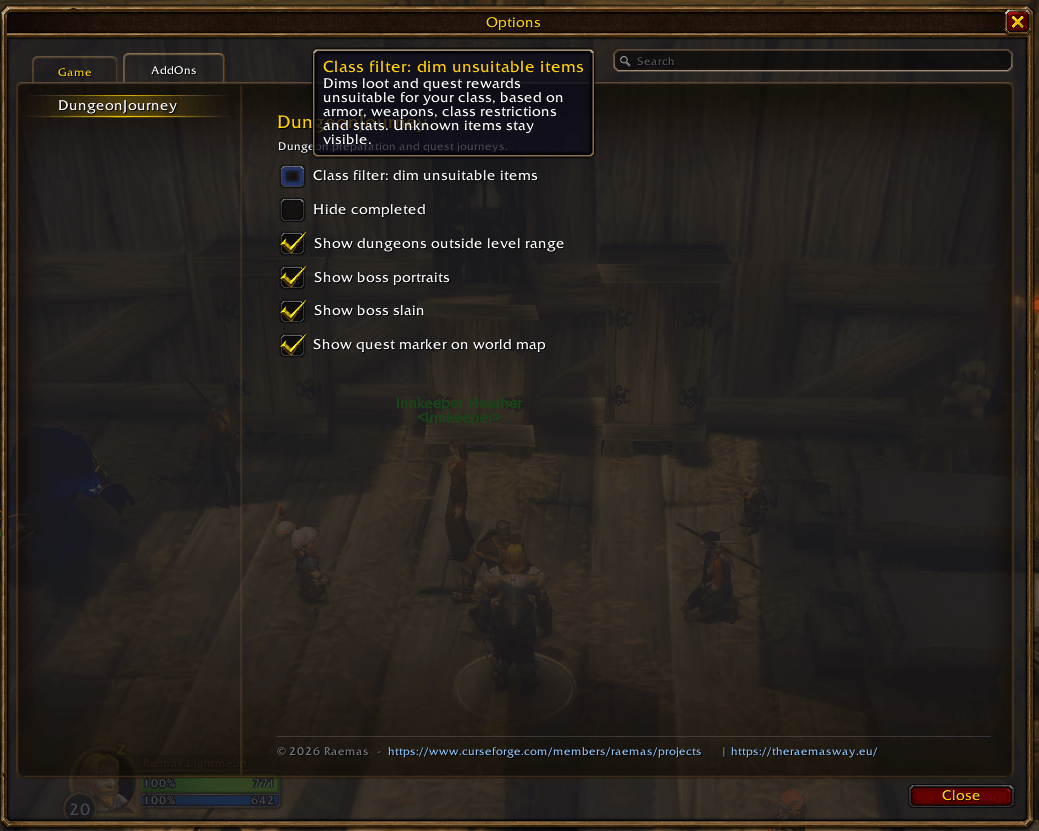
Enable Highlight class specific loot and rewards to dim items unsuitable for your class. The filter considers weapon and armor types, explicit class restrictions and relevant stats. Unknown items remain visible while their data loads.
No AtlasLoot installation is required.
See faction availability
Quest availability follows your character’s faction. If a dungeon only offers quests for the opposite faction, a faint Horde or Alliance emblem appears in the empty quest panel.
Settings
Open Settings by right-clicking the minimap button, or through Escape → Options → AddOns → DungeonJourney.
Available options include:
Hide completed content.
Show dungeons outside your level range.
Show boss portraits and slain indicators.
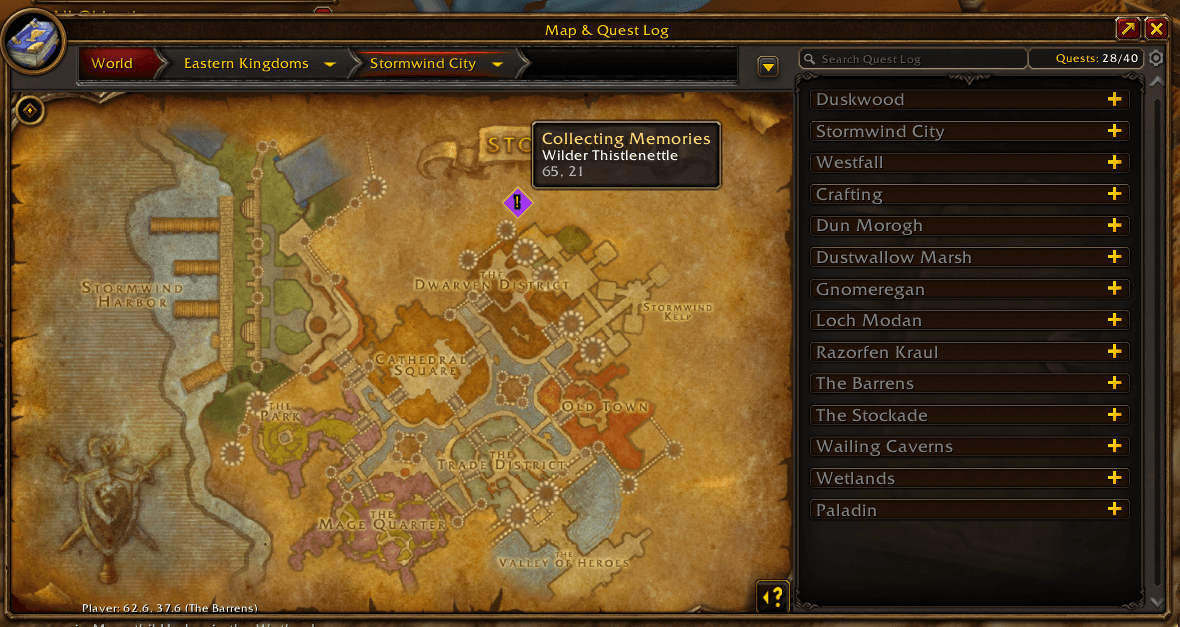
Show quest markers on the world map.
Highlight class specific loot and rewards.
Quest data and Forever Beta
DungeonJourney reads quest progress from the game using quest IDs. Where the client provides them, live titles, quest levels, faction information, objectives and rewards enhance the displayed data.
Prerequisites, dungeon assignments, NPC locations and some quest details use maintained addon data. Coverage varies by dungeon, and Forever Beta changes may require updates.
You must be logged in to leave a comment.