

Forever Clean UI
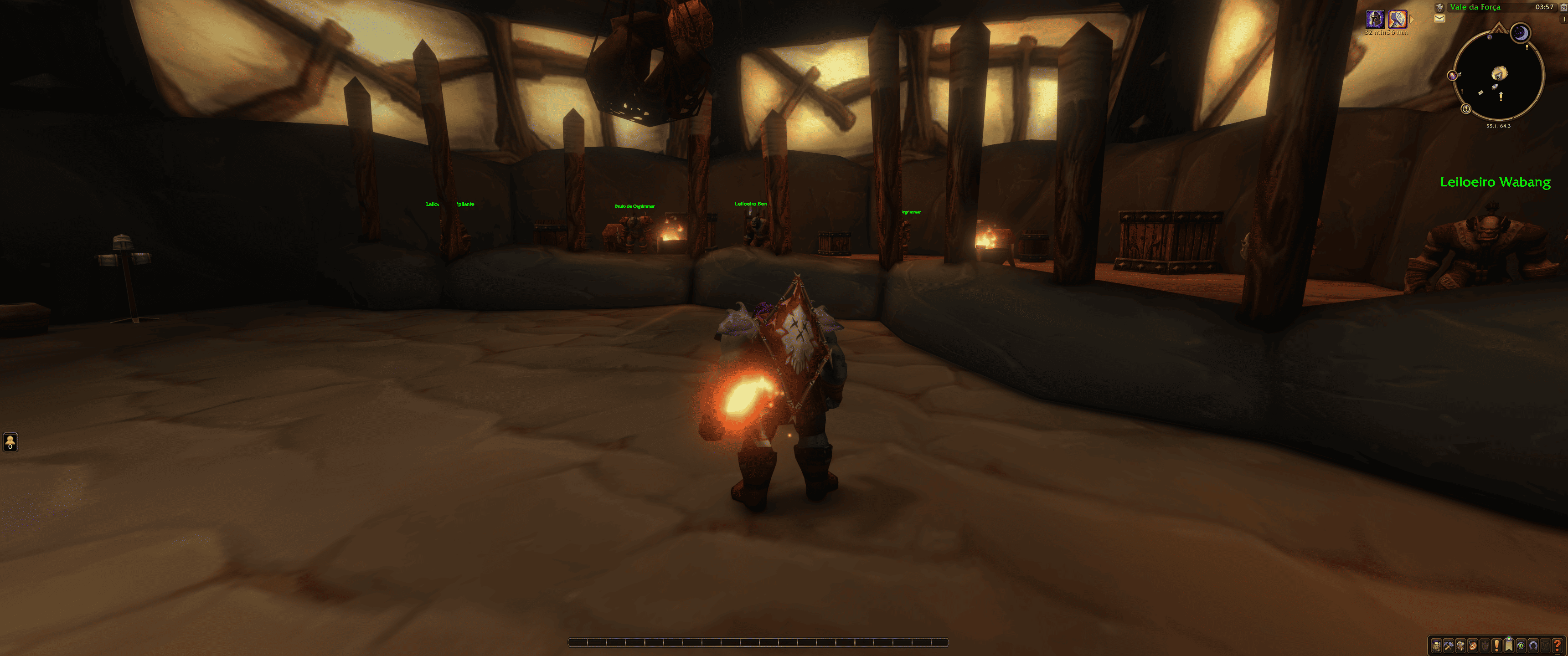
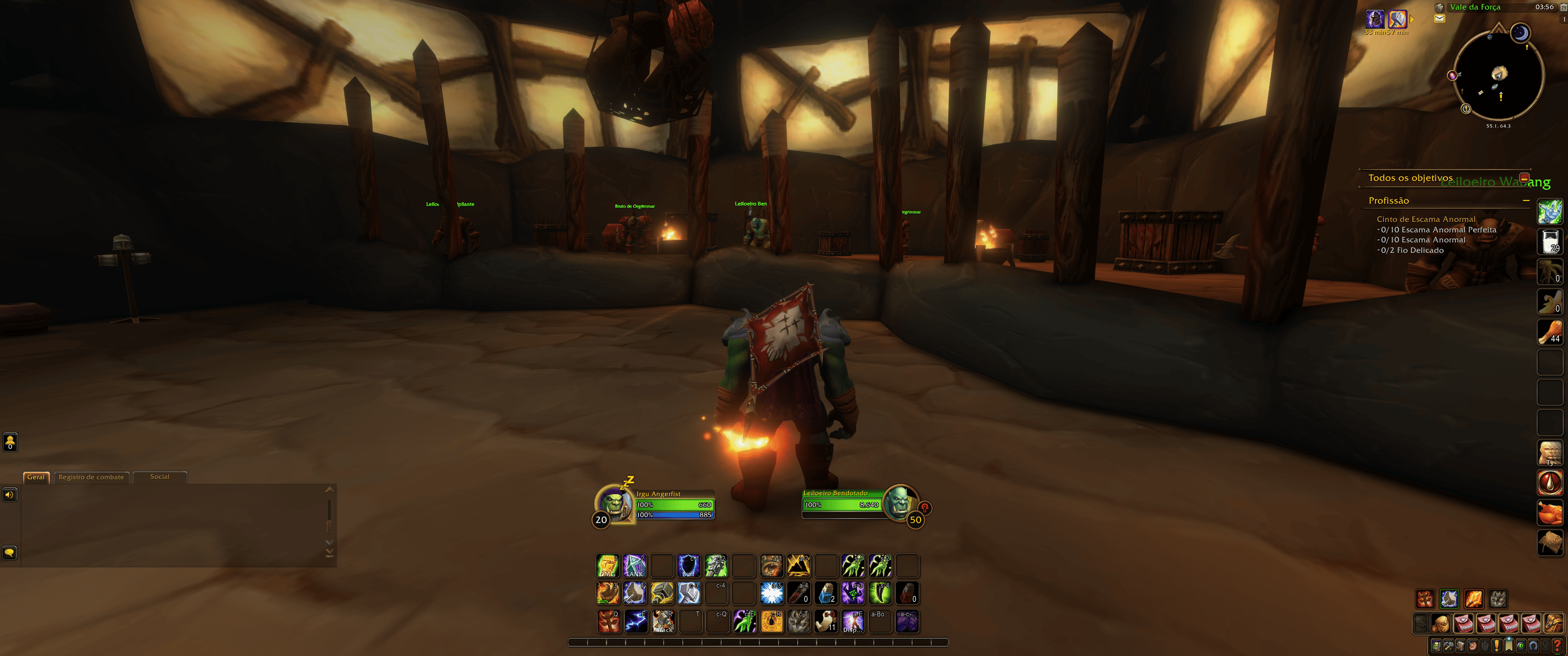
Fades out action bars, player frame, chat and more until you need them.
Details
Addon ID:
27303
Addon Version:
CleanUI.zip
Expansion:
1.60
Upload date:
Oct 06, 2026
Last Updated:
Oct 06, 2026
Downloads:
Less than 100
Website:
Source Link
Expansion
 Forever
 Categories
Developers

nulldreams
Creator
Having issues?
CleanUI
Declutters the default interface. Frames fade out while you don't need them and come back the moment you do.
What fades
| Frame | Command |
|---|---|
| Player frame | /cleanui player |
| Main action bar | /cleanui bar |
| Action bars 2, 3, 4 | /cleanui bar2, bar3, bar4 |
| Bag bar | /cleanui bags |
| Shaman totem bar | /cleanui totems |
| Quest list | /cleanui quests |
| Chat | /cleanui chat |
| Issue Reporter button (beta/PTR) | /cleanui issues |
Each command toggles that frame on or off. Every option is also available in Options > AddOns > CleanUI.
When frames come back
- You enter combat
- You have a target
- Your health or mana is below maximum (regenerating)
- You hover the mouse over a faded frame (
/cleanui hoverto toggle)
Chat is different: it only shows up when you receive a whisper (for 15 seconds) or while you are typing.
Fading only changes transparency, so faded action buttons still work with keybinds and clicks, even in combat.
You must be logged in to leave a comment.