
Forever Class Census
FCC tracks unique WoW Forever characters and ranks observed classes, races and guilds. Scan manually.
Details
Expansion
 Forever
 Categories
Developers

Having issues?
Forever Class Census — WoW Forever
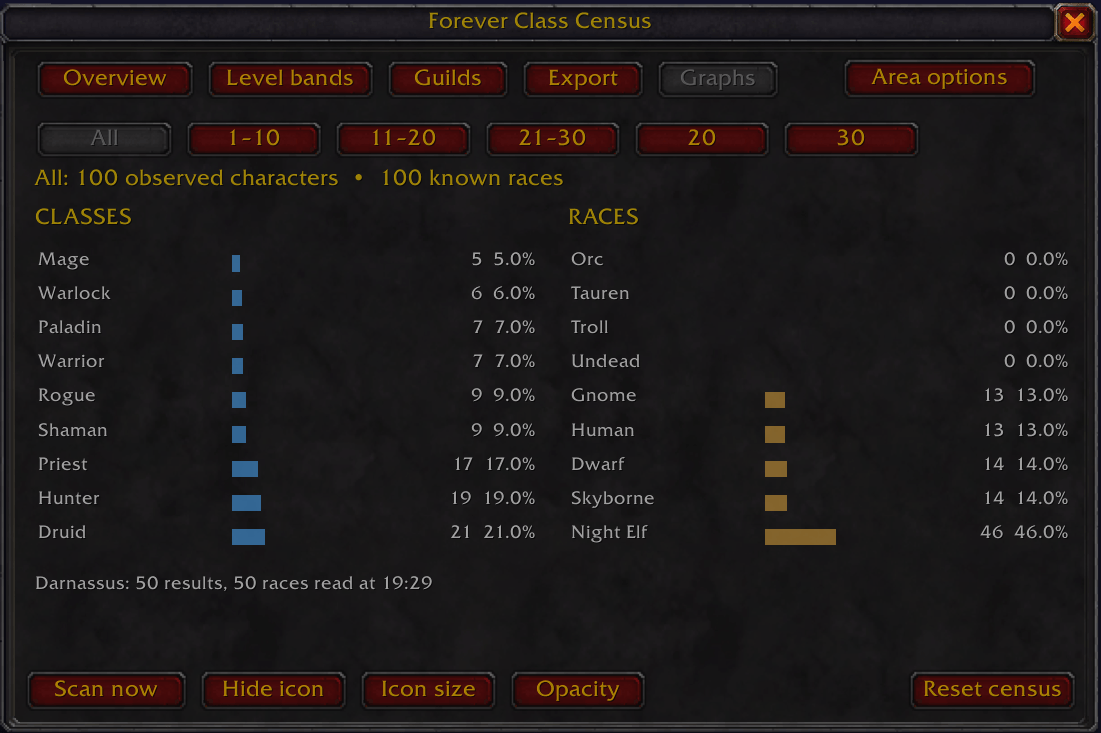
Forever Class Census tracks characters observed in WoW Forever and shows how often each class, race, level group, and guild appears. Repeated observations update a character’s record instead of adding a duplicate.
What you can see
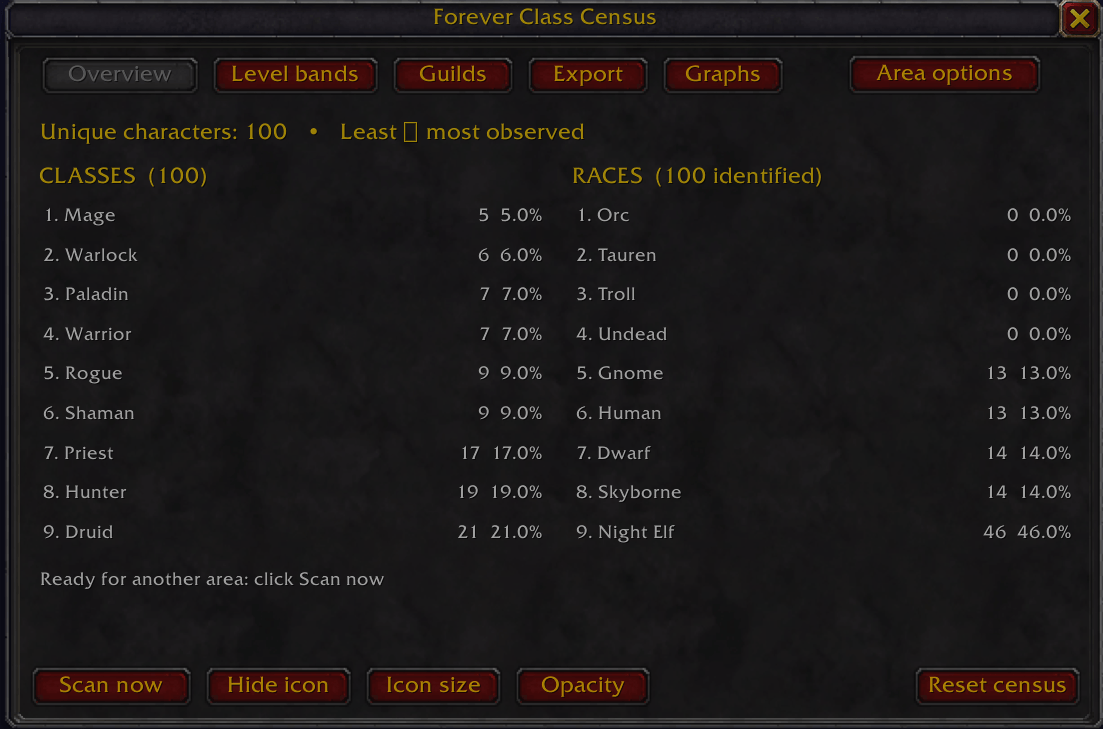
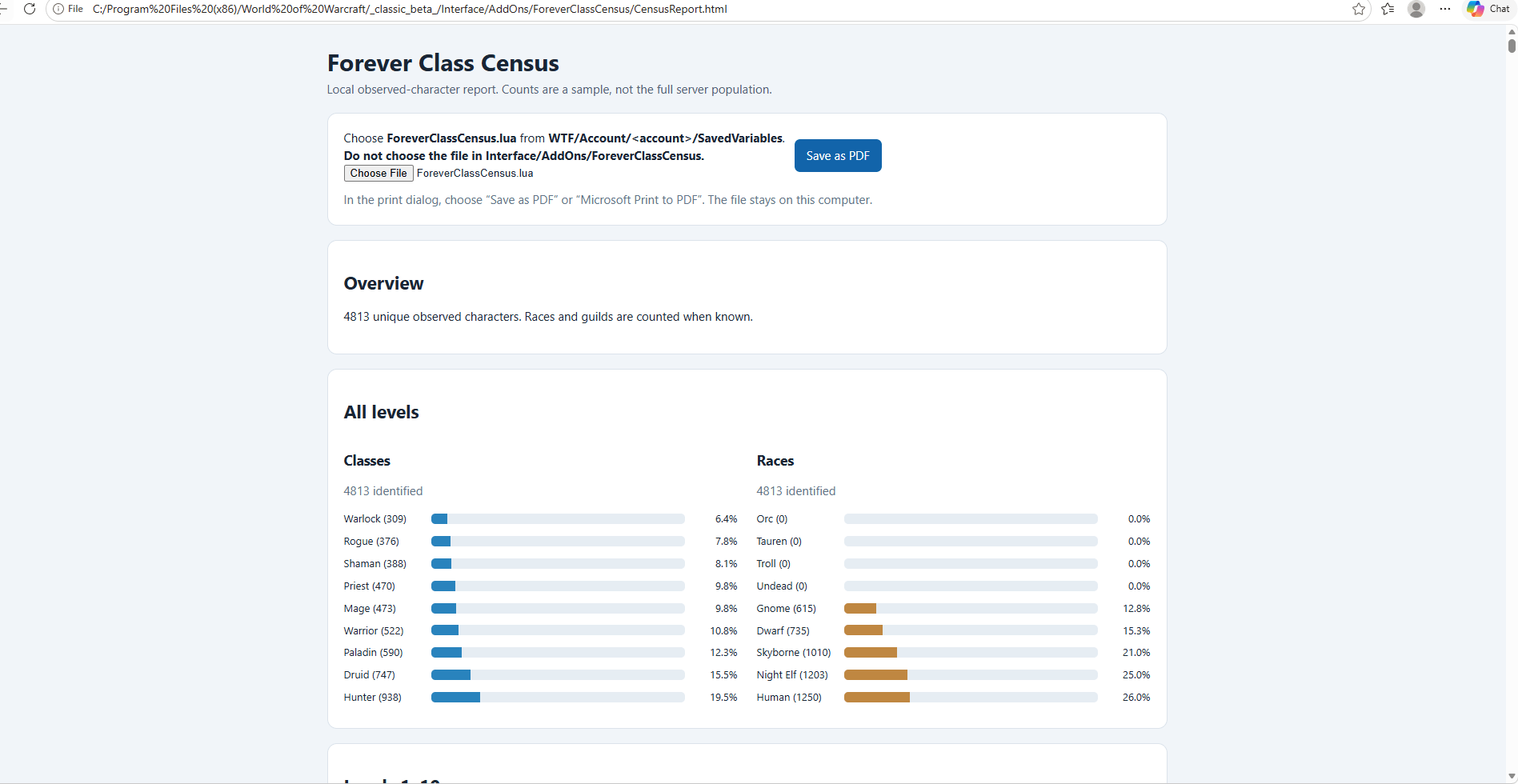
Overview: Class and race counts side by side, ranked from least to most observed. It also shows Alliance, Horde, and unknown-faction totals.
Faction views: Switch between Combined, Alliance, and Horde. Your choice applies to Overview, Level bands, Guilds, and Graphs.
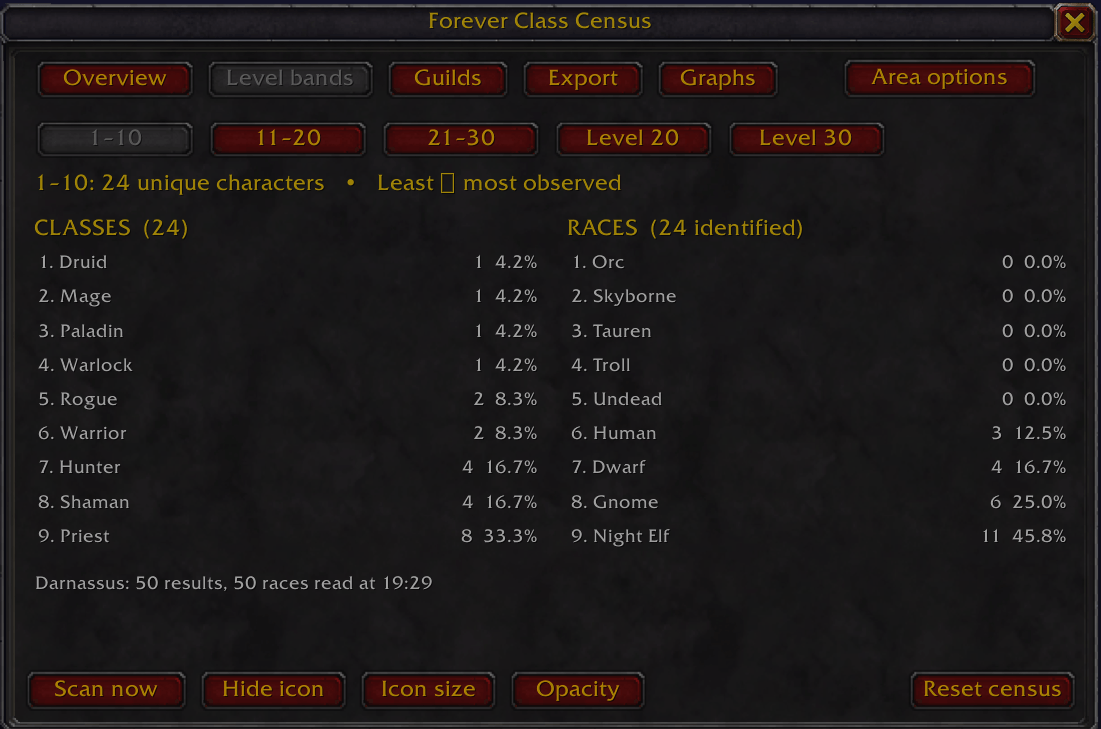
Level bands: Filter the saved census to levels 1–10, 11–20, 21–30, exactly 20, or exactly 30. A character’s latest known level determines their band.
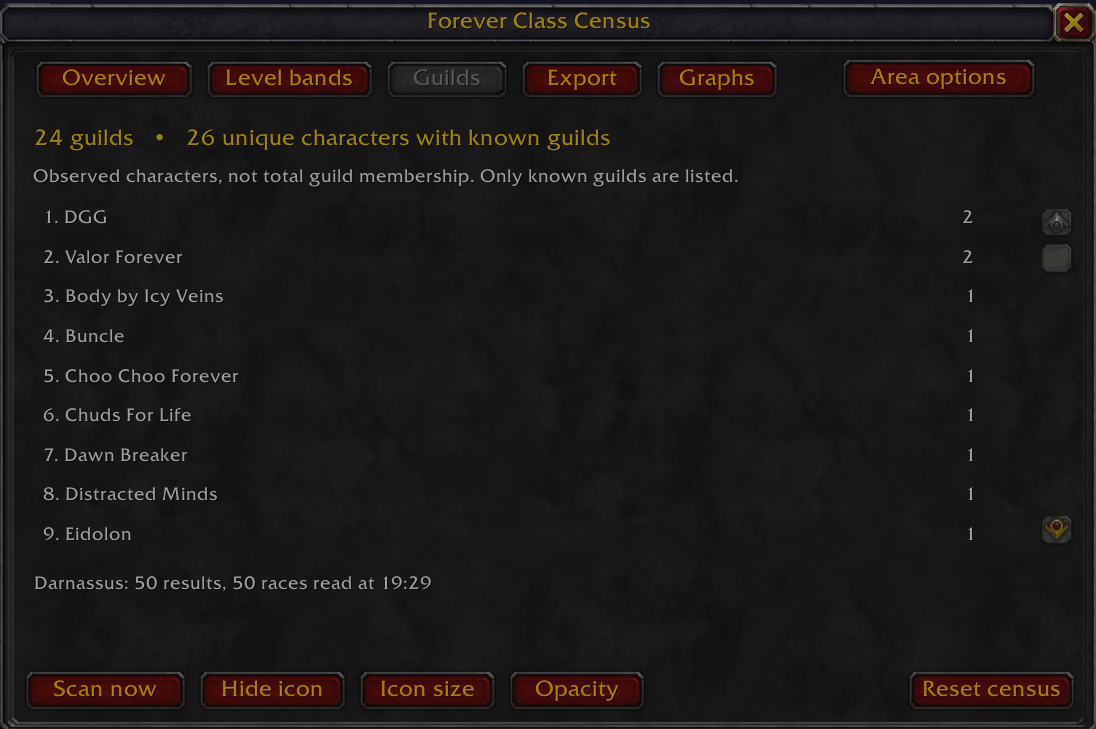
Guilds: Rank guilds by unique characters observed, rather than total guild membership.
Graphs: Compare class and race counts and percentages for the combined census or a selected faction and level group.
Characters whose faction cannot be determined remain in the Combined total and appear as Unknown in the report.
Scanning
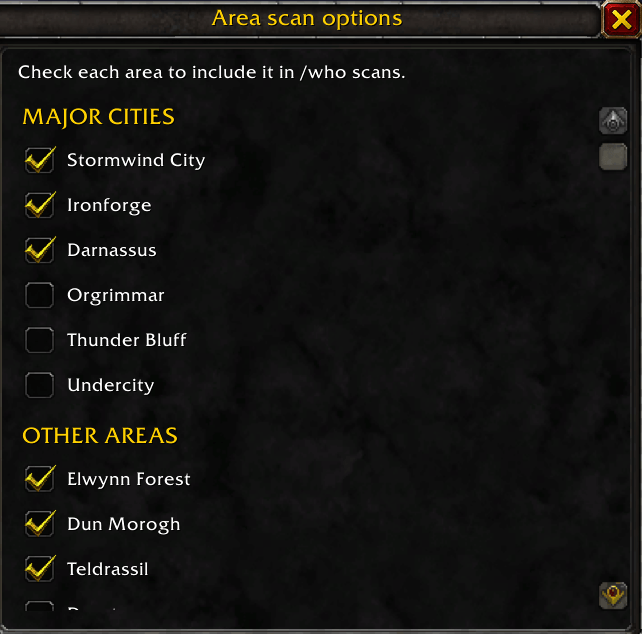
Click Scan now to send a level 1–30 /who search for the next enabled area. Area options lets you enable or disable cities and zones individually, including Zephras Isle. Each /who search requires a click; the one-minute timer reminds you when another scan is ready.
Window and icon
Use the movable launcher icon to open the census window. Place it anywhere on your screen, resize it from 20–80 px, hide or show it, or reset its size and position. The Opacity button opens a separate slider for the census window. Your choices are saved between sessions.
PDF report and backup
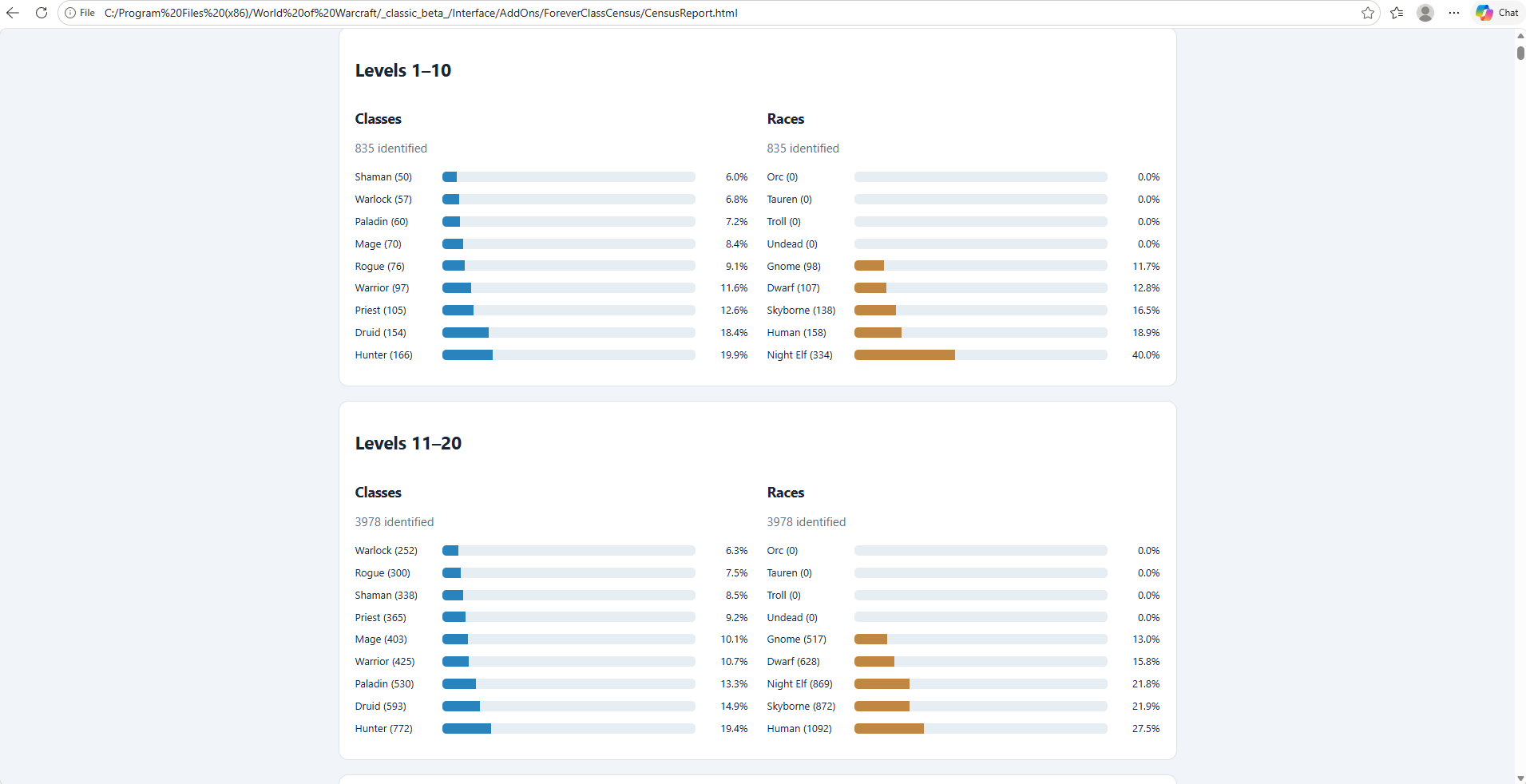
Open the bundled CensusReport.html in a browser and select your saved census file at WTFAccount<your account>SavedVariablesForeverClassCensus.lua. The report includes:
Combined, Alliance, and Horde class and race graphs for every level band
Separate guild tables for each faction
A character list with faction, class, race, level, guild, and last-seen time when available
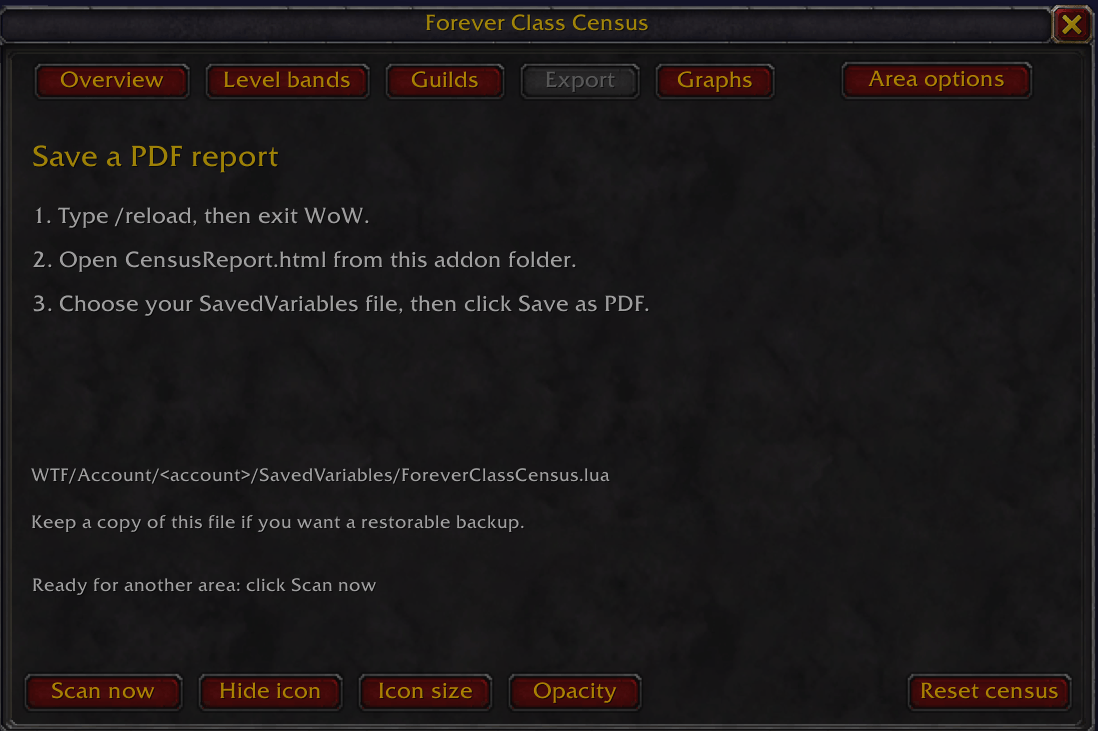
Click Save as PDF to print the report to a PDF file. For a backup that the addon can restore, exit WoW and copy the SavedVariables .lua file separately; the PDF is a readable snapshot.
Chat commands
| Command | Action |
|---|---|
/fcc | Open or close the census window |
/classcensus | Same as /fcc |
/fcc scan | Open the window and prompt you to click Scan now |
/fcc icon hide | Hide the launcher icon |
/fcc icon show | Show the launcher icon |
/fcc probe | Print diagnostic information about target and mouseover observations |
/fcc reset | Ask for confirmation before clearing saved census data |
The census is a sample of characters observed by the addon, not a count of every player on the server.
You must be logged in to leave a comment.