

Forever Bulletin
A lightweight community bulletin board for WoW Forever that automatically organizes groups, guild recruitment, professions, services, travel, and more from chat.
Details
Expansion
 Forever
 Developers

Having issues?
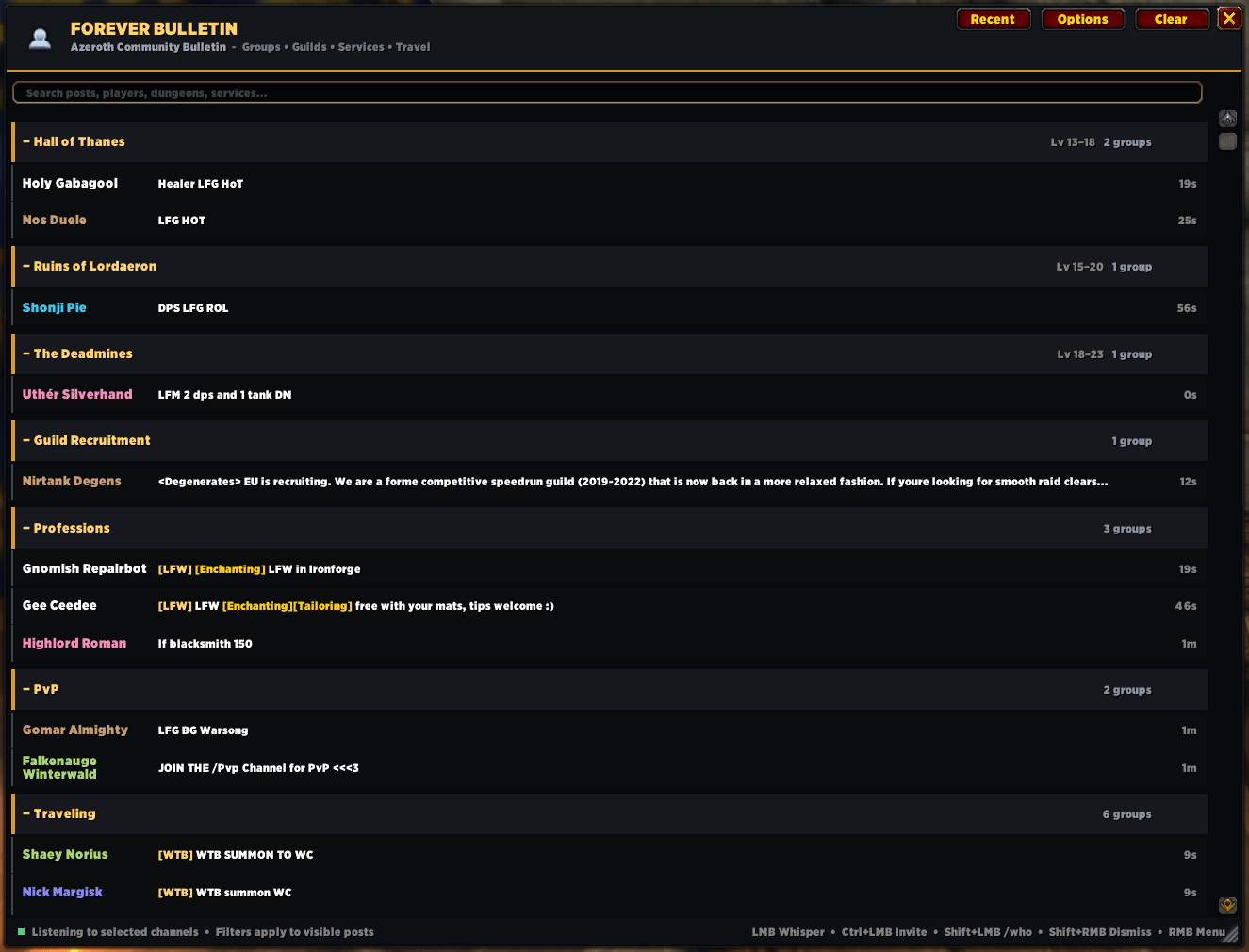
Forever Bulletin is a lightweight community bulletin board built specifically for WoW Forever. It watches your selected chat channels and automatically turns the constant stream of community messages into a clean, organized board for groups, guilds, services, professions, travel, quests, PvP and more.
Instead of digging through General, World, Trade and LookingForGroup, simply open Forever Bulletin and see what's happening across Azeroth.
Organized automatically
Forever Bulletin recognizes relevant chat messages and sorts them into dedicated sections for:
- Dungeons — individual sections for WoW Forever dungeons with level ranges
- Raids — Barrow Deeps, Hyjal Summit and Onyxia's Lair
- Guild Recruitment
- Professions & Crafting
- Traveling — portals, summons and other travel services
- Quests / Elite
- PvP
Find what you need quickly
Use the built-in search bar to instantly filter the board by dungeon, player, service or message.
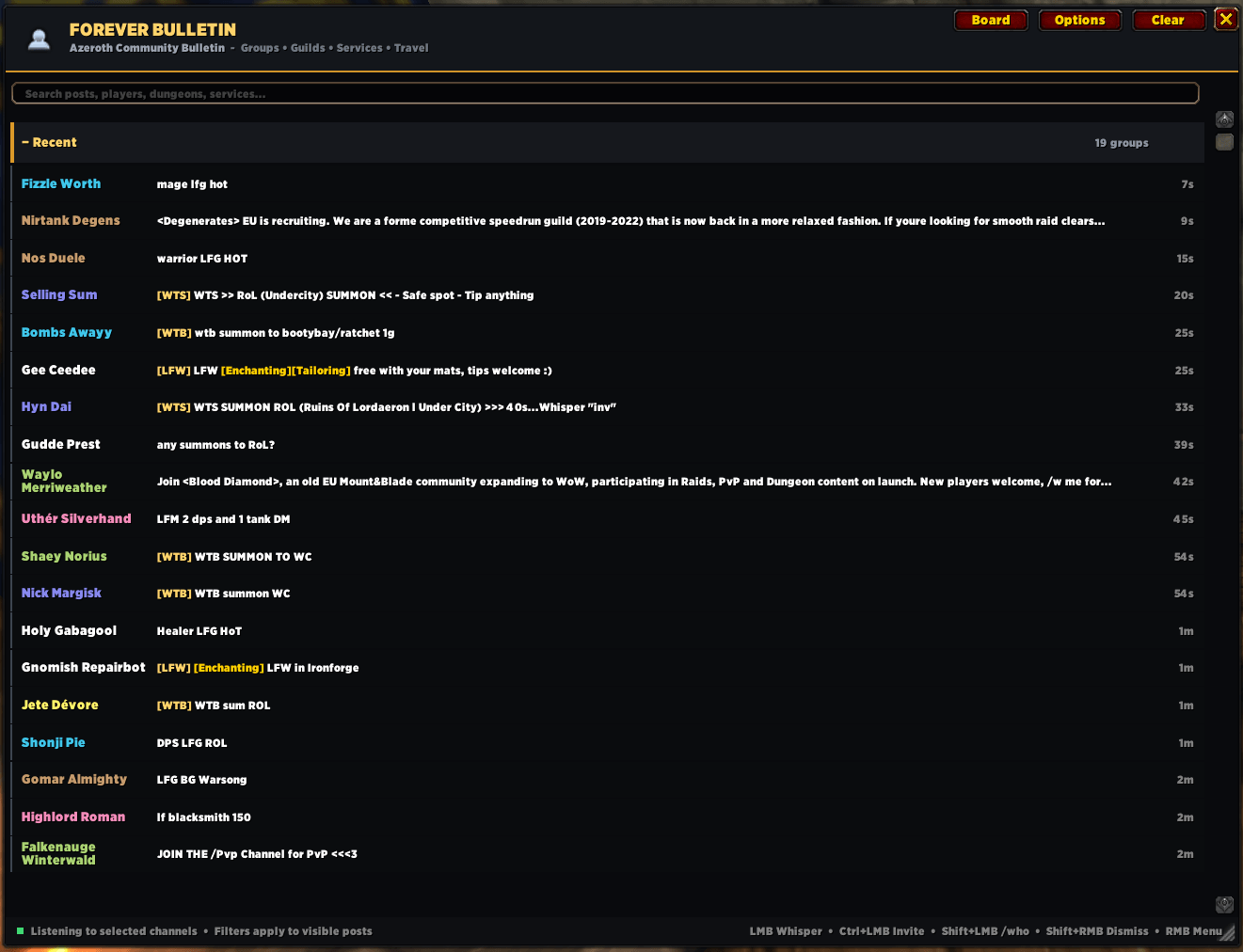
You can also switch to Recent view for a simple newest-first feed instead of browsing individual categories.
Profession and trade posts can be automatically identified with WTS, WTB and LFW tags, making services easier to spot.
Interact directly with players
Hover over any post to see the original message and available actions:
LMB: Whisper
Ctrl+LMB: Invite
Shift+LMB: /who
Shift+RMB: Dismiss
RMB: Player Menu
Dismiss unwanted posts without ignoring the player or removing their future messages.
Fully configurable
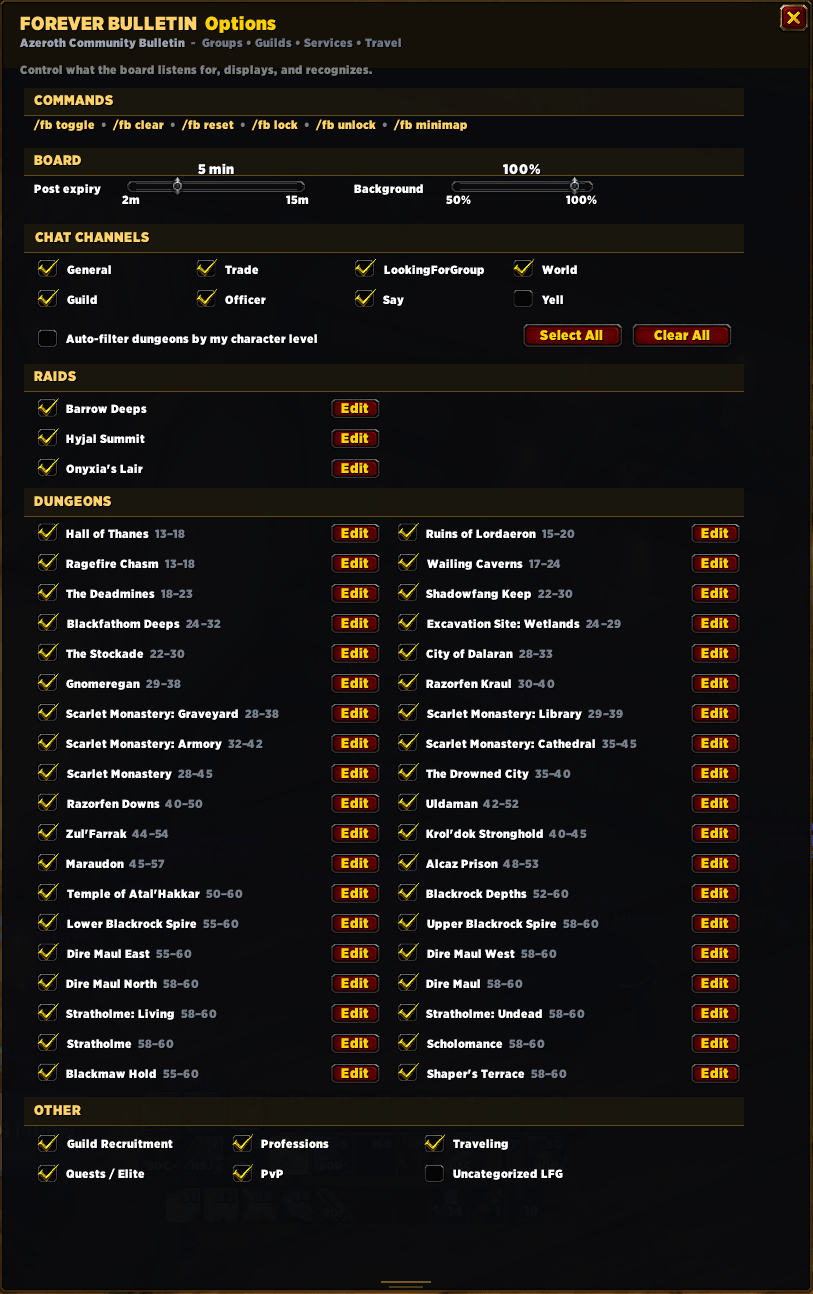
Choose exactly what Forever Bulletin listens to and displays.
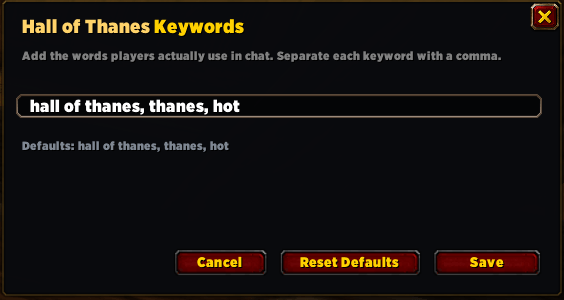
Edit keywords for each dungeon and raid.
You can also enable automatic dungeon filtering based on your character level, adjust how long posts remain on the board, and change the window background opacity.
Designed to stay lightweight
Forever Bulletin doesn't spam /who requests or continuously scan players in the background. Posts are collected naturally from chat and automatically expire after the configured amount of time.
Repeated messages from the same player are refreshed rather than filling the board with duplicates, and class colors are displayed when that information is available directly from chat.
The interface is movable, resizable and collapsible, with a minimap button for quick access.
Commands
/fb — Toggle Forever Bulletin/fb options — Open options/fb clear — Clear collected posts/fb reset — Reset window position/fb lock — Lock the window/fb unlock — Unlock the window/fb minimap — Restore the minimap button
You must be logged in to leave a comment.