
Forager – Herb & Ore Tracker, Auto Track Switcher for Gathering
Track herbs and ore at the same time. An automatic tracking switcher that rotates Find Herbs, Find Minerals, Find Treasure and hunter tracking while you gather. Restores tracking after death. Glowing tracker icons count down to the next switch.
Details
Expansion
 Forever
 Categories
Developers

Having issues?
Forager
An automatic tracking switcher for herbalists and miners. Forager swaps between Find Herbs and Find Minerals for you on a timer, so herb and ore nodes both show on your minimap while you gather, and you never have to click the tracking menu again.
Want more? Add Find Treasure, or a hunter's Track Beasts, Track Humanoids and the rest, and Forager rotates through every tracker you pick, in the order you choose.
Features
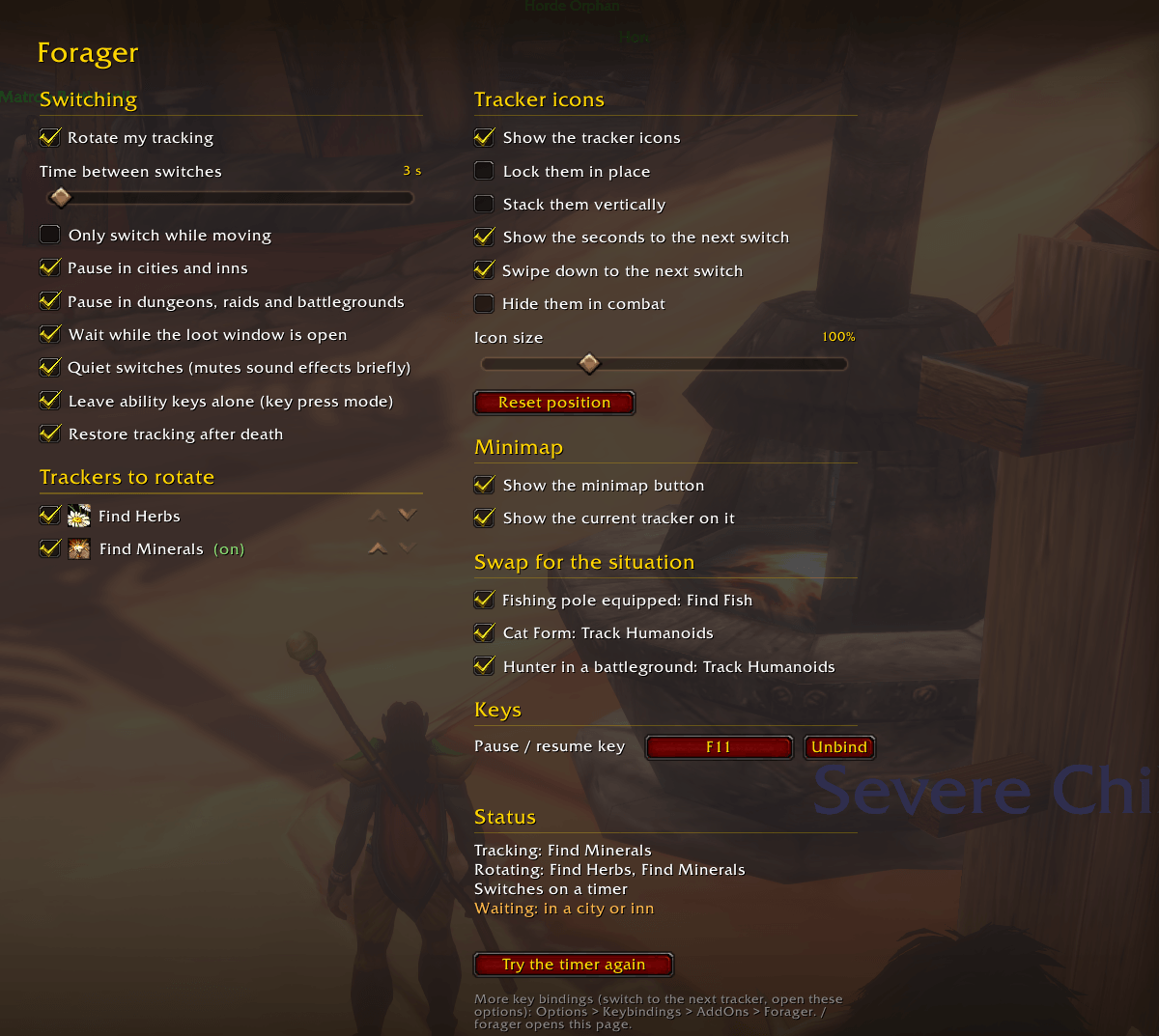
- Auto tracking rotation. Switches tracking every 2 to 60 seconds (you choose) while you're out of combat.
- Any tracking spell, in your order. Find Herbs and Find Minerals are on by default. Tick any other tracker your character knows to add it, and use the up and down arrows to set the order they rotate in.
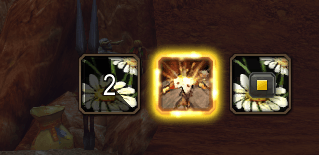
- Tracker icons on screen.
- The tracker that's on glows like a proc on your action bars.
- The next one shows a cooldown swipe and the seconds until it switches.
- Click an icon to switch to it straight away.
- A play / stop button pauses and resumes the rotation.
- Move, resize and lock them, stack them vertically, or hide them in combat.
- Doesn't interrupt your game.
- Never switches in combat, while dead, on a flight path, while you're casting or gathering, or while the loot window is open.
- Quiet: each switch has its own sound, so sound effects are muted for a moment around each one (optional).
- Pauses in cities and inns, and in dungeons, raids and battlegrounds (both optional).
- Can be set to switch only while you're moving.
- Picked a tracker yourself that isn't in the rotation? Forager leaves it on until you switch back.
- Restores tracking after death. Dying clears your tracking. Forager remembers what each character was tracking and turns it back on as soon as you're alive again, even with the rotation paused.
- Skips trackers that can't be cast right now. For example a druid's Track Humanoids outside Cat Form is skipped for a minute instead of failing over and over.
- Swaps for the situation (each optional):
- Fishing pole equipped: Find Fish.
- Druid in Cat Form: Track Humanoids.
- Hunter in a battleground or arena: Track Humanoids.
- When the moment passes, the rotation picks up again, or your old tracker comes back if the rotation is paused.
- Minimap button. Shows the tracker that's on. Left-click opens the options, right-click pauses or resumes, drag it around the minimap, or hide it.
- Pause key. Set a key to pause and resume right from Forager's options: click the button, press a key. It warns you if the key already does something else.
- Key bindings. Pause / resume, switch to the next tracker, and open the options, also under Keybindings > AddOns > Forager.
- Options page in the game's own Options > AddOns list.
Getting started
- Log in on a character with Herbalism and Mining (or any two tracking spells).
- Head out of town (Forager pauses in cities and inns unless you turn that off). The glowing icon swaps every 6 seconds.
- Type /forager or left-click the minimap button to change the timing, pick and order trackers, set a pause key or move the icons.
Commands
- /forager opens the options
- /forager on, /forager off, /forager toggle pause and resume
- /forager switch switches to the next tracker now
- /forager move beasts up moves a tracker up or down in the order
- /forager delay 10 sets the time between switches in seconds
- /forager icons, /forager minimap show or hide the tracker icons and the minimap button
- /forager reset moves the tracker icons back to the middle of the screen
- /forager debug prints what Forager sees
How the switching works
Forager uses the same call as the game's own tracking menu. If the game ever stops addons from switching tracking on a timer, Forager notices, tells you once, and switches on your next key press after the delay instead. It never acts on keys bound to abilities, and every key still reaches the game.
Discord
Join my Discord for Feedback, Development Updates, Addon Ideas, Feature Requests, and Bug Reports.
You must be logged in to leave a comment.