

FlyoutMacros
Horizontal flyout menus for grouping spells and abilities inside single action bar macros.
Details
Expansion
 Forever
 Categories
Developers

Having issues?
FlyoutMacros
Version 1.6.0 · World of Warcraft Forever beta 1.60.1 · Interface 16001
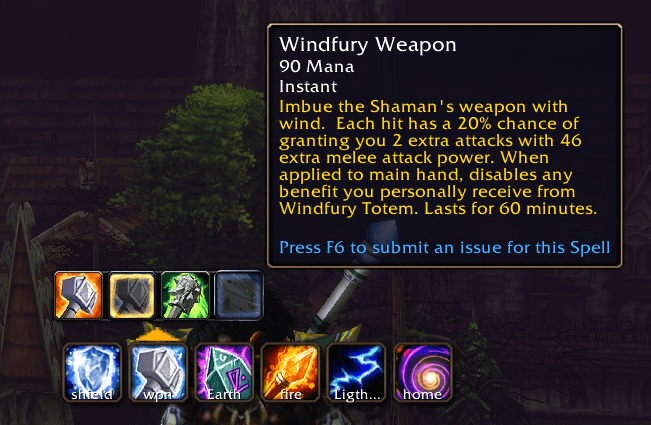
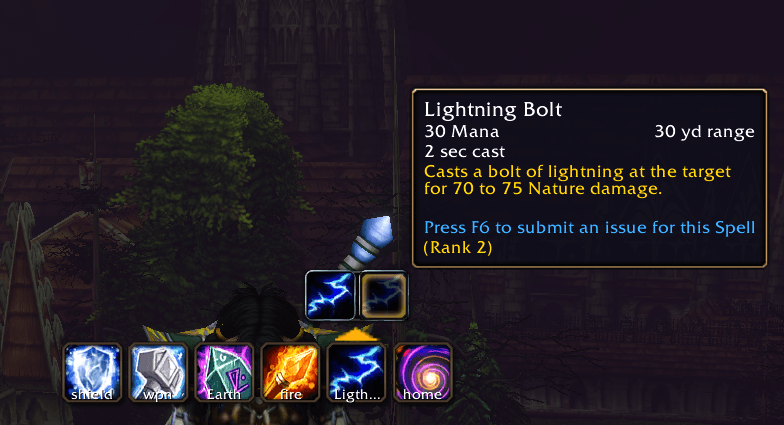
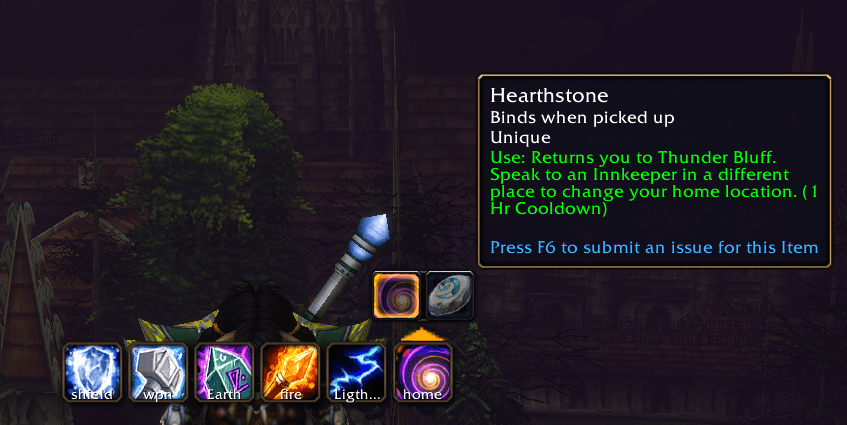
Turn a single action-bar button into a horizontal flyout of spells, spell ranks, and usable items. Choose an entry to make it the macro's active cast, then use your usual action-bar keybind to cast it.
Recent changes
1.6.0: Spell-specific targeting icons, shared flyout command toggles, Shift-left-click replacement of the active spell, a compact picker layout, and stronger save/byte-limit safeguards. Targeting choices survive spell swaps and reloads.
1.5.3: Profession abilities in the picker, skill-change refreshes, and bare
#showtooltip to save macro space.
Installation and updating
Extract the archive into the game's Interface/AddOns/ directory. The installed
layout should be Interface/AddOns/FlyoutMacros/FlyoutMacros.toc, with the Lua
files directly beside it. Replace the existing addon folder when updating, then
reload the UI or restart the client. Existing FlyoutMacrosDB settings are retained;
no saved-settings reset is required.
Getting started
- Open the macro dialog with
/mand create a macro with a unique name. - Type
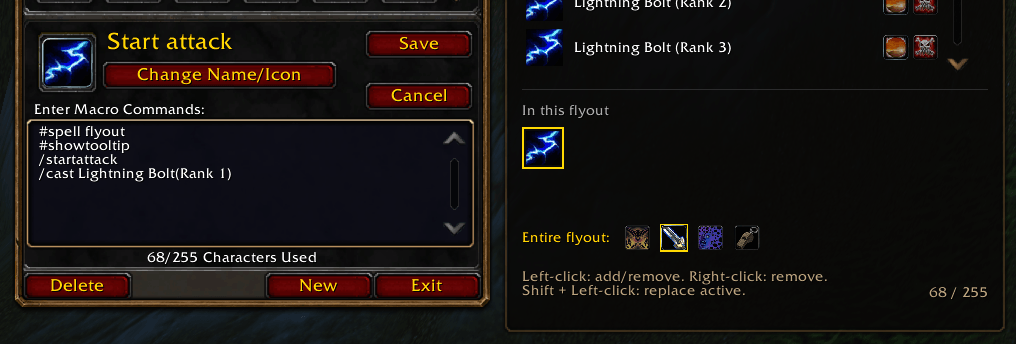
#spell flyouton its first line. The picker opens beside the dialog. - Search and click spells to build the flyout, or type cast lines manually.
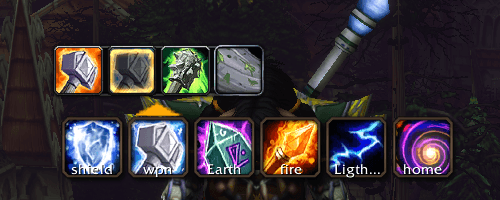
- Place the macro on an action bar. Hover its top edge to reveal the arrow; click the arrow to open the flyout.
- Choose an entry to change the active cast. Cast it with the action-bar button or its keybind. Clicking outside the flyout closes it.
#spell flyout
#showtooltip
/cast Stoneskin Totem
#/cast Strength of Earth Totem
#/cast Earth Shock(Rank 1)
#/cast Hearthstone
Bare #showtooltip follows the active cast. The active /cast entry is written
first; alternatives use commented #/cast lines.
Macro picker
The compact panel shows six spell rows and two rows of selected-spell chips. It opens to the right of the macro dialog, or to the left when space is limited.
- Search: filter known spells and profession abilities. Passive spells are omitted.
- Left-click a spell row: add it, or remove it if already included.
- Right-click a spell row: remove it.
- Shift + Left-click a spell row: replace the active spell while keeping the other alternatives. Choosing an existing alternative avoids duplicates. The old spell's targeting preset is cleared; shared commands remain.
- Left-click a selected chip: make it the active cast, marked in gold.
- Right-click a selected chip: remove it. The last spell cannot be removed.
- Scroll: use the mouse wheel or scrollbar.
- Return: add the first search result. Escape: clear the search, then release focus.
Ranked spells offer a bare-name maximum-rank entry and individual rank entries
when the client supplies rank information. Individual ranks are written as
Spell Name(Rank 1). Bare names let the client choose the highest learned rank.
Targeting icons
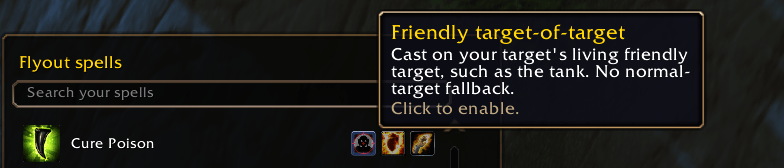
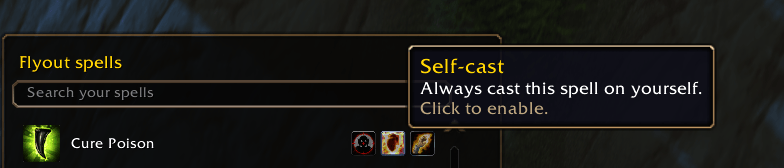
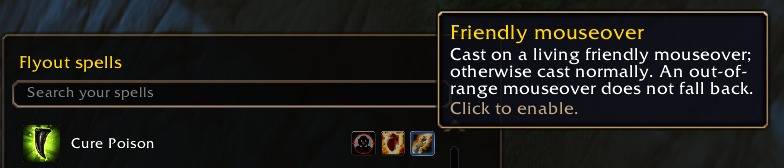
Hover the small icons beside a spell for an explanation. Click one to apply its targeting mode and add the spell if needed. A gold outline marks the enabled mode; click it again to restore normal targeting. Each spell has one mode.
| Spell type | Available targeting modes |
|---|---|
| Helpful ranged spells | Friendly mouseover, self-cast, friendly target-of-target |
| Harmful ranged spells | Enemy mouseover, enemy focus |
| Helpful and harmful ranged spells | Both sets of choices |
| Recognized resurrection spells | Dead-friendly mouseover |
| Recognized ground-placement spells | At cursor, at your feet |
Mouseover and focus modes fall back to normal casting when their conditions do not match. A valid but out-of-range unit does not trigger fallback. Target-of-target has no normal-target fallback. Ground-placement modes skip the usual placement click. Profession UI spells and spells without applicable targeting have no preset icons. Modifier-key casting presets are not included.
Entire flyout options
The controls below the selected spells apply to every spell in this flyout:
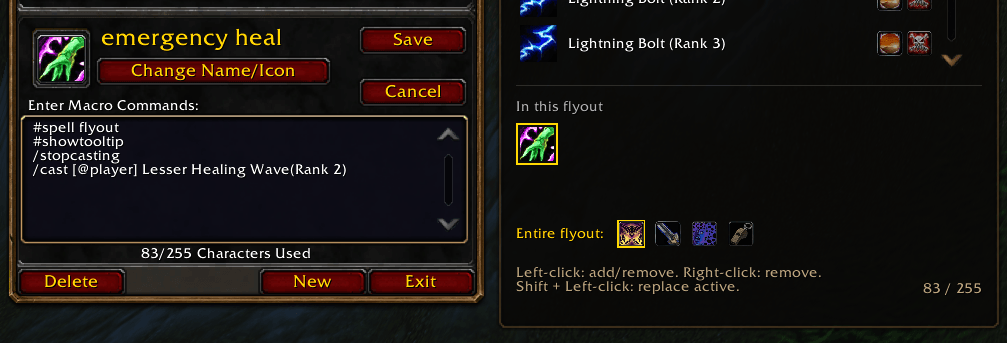
- Stop casting first: interrupt the current cast before casting.
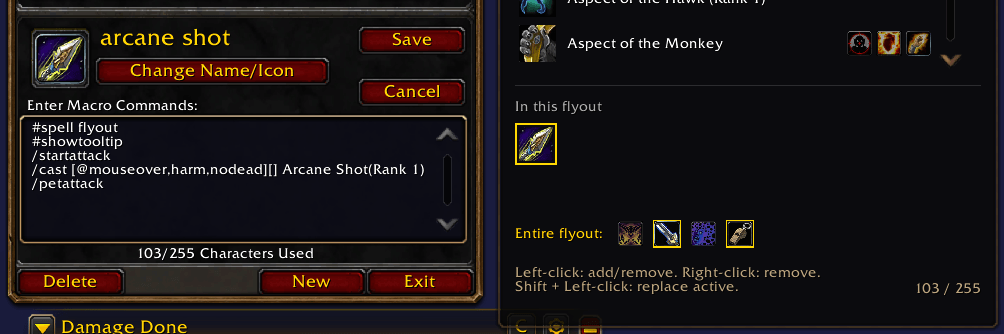
- Start attacking: start melee auto-attacks even if the spell cannot fire.
- Preserve channels: do nothing while channeling to prevent clipping.
- Pet attack: send the pet to attack the current target; it does not follow the spell's mouseover or focus target.
- Prevent toggle-off: add
!to prevent supported toggle abilities from switching off on repeated presses.
Stop casting and Preserve channels are mutually exclusive in the picker.
Hand-written per-spell ! markers are preserved; switching the shared toggle
off clears those markers throughout the flyout.
Saving and macro space
Changes save immediately. Targeting and shared commands are stored in the macro text and survive spell selection, reloads, and normal addon formatting. The byte counter turns amber near the 255-byte limit. Oversized generated macros are rejected; failed picker saves restore the saved state. Picker editing and flyout opening are unavailable during combat.
Action bars and settings
Standard action bars are detected automatically. For replacement bars, enable
Find action bar addon buttons in /fm options, or run /fm scan on.
This optional scan is off by default and remembered across reloads. It finds
globally registered action buttons; entirely local buttons are not supported.
/fm options opens the normal AddOns settings page. It contains the optional
bar scan, its status, the login-reminder preference, and popup hover controls:
animation, steady glow/backing, pulse minimum/maximum, and speed. Changes save
automatically. Restore hover defaults leaves the scan preference intact.
Settings are account-wide in FlyoutMacrosDB. WoW writes them to the account's
SavedVariables directory on normal logout or reload. Scan changes requested in
combat save immediately and update arrows when combat ends.
Commands
| Command | Purpose |
|---|---|
/fm options | Open AddOns settings for FlyoutMacros |
/fm scan on / /fm scan off | Enable or disable replacement-bar scanning |
/fm scan | Show saved scan choice and collection status |
/fm bars | Report detected buttons, flyout macros, and arrows |
/fm spells | Report picker attachment, spell counts, ranks, and layout |
/fm dialog | Report macro-dialog discovery and attachment failures |
/fm debug [cast target] | Report spell/item icon resolution; omit the target to inspect flyouts |
/fm hover | Show popup hover values |
/fm hover dim|low|high|dark|backlow|backhigh <0–1> | Adjust glow/backing values |
/fm hover speed <0–6> | Set pulse cycles per second |
/fm hover pulse on|off | Toggle hover animation |
Several hover values can be set together, for example
/fm hover low 0.2 high 0.9 speed 1.2. Values are clamped and pulse bands stay ordered.
Limitations and compatibility
- Targets Forever beta 1.60.1, not a blanket Retail or Classic compatibility claim.
- The picker rebuilds the macro body. It preserves supported targeting prefixes and the shared commands above; unrelated custom commands are not retained.
- Semicolon-based cast branches are excluded from automatic flyout detection and rewriting. The picker reports that they require manual editing.
- The picker lists known spells and profession abilities. Usable items must be added manually; the flyout resolves their icons and item tooltips.
- Resurrection and ground-placement recognition use a limited spell-ID list, matched by localized name to cover learned ranks. Unlisted spells may lack these icons.
- UI layout has received in-game user feedback. Lua syntax and focused mock checks cover saving and switching behavior; actual targeting/casting, combat taint, and every replacement-bar combination have not been comprehensively verified.
For a missing arrow, run /fm bars. For an empty picker, run /fm spells.
For a picker that never appears beside /m, run /fm dialog with the dialog open.
License
All Rights Reserved © 2026 Morpster
You must be logged in to leave a comment.