

Evermore UI
A complete UI for World of Warcraft: Forever. Your interface, evermore.
Details
Expansion
 Forever
 Categories
Developers

Having issues?
EvermoreUI
Forever deserves a UI that sticks around. Evermore, you might say.
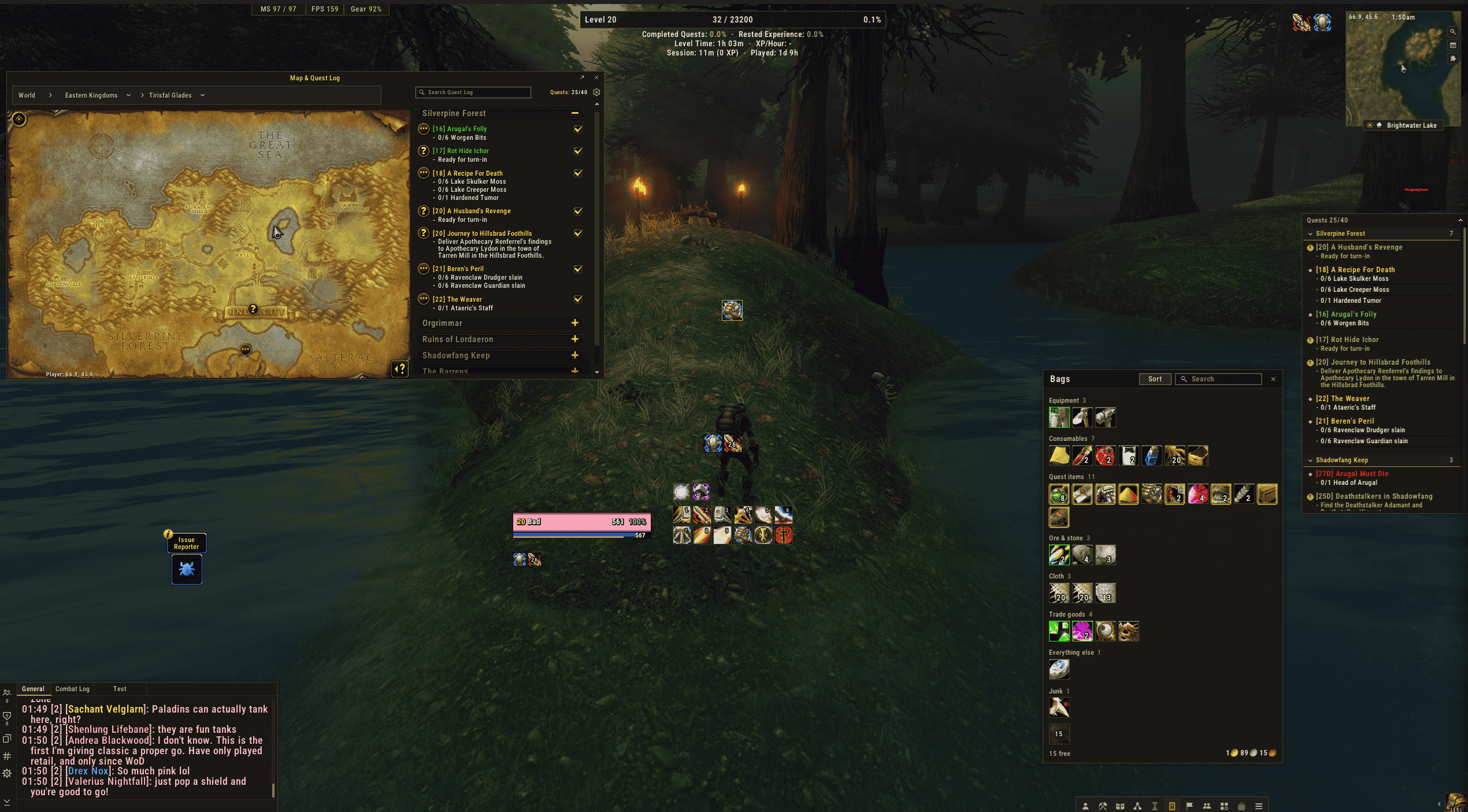
We've rebuilt the whole interface for World of Warcraft: Forever: frames, plates, bars, bags, map, chat, quests, the lot. One cosy stone-and-copper look, made to feel right at home in Azeroth.
Not keen on a piece? Flick it off and Blizzard's comes right back. It's your UI; we just made it nicer to live in.
Set it up your way
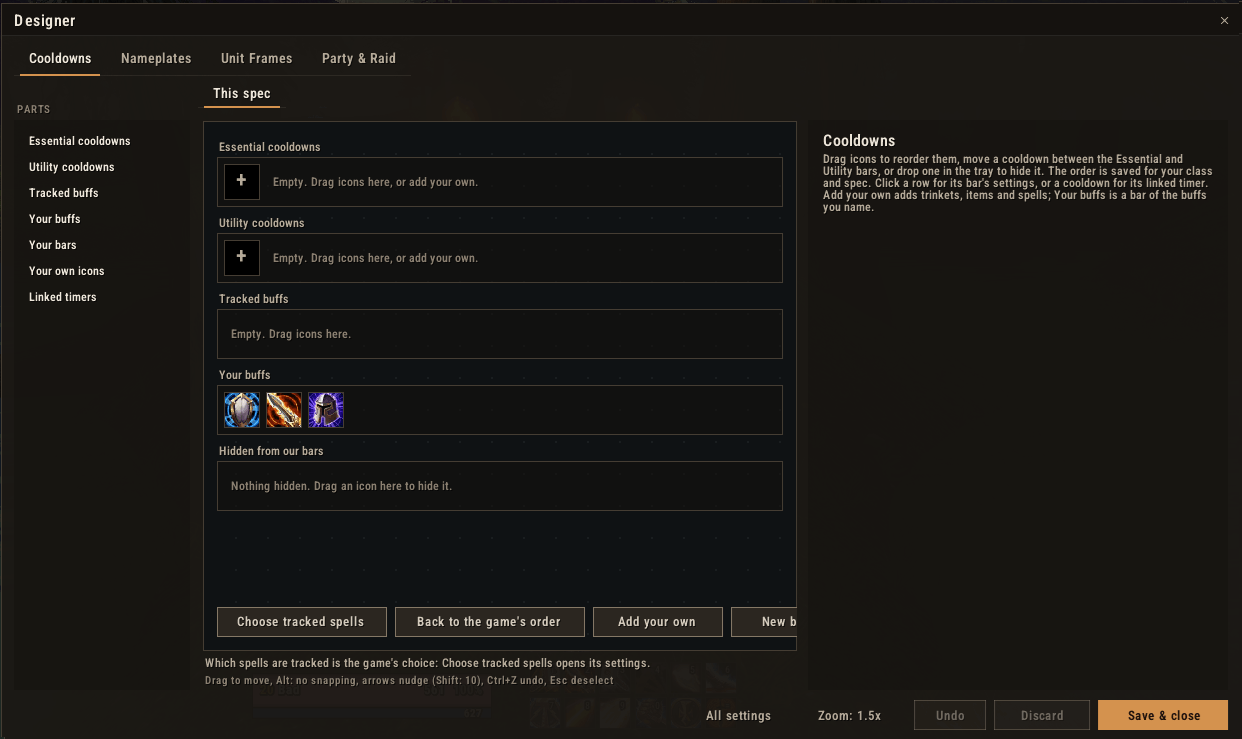
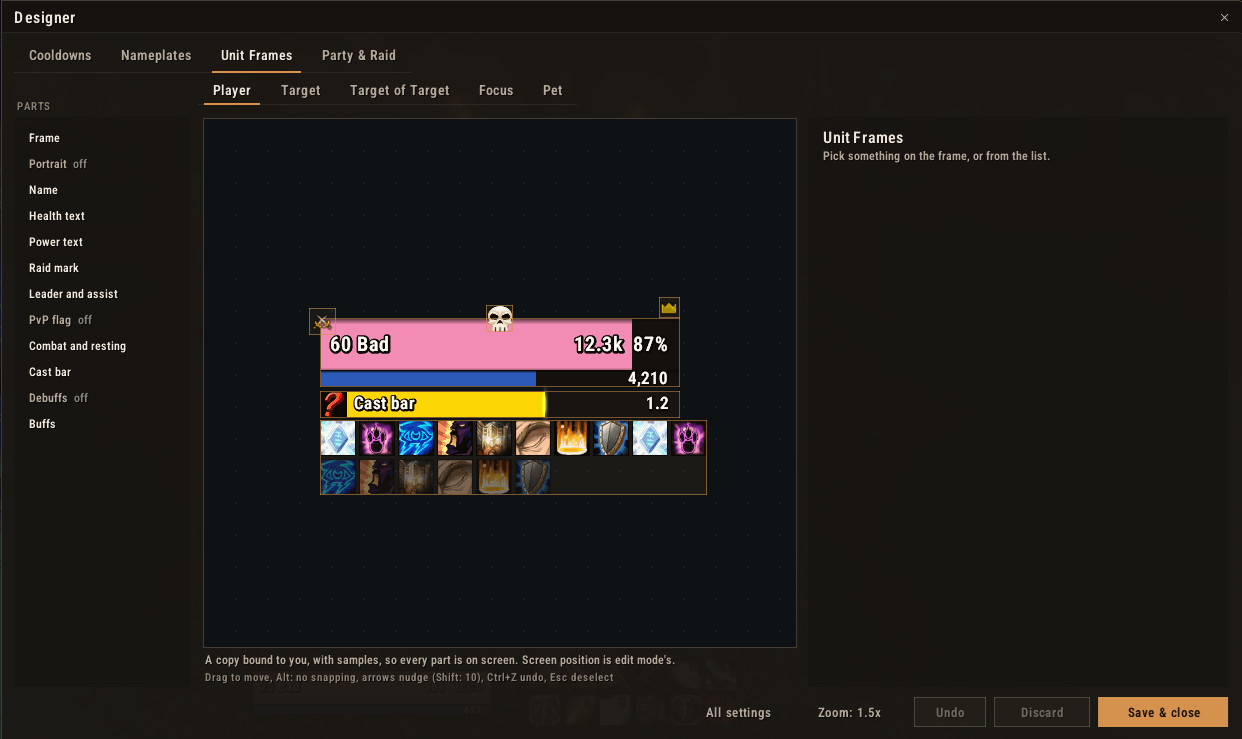
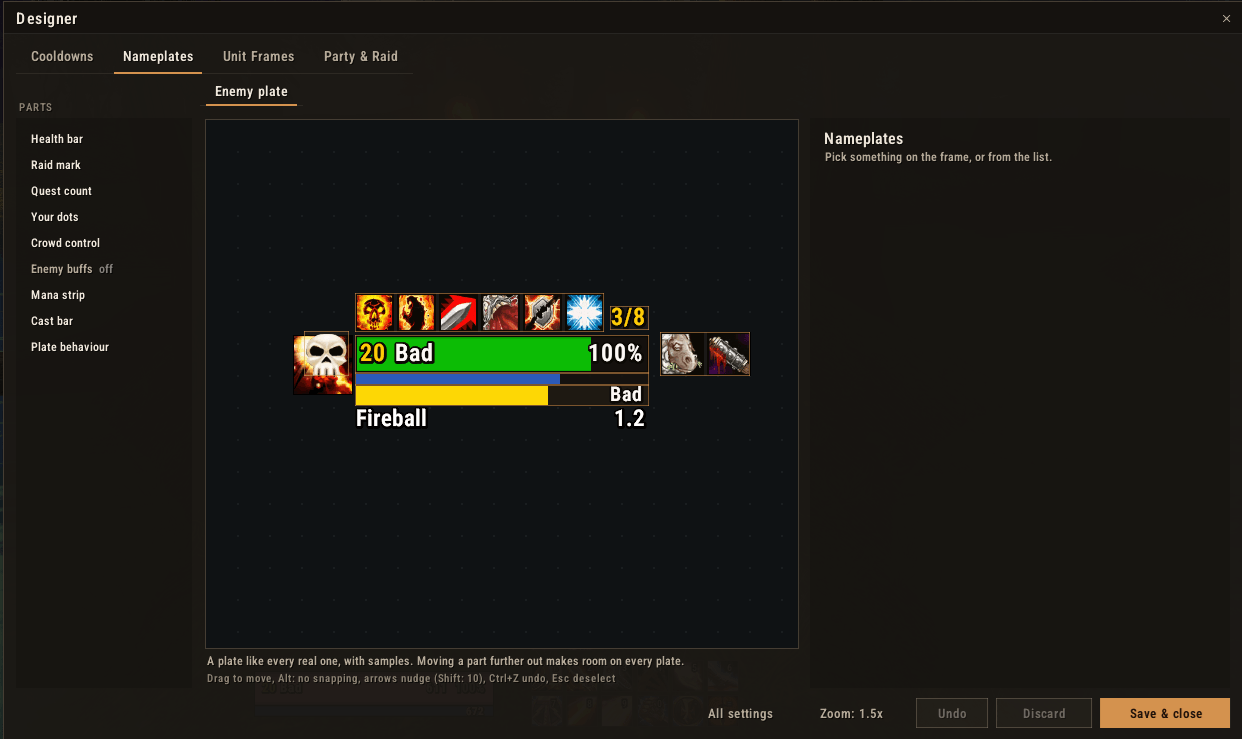
Open the designer (/evui design) and set things up on a live copy: drag the name, health text, icons, cast bar, buffs and debuffs wherever you like, resize by the corner, nudge with the arrow keys. Every setting lives with the part it belongs to, and there's undo, Discard and Save, just like edit mode.
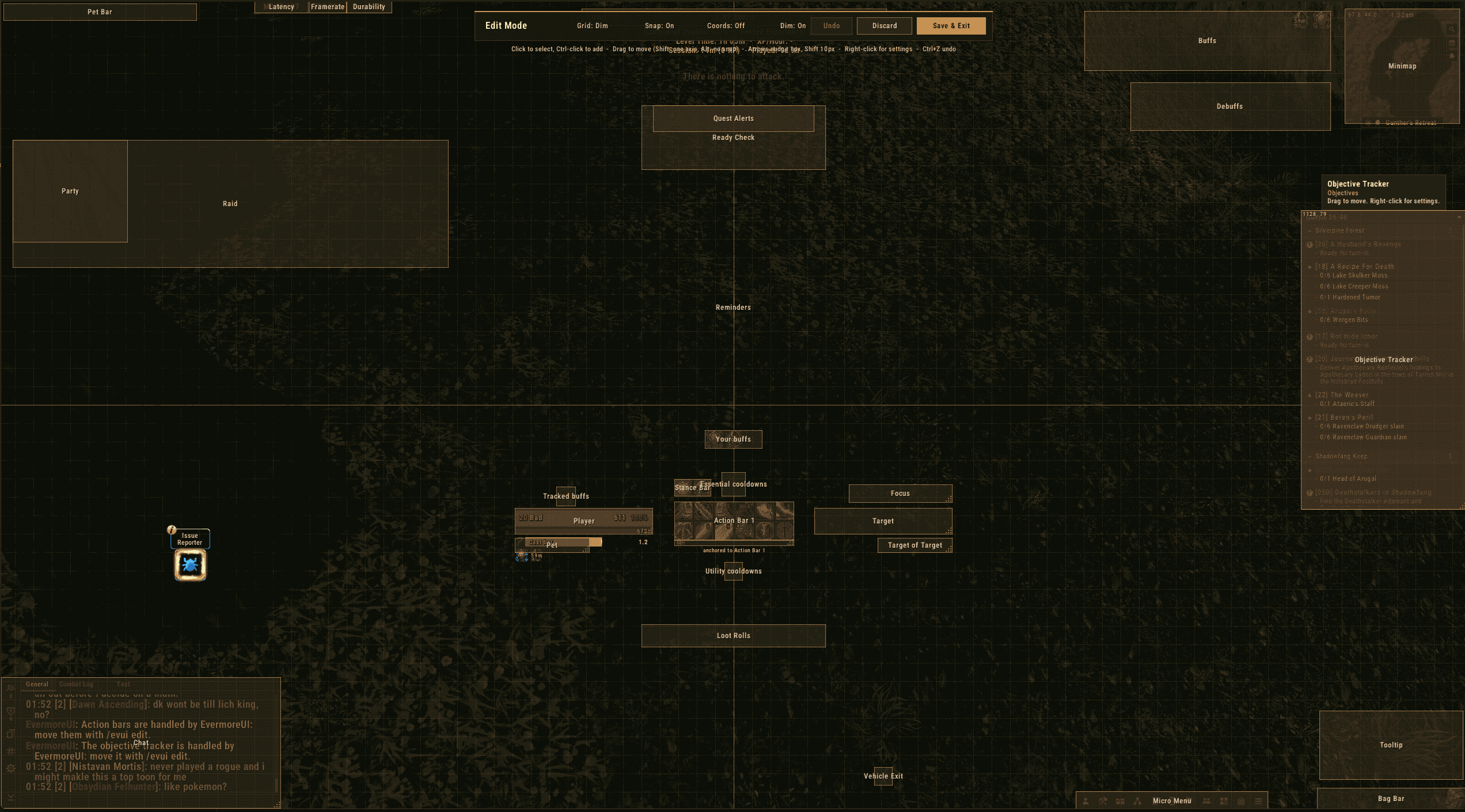
It covers unit frames, nameplates, your cooldown bars and party and raid frames. Where things sit on screen is edit mode (/evui edit): drag, snap, anchor one frame to another, match sizes.
What's in the box
Combat
- Unit Frames: player, target, target of target, focus and pet. Cast bars, your target's buffs and debuffs, combo points, totems, fade out of combat, and all the styling you'd expect: size, textures, borders, fonts, colours, portraits.
- Party & Raid: frames in the same style, laid out by the game itself so they keep up in combat. Role, leader, ready check, range fading, dispellable debuffs, and click casting.
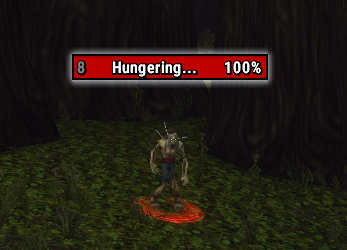
- Nameplates: our own plates on Blizzard's: health, cast bars, your DoTs with timers, crowd control, combo points, threat colouring and target highlighting. Targeting stays Blizzard's, so clicks never break.
- Cooldowns: the game's Cooldown Manager in EvermoreUI bars. Drag to reorder, move between bars or hide. Add your own trinkets, potions and spells, and make bars of your own: your seals on one, raid buffs on another. Keybind and rank text, and linked timers (Power Word: Shield counting down Weakened Soul, say).
- Action Bars: Blizzard's buttons in EvermoreUI bars with our layout, look, fading and movers. Paging, keybinds and casting are still Blizzard's.
- Buffs, Debuffs and Reminders: movable buffs and debuffs, and reminders for the buffs, poisons and food you're missing, one click to fix.
Interface
- Bags and Bank: all your bags in one window, sorted into sections (new items, gear sets, consumables, quest items, trade goods, junk), with your own rules, search and sort. Your bank in the same style.
- Minimap: square, with zone, clock, coordinates, day and night, weather and a tidy addon-button flyout.
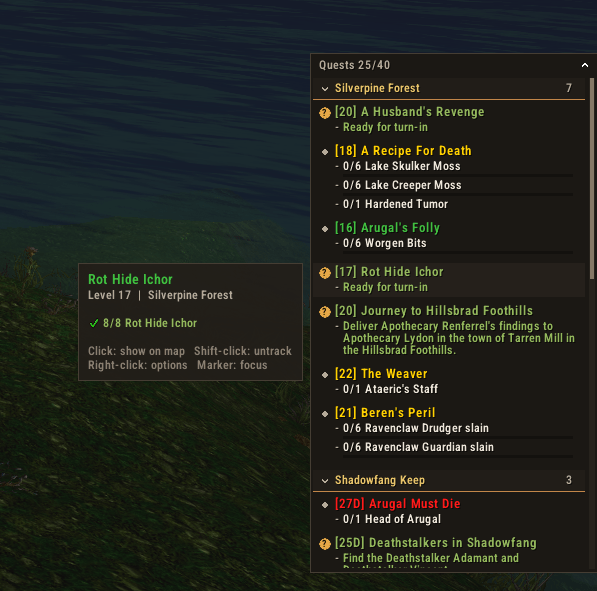
- Objective Tracker: your quests in our own panel, grouped and sorted, with levelling extras and a quest item bar.
- Data Bars: experience with quest and rested segments, XP per hour, time to level and session stats.
- Micro Menu and Bag Bar: a flat, clean micro menu, and a bag bar with a free-slot count.
- Loot and Ready Check: tidy loot rolls and ready checks, plus loot luck stats across your characters.
Chat and Tooltips
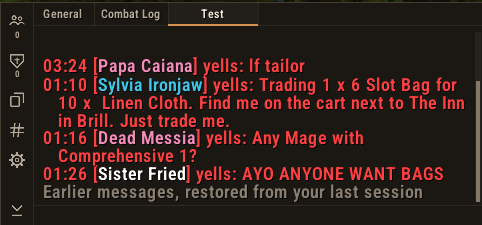
- Chat: a clean chat panel with sidebar, idle fade, timestamps, short channel names, clickable links, copy, and history that survives a reload.
- Tooltips: class colours, item level, quality borders, and a movable or cursor anchor.
Extras
- Window Skins: Blizzard's own windows in the EvermoreUI palette, with their layout left untouched. Drag them by their title bar and they open where you left them.
- Quality of Life: auto repair, sell greys, restock your reagents, fast loot, quest accept and hand-in (hold Shift to skip), the whole world map revealed, and weather density.
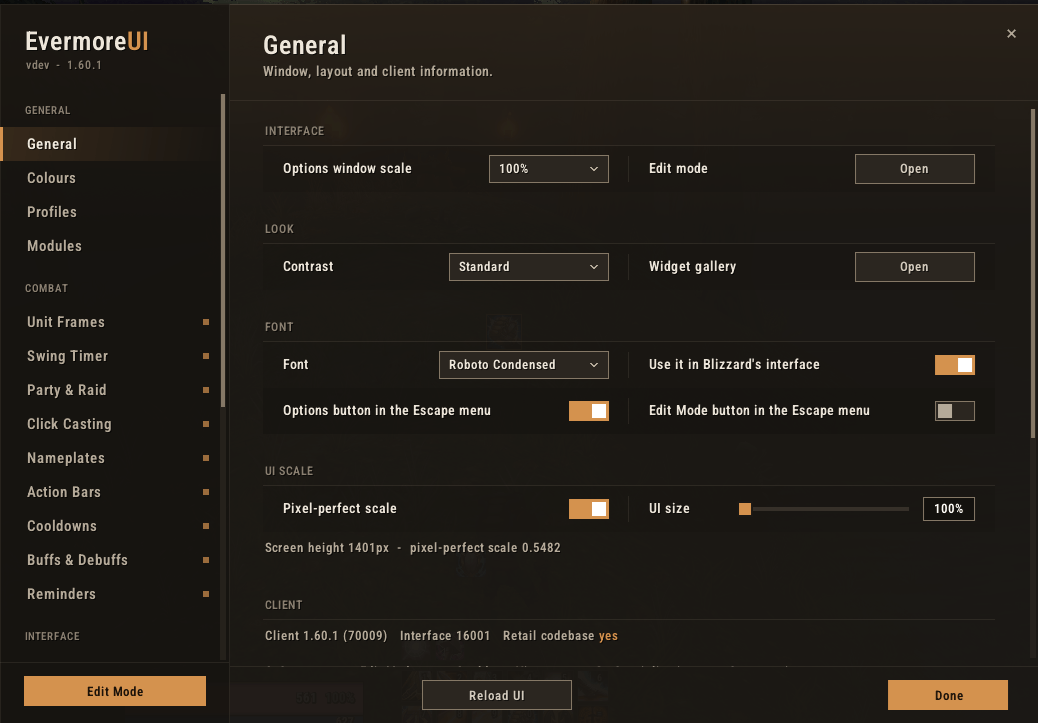
Plus profiles, shareable profile strings, and a What's New window whenever you update.
Commands
| Command | What it does |
|---|---|
/evui | Open the options |
/evui design | Open the designer |
/evui edit | Move and resize frames |
/evui export / /evui import | Share or back up a profile |
/evui profile [name] | List or switch profiles |
/evui new | See what's new |
/evui bug | Copy a bug report |
Found a bug? Got an idea?
Type /evui bug in game, press Ctrl+C, and paste it into a new issue on GitHub. It includes your version, modules, other addons and any recent errors, so we can get straight to the fix.
Or come and say hello on the Discord: post in #bug-reports, #ideas or #help. Ideas and "this annoys me" are just as welcome.
Good to know
**** Disclaimer: THIS IS A BETA expect things to break ****

You must be logged in to leave a comment.