

EraUI – Classic UI & QoL for Forever
Vanilla-style action bars, unit frames, spellbook and tooltips, with maps, class reminders and quality-of-life tools.
Details
Addon ID:
25841
Addon Version:
1.5.2
Expansion:
1.60
Upload date:
Oct 06, 2026
Last Updated:
Oct 06, 2026
Downloads:
Less than 100
Website:
Source Link
Expansion
 Forever
 Categories
Developers

EraUi
Creator
Having issues?
⚔️ EraUI: Classic WoW, restored.

💬 Support, bugs & ideas: join our Discord to get help, report issues, suggest features and share your UI.
 The 2004 interface you remember, rebuilt for World of Warcraft: Forever, with the quality-of-life you'd miss. Every feature is optional.
✦ Highlights
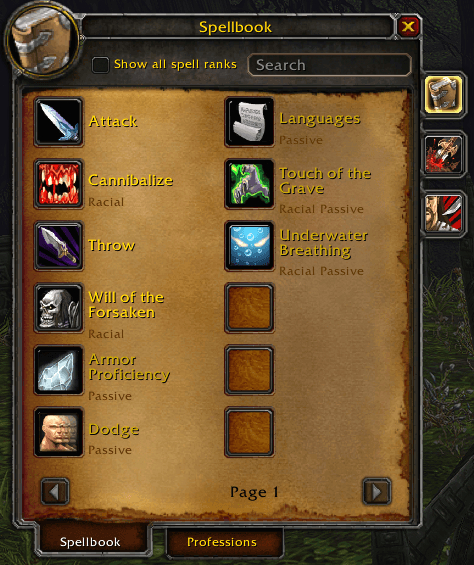
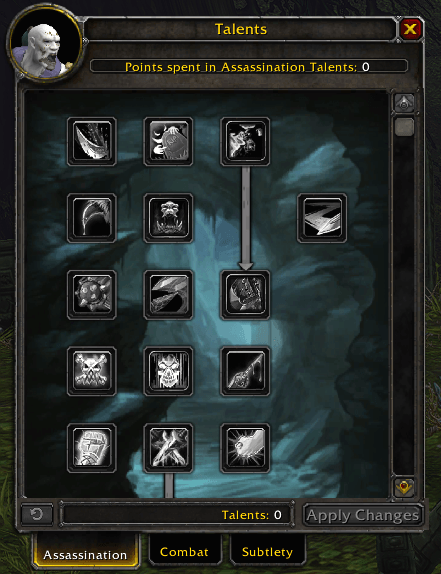
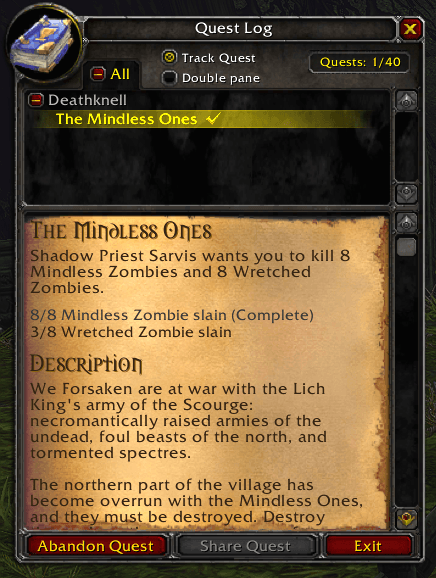
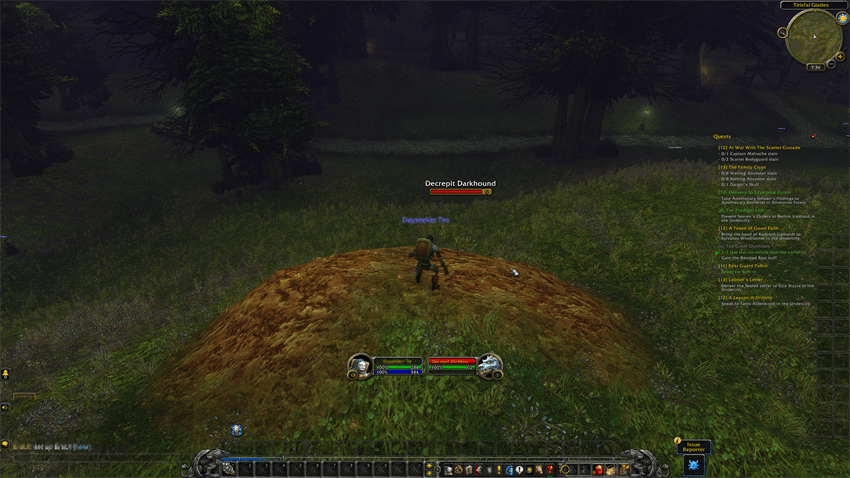
- 🖼️ The real classic look: action bar, unit frames, cast bars, minimap, nameplates and classic-styled windows
- 🎛️ Presets: Classic + Quality of Life, Classic look only, or Quality of Life only to keep Blizzard's modern interface. Pick one in the setup, or switch any time with Presets in
/era - 🗺️ Movable world map: drag it by the header and resize it from the corners or edges, scaling the whole window. It stays where you put it, even in combat; normal and expanded layouts are remembered separately, and the quest list overlays the right side without squeezing the map artwork
- 🌍 Reveal World Map: show supported unexplored terrain with darker shading, while explored areas keep their normal colours
- 🎯 Crowd control on portraits: icons and countdowns on player, target, focus and party portraits, in combat too
- 📊 Classic damage meter: an optional Classic look for Blizzard's damage meter, including extra windows and the spell breakdown
- 🔔 Class reminders: class-coloured, draggable alerts for missing buffs, pets, weapon coatings and supplies, with Not enough mana (or rage) until you can cast
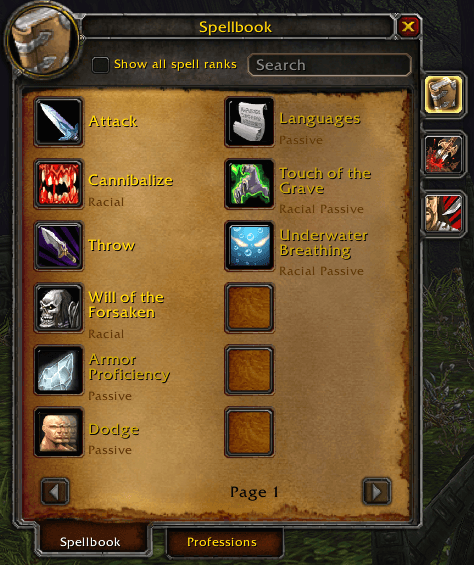
- 📖 Training Guide: an optional tab inside the spellbook, populated immediately with unlearned spells, required levels, availability groups and reference cost totals. Spells taught by class quests name the quest and where it starts
- 🔤 Damage & healing text: pick the font of the numbers, your own heals included (Pepsi by default, plus 13 more), and their size
- 🔗 Click links again to close: a second click on an item or spell link in chat closes its tooltip
- 📣 Update notice: EraUI tells you in chat when someone in your guild or group has a newer version
- 💤 AFK Screen: when you go AFK, the EraUI banner in your class colour, your character, your details and a famous Classic line for your class. On by default
- 🎒 Bag & Character Item Levels: item levels in quality colours on your bags and worn gear, upgrade arrows and a red icon on gear you can't equip (optional)
- 🧑 Class icon portraits: class icons instead of faces on your frame and other players'
- 🔴 Combo points your way: floating orbs in gold or red
- 🖱️ Cursor effects: independently optional cursor ring, cast-progress ring and fading trail, with adjustable appearance
- 🧹 Full-bag junk cleanup: optional cheapest-grey-stack deletion while looting, with a linked chat message and Shift bypass
- 🧰 Quality of life everywhere: vendor prices, bag space, auto-repair, swing timers, class tools and more
- 📣 "What's new" after each update: a class-coloured, screen-fitting window with scrollable release notes, mouse-wheel support and an always-visible Got it button. Open recent notes anytime using Changelog at the bottom of
/era
🎛️ Presets
- Classic + Quality of Life: the 2004 look, plus your choice of Quality of Life options. Recommended
- Classic look only: the 2004 look; your Quality of Life options stay as they are
- Quality of Life only: keep Blizzard's modern interface and use EraUI's Quality of Life options
- Choose on the first page of
/era setup, or switch any time with the Presets button at the top of/era, which shows your current preset. Switching tells you how many settings change and reloads your UI - Presets only switch the Classic look, including Other Windows; your Quality of Life choices are never changed
- Options that need a Classic piece, such as the Training Guide (Classic Spellbook) or Important Debuffs on Portraits (Classic Unit Frames), are greyed out while it is off
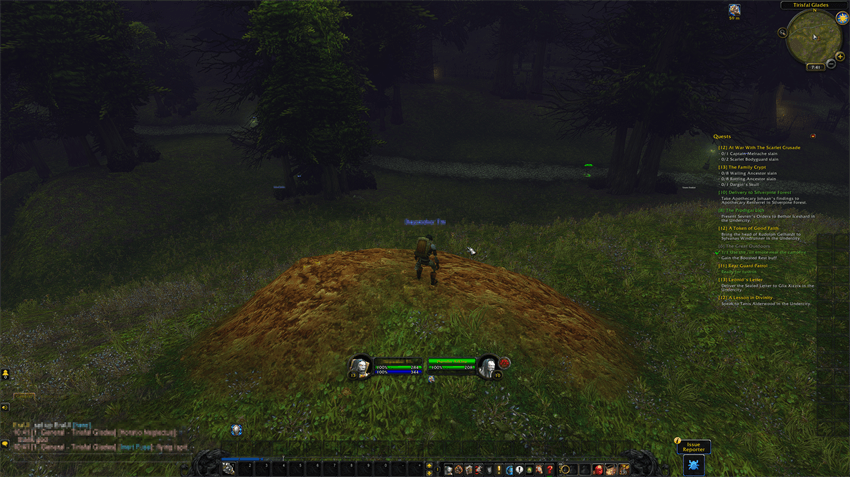
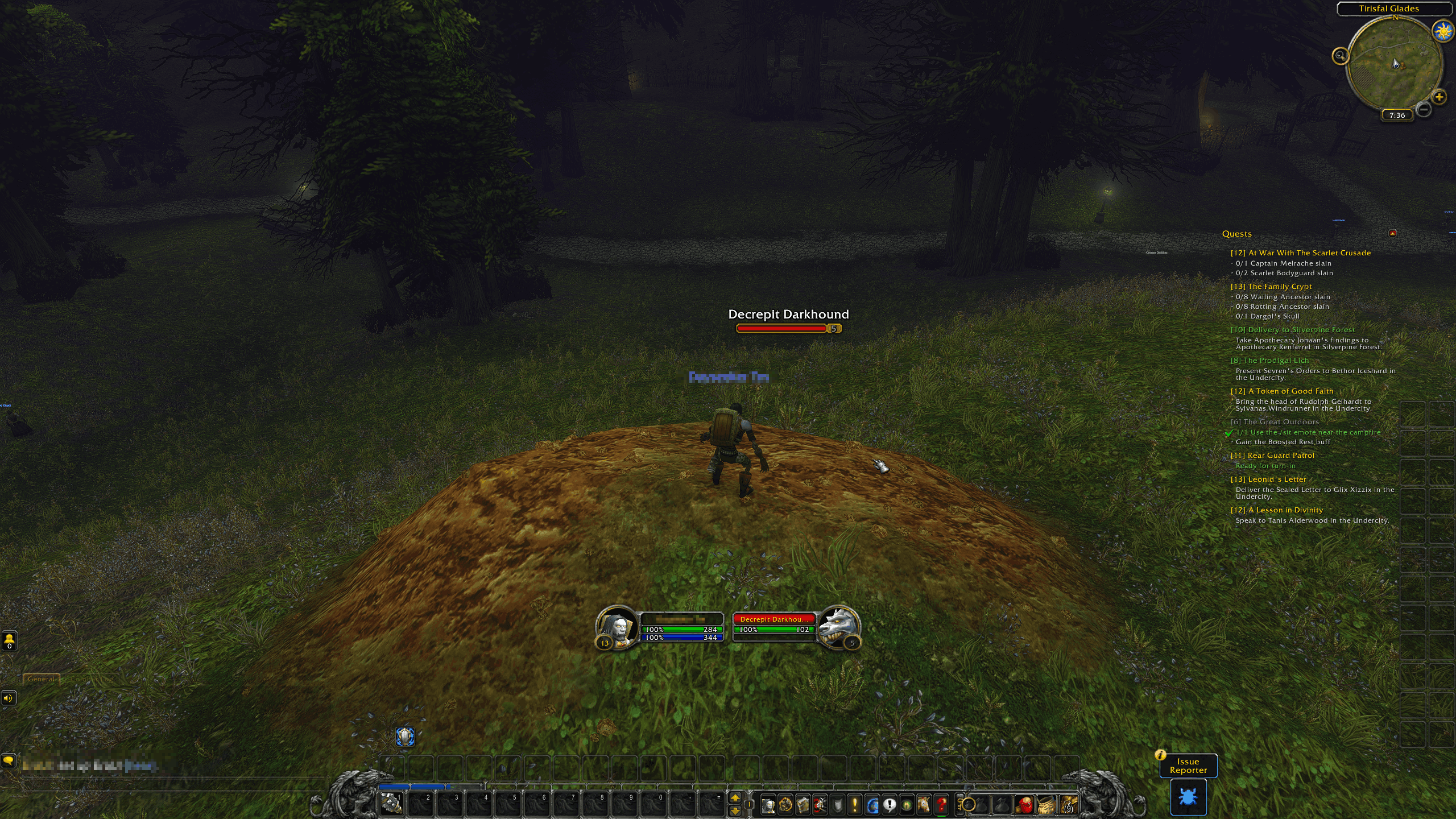
🎨 The classic look
- Action bar: the stone band with gryphons, page arrows, micro menu, bag buttons and the XP bar in their original spots
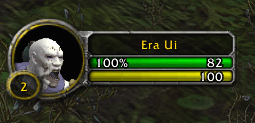
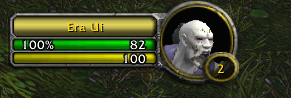
- Unit frames: player, target, target of target, focus, pet and party frames, with Classic player debuff borders and dark, grey-bordered buff/debuff hover boxes
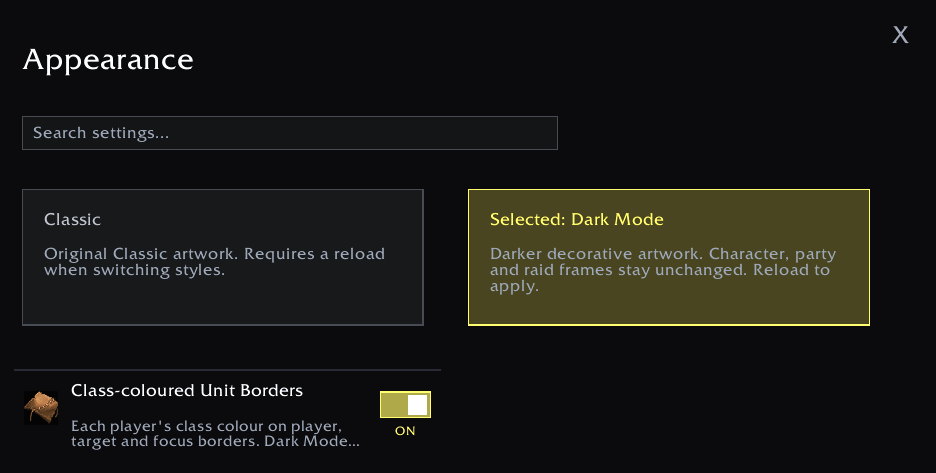
- Dark Mode: darker decorative artwork, with thin dark borders round your buff and debuff icons, and optional soft shadows behind them
- Tooltips: translucent dark backgrounds and thin, bevelled grey borders with softened corners on item, spell, unit and map-control hover boxes, including linked items and item comparisons. Enabled by default for fresh settings and resets; existing saved choices are respected. Toggle Tooltips in
/eraand reload to apply. Optional Class-coloured Tooltips show a player's border, name and class in their class colour - Cast bars & timers: player, pet, target and focus cast bars; classic breath and fatigue timers
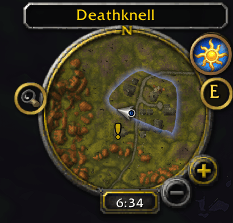
- Minimap & nameplates: the round classic minimap and 1.x-style nameplates
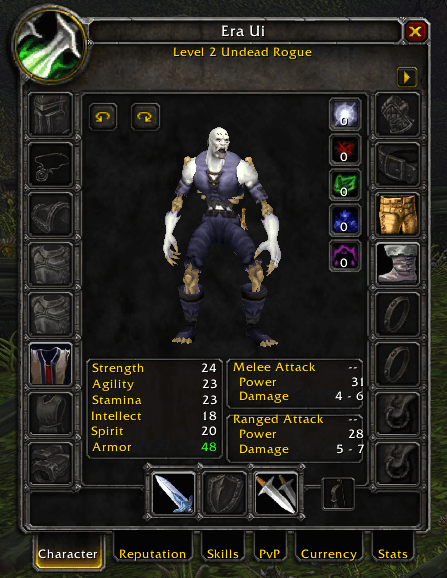
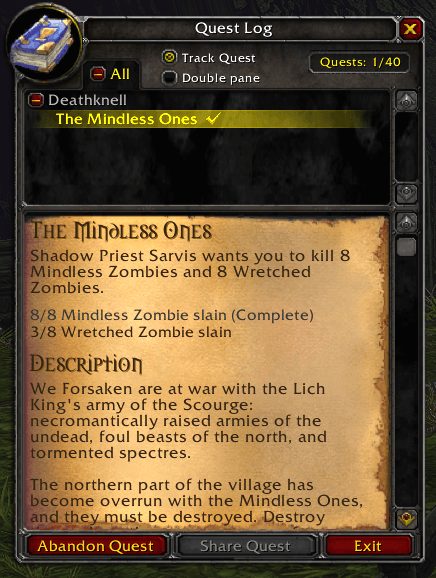
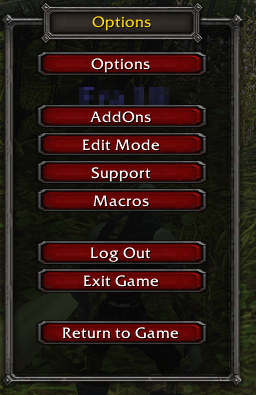
- Windows: character sheet, spellbook, talents, professions, trade skills, trainers, quest log & tracker, bags & bank, game menu, settings, Who list, guild roster and group finder
- Other windows: trade, taxi, macros, calendar, achievements, collections and more, with their own Other Windows switch under
/era→ Windows & Tooltips - Damage meter: an optional dark tooltip-style frame, Classic bars and fonts and silver buttons for Blizzard's damage meter, including extra windows and the spell breakdown. Blizzard's own menus and Edit Mode options keep working. Off by default; find it under
/era→ Windows & Tooltips - Trainers: a compact ability list, separate details panel and Train/Exit footer, using native purchases and profession confirmations
- Questie integration: quest-log clicks open the selected quest in EraUI's Classic quest log when enabled; objective and map-icon clicks keep their map navigation. Blizzard's tracker stays hidden while Questie replaces it, both in and out of combat, and returns when Questie's tracker is disabled. Questie's Show Blizzard Timer preference is respected
- Quest tracker choice: with Questie installed, choose between the Classic tracker and Questie's own tracker in the setup, or when turning Quest Tracker on in
/era. Questie's tracker currently lists no quests on WoW Forever, so the Classic tracker is recommended - Map quest details: parchment and scrolling quest descriptions fit the panel's available height, with quest action buttons at the bottom
- Combo points: floating orbs in gold or red, draggable and resizable
⚙️ Quality of life
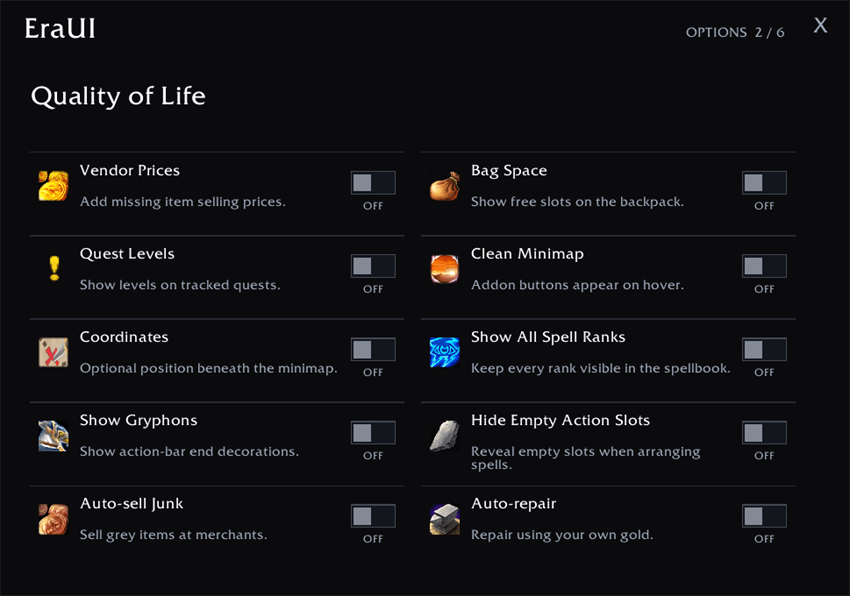
- Vendor prices · bag-space counter · quest levels · map quest objectives
- Auto-sell junk · auto-repair at vendors
- Optional full-bag junk cleanup with a linked chat receipt
- Chat class colours · hide surnames · highest-rank spell filtering
- Energy/rage/mana/druid resource bars · swing timer · ranged swing timer
- Advanced cast bar with ticks and latency display
- Optional cursor cast-progress ring and fading cursor trail
- Movable, resizable world map that stays put in combat, with optional unexplored terrain reveal
- Class tools: hunter feeding, mage supplies, rogue poisons
- Searchable Training Guide with bundled Forever spell levels and reference training costs
- Damage & healing text font and size · click chat links again to close · update notice
- Coordinates · clean minimap · cursor ring · draggable chat

✨ And more
- 🖱️ Cursor effects
- 🔤 Damage & healing text
- 🎯 Important Debuffs on Portraits
- 🧹 Full-bag junk cleanup
- 🔔 Class reminders & buffs
- 🐾 Hunter feeding
- 🧙 Class-tool settings
- 📖 Training Guide
💬 Commands
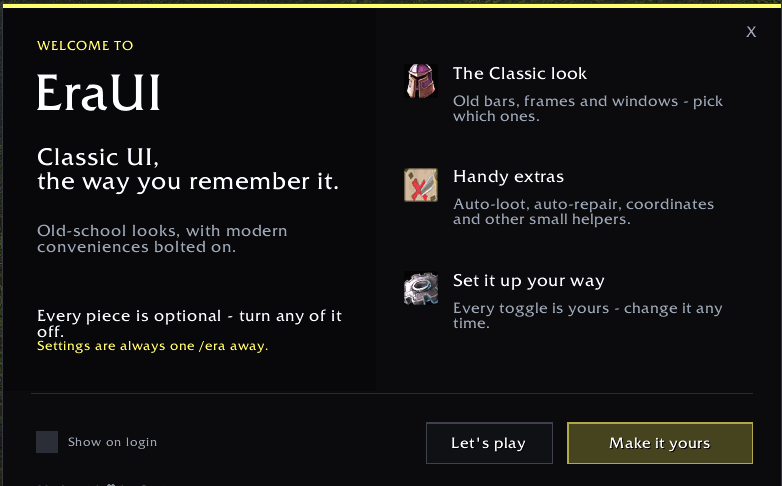
/eraopens the settings window, one tab per topic, with Search to find any option. Use Presets at the top to switch presets, and the Changelog button at the bottom for recent release notes/era setupreplays the guided first-run setup, starting with the presets/era welcomeshows the welcome screen again/era updatesshows the latest update notes again/era remindersopens class-reminder settings/era discordgives the Discord invite to copy, for bugs and ideas. The bottom of/eraand the What's new window have a Discord button too/era statusopens a selectable diagnostics report/era-classic statusopens the detailed status/error-report window, including the Discord button and a copyable support invite/era auditruns the addon audit report/era mapdebugopens map diagnostics/era resetasks first, then restores default settings and reloads; use it outside combat
Most options apply immediately; the panel marks the few that need a reload. General settings and reminder layouts are shared across your characters. Swing toggles and class-tool preferences are remembered per character and realm. Settings and supplementary panels use your class colour. Quiet Mode is on by default.
Created by Squirt. Built for World of Warcraft: Forever.
You must be logged in to leave a comment.