
ElvirUI
ElvirUI is a clean, dark DPS and Tank UI for WoW: Forever, built on EllesmereUI, with a one-click installer and a handful of polished extras.
Details
Expansion
 Forever
 Categories
Developers

Having issues?
ElvirUI
A clean, dark Tank and DPS UI for WoW: Forever, built on EllesmereUI.
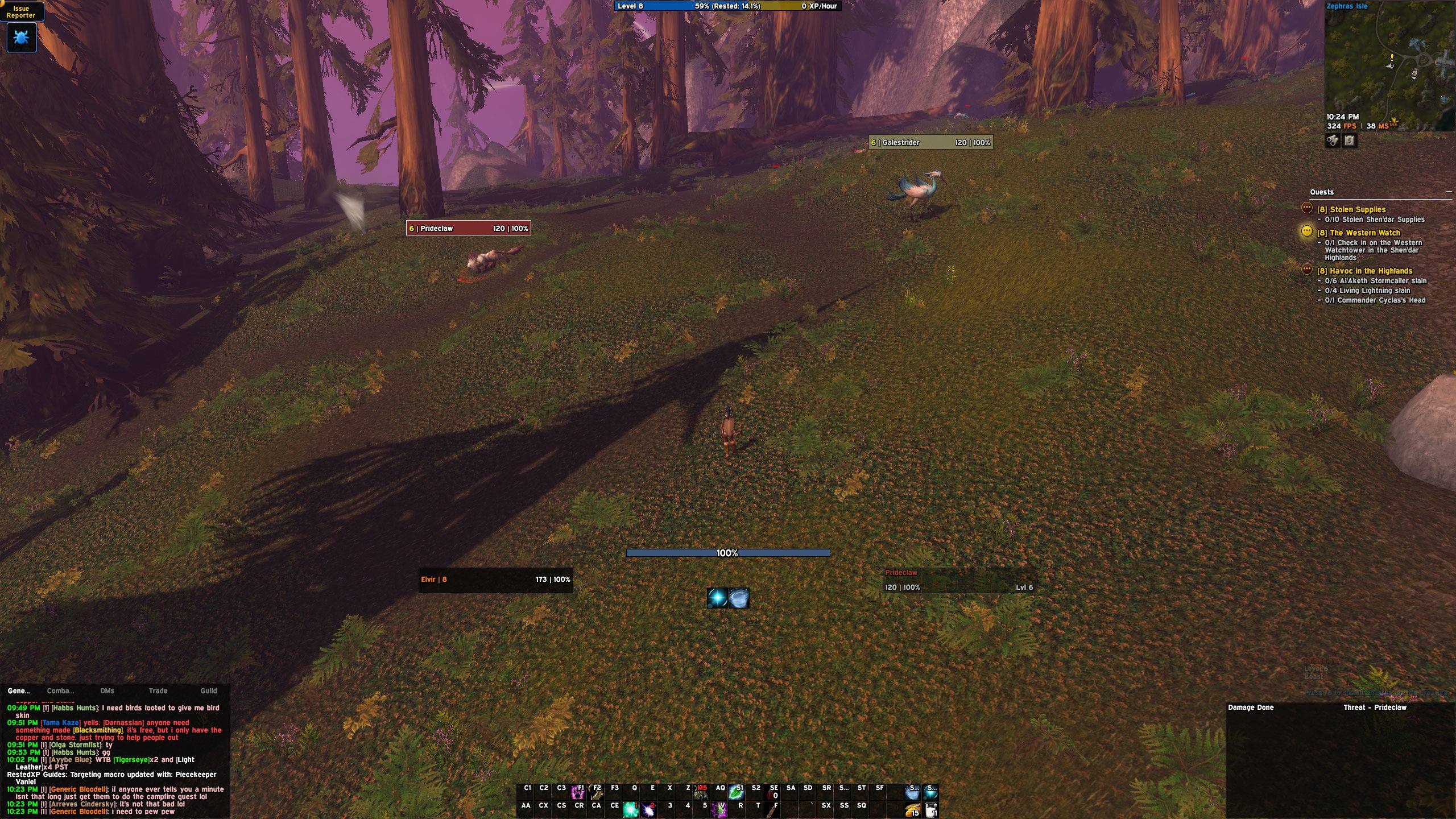
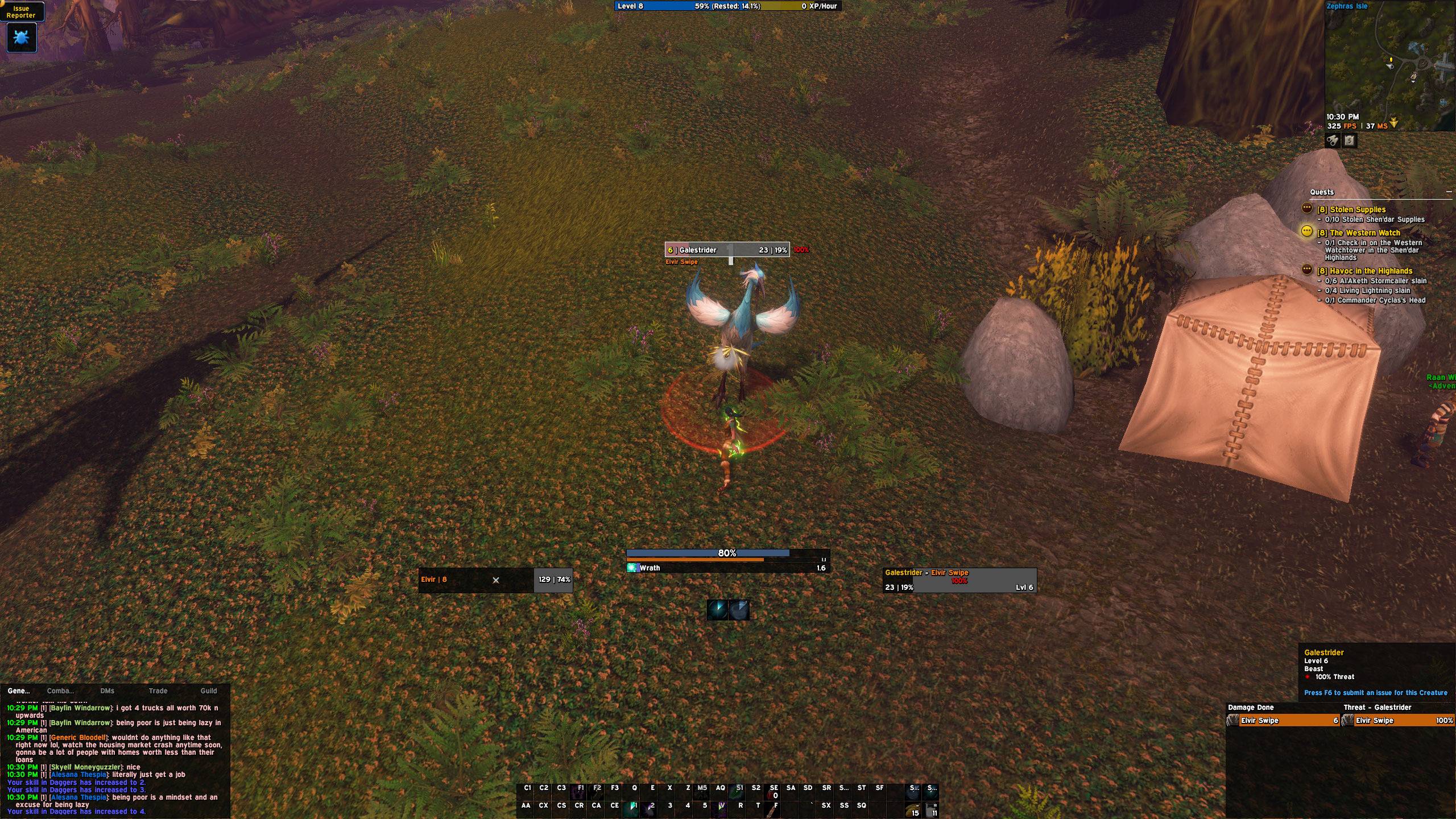
It's the UI I raid with, set up in one click. Dark panels, thin black borders, Expressway everywhere, and everything you need in the middle of the screen during pulls.
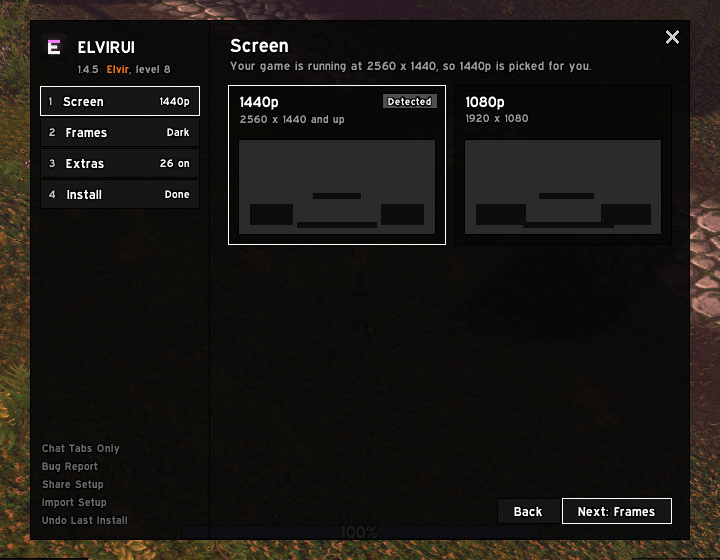
Setup in four steps
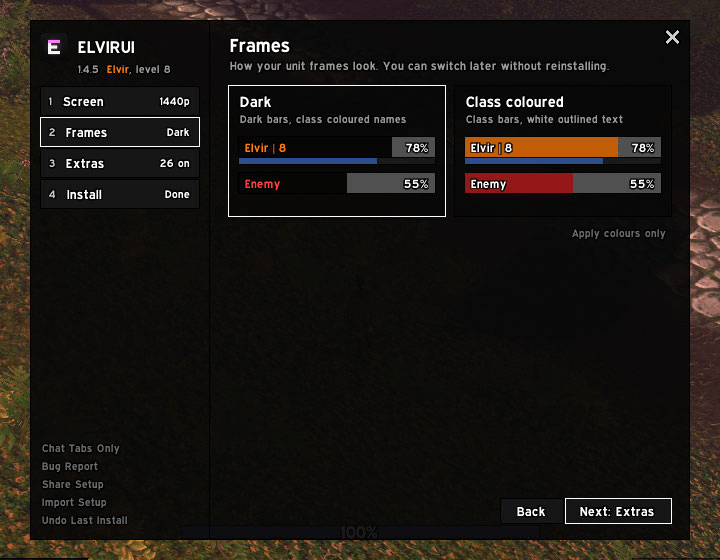
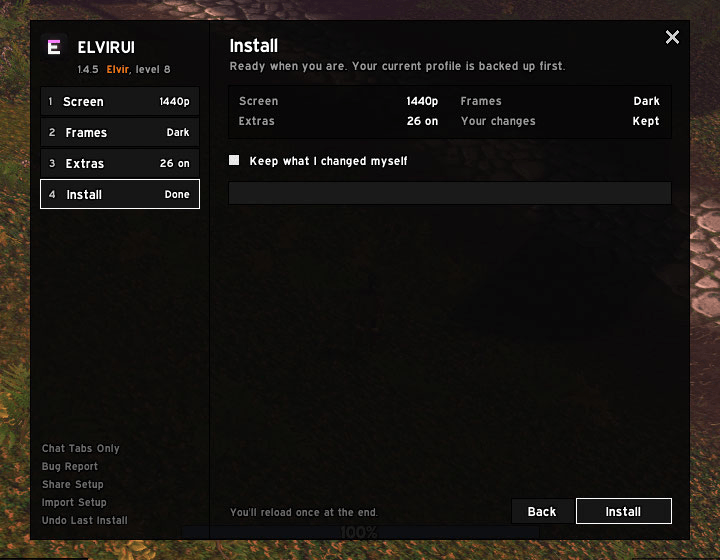
Pick your screen, your frame colours and your extras, then install. It reloads once and you're done. Already set up? /elvir opens straight to what's new.
The look
- Dark frames (dark bars, class coloured names) or class coloured frames (class bars, white text), switch any time
- Mana and cast bar between you and your target, swing timer under it, cooldowns under that
- Damage and threat side by side in one dark strip
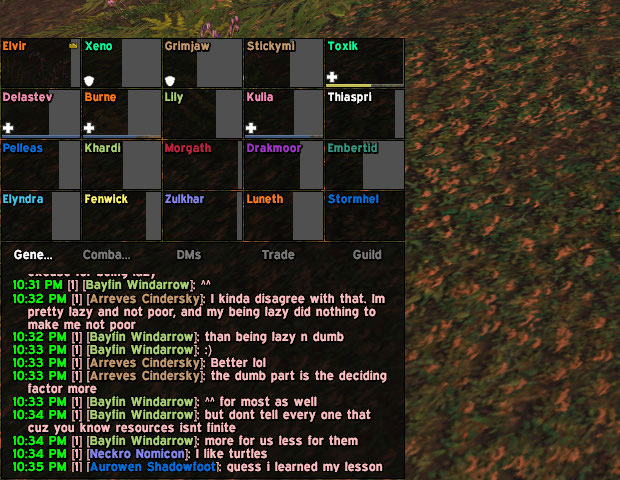
- Chat tabs set up for you: General, DMs, Trade and Guild
- Raid frames sit right above the chat, same width as the chat panel. Only healers show mana.
Extras
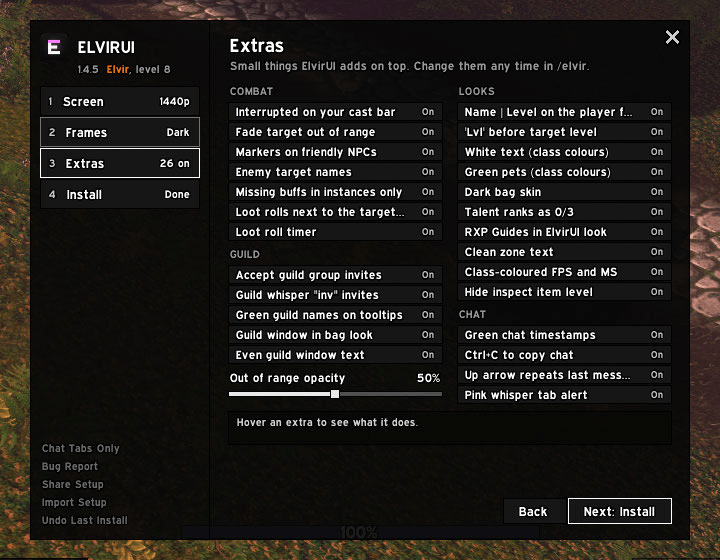
Switch any of them on or off in /elvir > Extras.
- Combat: "Interrupted" on your cast bar, target fades out of range, raid markers on friendly NPCs, loot rolls by the target with a timer
- Guild: auto-accept guild group invites, "inv" whisper invites, green guild names on tooltips
- Looks: dark bags and bank, talent ranks as 0/3, RXP Guides in the ElvirUI look
- Chat: green timestamps, Up arrow repeats your last message, Ctrl+C to copy chat
Install
- Install EllesmereUI 9.3.6 or newer.
- Install ElvirUI.
- Log in and follow the setup window.
Alts get a one-click setup the first time you log them in. Reinstalling keeps what you changed yourself, and your old profile is backed up for a week.
Commands
- /elvir setup window
- /elvir report bug report to paste in Discord
- /elvir perf memory and slowest moments
Needs EllesmereUI by Ellesmere.
You must be logged in to leave a comment.