

Disenchantry
Disenchant bag items from a compact window, with material previews, price estimates, and disenchanting statistics.
Details
Addon ID:
25159
Addon Version:
1.0.7
Expansion:
1.60
Upload date:
Oct 06, 2026
Last Updated:
Oct 06, 2026
Downloads:
Less than 100
Website:
Source Link
Expansion
 Forever
 Categories
Developers

x_Raven_x
Creator
Having issues?
Disenchantry
Disenchantry makes disenchanting easier. Choose items from your bags or use the compact queue, then disenchant them with a button or a custom hotkey.
Features
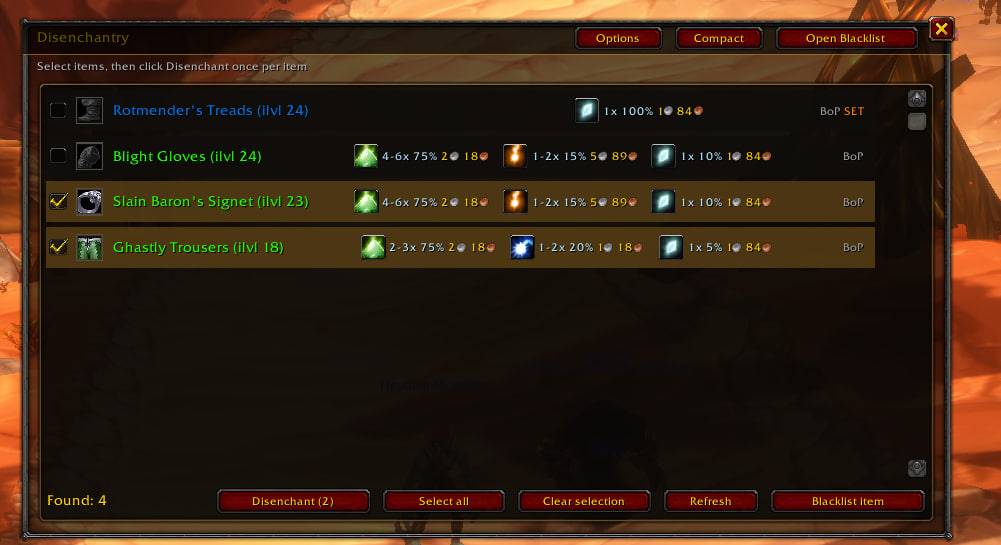
- Item selection: browse eligible bag items and choose what to disenchant.
- Compact mode: a small, movable bar showing the next item, queue count, material previews, and disenchant button.
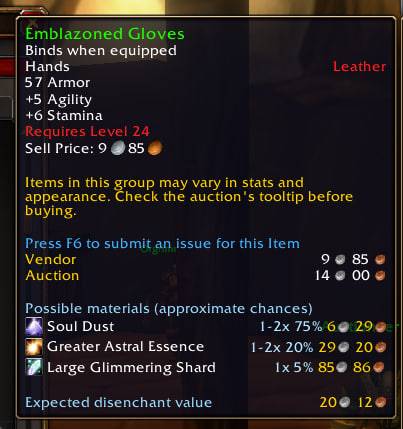
- Material previews: see possible materials, quantities, and estimated chances for supported Classic-era items, both in the addon and in item tooltips.
- Material prices: view Auctionator prices alongside previews. Hover over material icons to see their item tooltips.
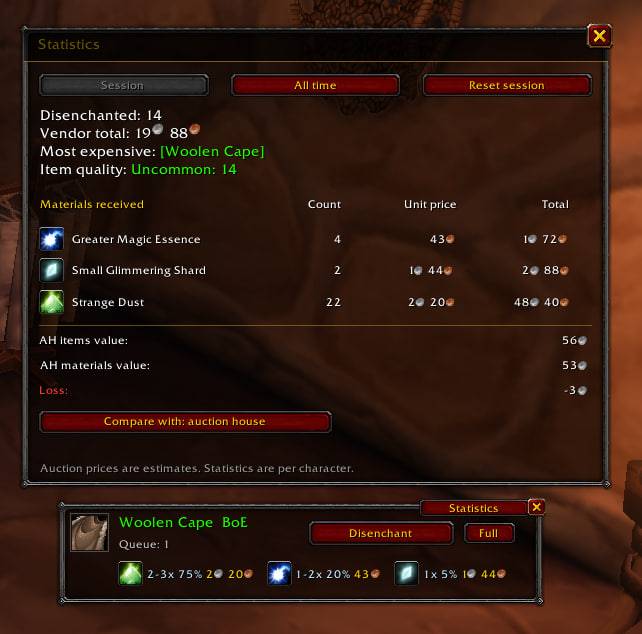
- Disenchanting statistics: open a compact, movable statistics window from either the main window or the compact bar. Track session and lifetime totals separately for each character, including item quality, vendor value, the most expensive item, and materials received.
- Profit estimates: compare the auction value of received materials with the recorded auction value of disenchanted items or their vendor value. Material rows show icons, quantities, unit prices, and totals.
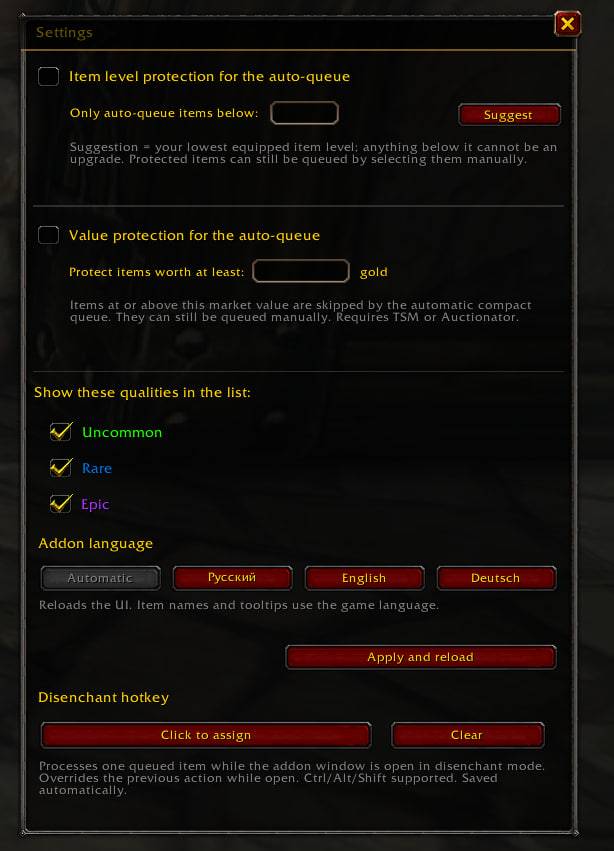
- Item protection: keep higher-level or valuable items out of the automatic queue. Price protection uses TSM or Auctionator when available.
- Blacklist: exclude items you want to keep. Items confirmed as impossible to disenchant are added automatically.
- Custom hotkey: assign a key to disenchant the next queued item while the addon window is open. Closing the window restores the key’s usual action.
- Minimap button: quick access to the addon and settings.
- Language selection: choose English, German, Russian, or your game’s language. Item names and standard item tooltips remain in the game’s language.
Each click or hotkey press disenchants one item. The addon never disenchants automatically.
Auction values and profit figures are estimates, not gold earned from completed sales. Auctionator is required for material prices and auction-based statistics.
Commands
/edor/disenchantry— toggle the addon window./ed compact— switch between the full window and compact bar./ed settings— open settings./ed blacklist— open the blacklist./ed refresh— refresh the item list./ed show,/ed hide,/ed reset— show, hide, or reset the minimap button./ed check— run a diagnostic check./ed copy— open a diagnostic report you can copy into a bug report./ed help— display available commands.
You must be logged in to leave a comment.