
DandyMap
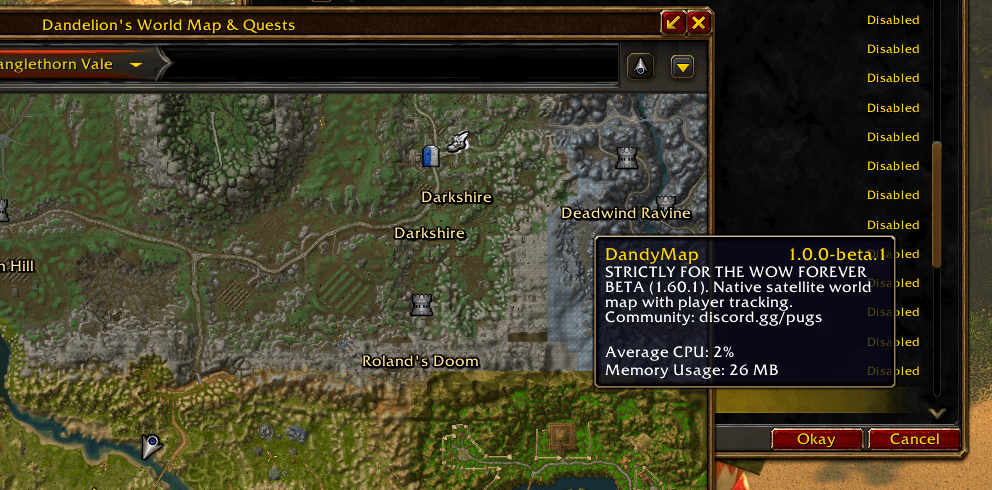
A detailed terrain world map designed to feel like it belongs in vanilla. Explore Azeroth with quest navigation, map markers, and the familiar Forever UI. No extra map download required.
Details
Expansion
 Forever
 Categories
Developers

Having issues?
DandyMap
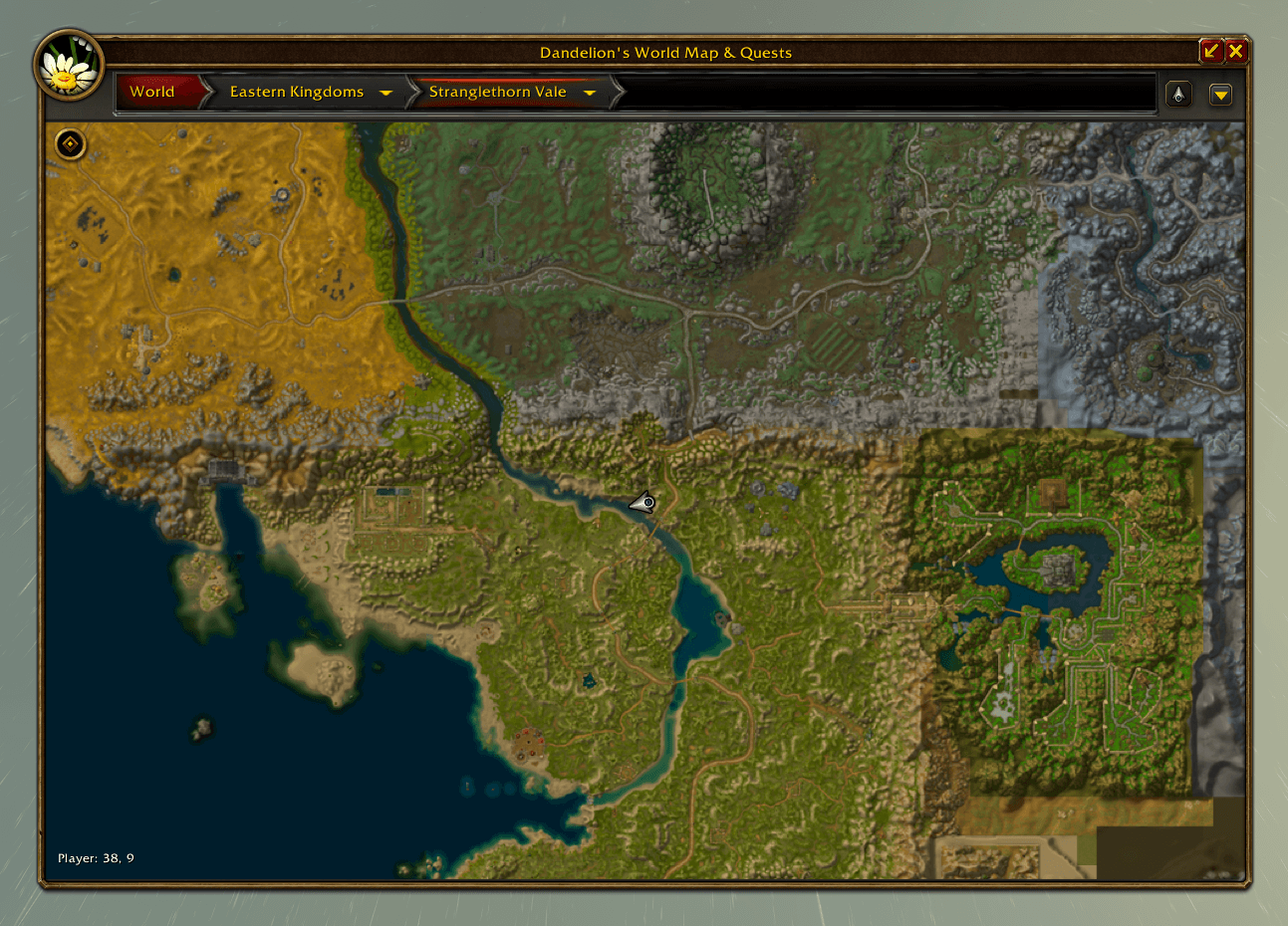
A detailed terrain world map designed to feel like it belongs in vanilla.
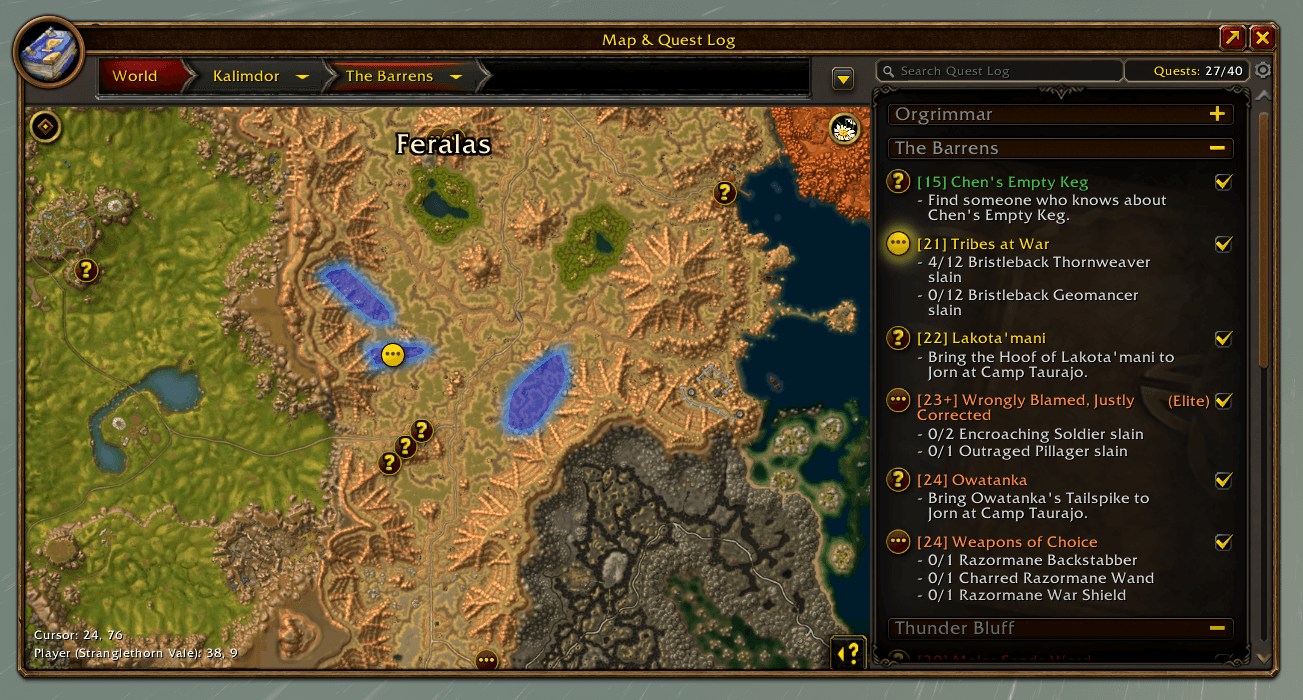
DandyMap brings Azeroth’s terrain into your world map while preserving Blizzard’s familiar frames, controls, and UI style. Strictly vanilla styling for now—no replacement UI or skin addon required.
Built and tested for WoW Forever beta 1.60.1 only.
Features
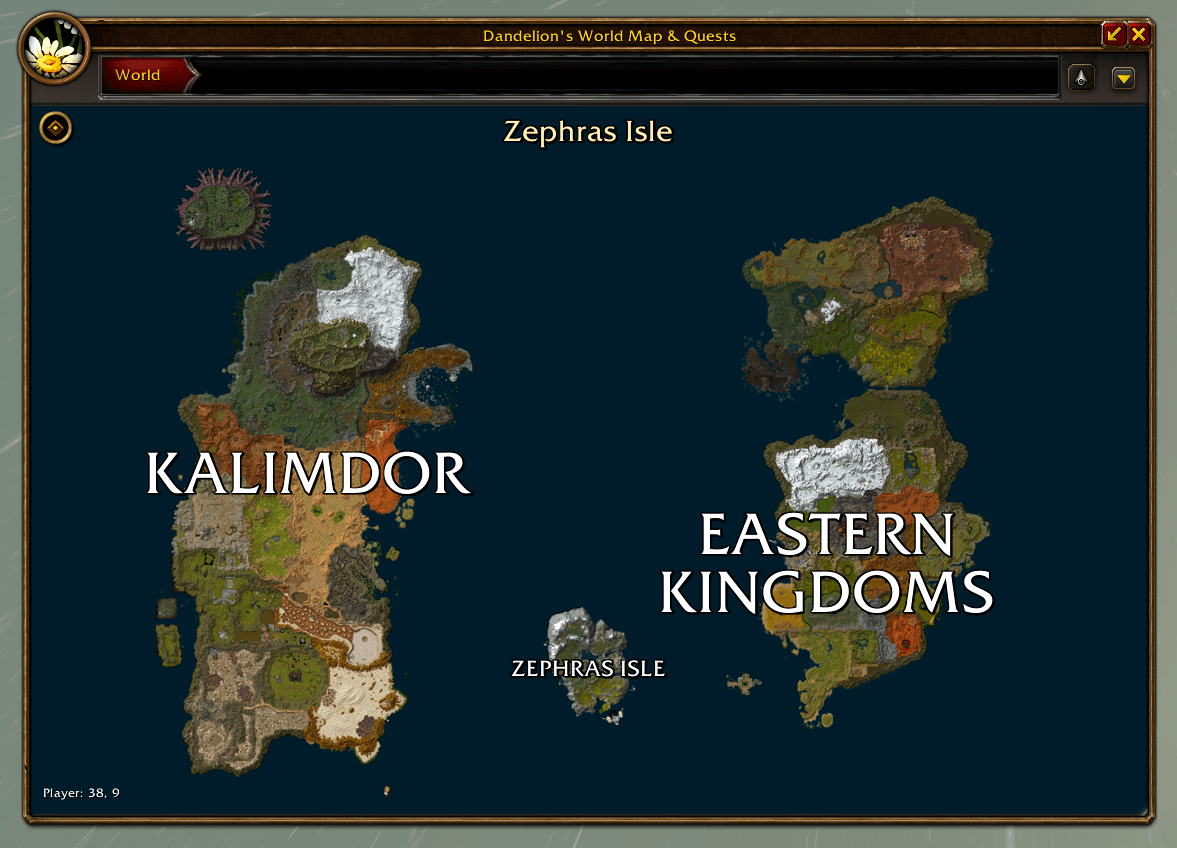
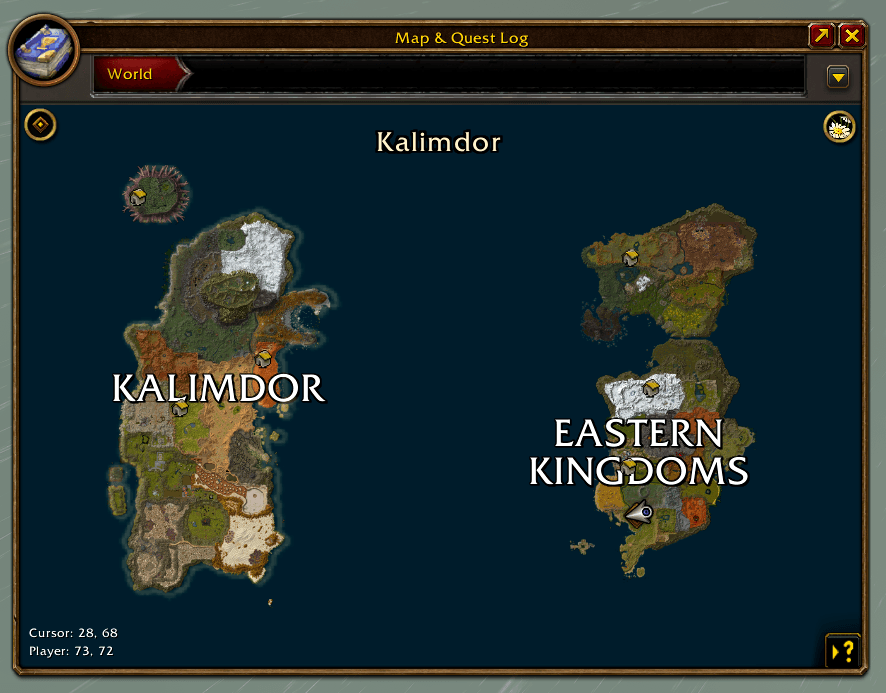
- Terrain maps for Eastern Kingdoms, Kalimdor, and Zephras Isle.
- A dedicated map window and terrain mode for the default world map.
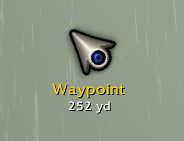
- Quest objectives, quest areas, and a movable navigation arrow.
- Guard directions, corpse locations, and party positions.
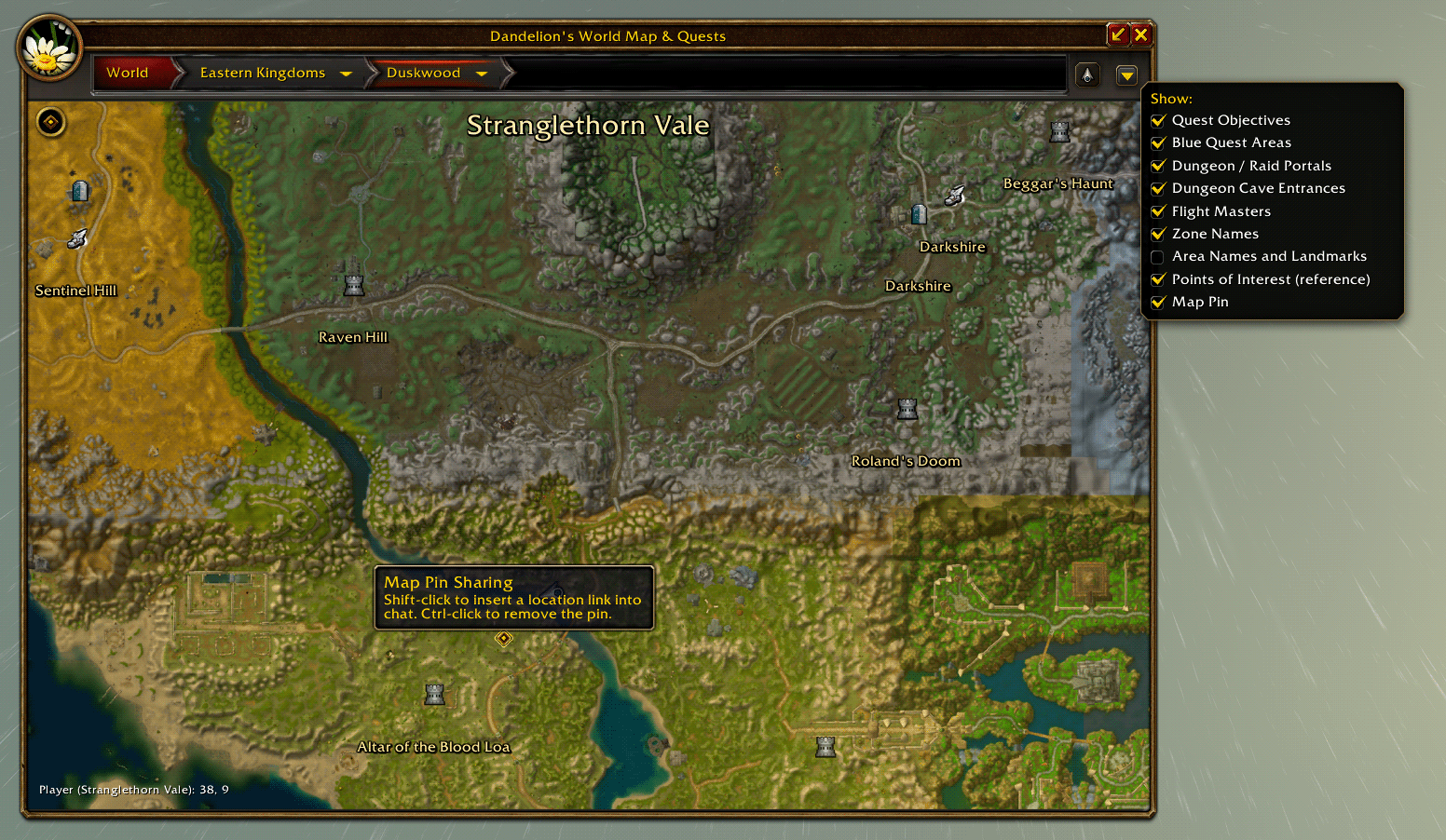
- Area labels, flight-point references, and points of interest.
- Optional Questie/QuestieDB integration for NPC and object locations.
- Organized filters for towns, services, trainers, creatures, gathering, travel, and quests.
- Customizable icons for map pins, the player, and navigation pointers.
- A searchable icon picker with saved preferences and import/export.
- Player and cursor coordinates.
- Current-zone pin display with cached, incremental loading.
- Terrain caching for faster revisits during the same game session.
Lightweight by default
DandyMap uses minimap textures already included in your game client. No extra terrain download is required.
The optional DandyMapData pack provides prebuilt terrain tiles, enhanced water, and additional interior maps. Supported maps automatically use the pack when installed, with built-in client terrain used for supported outdoor maps not included in the pack.
Pins are limited to your current zone to reduce clutter and resource usage.
Optional Questie integration
Install and enable compatible versions of Questie and QuestieDB to display their NPC and object locations. DandyMap reads the installed database directly; it does not bundle a copy.
QuestieDB pins and client-export references are enabled by default for new settings. Manage them under Flower settings → Developer → Pin locations. The QuestieDB status option reports whether the integration is ready.
DandyMap’s terrain and client-reference features remain available without Questie.
Database-sourced locations may differ from the current Forever world and are not automatically considered verified in-game.
Customize your icons
Use /dandyicons to open the Developer Icon Picker.
- Search icons by name or assigned type.
- Browse map, class, tracking, faction, legacy, and UI icon collections.
- Right-click an icon to assign its type.
- View assigned icons and inspect icon names and sizes.
- Save personal preferences or share them through Import and Export.
Your saved icon choices are preserved when updating.
Controls
- M: Open your preferred map.
- Ctrl + M: Open the other map.
- /dandymap: Toggle DandyMap.
- /dandyicons: Open the icon picker.
- Mouse wheel: Zoom.
- Drag: Pan around the map.
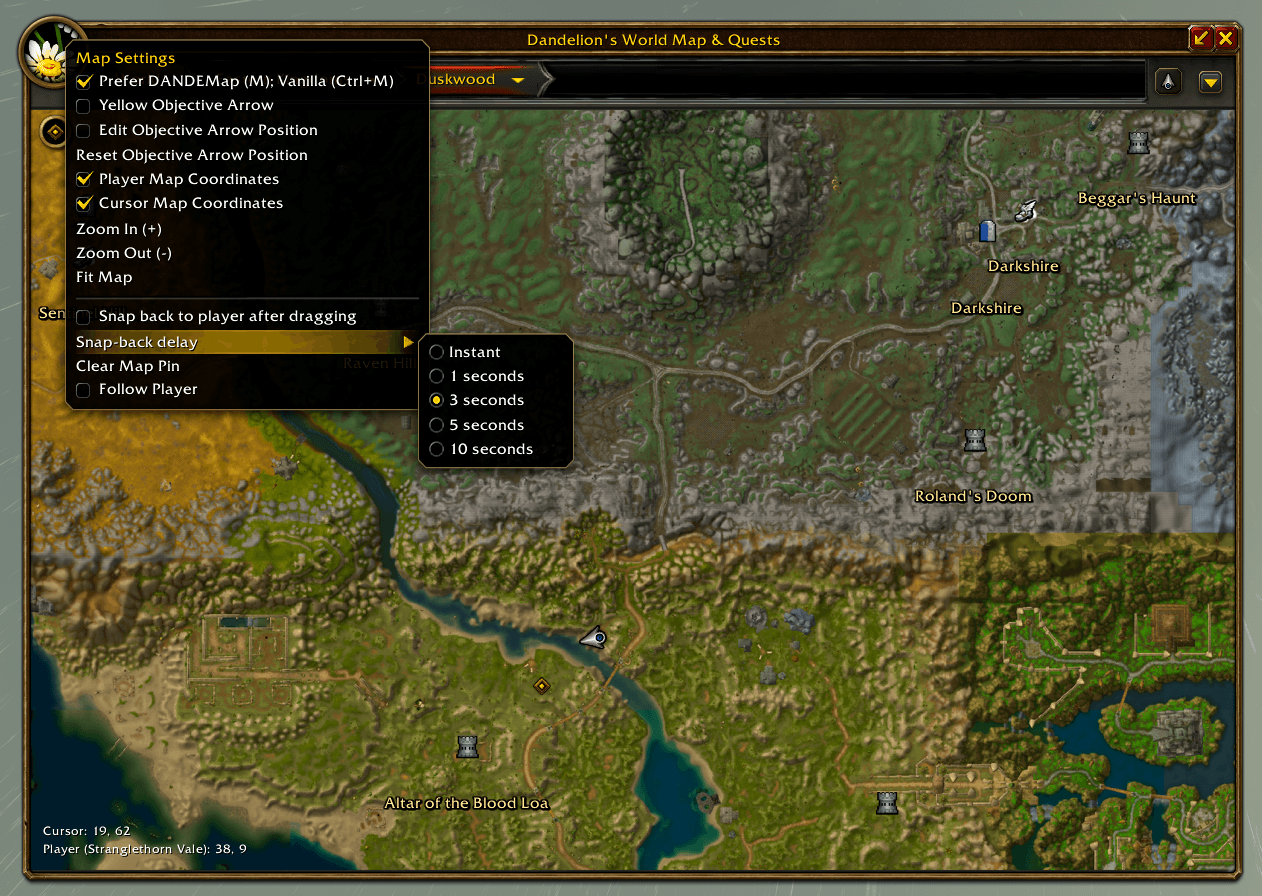
- Right-click the flower button: Open settings.
Choose which map opens with M through the flower settings menu. Settings are grouped for navigation, labels, coordinates, zoom, follow-player behavior, and developer tools.
Beta notes
This is an early release, and feedback is welcome.
- Terrain may appear progressively when viewing a new area.
- Terrain and pin caches reset when you reload the UI or restart the game.
- QuestieDB pins may take a moment to populate after entering a zone.
- Some reference markers may include unused client locations. Area labels are not exact entrance markers.
- NPCs may move, have multiple spawns, or differ from their database locations.
- Unsupported interior maps fall back to the default map.
- New content may require an addon or data update.
- Other game clients and themed UI skins are not currently supported.
Updating does not require deleting your saved settings. The addon folder is named DandyMap.
Credits
- wow.export for extracting client terrain, textures, and metadata.
- wow.tools.local for inspecting client database tables and comparing exports.
- Questie and QuestieDB for optional NPC and object data through their installed addons.
- Wowhead and community world maps for reference and inspiration.
- Blizzard Entertainment for the original game terrain, artwork, and UI.
Bundled terrain references and markers are generated from local client exports. Optional QuestieDB markers are read from the separately installed addon. Third-party tools, data, and artwork retain their respective licenses and rights.
This is an unofficial community addon, not affiliated with or endorsed by Blizzard Entertainment.
AI assisted with terrain-generation scripts, some coding, and validation. The project icon includes an AI-generated hearthstone.
Feedback and support
Join the community: discord.gg/pugs
When reporting a bug, include your client build, location, steps to reproduce, and any Lua error text. For misplaced pins, include the NPC or object name, zone, coordinates, and enabled pin source.
You must be logged in to leave a comment.