
ClueUI
A tasteful dark and minimal reskin of Forever's UI — flat textures, darkened borders, fully customizable.
Details
Expansion
 Forever
 Categories
Developers

Having issues?
ClueUI is a reskin, not a replacement.
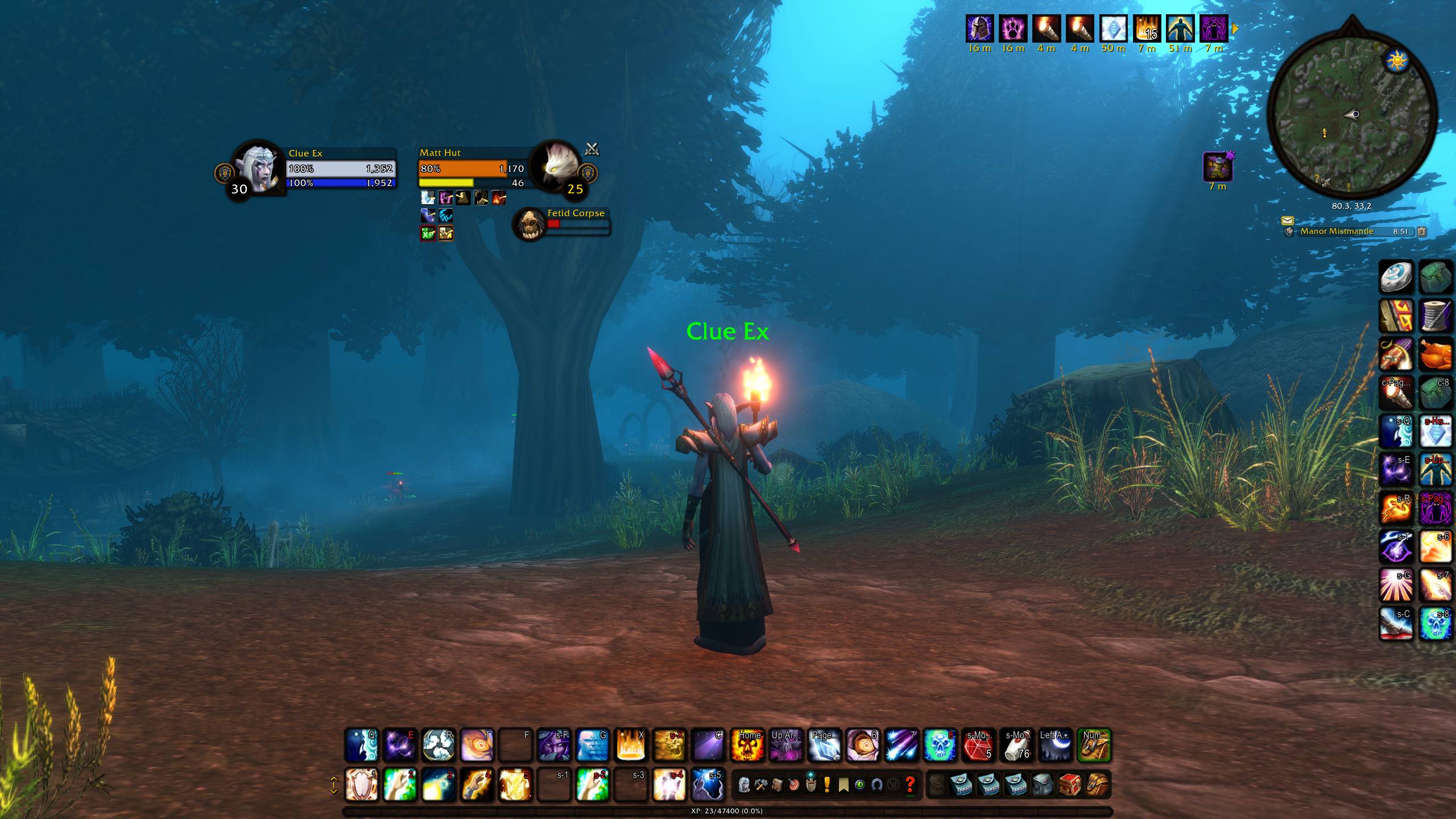
ClueUI gives Forever's interface the look of a modern minimal UI suite — flat bars, darkened borders, class colour, everything a shade quieter — without replacing any of it. Nothing is rebuilt, and every frame stays exactly where Blizzard put it. You keep the interface you already know; it just stops shouting over the information on it.
Minimal — borders, bevels and backdrops step back so health, power and cooldowns stand out.
Clean — a pseudo dark mode with flat textures. No gradients, no gloss, no clutter.
Sleek — understated. Built off the original UI without straying from it.
What it does
- Flat bars — a solid fill in place of the split light-and-shadow gradient, on health, power, XP, reputation and damage meter bars.
- Darkened borders — metal frames, icon borders, panel chrome and section headers, dimmed rather than replaced.
- Class colours — players by class, everything else by reaction, on frames and in tooltips. The palette itself is yours to tune, per class or globally.
- A quieter chat — the input box goes flat and stays out of sight until you type, the tabs and buttons hide until you point at chat, and the grey hover panel behind the window is gone.
Every tweak is a switch, with sliders to tune it
Thirty modules covering the minimap, unit frames, party and raid frames, the cast bars, the swing timer, the personal resource display, buffs, action bars, the XP and reputation bars, the objective tracker, chat, tooltips and the damage meter.
Each has its own checkbox. Turn on what you like, leave the rest, and untick anything to put Blizzard's own art back exactly as it was — no /reload, no restart, no leftovers. If you only want flat health bars and nothing else, that is a supported way to use this addon.
Nearly every one has its own sliders too, so "darker" and "fainter" are numbers you set rather than opinions you inherit.
Open the panel with /clueui (or /cui), or the minimap button: Simple for the checkboxes, Advanced for every darkness and opacity slider, Colours for the saturation and brightness of each class and NPC colour, with live swatches, and one overall vibrancy slider.
Everything you set is saved, and shared by all your characters.
Lightweight
In-game performance has been a priority from the first module, and every tweak is designed with it in mind. ClueUI never polls and never runs in the background: it responds only when something it has styled actually changes, like a new target or a buff appearing, and does just the work that moment needs. In testing, each of those responses takes a fraction of a millisecond — well below anything you would notice while playing.
Reporting a bug
Please include your ClueUI version and the game build, which tweak is misbehaving and what you expected instead, and a screenshot if it is visual.
One more step helps enormously: type /clueui debug, then /reload, then attach WTFAccountYOUR-ACCOUNTSavedVariablesClueUI.lua. Every module writes a diagnostic dump into that file describing exactly what it found and what it changed, which usually identifies the cause without any guesswork.
You must be logged in to leave a comment.