
Campfire Assistant – Forever
Add on to track buffs located at campfires around the world. Allows you to also announce in general chat with a map pin the location of the buffs.
Details
Addon ID:
26390
Addon Version:
1.05
Expansion:
1.60
Upload date:
Oct 06, 2026
Last Updated:
Oct 06, 2026
Downloads:
Less than 100
Website:
Source Link
Expansion
 Forever
 Developers

ghsteo
Creator
Having issues?
Campfire Assistant
Campfire Assistant is a lightweight, set-and-forget helper addon for the WoW: Forever Camping System. It tracks nearby profession structures, checks for class buff conflicts, and lets you share your campsite location with other players via a single click.
The addon stays completely hidden until you stand near a campfire, using a global gate that shuts it down during Dungeons, Raids, and active Combat to ensure zero performance impact.
Features
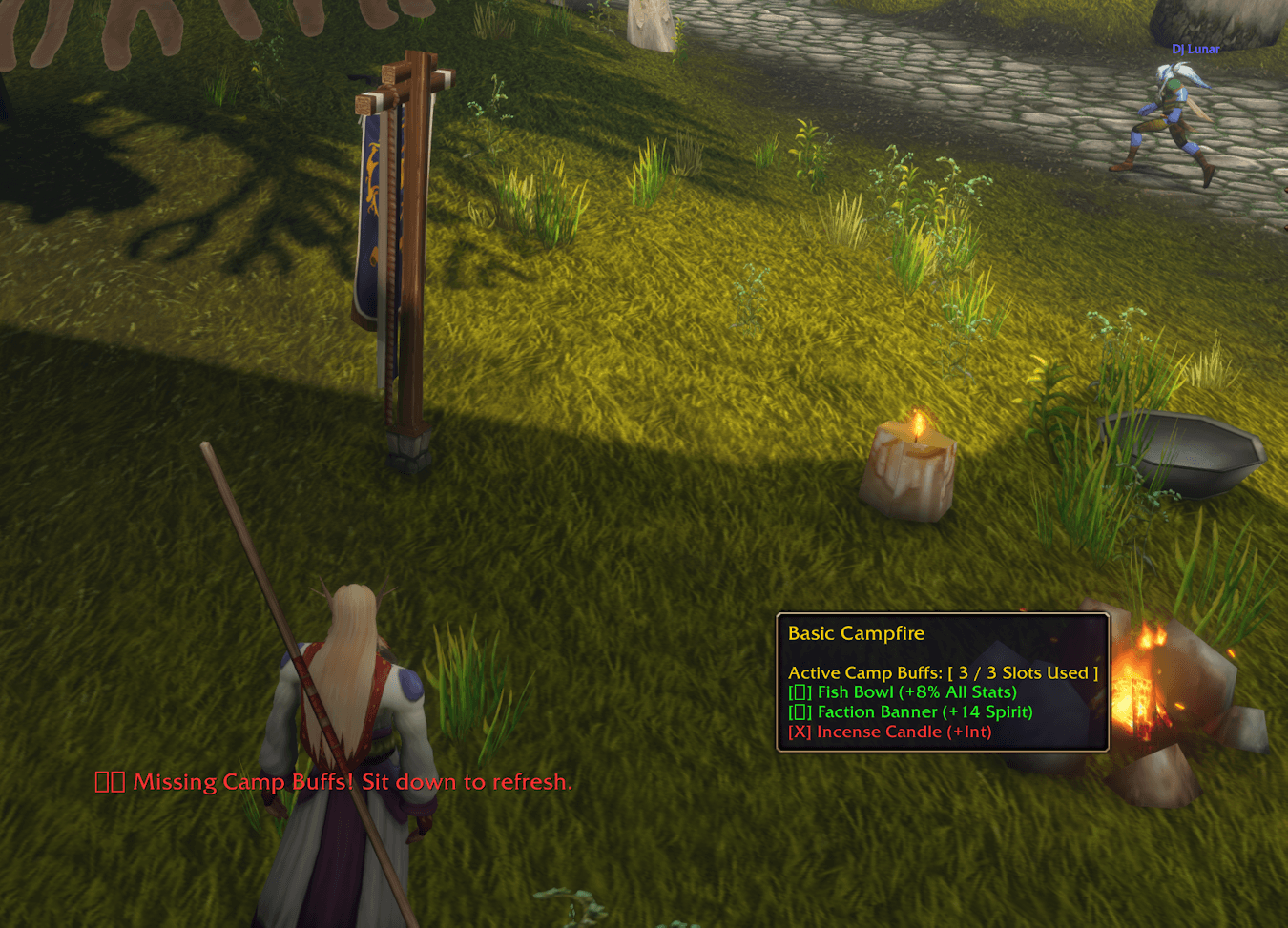
- Campfire Checklist: Hover over any campfire, hearth, or feast kitchen to instantly see a list of every structure deployed on the ground around you.
- Capacity Slot Tracking: Automatically detects the fire’s tier and displays a slot tracker (e.g.,
Active Camp Buffs: [ 3 / 5 Slots Used ]). - Conflict Detection: Tooltip lines dynamically turn Green [✓] if you can safely harvest a profession's stats, or Red [X] if it conflicts with an active class spell already on your buff bar (such as a Fish Bowl being blocked by Blessing of Kings).
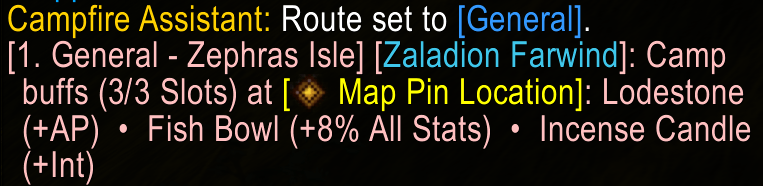
- One-Click Map Pin Announcements: Clicking the minimap icon drops a real-world clickable Map Waypoint Hyperlink into general chat so other players in the zone can click it to get an arrow guiding them directly to your fire.
- Expiration Reminders: A low-profile text warning gently fades in right under your character if your camp buffs are missing or about to expire, reminding you to sit down and refresh them.
In-Game Controls & Commands
The addon is managed entirely via a small flame icon docked to the outer edge of your Minimap:
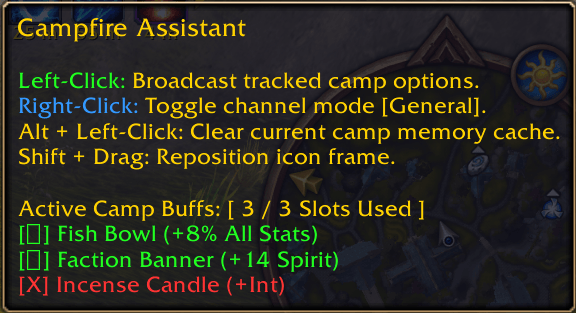
- Mouse Sweep: Briefly pass your cursor over nearby camp structures (like the Sharpening Wheel or Lodestone) to log them into the campfire’s master tooltip.
- Left-Click: Broadcasts your currently tracked camp options directly into your chat log.
- Right-Click: Toggles your broadcast destination channel between Local Say and General Chat /1 (which dynamically hooks your map position pin).
- Alt + Left-Click: Instantly clears the camp's tracking memory cache and resets the slot counters back to zero.
- Shift + Drag: Slide the minimap button anywhere along your minimap border rim to fit your custom UI layout.
- Custom Alert Timers: Adjust or turn off the expiration warning using chat console commands:
/ca timer 2(Alerts at 2 minutes remaining)/ca timer 5(Alerts at 5 minutes remaining)/ca timer 10(Alerts at 10 minutes remaining)/ca timer disable(Mutes all text reminder overlays completely)
Installation
Method 1: CurseForge Desktop App
- Open the CurseForge App and select World of Warcraft.
- Search for Campfire Assistant and click Install.
Method 2: Manual Installation
- Download and extract CampfireAssistant.zip.
- Place the extracted folder into your WoW directory:
World of Warcraft_classic_InterfaceAddOns - Relaunch the game and verify the addon is checked active on your character select screen.
You must be logged in to leave a comment.