
Books on Map Forever
Shows all 38 known WoW Forever library books on your world map and hides each one as soon as you pick it up.
Details
Expansion
 Forever
 Categories
Developers

Having issues?
Books on map (Forever) marks every library book of World of Warcraft: Forever on your world map and minimap. Bring 10 books to the librarian in Stormwind or Undercity for a necklace, 20 for a ring, and 25 for a bow, a shield or an off-hand light. At a glance you can see where each book is and which ones you still need, so you can plan your route without keeping a website open.
Features
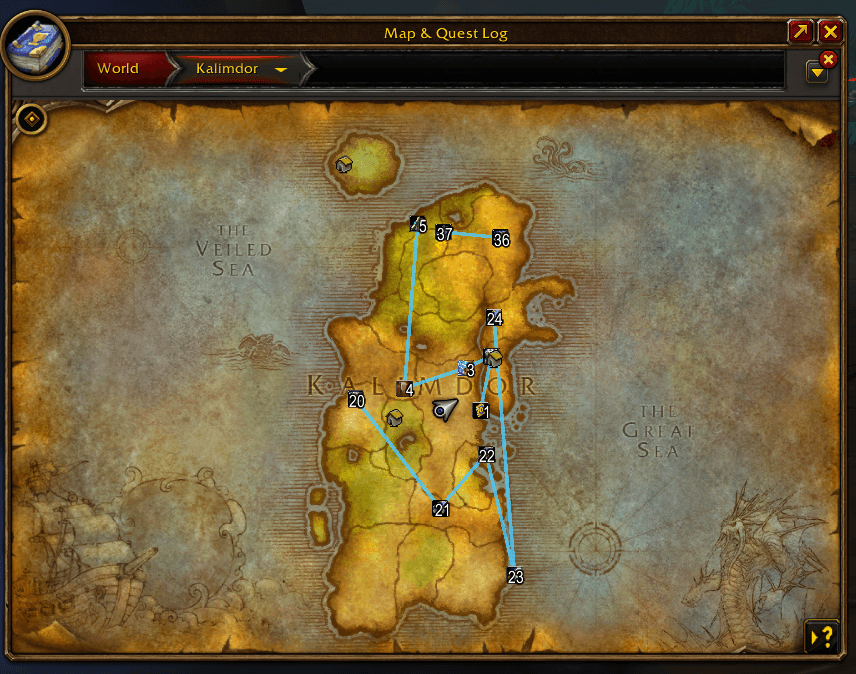
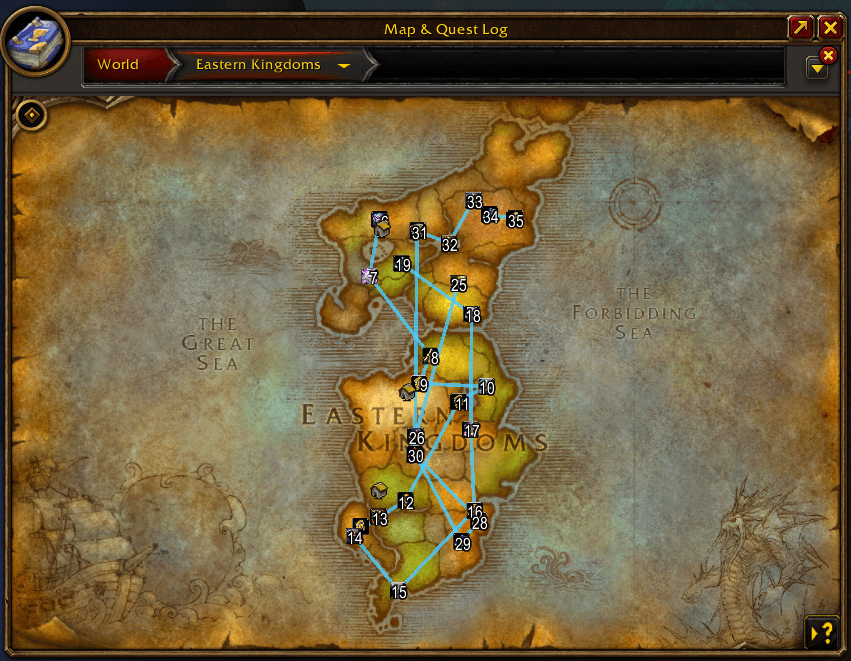
- World map: every book you still need is marked with its own in-game icon, on its zone map and on the Kalimdor and Eastern Kingdoms maps.
- Minimap: books near you also appear on the minimap. They follow its zoom, indoor/outdoor mode, rotation and square minimaps.
- Automatic tracking: when you loot a book, its icon disappears from the map and minimap. Nothing to click.
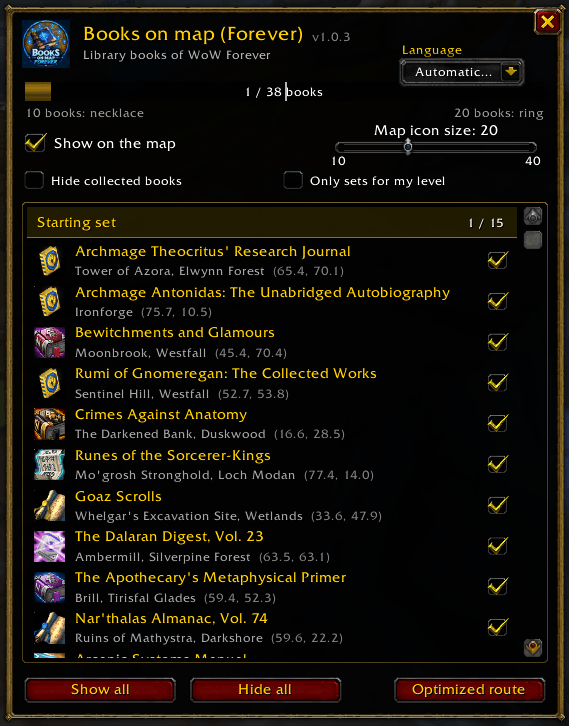
- Book list: left-click the minimap button to open a list of all 38 books, grouped by set (Starting set, Level 35, Level 45, Level 60). Each book shows its zone, its coordinates and a checkbox that is ticked once you have it. Click a book to open the map there.
- Filters: hide the books you already have, or only show the sets for your level.
- Progress bar: your progress toward 25 books, with markers at 10 for the necklace and 20 for the ring. Each goal turns green once you reach it.
- Rewards tab: a side tab lists every library reward (necklaces, rings, bow, shield and off-hand light) with its real icon and quality. Hover for the item tooltip, Shift-click to link it in chat, Ctrl-click to try it on.
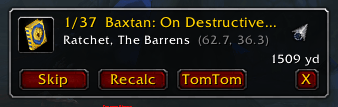
- Optimized route: builds the shortest path through the books you still need, from your position and lowest set first. A small tracker shows the next book, its distance and an arrow. The steps are numbered on the map and the next book stays on the minimap edge. You can skip a book, recalculate, or send the whole route to TomTom.
- Group mode: party and raid members with the addon share their progress automatically. Books a group member still needs stay on your map and minimap, greyed out, so you can help them. Tooltips show who has each book and who is missing it.
- Group tab: shows every member's books as an icon grid, with their class color and addon version. It also lists the members who have a different version or no addon, so you know who needs to update.
- Tooltips: hover a map or minimap icon to see the book's name, location, coordinates, distance and your progress.
- Icon size: sliders set how big the icons are on the map (10 to 40) and on the minimap (8 to 30).
- TomTom: right-click a map icon, a minimap icon or a book in the list to set a waypoint, if TomTom is installed.
- Minimap button: left-click opens the book list, right-click shows or hides every map icon, and you can drag it around the minimap.
- English and French: follows your game language by default, or choose it in the options.
How it works
Each book is an object in the world, such as a bookshelf, a pile of scrolls or a tome on a table. It is never a mob drop. The addon knows every book's location and item name in English and French. It watches your loot and your bags, and removes a book from the map as soon as it is in your bags. Books you already handed in to the library are detected too. Your progress is saved separately for each character. If a book isn't detected, Shift-click its icon on the map or tick it in the list.
Commands
| Command | Effect |
|---|---|
| /bom | Opens or closes the book list (/books works too) |
| /bom list | Prints every book, its number and your progress in chat |
| /bom done 5 | Marks book number 5 as collected |
| /bom undo 5 | Marks book number 5 as not collected |
| /bom toggle | Shows or hides every map icon |
| /bom minimap | Shows or hides the minimap button |
| /bom reset | Resets your progress on this character |
Compatibility
Built for the Forever client (interface 16001). It also loads on the Classic Era clients.
Book locations from [foreverchanges.pro](https://foreverchanges.pro/library-books), [zockify.com](https://www.zockify.com/forever/library-books/), Wowhead and Warcraft Wiki. Addon by **Daeler**.
You must be logged in to leave a comment.