

Bleakfiber’s Quest Tracker – Forever
A modular, high-performance, standalone quest tracking interface crafted specifically for World of Warcraft Forever
Details
Expansion
 Forever
 Categories
Developers

Having issues?
ANNOUNCEMENT: Version 1.0.15 Release
Version 1.0.15 is out! This release delivers an overhaul to the Wayfinder World Map pins - introducing authentic Blizzard diamond waypoint markers with dedicated tracked, untracked, and hover highlight states alongside major engine optimizations that eliminate duplicate event processing, reduce idle background CPU usage, and safeguard slash commands from conflicting with third-party navigation addons. Please update your installation and reload your UI (/reload).
To perform the NEW onboarding type /bfq onboard
Bleakfiber's Quest Tracker - Forever
Bleakfiber's Quest Tracker is a modular, high-performance, standalone quest tracking interface crafted specifically for World of Warcraft: Forever
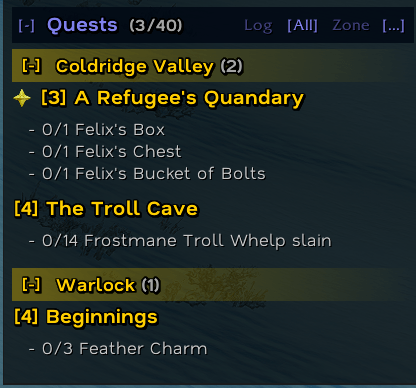
Designed as a modern alternative to the default Blizzard quest watch frame, it combines a sleek aesthetic with a rich suite of standalone features: interactive quest item buttons with smart bag scanning fallback, intelligent zone grouping and cross-zone objective scanning, right-click context menus, Wayfinder 360-degree directional HUD navigation with full /way support, multi-layered XP & location DataBars, and intelligent automation tools.
Built completely independent with zero required external dependencies.
Key Highlights
- Pure Standalone Power: Runs natively out of the box with zero required third-party addons or external libraries.
- Engineered for High Performance (v1.0.10 Engine): Zero-allocation object pooling for all quest blocks, objective strings, and item buttons; static sort comparators; top-level API upvalue localization; and dynamic event unhooking when features are idle. Completely eliminates garbage collection stutter and combat frame drops.
- Wayfinder 360-Degree Navigation HUD: Built-in floating directional arrow that points smoothly toward your active quest objective or custom
/waydestination, complete with distance in yards, arrival countdown (ETA), and clickable map pins. - Interactive Quest Item Buttons: Usable quest items (flares, totems, containment devices, seeds) appear directly alongside the quest block with full cooldown sweeps and stack counters. Includes native bag scanning fallback.
- Customizable XP & Location DataBars: Integrated experience bar with custom color pickers for current XP, rested XP, and a green "ghost" preview of completed quest log turn-in XP, plus a live location and coordinate header.
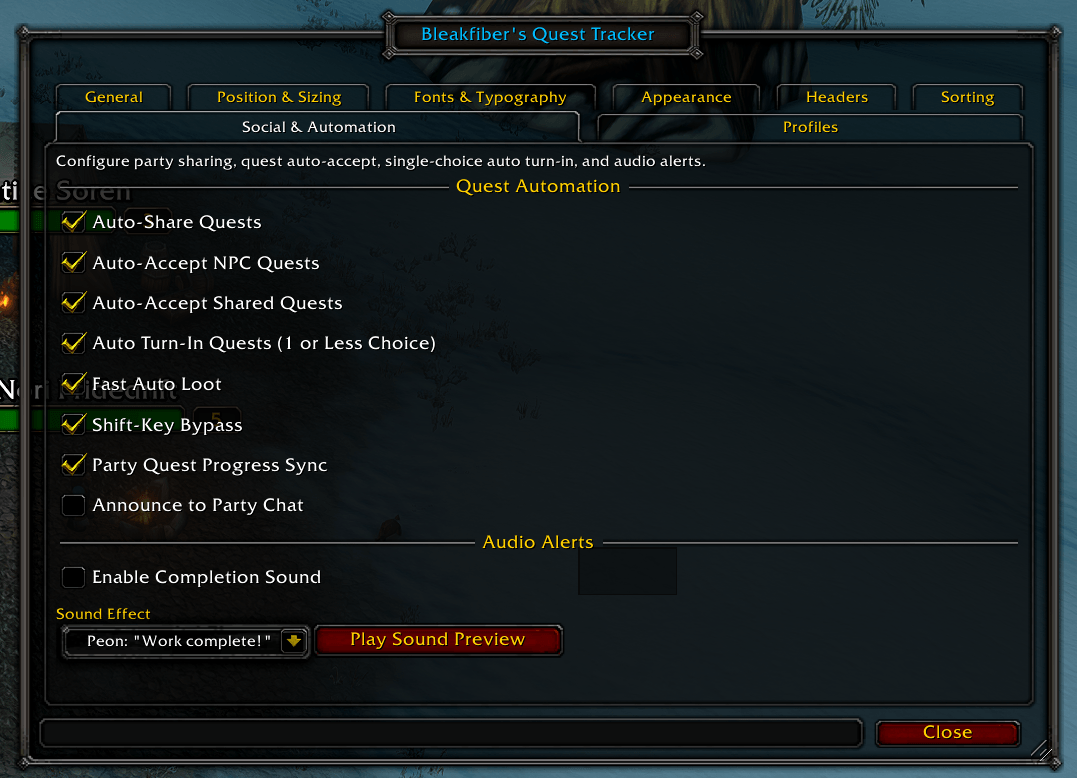
- Social & Quest Automation: Fast Auto Loot, auto-accepting quests, auto-turn-in with item choice safety guards (pauses if gear selection is required), and automatic party quest sharing.
- Audio Completion Alerts: Plays customizable audio cues when completing quests or individual objectives, featuring sound presets like Peon "Work complete!", Classic chime, Level Up Fanfare, and Raid Warning with live preview buttons.
Complete Feature Breakdown
1. Header Bar Controls
The header bar displays your quest capacity count and quick-access control buttons:
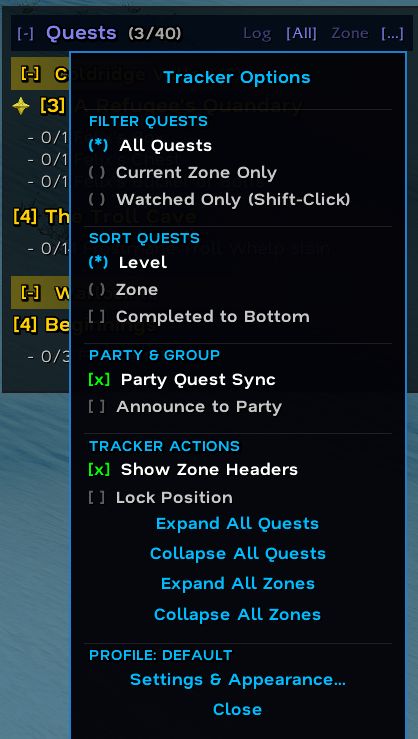
[Log]: Opens or closes the standard Blizzard Quest Log (ToggleQuestLog).[Zone]: Toggles filtering to only display quests in your current zone/subzone.[All]: Displays all tracked quests across all zones.[...]: Opens the Quick Filter & Settings Menu.[-]/[+]: Minimizes or expands the tracker contents.
2. Interactive Mouse Controls
- Left-Click Quest Title: Opens the quest entry directly in the Blizzard Quest Log.
- Shift + Left-Click Quest Title:
- If a chat edit box is open: pastes the formatted quest link into chat (e.g.
[12] The Barrens Ooze). - If no chat box is open: toggles tracking (watch/unwatch) for that quest.
- If a chat edit box is open: pastes the formatted quest link into chat (e.g.
- Right-Click Quest Title: Opens the rich Quest Context Menu (track/untrack, link to chat, share with group, set waypoint, copy Wowhead URL, or abandon quest with confirmation).
- Left-Click Zone Header: Expands or collapses all quests under that zone banner.
- Left-Click Quest Collapse Button (
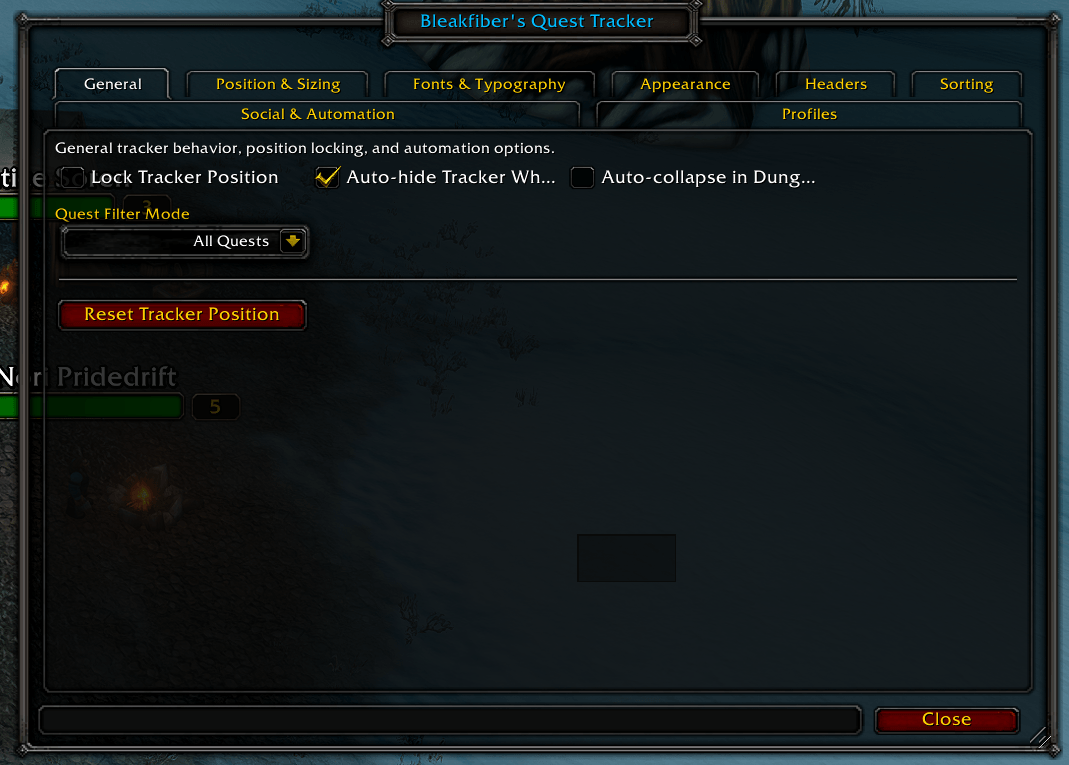
[-]/[+]): Collapses or expands that individual quest block. - Alt + Right-Click Tracker Body: Instantly opens the comprehensive AceConfig options panel (
/bfq). - Left-Click Quest Item Button: Uses or casts the associated quest item.
3. Floating Quest Item Buttons
- Quest item action buttons are anchored adjacent to each quest block.
- Shift + Right-Click & Drag: Freely drag and reposition the item button anchor anywhere on your screen.
- Alt + Right-Click Item Button: Resets the item button position back to its default anchor next to the quest title.
4. Wayfinder 360-Degree Directional HUD & /way Navigation
- 360-Degree Smooth Floating Arrow: Displays an animated directional arrow pointing toward your destination with dynamic distance tracking (yards) and velocity-based ETA countdowns.
- Full Slash Command Support: Works with standard
/way,/cway,/wayreset, and/waypastecommands. - Multi-Line Waypoint Paste Window (
/waypaste//way paste): Paste entire multi-coordinate blocks from quest guides or web macros with a single click. - World Map Pin Integration:
- Alt + Left-Click on World Map: Instantly places a custom waypoint at the cursor's map position.
- Interactive "+ Waypoint" button on the World Map footer.
- Live cursor and player coordinates displayed on the map frame.
- Auto-Hide in Combat: Configurable setting to automatically hide the navigation arrow during combat encounters.
5. DataBars (XP & Location Headers)
- Multi-Segmented Experience Bar:
- Current XP: Configurable fill color (default: rich purple).
- Rested XP: Configurable fill color (default: vibrant blue).
- Quest Log Turn-In Ghost Bar: Visualizes the total XP banked from completed quests ready for turn-in (default: vivid green).
- Configurable status bar textures (via LibSharedMedia), custom heights, and font formatting.
- Location Bar:
- Displays current zone, subzone, and live player coordinates
(X, Y). - Smart zone abbreviation and truncation options for long territory names.
- Displays current zone, subzone, and live player coordinates
6. Social, Automation & Audio Alerts
- Fast Auto Loot: Ultra-fast, dynamic event-driven auto-looting that completely unhooks from the client when disabled.
- Auto-Accept Quests: Automatically accepts quests offered by friendly NPCs and shared by group members.
- Auto-Turn In Quests: Automatically hands in completed quests that offer 0 or 1 item rewards. Safely pauses when multiple item rewards are offered so you can hand-pick your gear.
- Shift-Key Bypass: Hold
Shiftwhile talking to an NPC to temporarily suspend all automation. - Audio Completion Alerts: Plays customizable audio cues when completing quests or individual objectives. Includes Peon ("Work complete!"), Classic Quest Complete, Level Up Fanfare, Raid Warning, Ready Check, Mini-Map Ping, and PvP Horn with live preview buttons in the settings.
7. Visual Styling & Typography
- Modern Typography: Ships with embedded Nata Sans (Regular & Bold) typography, plus full integration with
LibSharedMedia-3.0for choosing any font on your system. - Backdrop & Border Customization: Full RGBA color pickers for background tiles, borders, edge sizes, and internal padding.
- Difficulty Color Coding: Colors quest titles dynamically based on your level (Grey, Green, Yellow, Orange, Red).
- Interactive Sizing Guide: Live on-screen dashed overlay with drag handles to preview and resize tracker width and max height in real time.
Slash Commands Reference
| Command | Description |
|---|---|
/bfq or /bqt | Opens the full graphical options configuration window. |
/bfq lock | Locks tracker position to prevent accidental dragging. |
/bfq unlock | Unlocks the tracker frame for dragging. |
/bfq toggle | Minimizes or expands the tracker frame. |
/bfq reset | Resets tracker position to default (TOPRIGHT). |
/bfq profile <name> | Switches to a named profile or shows active profile. |
/bfq debug | Toggles developer diagnostic output. |
/way <x> <y> [title] | Sets a custom Wayfinder navigation waypoint in your current zone. |
/way <zone> <x> <y> [title] | Sets a custom Wayfinder waypoint in a specific zone. |
/way test | Toggles test preview mode on the Wayfinder HUD arrow for repositioning. |
/way reset or /cway | Clears the active custom waypoint. |
/way paste or /waypaste | Opens the Multi-Line Waypoint Paste Window. |
You must be logged in to leave a comment.