
BazUI
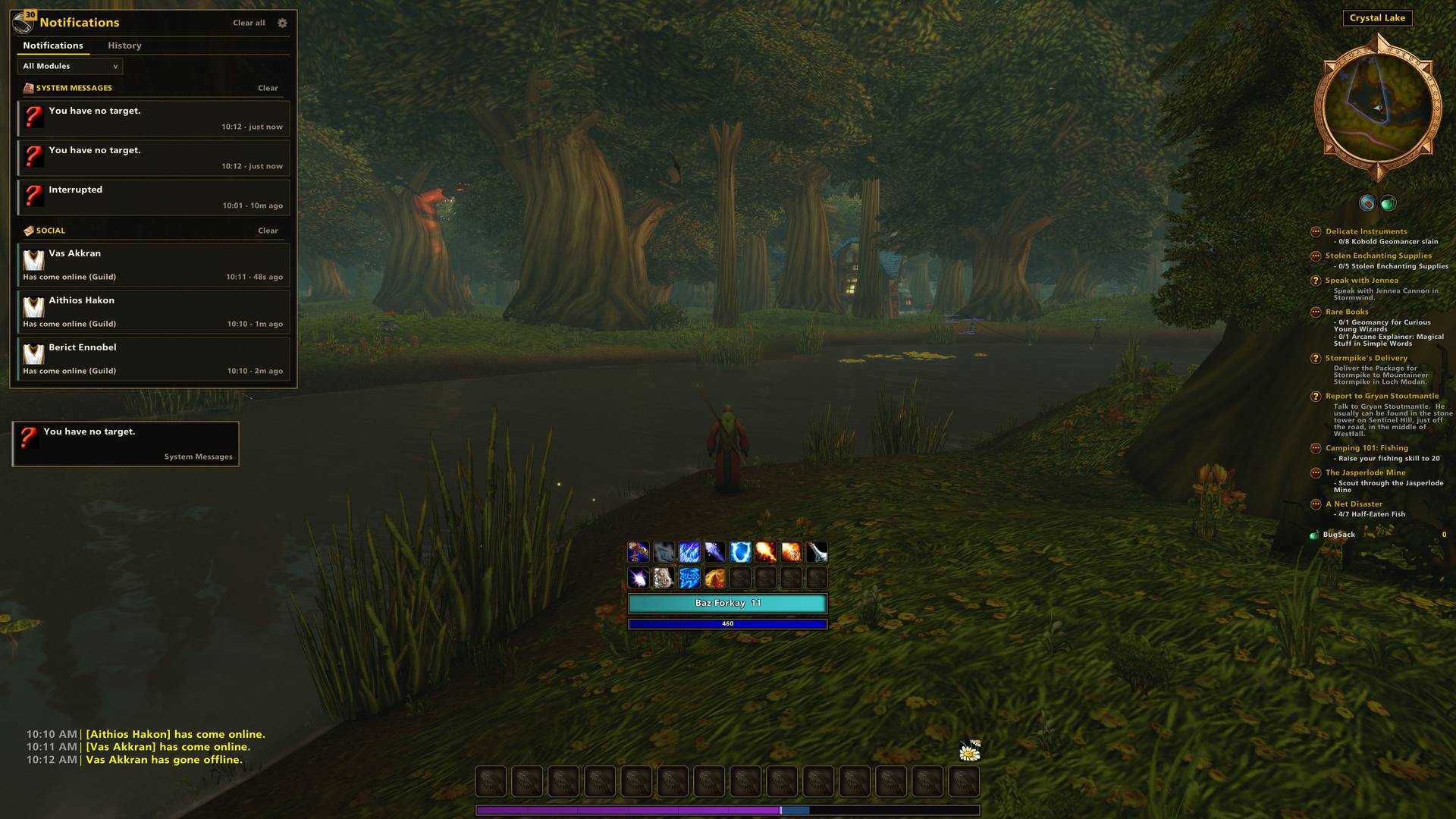
One addon for your whole interface: bags, action bars, unit frames, nameplates, chat, minimap and a notification centre, sharing one look and one settings panel.
Details
Expansion
 Forever
 Developers

Having issues?
BazUI
One addon for your whole interface.
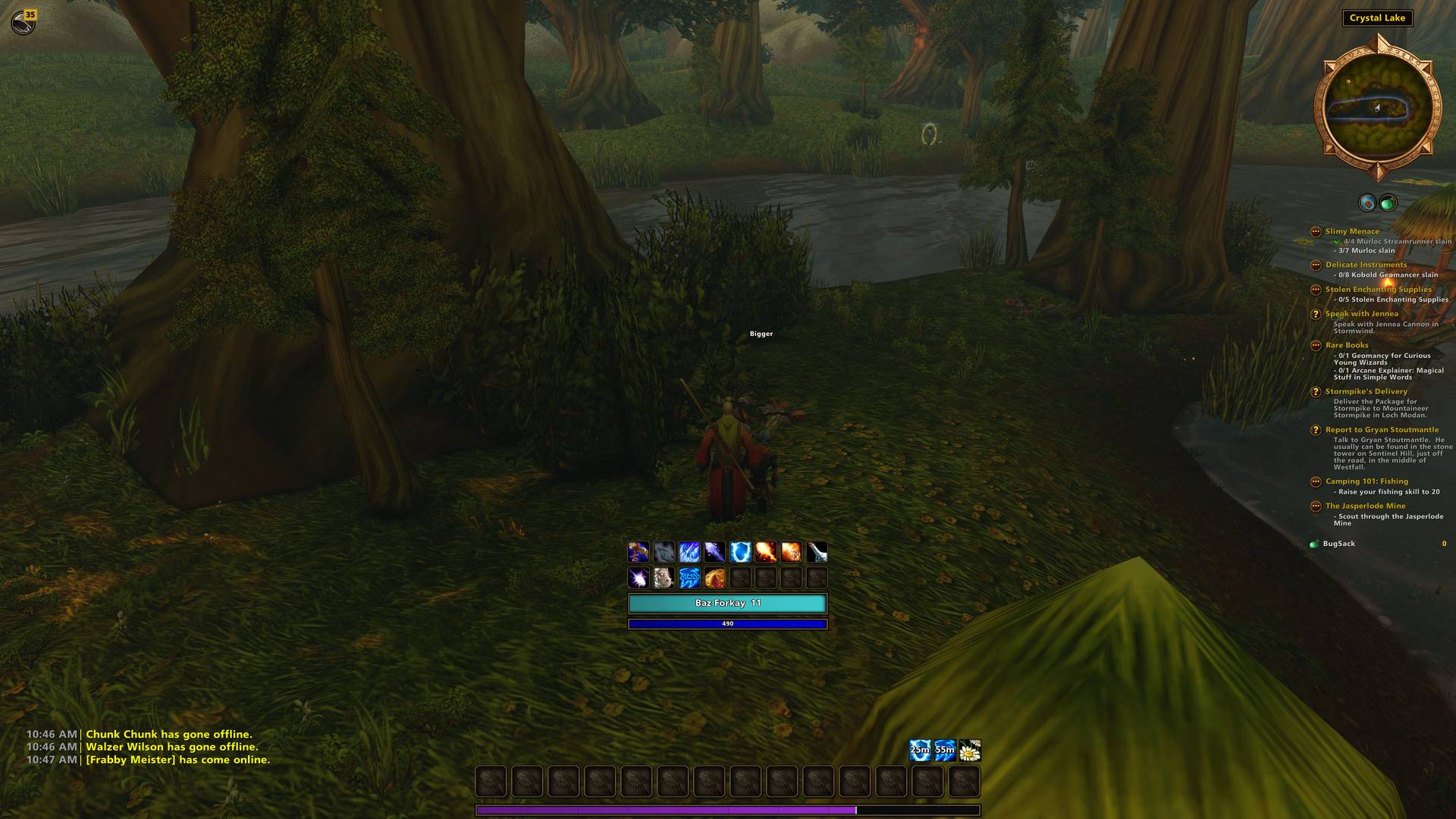
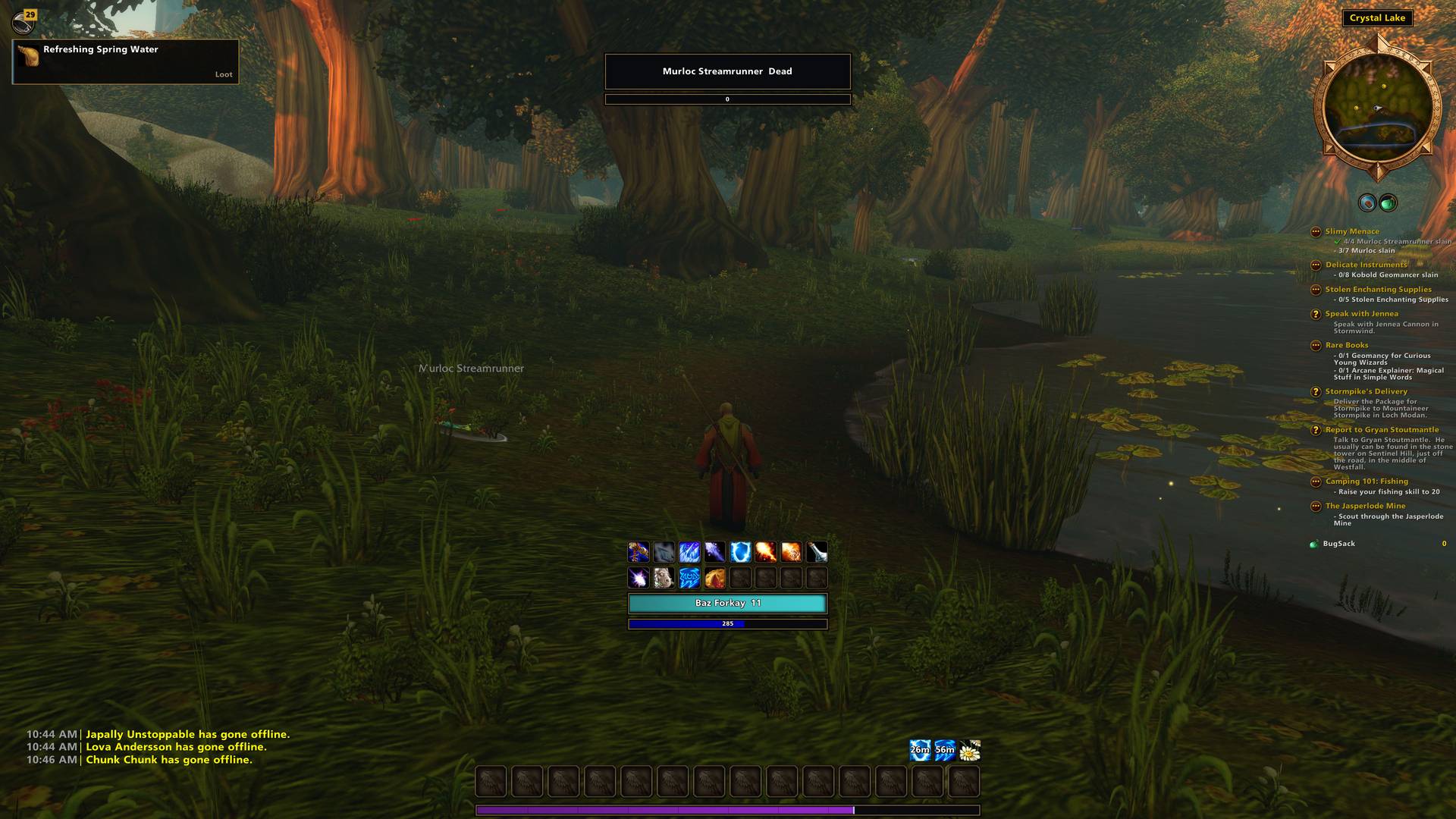
BazUI brings action bars, unit frames, bags, chat, nameplates, auras, the minimap, and notifications together with a coordinated look and one settings panel. Start with a ready-made layout, customize every detail, and enable the modules you want.
Build compact bars with your favorite abilities, organize your inventory around the way you play, and keep useful information close without filling your screen with separate windows.
Action bars with room for everything
Create as many action bars as you need, each with up to 24 × 24 buttons, without using Blizzard’s built-in action slots.
- Drag to create. Drag an ability from your spellbook onto open screen space to create a bar there. Drop it beside an existing bar to add it to that bar, with a preview showing where it will land.
- Custom flyouts. Keep portals, teleports, totems, consumables, and other groups of actions behind one button. Choose the grid size and opening direction, then pin a favorite action or let the button remember your last selection.
- Quick keybinding. Hover over a button and press the key or mouse button you want to assign.
- Automatic ability placement. Populate a new character’s bars and optionally add newly learned spells to empty slots.
- Flexible layouts. Adjust rows, columns, button size, spacing, opacity, and decorative endcaps.
- Useful feedback. See cooldowns, proc glows, range coloring, and live item counts.
- Visibility controls. Fade bars until hovered or show them under conditions such as combat, grouping, stance, or stealth.
- Easy sharing. Duplicate a bar or export and import its configuration.
Add spells, items, macros, and supported mounts and equipment sets. Optional Masque support gives you additional button styles.
Build a layout that stays together
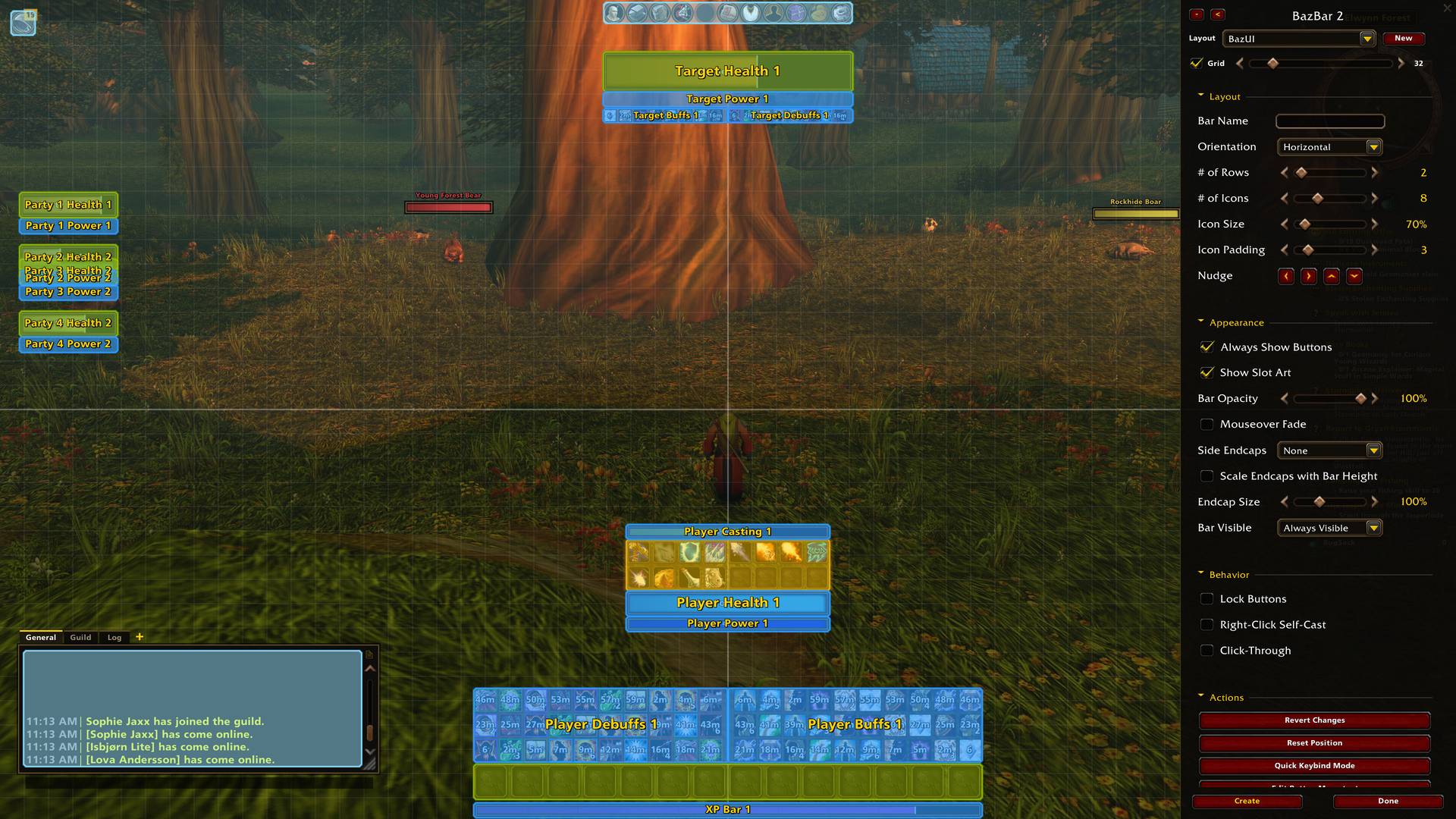
BazUI’s Edit Mode lets you create, move, resize, and configure interface elements while looking at them.
Snap frames together to build connected layouts. Place your health and power above an action bar, attach a cast bar underneath, and dock your buffs nearby. Connected elements move together, and supported bars can share the width or height of their host.
Use grid snapping and precise nudging for alignment, or hold Alt to move freely.
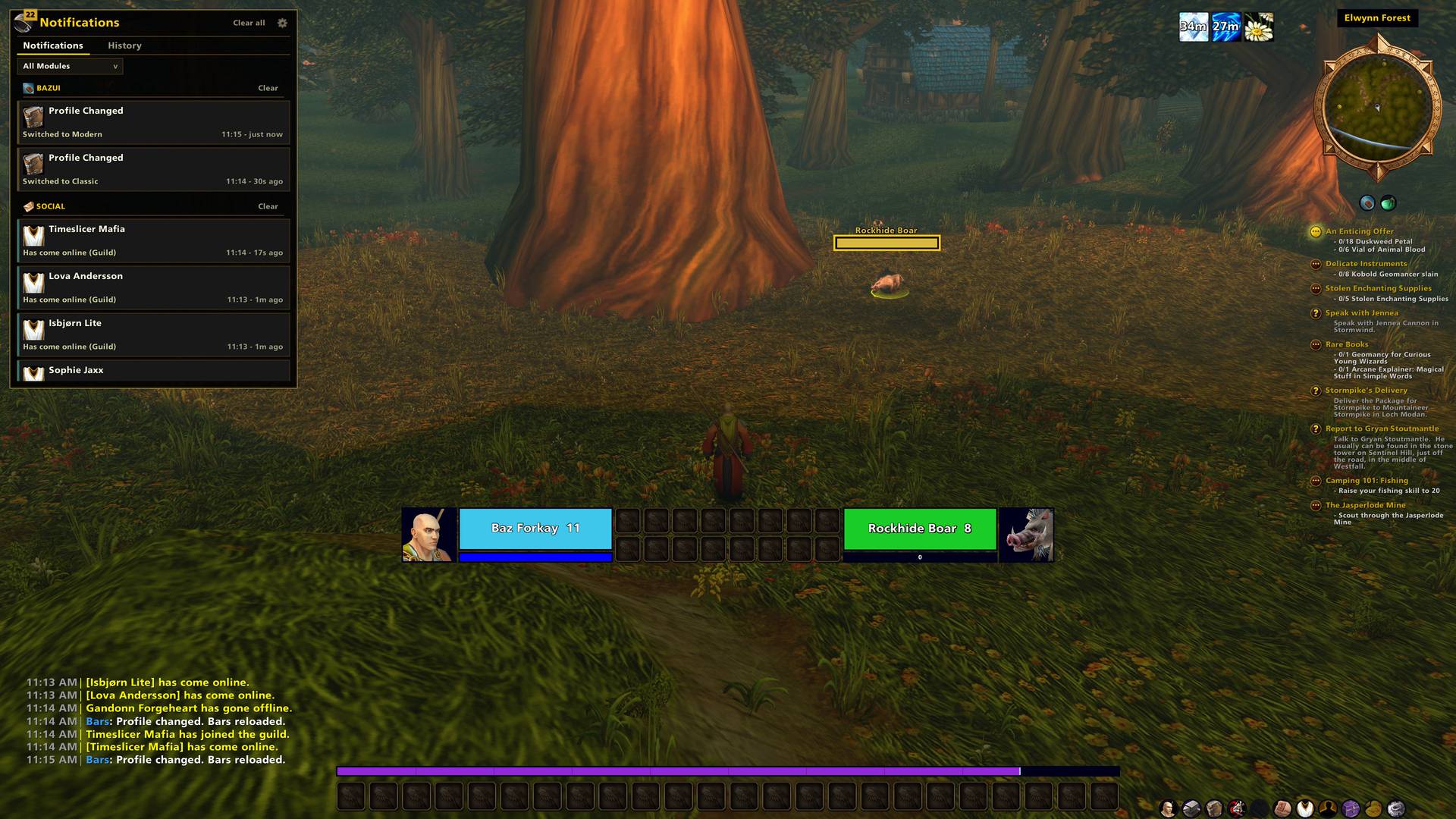
- Start with the included Classic and Modern layouts.
- Preview party frames and aura rows while setting up your screen.
- Copy a unit-frame stack to another unit.
- Save your arrangement, appearance, and module settings in one profile.
- Assign profiles by character, class, or specialization.
- Export and import profiles to share your setup.
Drawers that organize your screen
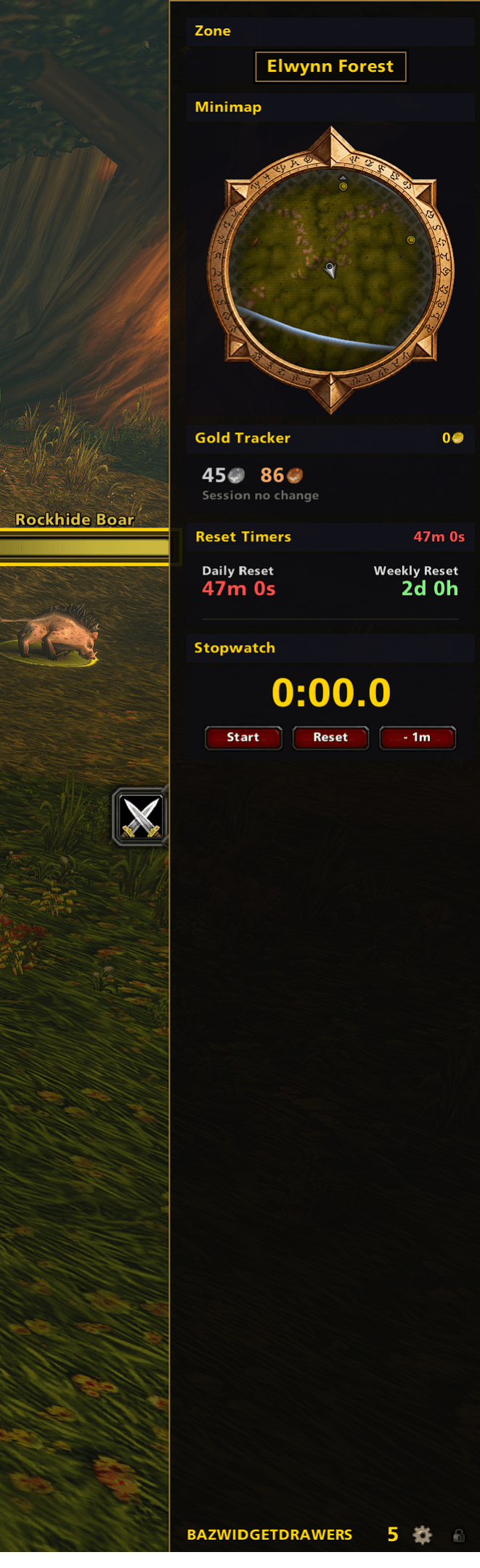
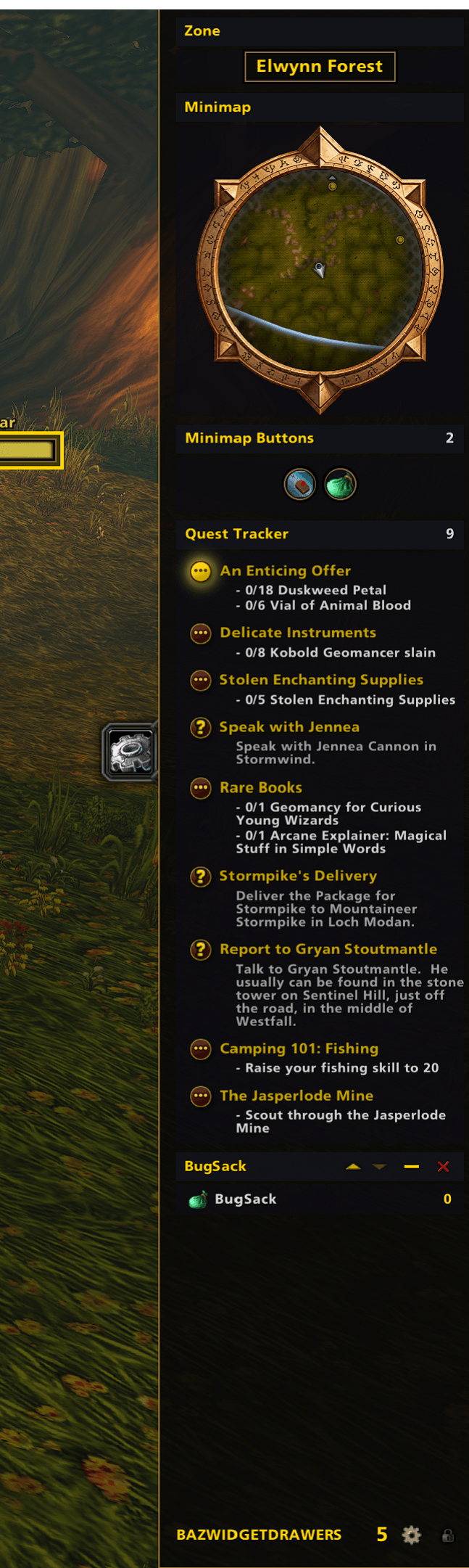
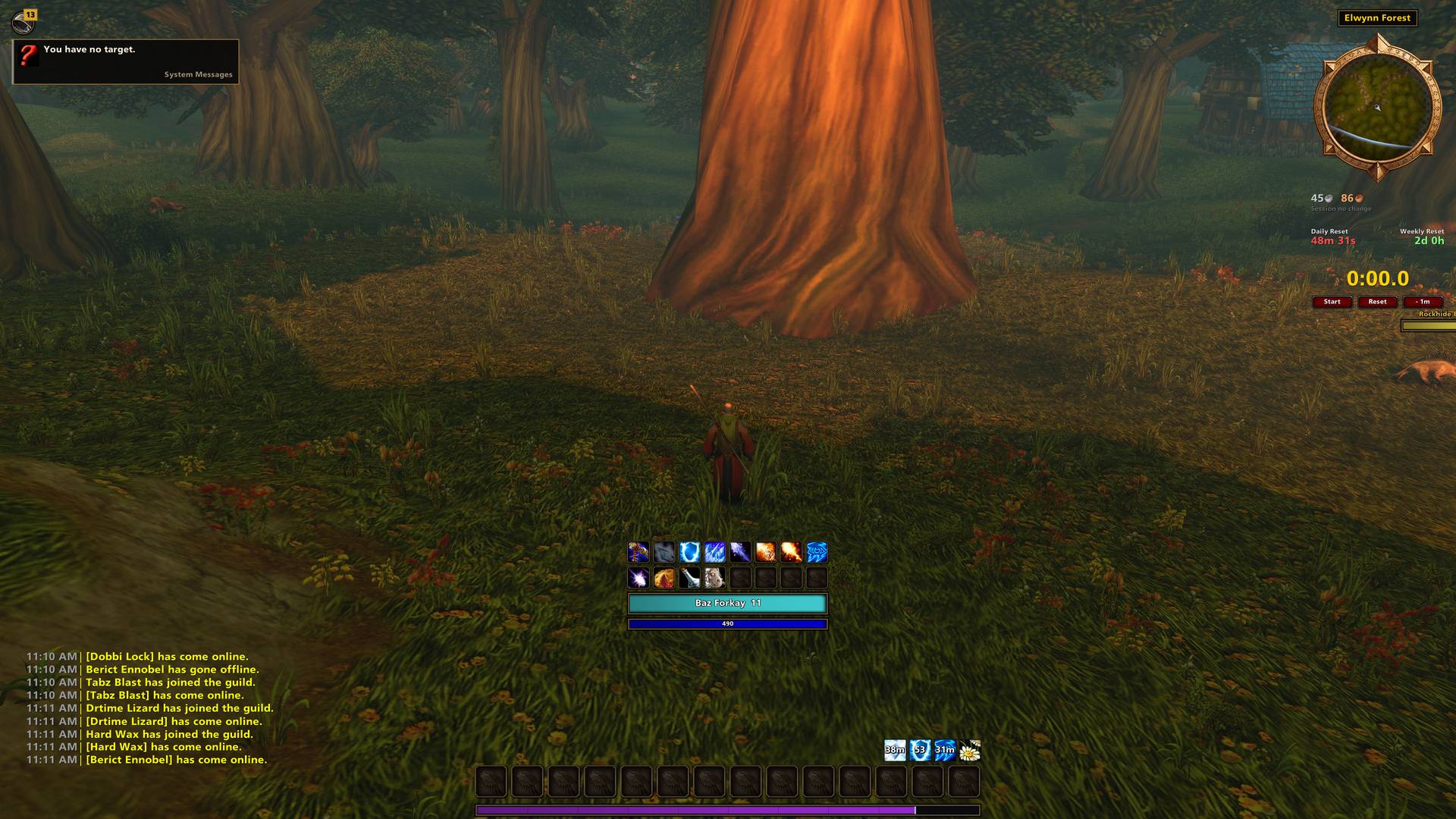
Keep your minimap, quest tracker, addon buttons, and everyday tools in a sliding drawer along either side of the screen.
Create multiple drawers with different widget selections, then switch between them using their tabs. Reorder widgets, collapse them, pin them to the bottom, or detach them into floating windows.
Fade the drawer’s frame while keeping its contents readable, slide the drawer away, or lock it open for a clean, compact column.
Included widgets cover:
- Navigation: minimap, coordinates, zone information, clock, and collected minimap buttons.
- Adventuring: quest tracker, dungeon queue status, hearthstone cooldown, combat duration, and daily and weekly reset timers.
- Your character: durability, item level, stats, trinket cooldowns, reputation, and free bag space.
- Your session: gold gained or spent, movement speed, frame rate, and latency.
- Everyday tools: a notepad, to-do list, stopwatch, calculator, and tooltip dock.
Widgets such as the dungeon queue and hearthstone cooldown appear when relevant and free up their space when finished.
Compatible data feeds from other addons can also appear as drawer widgets through LibDataBroker.
Bags organized your way
Bring your inventory into one searchable window, grouped by category or by individual bag.
Use the included categories or create your own with rules for item name, type, equipment slot, quality, and item level. Pin specific items to a category whenever you want the final say.
- Collapse or hide categories to keep the panel focused.
- Use drag-and-drop categorization to organize several items quickly.
- Show item quality glows, equipment item levels, and bind-on-equip labels.
- Display free bag space and choose whether empty slots remain visible.
- Change equipped bags from the bag window.
- Sell gray items with a button at the vendor.
- When your bags are full, highlight the lowest-value sellable gray stack to help you decide what to discard.
A notification center you control
Bring loot, quest progress, experience, reputation, mail, auction activity, social events, group updates, and other alerts into one notification center.
Choose which events produce BazUI popups or chat messages, and control supported default alerts from the same settings.
- Review notifications through a bell with an unread count.
- Browse saved history and filter by source, date, or search text.
- Adjust popup size, duration, and sounds.
- Set your own low-durability and low-bag-space thresholds.
- Enable Do Not Disturb manually or automatically during combat and boss encounters. Notifications routed to the center remain available in history.
- Bring supported Zygor notifications into the same center when Zygor is installed.
Unit frames and auras built around your needs
Arrange health, power, casting, experience, and reputation as separate bars. Build layouts for yourself, your target, your pet, and your party, including party pets.
Add optional 2D or 3D portraits, choose class colors, and mark rares and elites with configurable glows, icons, or text. Display indicators for resting, combat, group leadership, raid markers, and away status.
Show a name and percentage at a glance, then reveal detailed values on hover. Fade out-of-range party members and preview your party layout before joining a group.
Buffs and debuffs have their own configurable rows:
- Track yourself, your target, your pet, or party members.
- Filter another unit’s auras to show only your own.
- Display timers, stack counts, and debuff-type colors.
- Include temporary weapon enchants.
- Set icon size, spacing, sorting, growth direction, and row limits.
- Float rows independently or dock them to your layout.
Chat worth keeping
Create chat tabs with their own channel selections, arrange them in the order you prefer, and move additional tabs into separate windows.
- Keep chat history across reloads and logins.
- Show timestamps in a dedicated left column, with original times preserved in saved history.
- Copy chat into plain text.
- Keep the combat log in a tab with its familiar filters.
- Shorten channel labels.
- Show tabs only when relevant, such as while grouped or in a guild.
- Customize text size, spacing, backgrounds, and fading.
The Codex: your progress in one place
Open the Codex for a convenient overview of your character’s activities and accomplishments.
Review quests nearing completion, saved instances, reset timers, and supported attunement, key, and long-term goal tracking. Browse available collection summaries and high-standing reputations.
The Items tab remembers items your character encounters and lets you search that growing list using your bag categories. Look up a specific item by its link or item ID, then keep desired items on a Wishlist that shows when they are in your bags.
Matching nameplates, tooltips, and menus
Customize nameplates separately for friendly and hostile players, friendly, neutral, and hostile NPCs, and enemies tagged by someone else. Keep full health bars where you need them, use names alone, or hide selected categories.
Place tooltips at your cursor, at a fixed screen position, or in a drawer. Adjust their scale and opacity, and optionally hide them during combat.
Move the micro menu wherever you want, arrange its buttons horizontally or vertically, choose which buttons appear, and fade it until hovered.
Make it look like your interface
Customize shared colors, border layers, bar textures, and fonts. Choose a minimal flat style, add gloss or gradients, or use additional bar textures supplied through LibSharedMedia.
Share custom skin settings through export and import. Font options include available game fonts, with automatic fallback for characters the bundled font cannot display.
Small conveniences, fewer extra addons
Optional quality-of-life features include:
- Automatic repairs and gray-item selling.
- Instant quest text.
- Screenshots when you level up.
- Automatic duel declining.
- Increased camera zoom distance.
- Movable game windows that remember their positions, including supported character, quest, vendor, mailbox, bank, map, and settings windows.
Getting started
Type /baz to open settings, choose a profile, and enable the modules you want. Open BazUI Edit Mode from the game menu to arrange your interface.
An included User Manual explains each module inside the settings window.
Useful shortcuts:
/bb— Action bar settings/bbg— Toggle bags/bc— Chat settings/bwd— Drawer settings/bnc— Open the notification center/codex— Toggle the Codex
Available game-specific features depend on your World of Warcraft client.
You must be logged in to leave a comment.