
AlniMenu
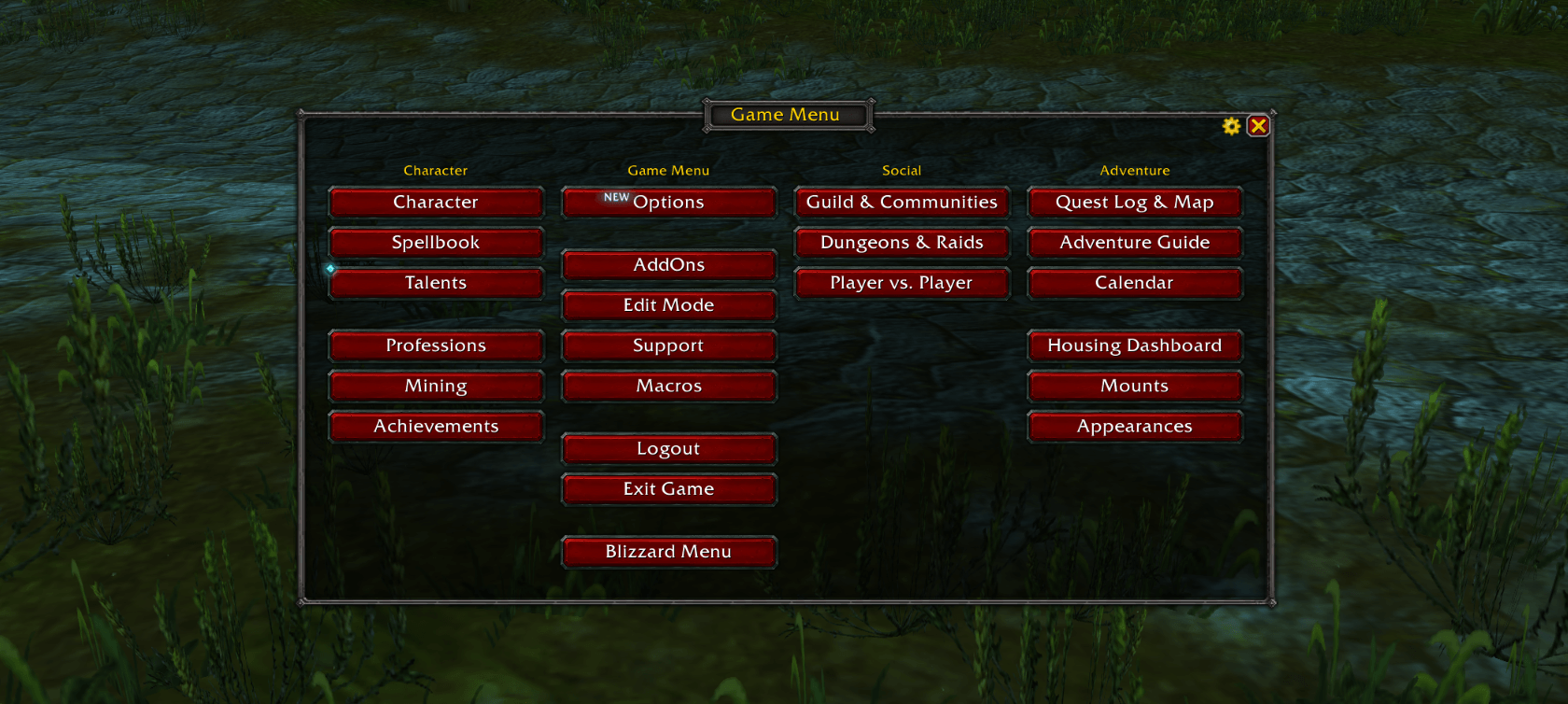
Fully customizable game menu
Details
Addon ID:
28008
Addon Version:
0.1.3
Expansion:
1.60
Upload date:
Oct 06, 2026
Last Updated:
Oct 06, 2026
Downloads:
Less than 100
Website:
Source Link
Expansion
 Forever
 Categories
Developers

Alniarez
Creator
Having issues?
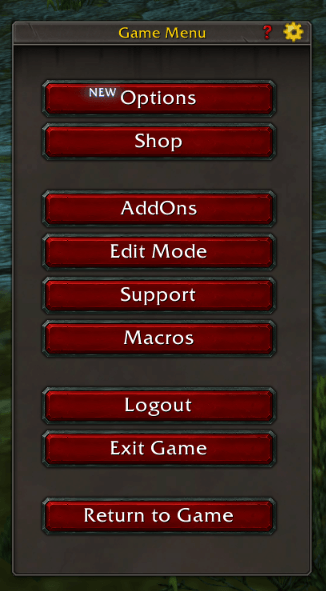
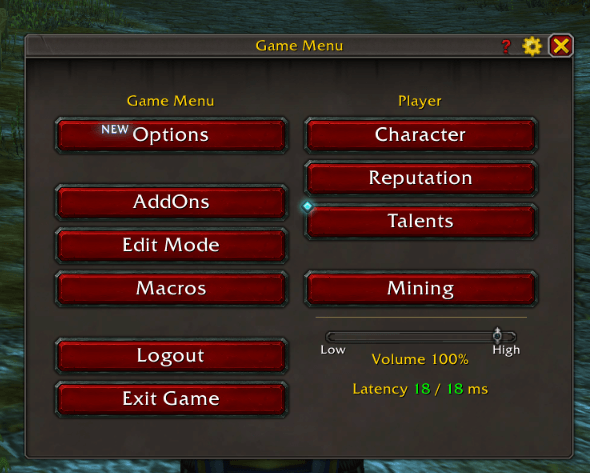
Replaces the Game Menu that Esc opens with a customizable one.
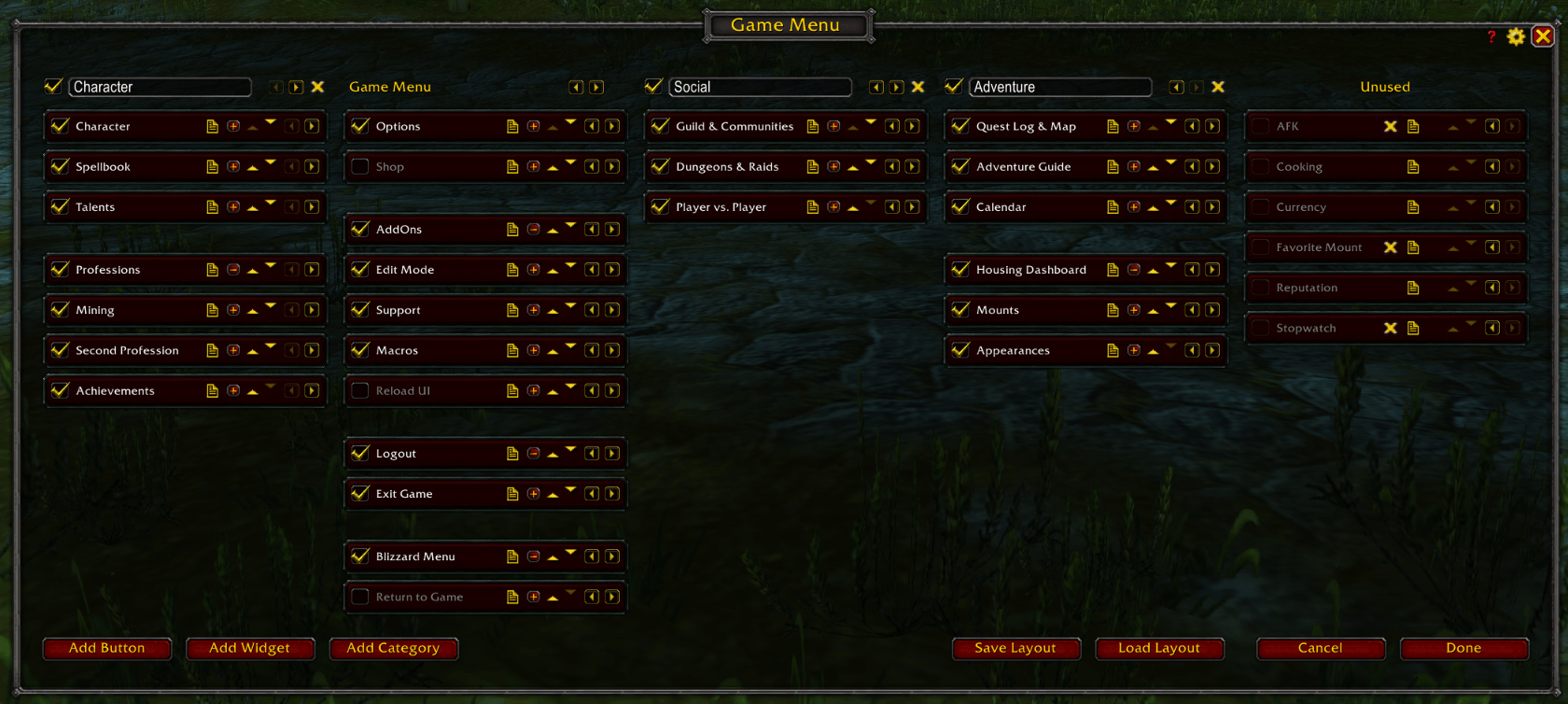
Use the gear to show, hide and move buttons, or add your own macro buttons.
It has themes and layouts and other stuff.
Addon is still on "beta".
Commands
/alnimenu- Open or close the menu/alnimenu edit- Edit mode
For developers
Adding a widget
Other addons can add widgets to the menu. Example: adding a clock widget:
MyClock.toc
## Interface: 120100
## Title: My Clock
## OptionalDeps: AlniMenu

MyClock.lua
MyClock.lua
if not (AlniMenu and AlniMenu.RegisterWidget) then
    return
end

AlniMenu.RegisterWidget("MyClock_Clock", {
    text = "Clock",
    create = function(row)
        -- update every second while the menu is open
        row:SetScript("OnShow", function()
            row:SetText(row.name)
            row.ticker = C_Timer.NewTicker(1, function() row:SetText(row.name) end)
        end)
        row:SetScript("OnHide", function()
            if row.ticker then
                row.ticker:Cancel()
            end
        end)
    end,
    update = function(row)
        row.label:SetText(row.name .. " " .. date("%H:%M:%S"))
    end,
})
It then shows up in Add Widget in edit mode.
text- the name in Add Widget and in the menucreate(row)- builds the widget in its row.row.labelis a centered text,row.libis AlnUIupdate(row)- showsrow.name(the name, or what the player renamed it to) inrow.labelheight- row height outside edit mode, if it isn't a button'smultiple- can be added more than once, like separators
Use a key only your addon uses. AlniMenu's own widgets are in AlniMenu/Plugins.lua.
You must be logged in to leave a comment.