
AbiMark
Hold ctrl, alt or shift for a radial ring of raid markers and pings that you can click in combat.
Details
Expansion
 Forever
 Categories
Developers

Having issues?
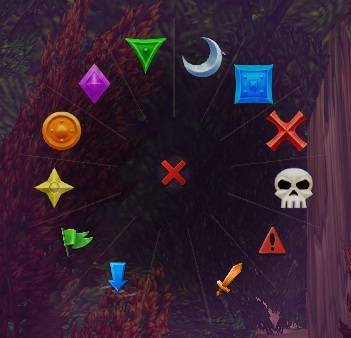
AbiMark puts all eight raid markers, a clear button and the four pings on one ring you can use in or out of combat. Built for WoW Classic Forever.
Pick a key, then tap it or hold it
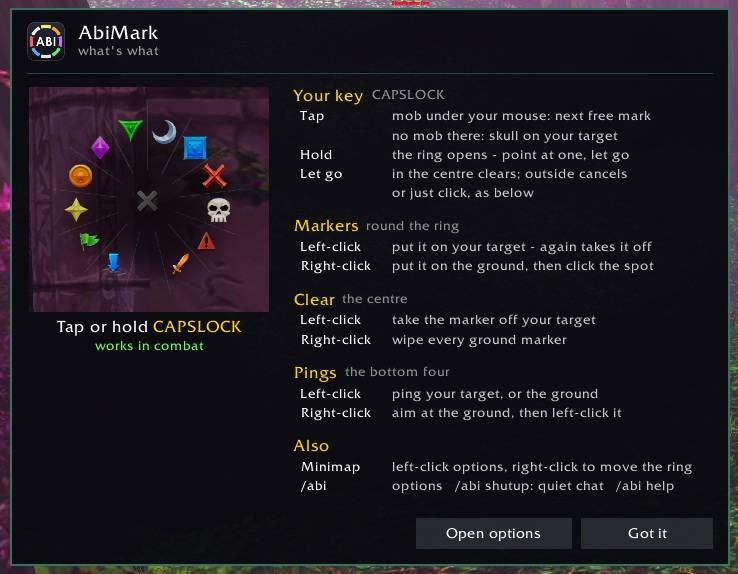
Choose a key in /abi - any key, a shift/ctrl/alt combination, or a side mouse button. Then:
- Tap it with your mouse over a mob and it gets the next free mark: skull, cross, square, moon and so on. Sweep across a pack tapping each one. With no mob under your mouse, a tap puts skull on your target.
- Hold it and the ring opens. Point at a marker or ping and let go - no click needed. Let go in the centre to clear your target's mark, or outside the ring to cancel. Clicking works too.
A mob that already has a mark keeps it. The order starts over at skull 15 seconds after your last tap and whenever a fight ends (you can change the time in /abi).
No key set? Hold ctrl-alt and click instead.
On the ring
- Markers: left-click to put one on your target, click it again to take it off. Right-click to place the same marker on the ground.
- Clear (the centre): left-click clears your target's marker, right-click wipes every ground marker.
- Pings (the bottom four): attack, warning, assist and on my way. Left-click pings your target, or the ground if you have none. Right-click aims a ping at the ground, then click the spot.
Also
- Minimap button: left-click for options, right-click to unlock the ring and drag it where you want it.
- /abi opens the options, /abi welcome shows the getting-started panel, /abi help lists every command.
Good to know: the key you choose stops doing its normal job while AbiMark is loaded - pick one you don't otherwise use. AbiMark also keeps a copy of its settings in a character macro named "AbiMark Cfg", because the Forever beta has sometimes forgotten addon settings when the game restarts. Please leave it in place.
You must be logged in to leave a comment.