
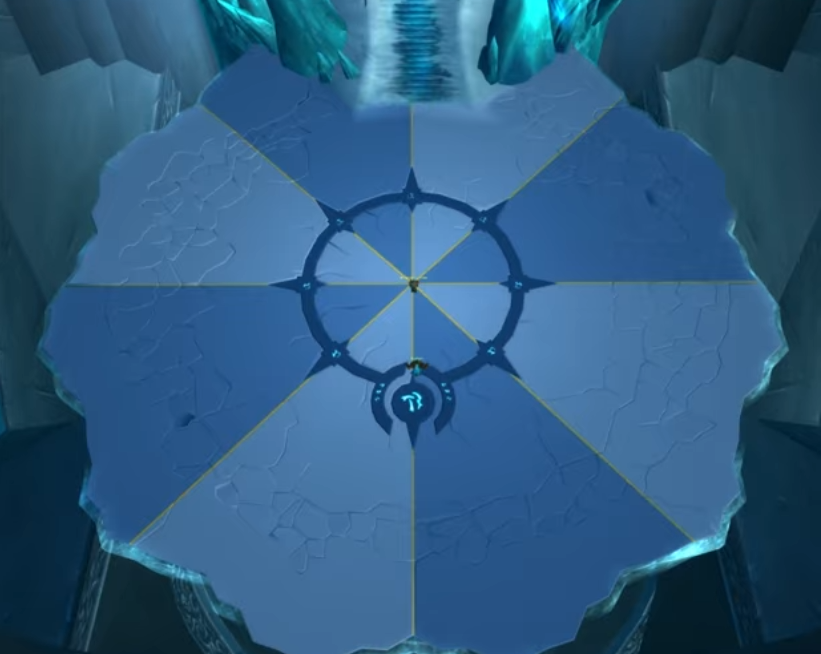
Rediscover Icecrown Citadel
Have you been running Icecrown Citadel on Warmane for years and feel like you’ve seen it all? With this new ICC visual patch, you can experience the legendary raid from a completely fresh perspective. Enhanced visuals, improved atmosphere, and refined details bring new life to one of the most iconic raids in World of Warcraft.
Whether you’re a long-time raider or returning for nostalgia, this ICC visual patch adds a modern touch while staying true to the original Icecrown Citadel experience.
Preview the Visual Changes
Below you can see example images showcasing how Icecrown Citadel looks after applying the patch. The changes focus purely on visuals and immersion, making every boss fight and hallway feel more atmospheric.

How to Install the ICC Visual Patch
- Download the patch from the link below:
Click to download - Extract the file patch-v.MPQ into your game’s Data folder.
Location:<WoW Installation Folder>/Data - Start the game and enjoy the updated Icecrown Citadel visuals.
Important Note
If you already have another patch using the letter V, simply rename the downloaded file to a different unused letter (for example, patch-B.MPQ) before placing it in the Data folder.
Why Use This ICC Visual Patch?
This ICC visual patch is perfect for players who want to refresh their Warmane experience without altering gameplay or balance. It works seamlessly alongside existing content and allows you to re-explore Icecrown Citadel with renewed excitement.