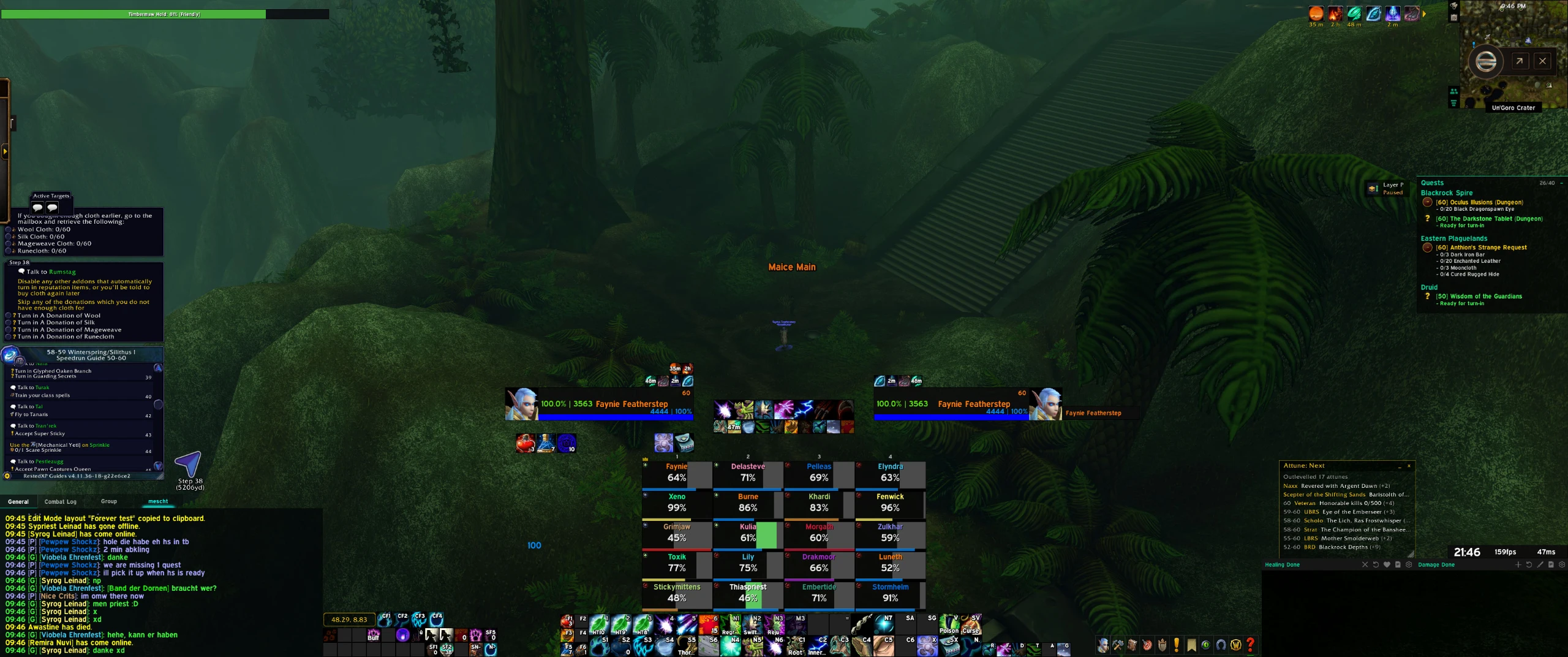
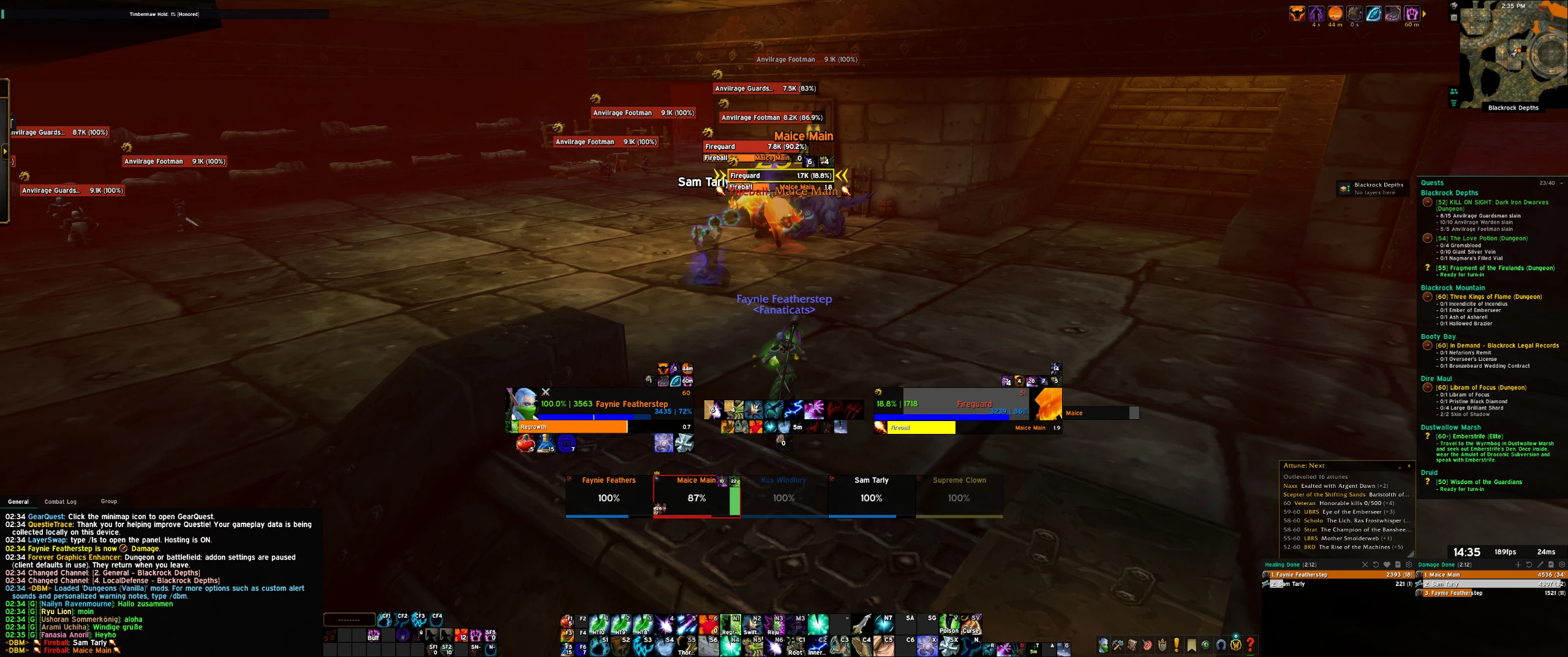


Forever Dark Mode Healer UI 3440×1440 Ultra Wide – Dwanex
Profile Details
Profile ID:
29317
Uploaded:
Nov 16, 2026
Updated:
Nov 24, 2026
Installs:
152
Website:
Source Link
Theme & Expansion
Roles
Content
Resolution
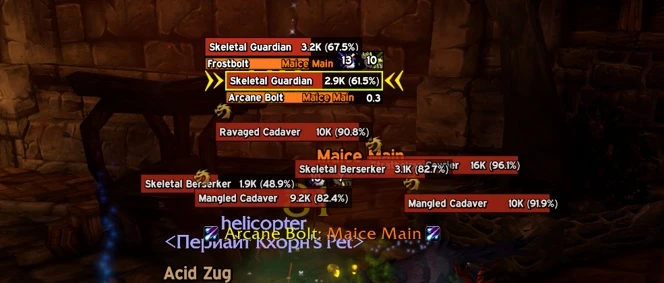
This is my Retail UI ported over to WoW:Forever.I made some adjustments like:Visible mob level
See MP5 ticks
Minor tweaks to buffs/debuffs
Adjusted the XP Bar (not visible after level 60)
and moreOther addons I'm using beside EllesmereUI that are important for the UI:Baganator
Syndicator
Platynator (link further down)
DungeonJournal
ForeverLootSparkles
What's Training?You can find all of them on curseforge or any of your other prefered addon side/tool!Right now I'm maining a resto druid, so the CDM might be all over the place for other specs and you will need to adjust them for yourself (leveling all classes is slow in Forever - sorry)Edit:- Reworked the Druid CDM a tiny bit and started working on Shaman!- Added Elite and Rare markers to Platy- Fixed the chatwindow. No more (or way less)Errors should appear! This is a bug caused from EllesmereUI itself.Nov 23rd:- Reworked Shaman and Priest CDM a little bit (still WiP)
- Adjusted the questlog to fit better into the UI
- Added PvP indicators on Unitframes
Code
How to install
1 Copy the entire code string shown above.
2 Open World of Warcraft and open the EllesmereUI settings in the chat to open the EllesmereUI settings.
3 In the EllesmereUI window, go to Profiles → Import Profile.
4 Paste the code string into the box.
5 Click Import to apply the profile.