
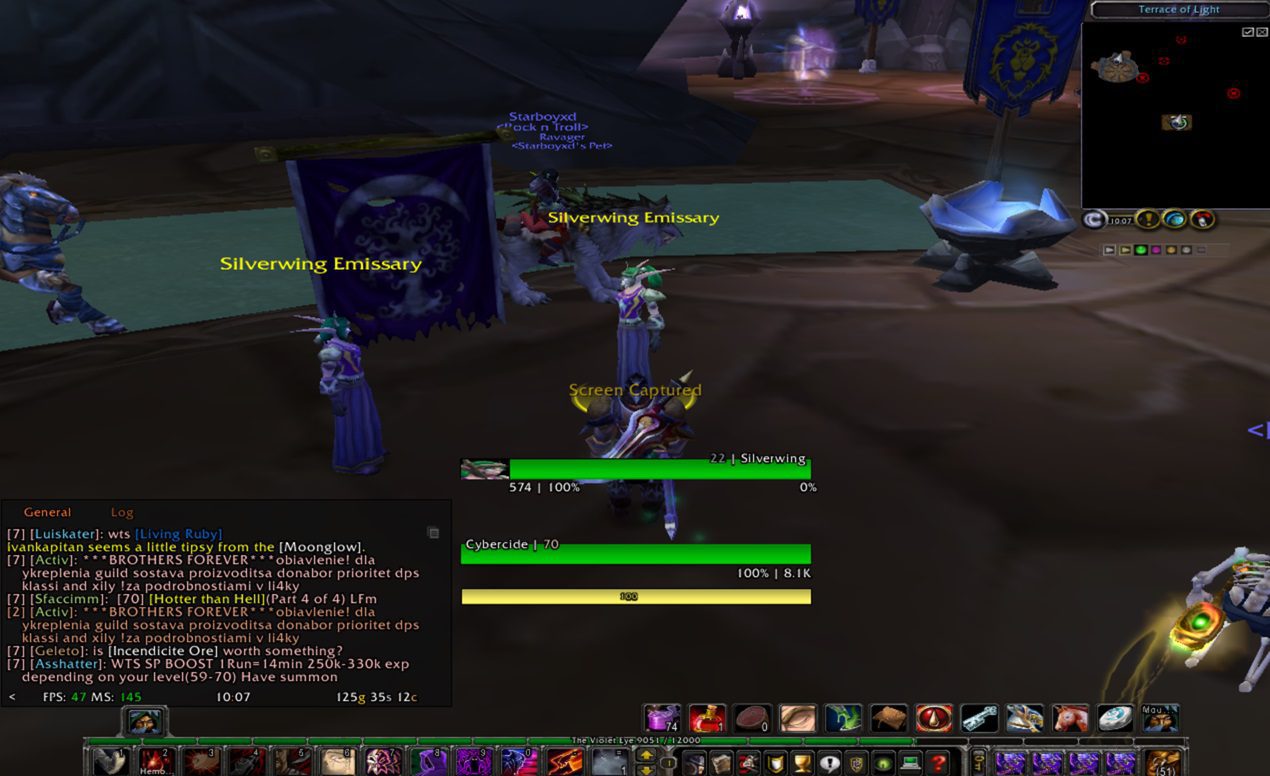

Warmane (Onyxia Server) Rogue Clean
Profile Details
 ElvUI for WOTLK
 Type & Expansion
Classes
-
 Rogue
Rogue
 Rogue
Rogue Categories
-
Damage Dealing
 Damage Dealing
 Author
I used a profile from here, then turned it on it’s head to fit my needs while still being a super simple and clean layout.
DISCLAIMER: My screen is 10.5 inches at the moment, so you WILL need to change the frame positions most likely.
To do this: Open ELVui option menu, and at top right is the option to move the frames. Do this so you can pull the party, chat, and loot frames to the edges of your screen.
ALSO NOTE: I kept the options for Skill Bar and Mini Map turned off, because the default for these is the best positioning/display I’ve seen compared to ELVui’s options.
Code
How to install
1 Copy the entire code string shown above.
2 Open World of Warcraft and type /elvui in the chat to open the ElvUI settings.
3 In the ElvUI window, go to Profiles → Import Profile.
4 Paste the code string into the box.
5 Click Import to apply the profile.