

Resto Shaman
Profile Details
Profile ID:
29571
Uploaded:
Nov 16, 2026
Updated:
Nov 16, 2026
Installs:
465
Website:
Source Link
Theme & Expansion
Roles
Content
Resolution
Resto Shaman UI
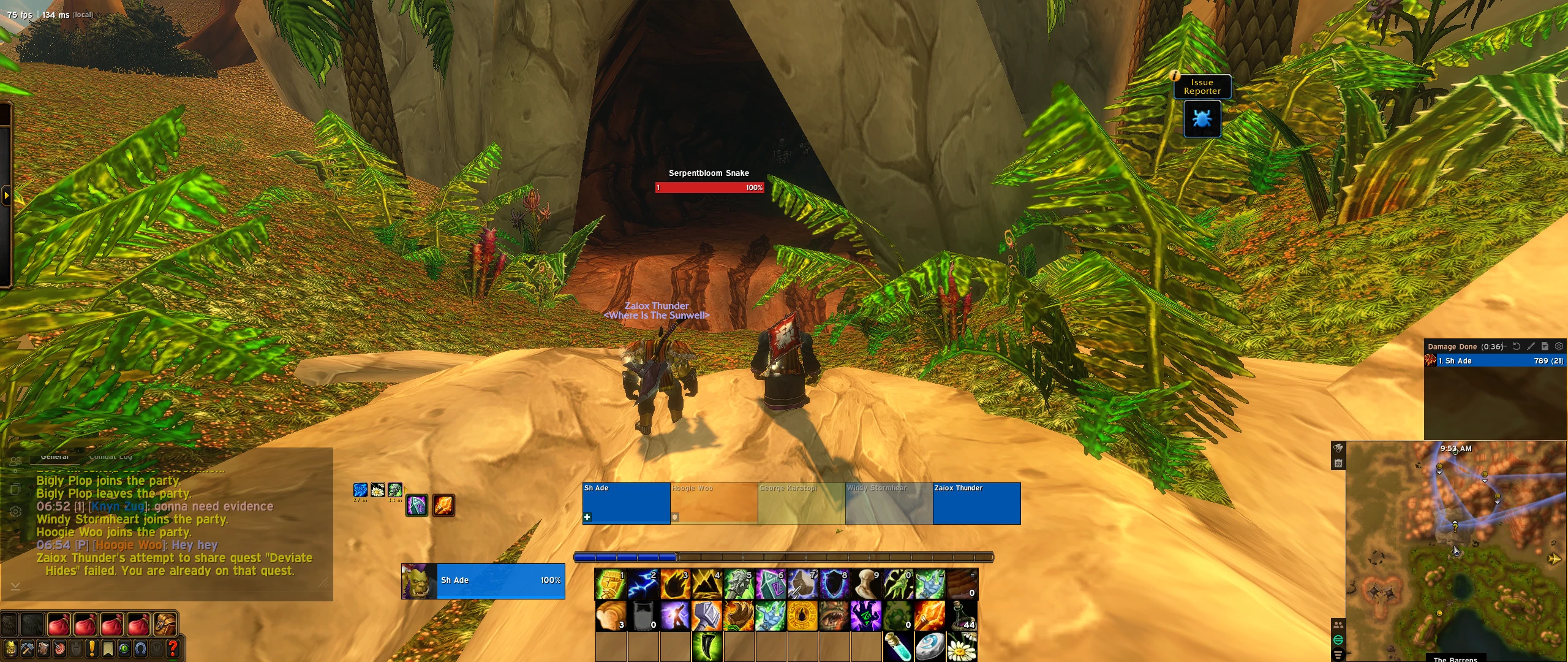
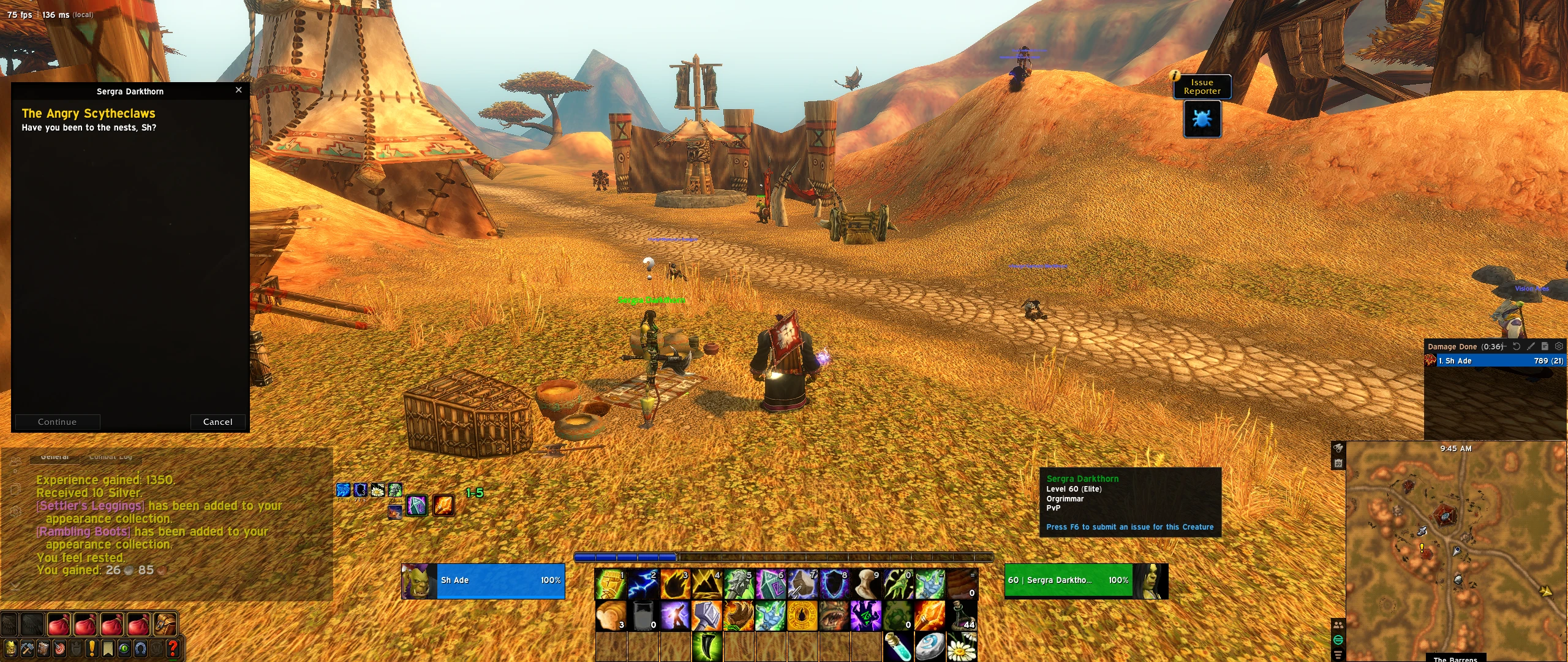
OverviewThis user interface is specifically optimized for World of Warcraft Classic (Forever) on 21:9 ultrawide monitors. The core design principle is centralized, crystal-clear healing: the party frames are positioned directly in the center of the screen so that important cooldowns and party member statuses can be monitored at a glance without taking your eyes off the battlefield.Key FeaturesUltrawide Optimization (21:9): Important informational panels and elements are laid out to take full advantage of wide screens while keeping critical items within easy reach.Party-Centric Layout: Party frames are positioned in the foreground (center/center-bottom) for fast mouse-over and keybind targeting.
Resto Shaman Specifics: Efficient cooldown tracking for essential healing spells.Clean and Minimalist: Zero unnecessary visual clutter; only the information vital for effective healing is displayed.Fine-Tuning
Adjust scaling and positions as needed to fit your specific resolution.
Code
How to install
1 Copy the entire code string shown above.
2 Open World of Warcraft and open the EllesmereUI settings in the chat to open the EllesmereUI settings.
3 In the EllesmereUI window, go to Profiles → Import Profile.
4 Paste the code string into the box.
5 Click Import to apply the profile.