

Beautiful Midnight UI by Offiners v2.0 | DD & Tank | 2K Resolution
Profile Details
Profile ID:
29533
Uploaded:
Nov 16, 2026
Updated:
Nov 16, 2026
Installs:
Less than 100
Website:
Source Link
Theme & Expansion
Roles
Content
Resolution
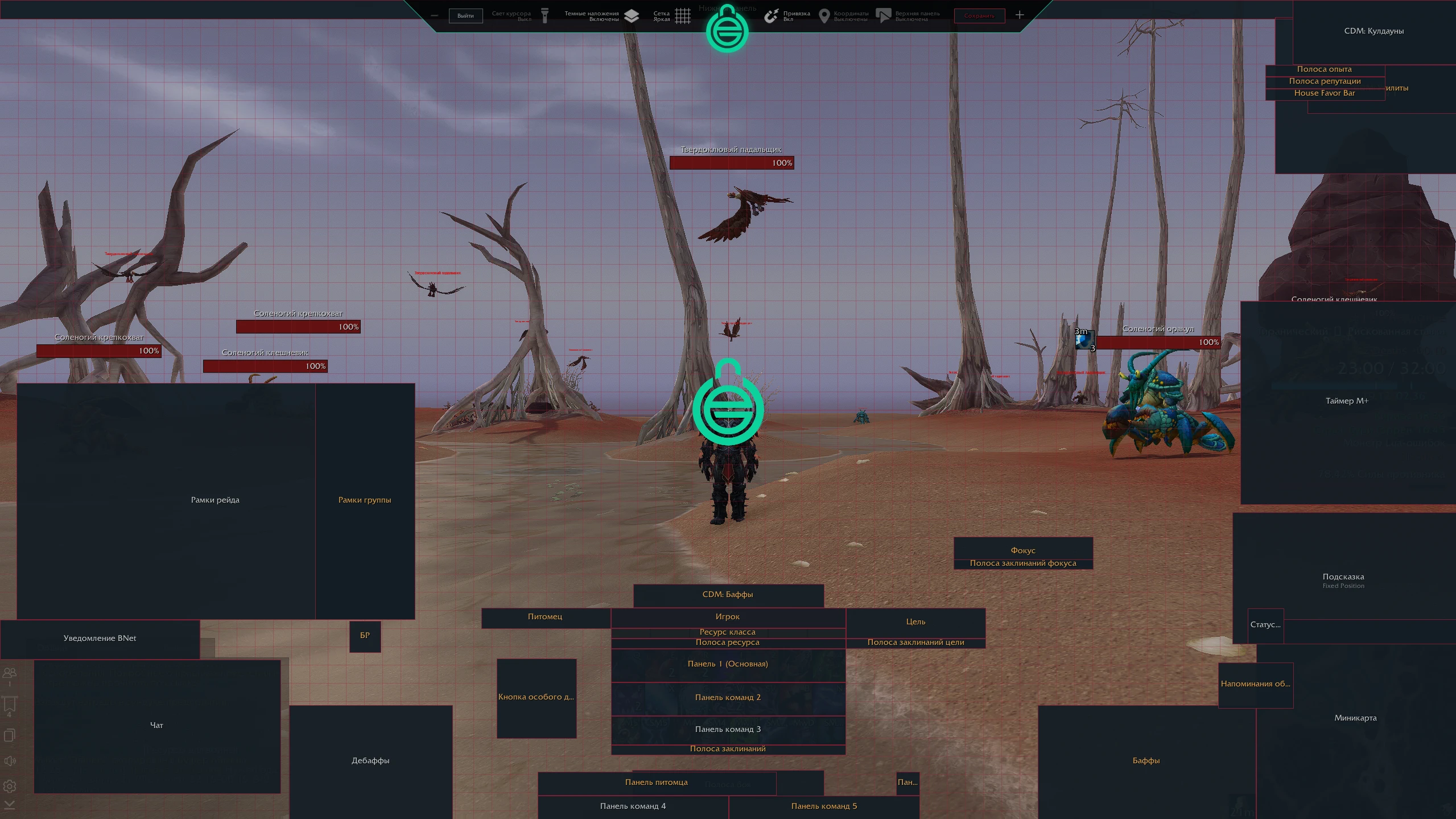
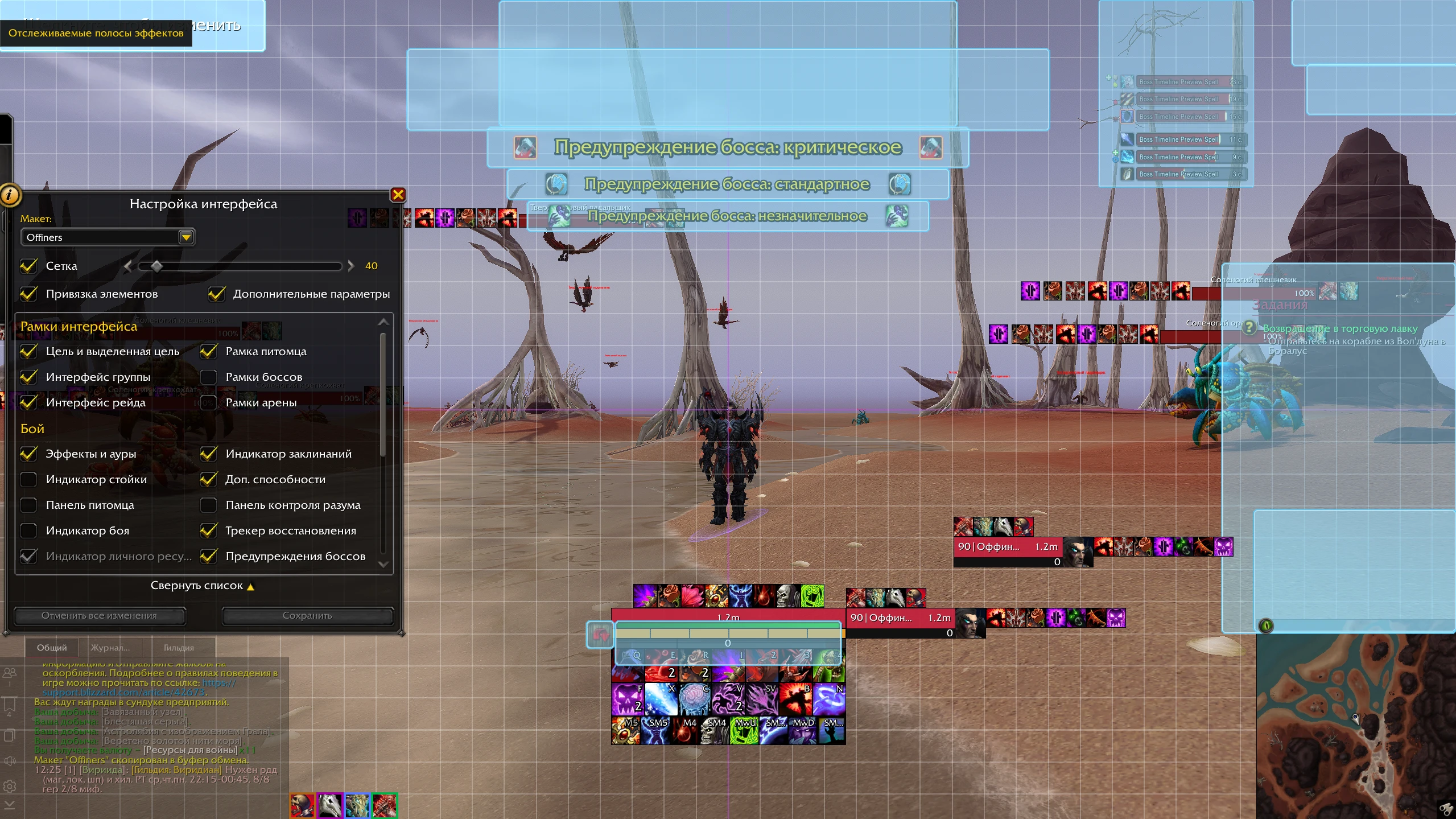
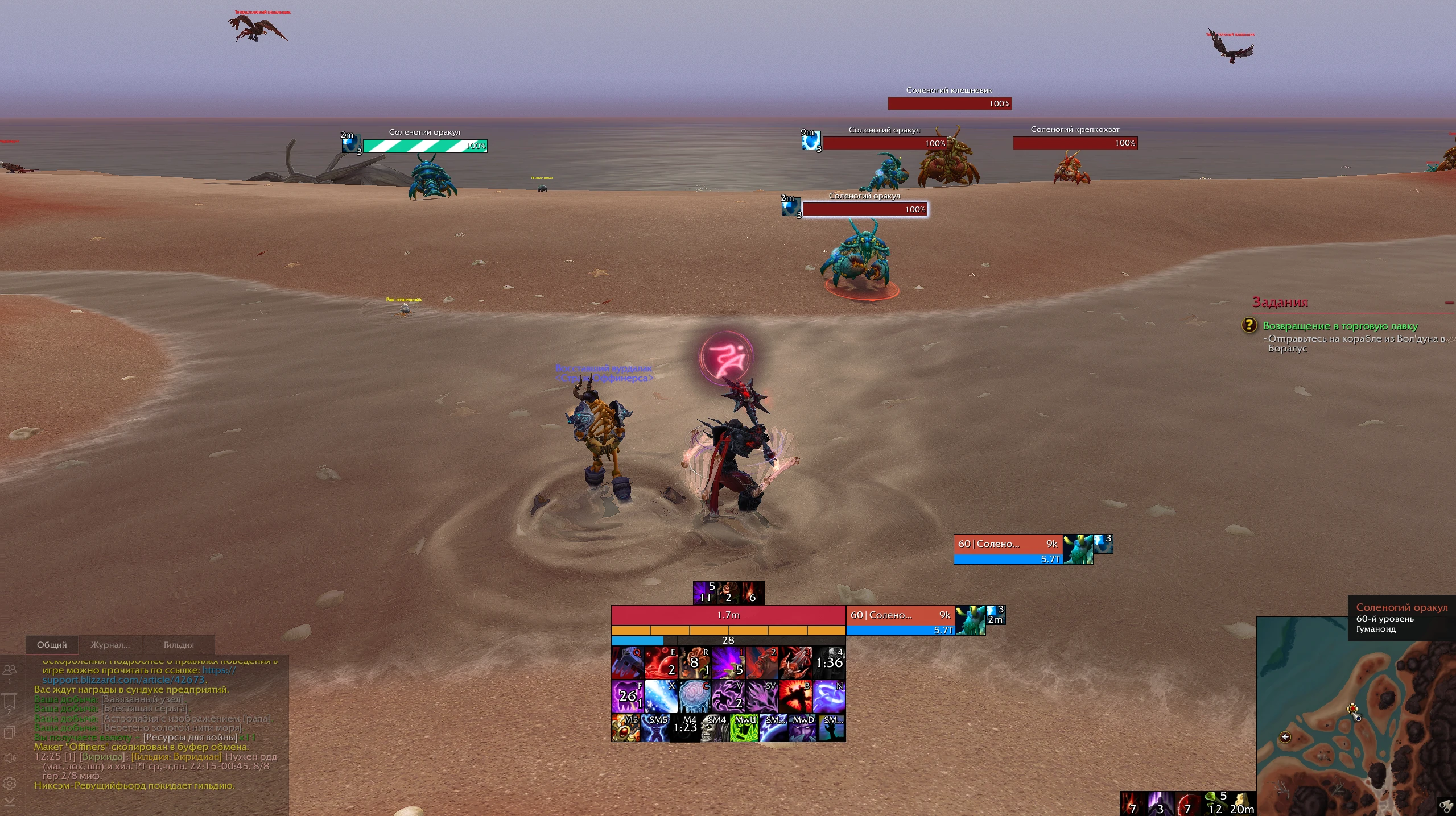
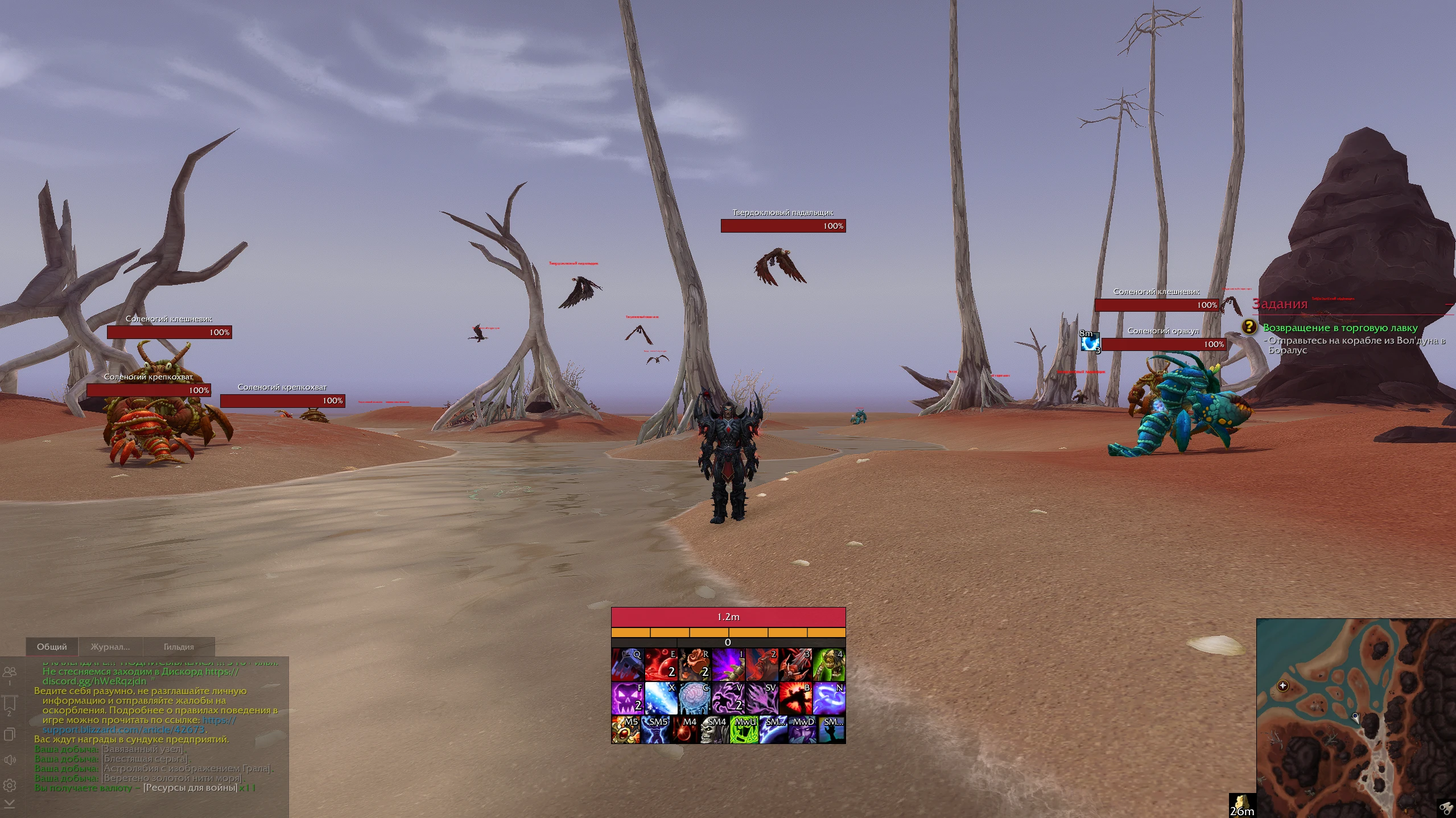
Hi! This is the second version of my UI setup, now redesigned with a heavy focus on minimalism. I wanted to create an even cleaner, completely clutter-free, and comfortable interface for playing WoW Midnight. While the profile is universal, it was originally built and optimized around Blood DK.
Key Features:
• Base: Fully tailored to the default game interface and the EllesmereUI addon. This setup is lightweight yet comprehensive enough for all content, allowing you to easily layer other addons on top.
• New in v2: A completely overhauled, minimalist layout that removes unnecessary visual noise, keeping your screen clear so you can focus entirely on the combat.
• Resolution: Optimized for 1440p (2K).
• Scaling: UI elements are configured to be medium/large for high visibility.
Note: If you install this setup on a 1080p monitor, you might need to slightly readjust the action bars manually to fit your screen perfectly.
Code
How to install
1 Copy the entire code string shown above.
2 Open World of Warcraft and open the EllesmereUI settings in the chat to open the EllesmereUI settings.
3 In the EllesmereUI window, go to Profiles → Import Profile.
4 Paste the code string into the box.
5 Click Import to apply the profile.