

MF UI
Profile Details
Profile ID:
29695
Uploaded:
Nov 16, 2026
Updated:
Nov 16, 2026
Installs:
2,654
Website:
Source Link
Theme & Expansion
Roles
Content
Resolution
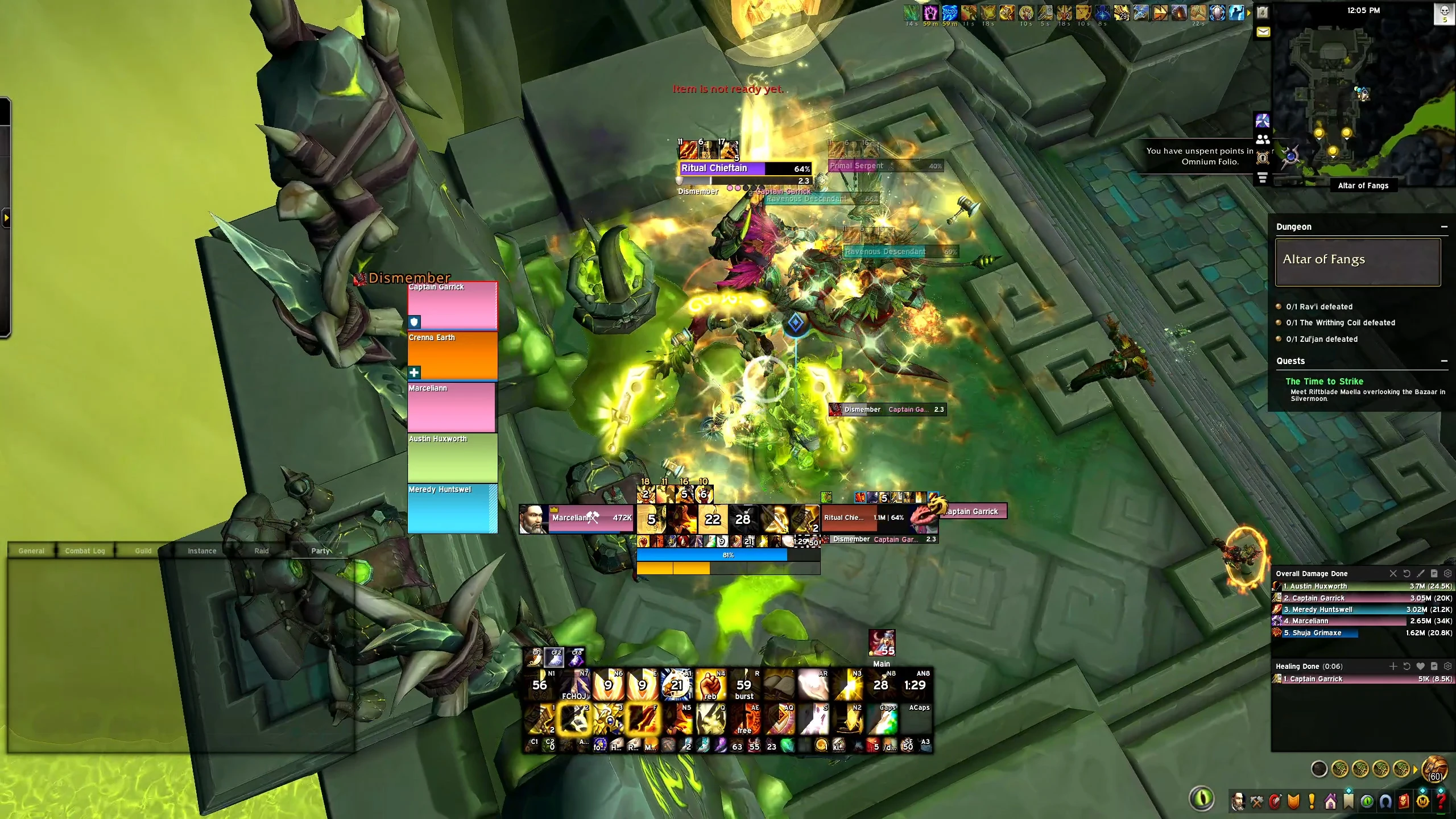
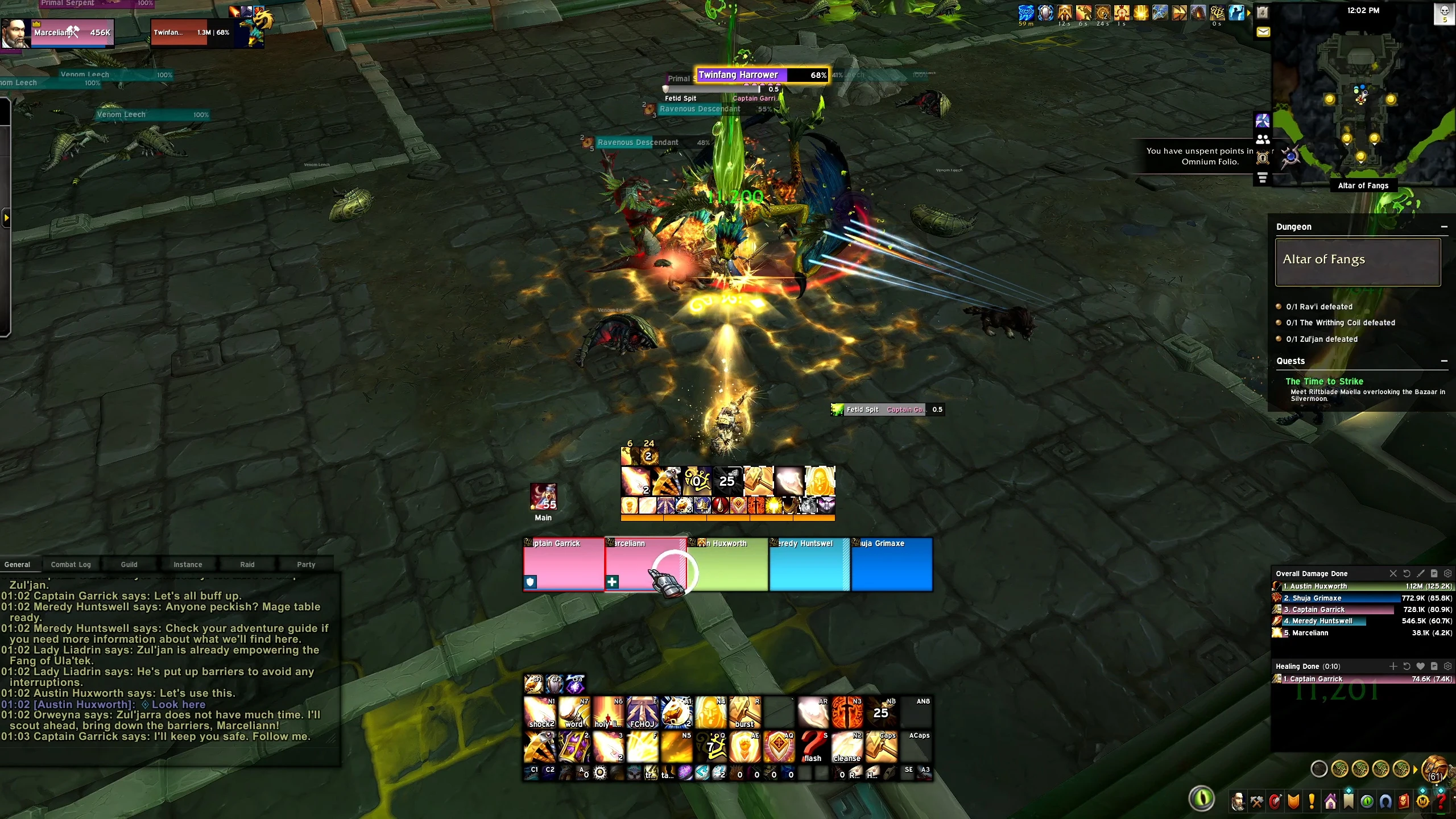
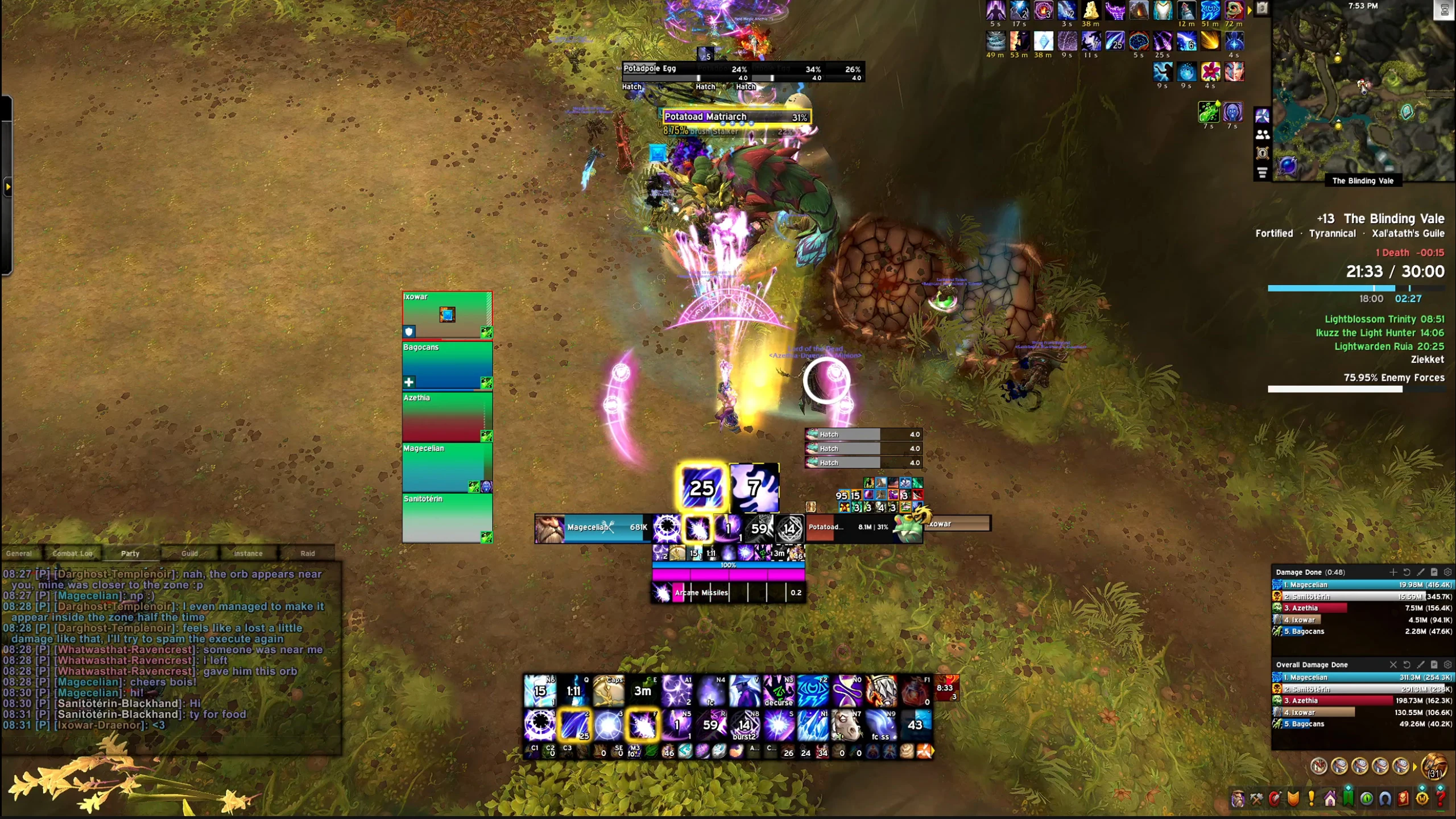
The MF UI is built on Ellesmere UI and it’s what you see a lot of the time in the footage from our videos.So far, it is configured for Mage, Warrior, Paladin, Priest and Druid, with the rest of the classes and specs being worked on and configured, coming down the line.Cooldowns, Buffs, Cast Bar and Class Resources are arranged so you can easily track and react to them while not cluttering your whole screen.Do note that Arcane Mage and Arms Warrior have slightly different cooldown layouts, since these are custom made to Marcelian’s personal liking.Cooldowns & Buffs
-----------------------------------------------------------------------------------------------------------
If you want to track something specific or remove certain cooldowns or buffs, be sure to type /eui and go to the Cooldown Manager.From there, you can manage everything that is being shown. If there is something missing, you can always hit “Open Blizzard CDM” and add it yourself. After doing this, it will become available in the EUI Cooldown Manager as well, where you can further customize it.UI Layout
-----------------------------------------------------------------------------------------------------------
All windows such as Chat, Action Bars, Damage Meters, Map, Quests, etc. are perfectly aligned and sized so you can see them clearly while having much more room to see the actual game and what is going on.Important: In order to have everything work 100% as intended, be sure to also import the Blizzard Edit Mode layout. It is included here in the profile.Action Bars
-----------------------------------------------------------------------------------------------------------
Action Bars 1 and 2 are always visible, together with Action Bars 4 and 5, which are smaller and placed right underneath Action Bar 1.Action Bar 3 is positioned right below all of these, but it only shows up once you hover your mouse over it.This keeps all the important abilities visible while hiding the stuff you don’t need to constantly look at.Healer Layouts
-----------------------------------------------------------------------------------------------------------
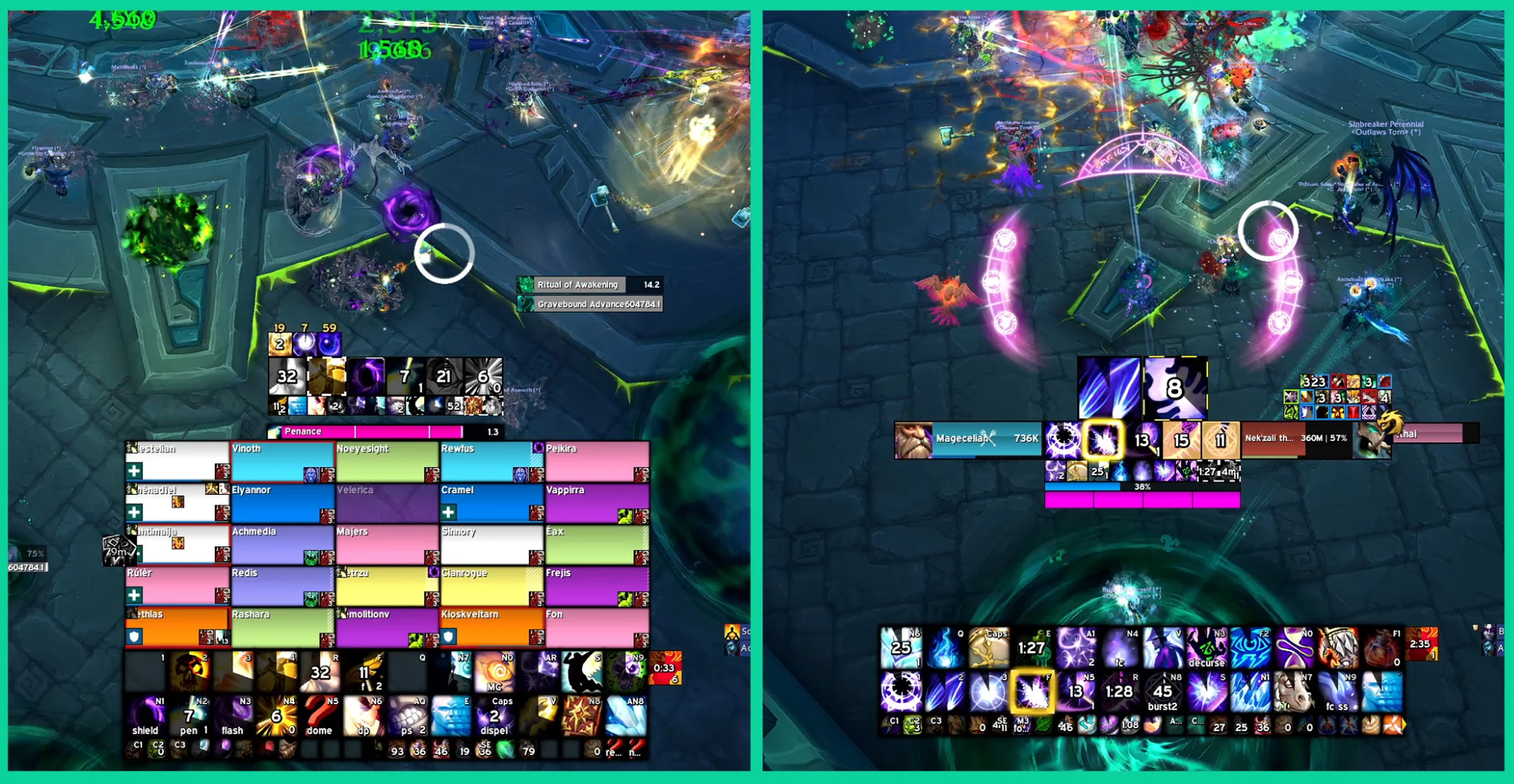
The MF UI also has specific layouts for Healers that do not conflict with the DPS or Tank layouts.For example, if you play Shadow Priest, your cooldowns and buffs will be positioned a bit lower than your character, while all Party and Raid Frames will always be positioned on the right side of your character.If you switch to Discipline or Holy, your cooldowns and buffs will become slightly smaller and are raised a bit. Your Party and Raid Frames will now be positioned right below them, making it much easier to track people’s health, debuffs and everything else you need as a healer.One Last Thing!Spec switching can sometimes be a little buggy, so whenever you switch to a different spec and something feels off visually, always remember to type /reload in your chat window!This will usually make sure everything moves back into the correct position and the proper layout for your current spec is loaded.
Code
How to install
1 Copy the entire code string shown above.
2 Open World of Warcraft and open the EllesmereUI settings in the chat to open the EllesmereUI settings.
3 In the EllesmereUI window, go to Profiles → Import Profile.
4 Paste the code string into the box.
5 Click Import to apply the profile.