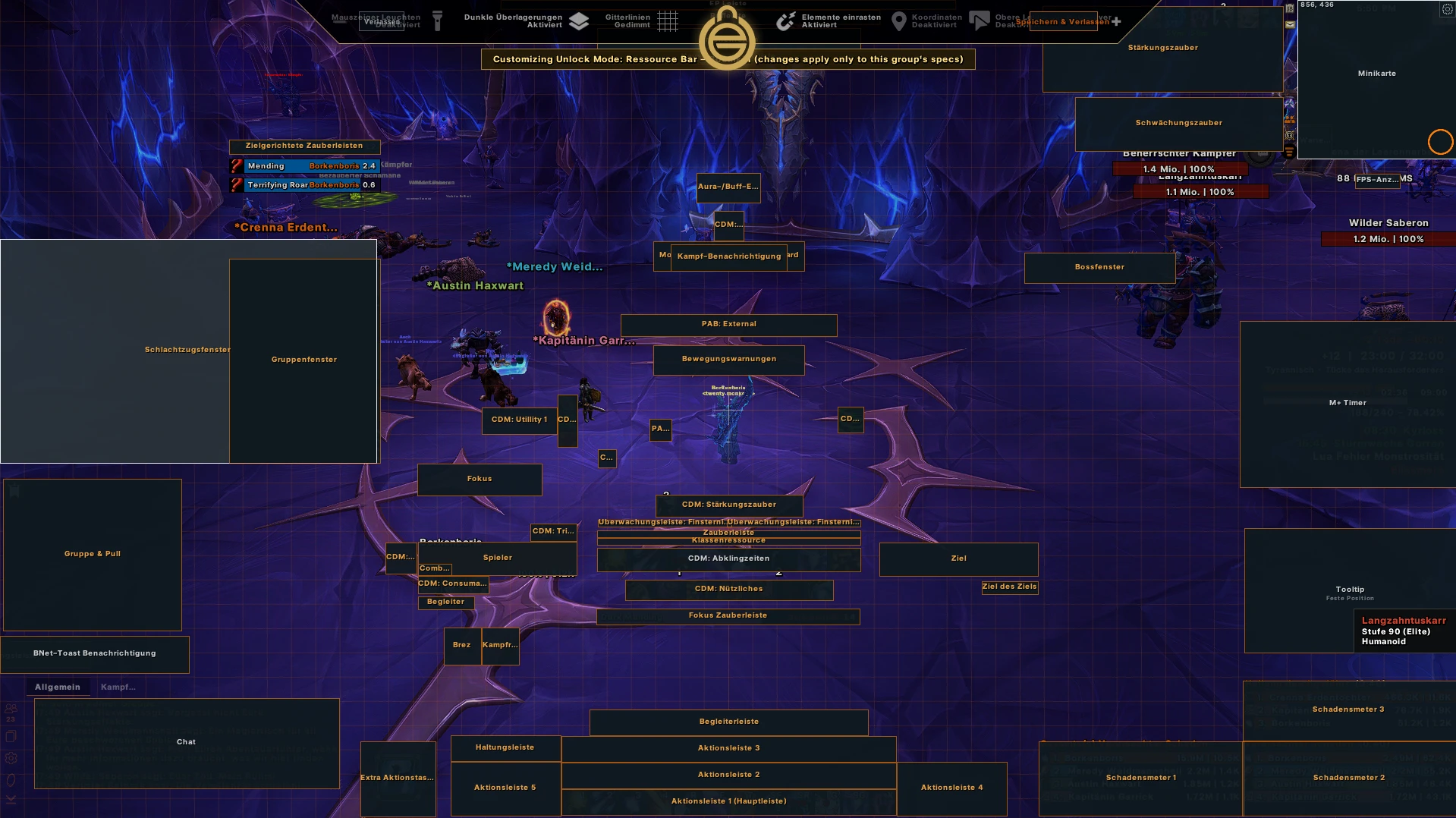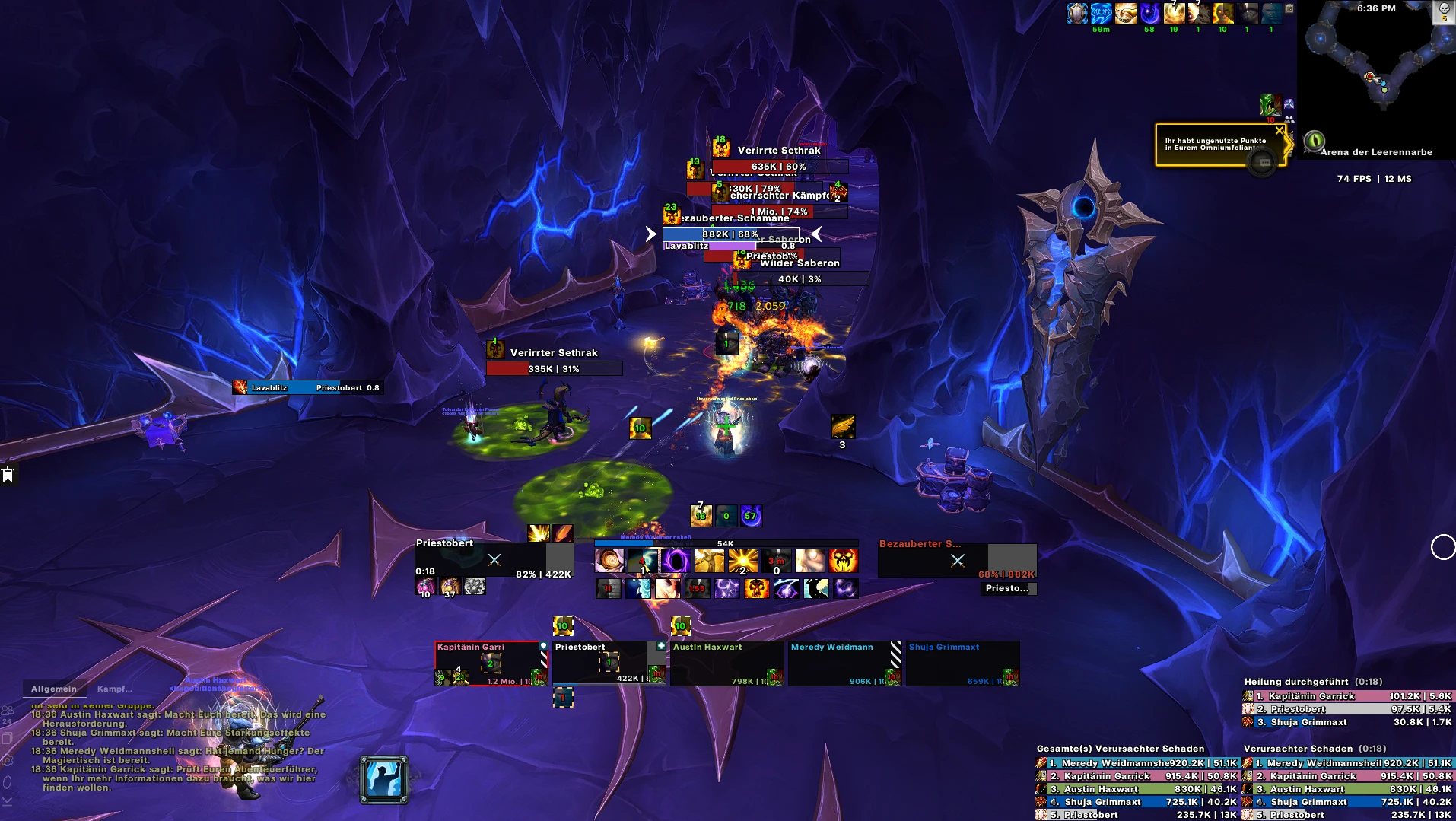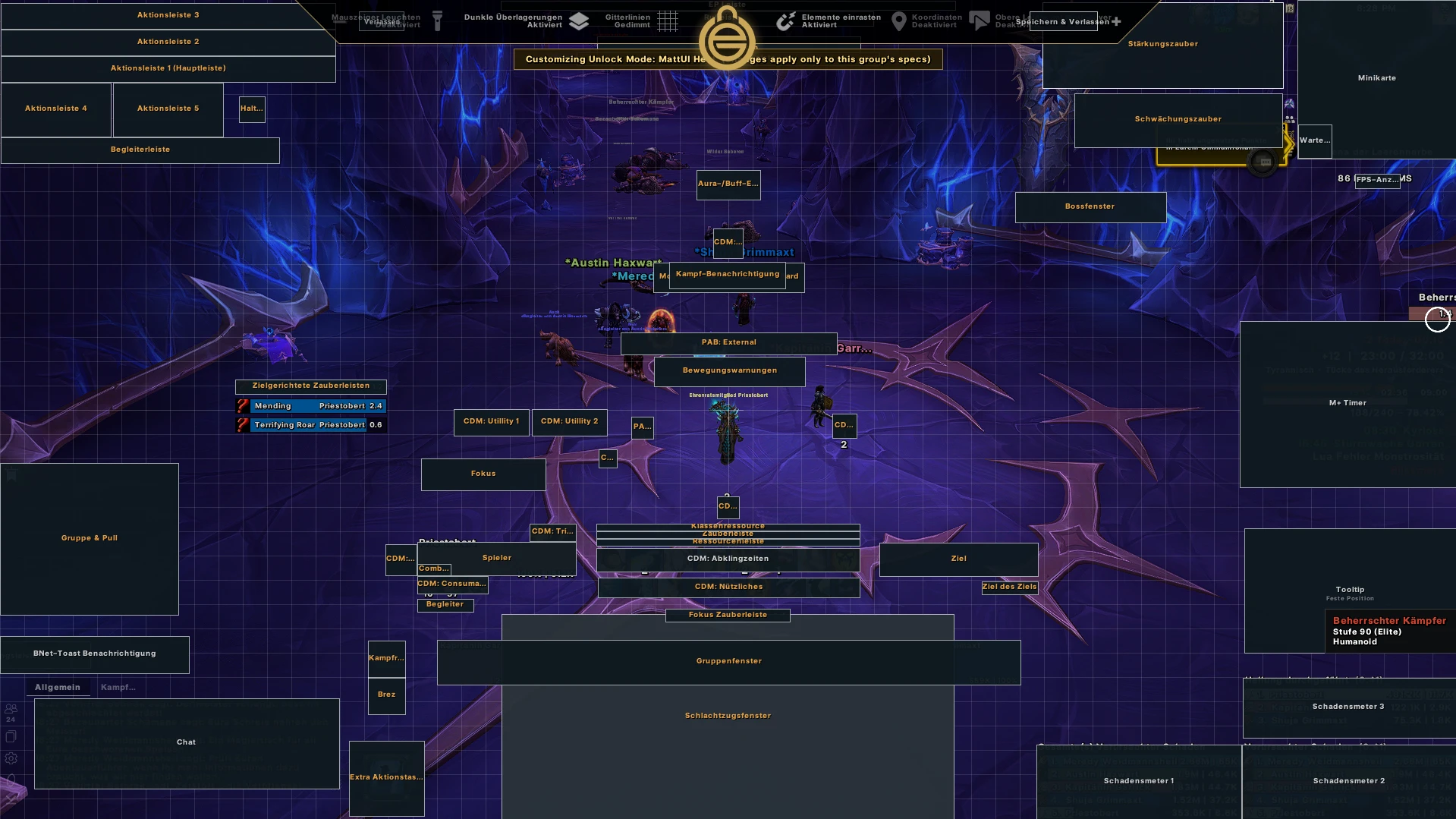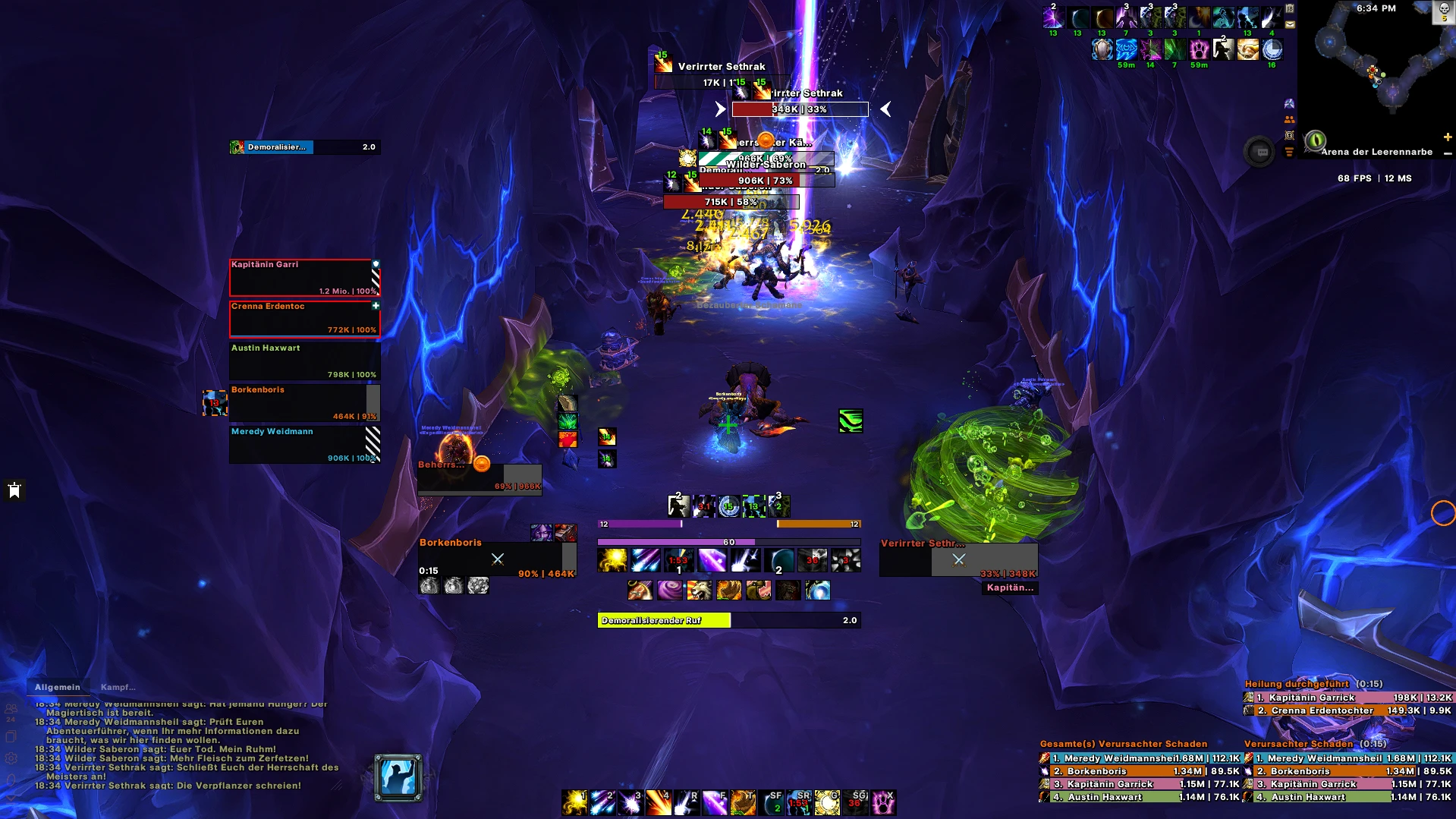


Matt_UI Dark I All Roles I (DPS/Tank/Heal) I Exboss 1080p
Profile Details
Profile ID:
29699
Uploaded:
Nov 16, 2026
Updated:
Nov 16, 2026
Installs:
556
Website:
Source Link
Theme & Expansion
Roles
Content
Resolution
# MattUI – Season 2 • Clean • ModernMattUI is a modern, streamlined World of Warcraft interface built for **Season 2**, designed with readability, performance, and consistency in mind.Every element has been carefully positioned to provide the information you need while keeping unnecessary clutter to an absolute minimum.Whether you're pushing Mythic+, raiding, or simply looking for a cleaner interface, MattUI delivers a polished experience while maintaining excellent gameplay visibility.---## PHILOSOPHYMattUI is built around a few core principles:• Maximum gameplay visibility with minimal screen clutter
• Clean, modern, and consistent design
• Carefully positioned information for better combat awareness
• Maintaining a consistent layout across every class, specialization, and role to make switching characters feel natural and intuitive
• Optimized for Mythic+, Raids, and everyday gameplay
• Continuously improved through active gameplay and community feedback---## FEATURES• Season 2 optimized layout
• Dark & Color profiles
• DPS, Tank & Healer support
• Unified layout across every class and specialization
• Improved Buff & Debuff tracking
• Carefully positioned cooldown tracking
• Optimized Nameplates
• Improved Party & Raid Frames
• Integrated Edit Mode layout
• High gameplay visibility with minimal distractions
• Regular updates throughout each season---## INCLUDED ADDON PROFILES• EllesmereUI
• BigWigs (includes LittleWigs)
• Method Raid Tools
• Blizzi Party Tools
• SharedMedia_MattUI---## RECOMMENDED ADDONSThe following addons are used alongside MattUI to provide the intended gameplay experience:• Mythic Dungeon Tools
• SimulationCraft
• OAKLFGSorter
• MoveAny
• WIM
• DungeonTeleports
• BugSack---## INSTALLATION & SUPPORTNeed help with installation, updates, or troubleshooting?You can find installation guides, update information, support, and additional resources through the official MattUI community channels.---## ABOUT MATTUIMattUI is a **free community project** developed and maintained by myself.Every update is created with one goal in mind: delivering a clean, modern, and highly functional interface that helps players focus on what truly matters — playing the game.MattUI is continuously refined throughout each season based on active gameplay, new content, addon updates, and community feedback.Thank you for using MattUI, and I hope it improves your World of Warcraft experience.
Code
How to install
1 Copy the entire code string shown above.
2 Open World of Warcraft and open the EllesmereUI settings in the chat to open the EllesmereUI settings.
3 In the EllesmereUI window, go to Profiles → Import Profile.
4 Paste the code string into the box.
5 Click Import to apply the profile.