

4K Malus Centered UI – Optimized for Combat – Forever (OCD Approved and updated Nov 13th)
Profile Details
Profile ID:
29528
Uploaded:
Nov 16, 2026
Updated:
Nov 16, 2026
Installs:
Less than 100
Website:
Source Link
Theme & Expansion
Roles
Content
Resolution
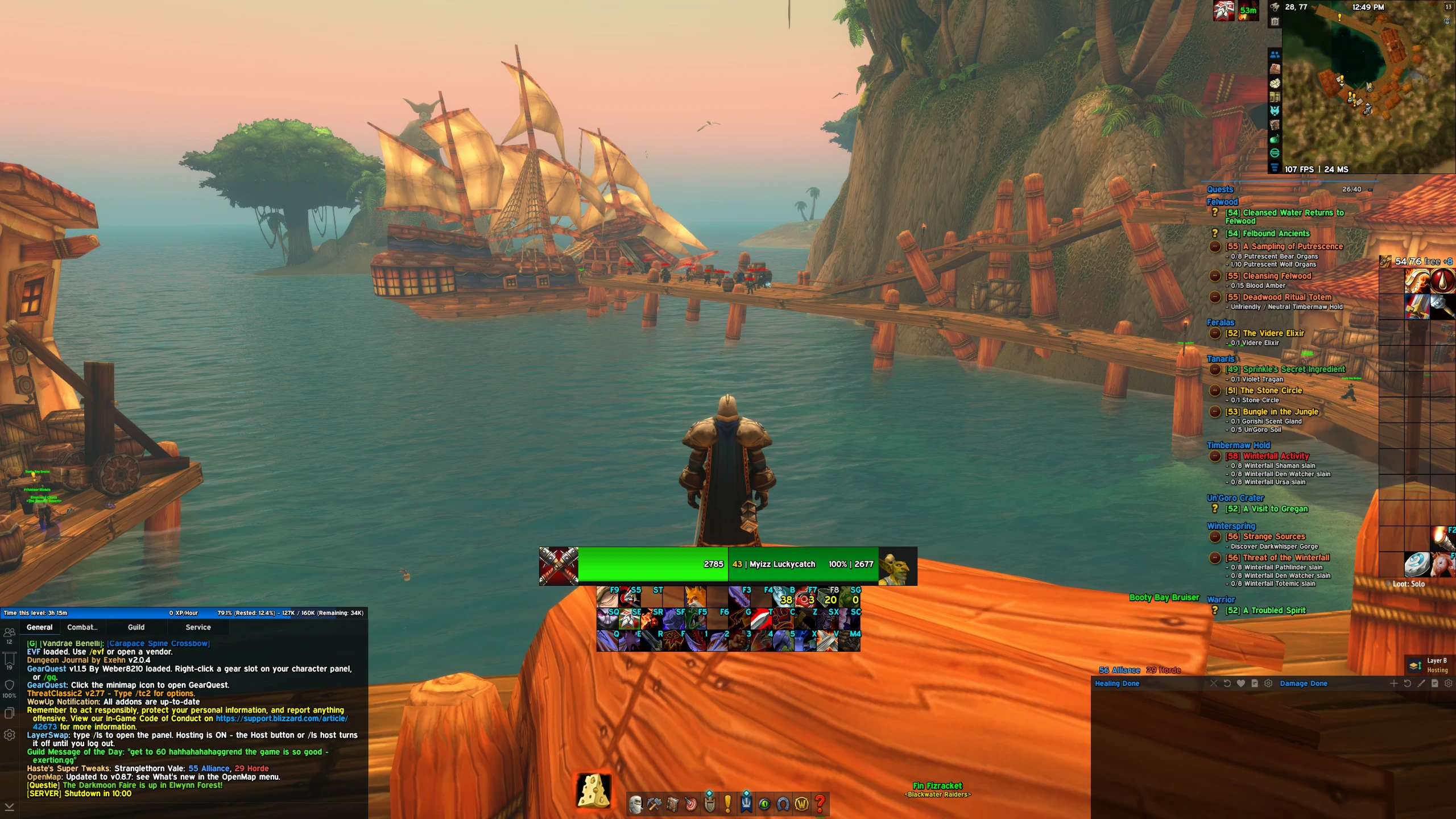
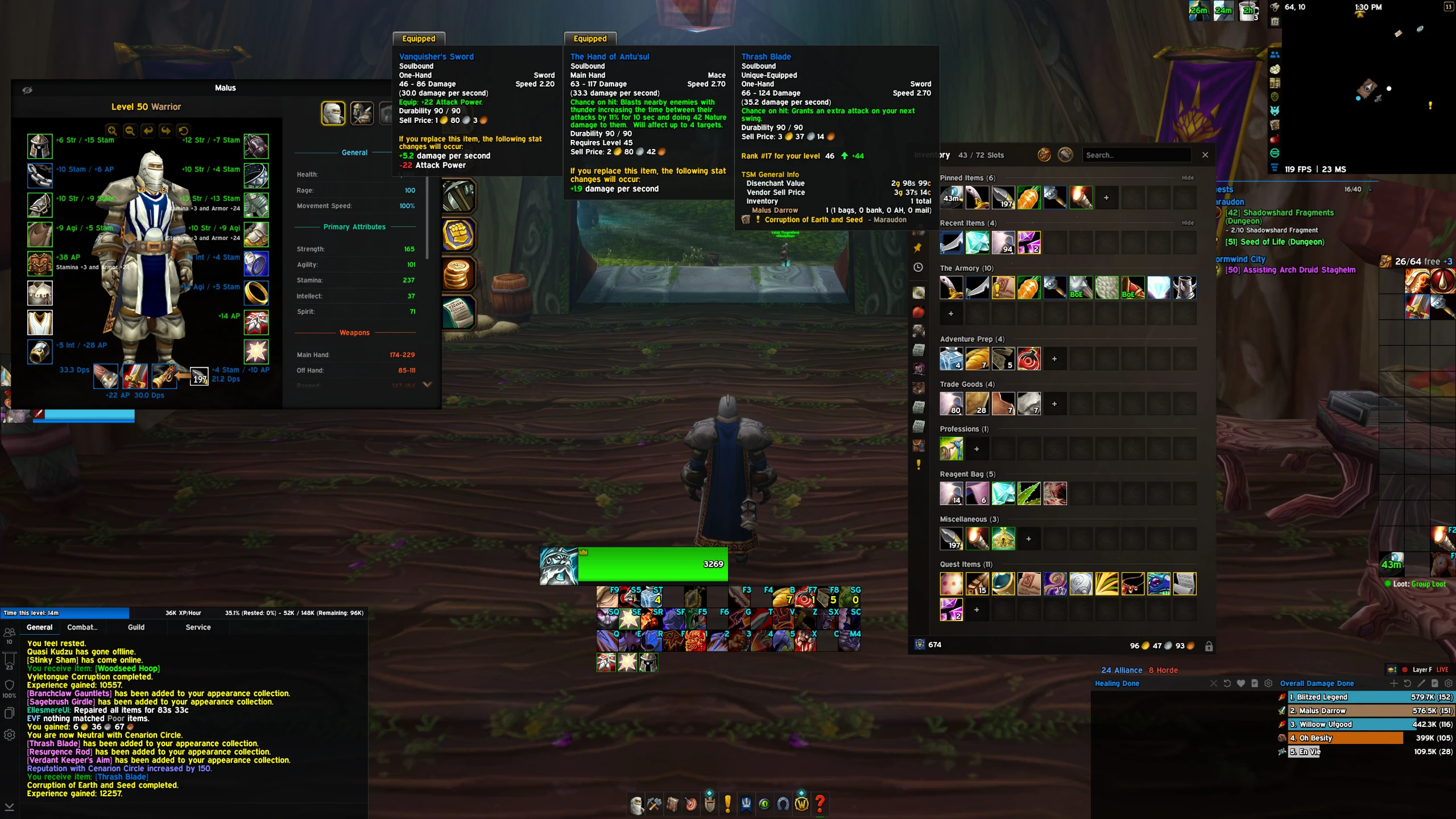
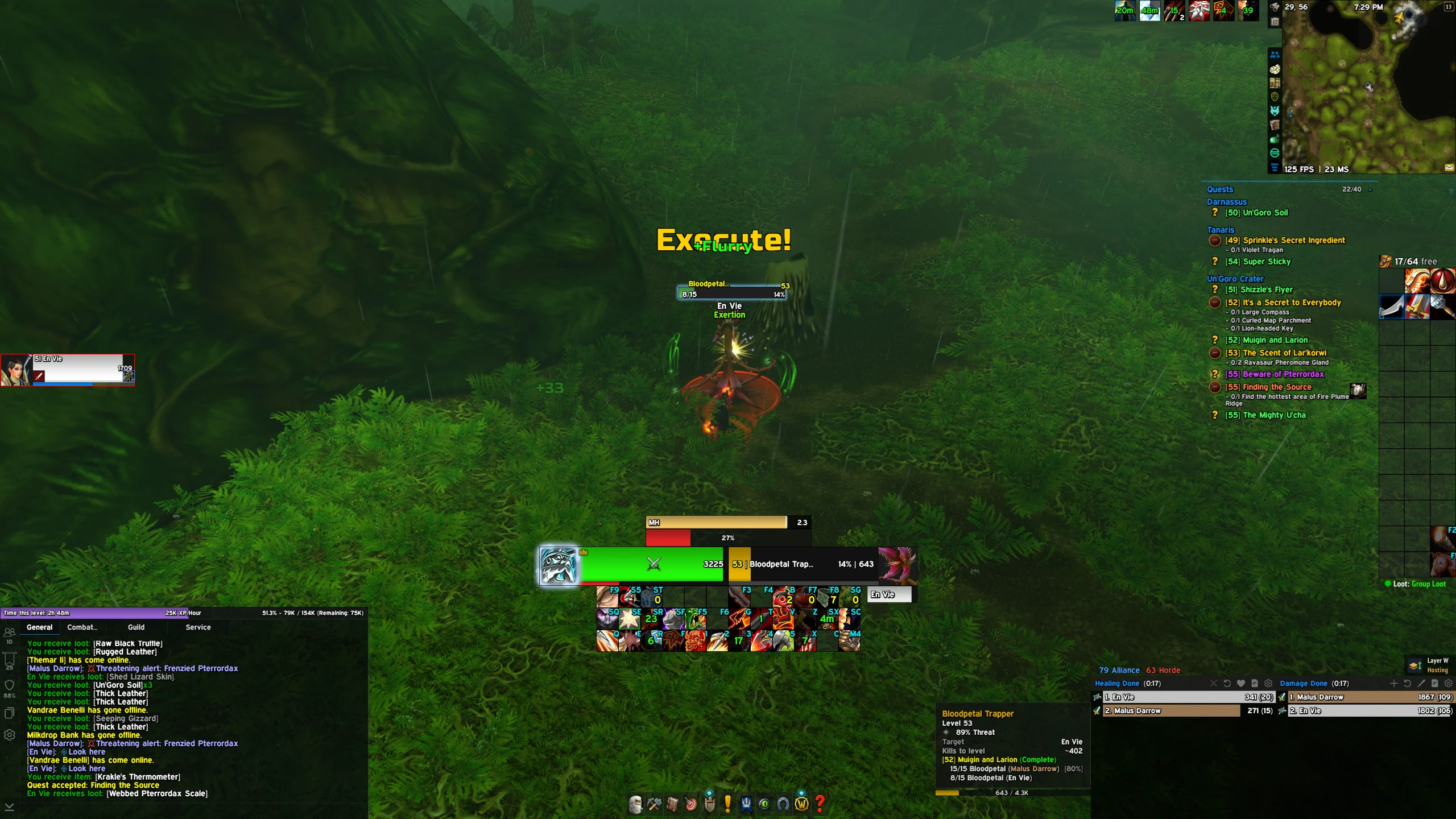
Detail-oriented, clean UI with a modern look. Centered with combat information and clarity in combat, while optimized for reduced clutter and visuals out of combat. Oriented for DPS roles. Unit frames fade when there is no target or when not in combat for a clean run through the world. Action bars are more centered for an eye on cooldowns and procs. Swing timer and rage (or resource) bar are highly visible. Nameplates are pixel-perfect and edited to give the best clarity and information, with NPC's and their title or vendor titles highly visible. Friendly players are set to class color + name for easy identification of who is around you, with their guilds in green text beneath their name.Recommended addons to look like my UI exactly:Addon Skins for EllesmereUI (make all your other addons match your UI)
Spy (Forever)
FunLoot(Loot Toasts)
Haste's Super Tweaks
NiceDamage (Reloaded)
OpenMap
Questie
ThreatClassic2
TomTom
Forever Weak AurasUpdate 10/11/2026: Pixel perfected everything. Fine-tuned many things to be OCD proof.
Update 10/18/2026: Further fixes to some imperfections. Updated screenshots. Added a list of other recommended add-ons to look exactly like my screen.
Update 11/13/2026: Redesign, further refinement after in-game practical exposure.
Code
How to install
1 Copy the entire code string shown above.
2 Open World of Warcraft and open the EllesmereUI settings in the chat to open the EllesmereUI settings.
3 In the EllesmereUI window, go to Profiles → Import Profile.
4 Paste the code string into the box.
5 Click Import to apply the profile.