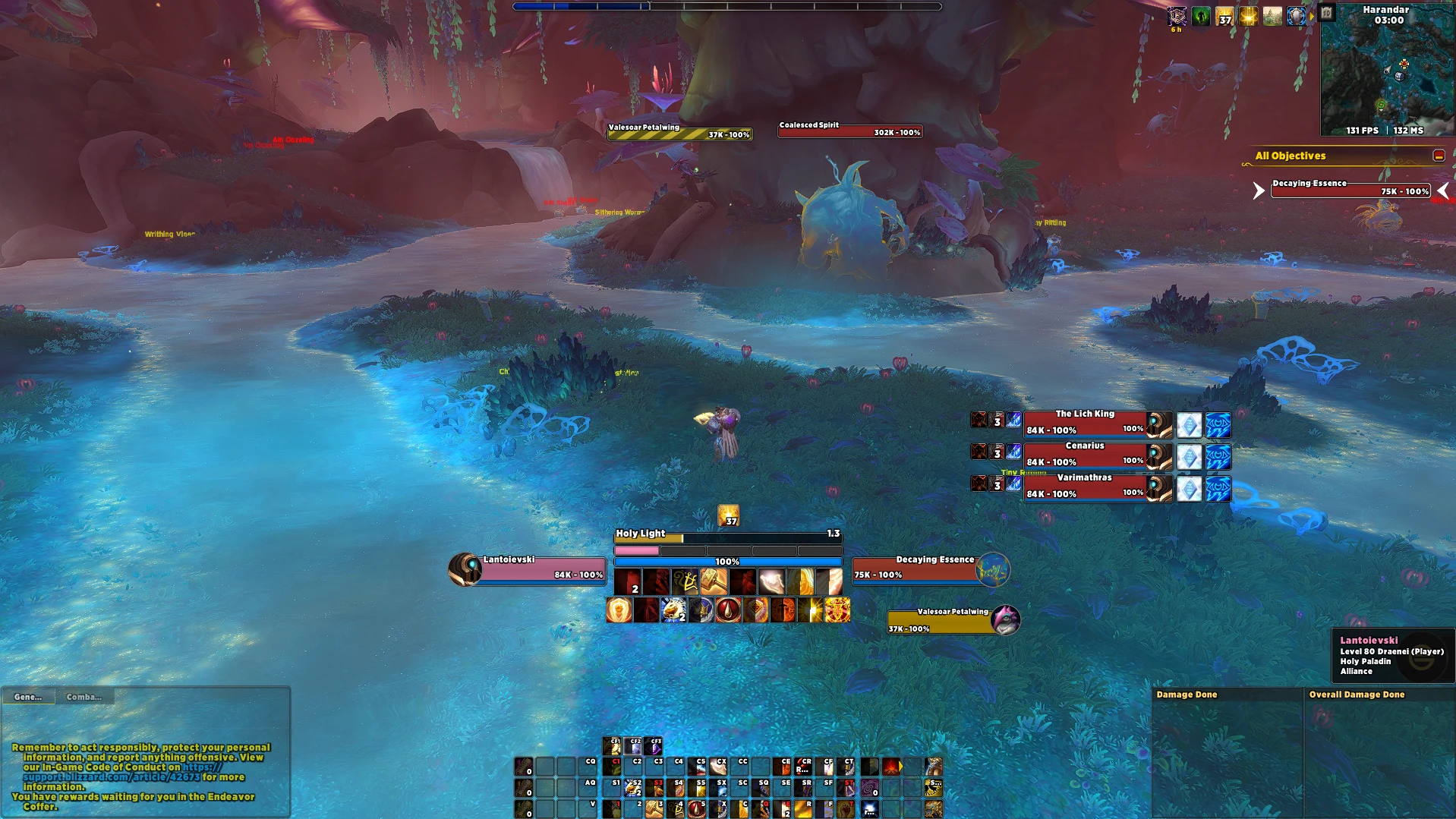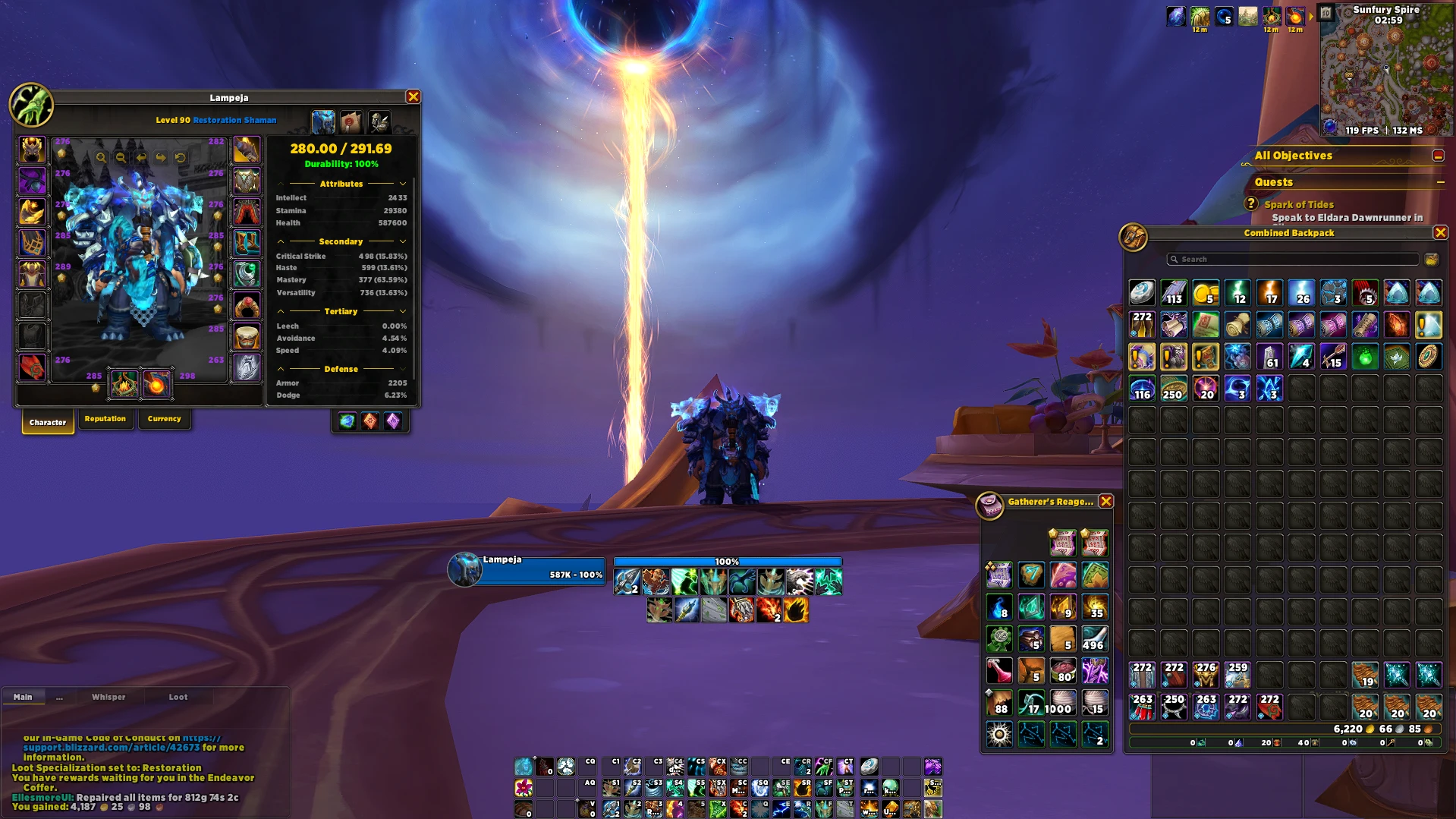

Default WoW themed UI by Lanteja
Profile Details
Profile ID:
29641
Uploaded:
Nov 16, 2026
Updated:
Nov 16, 2026
Installs:
474
Website:
Source Link
Theme & Expansion
Roles
Content
Resolution
The idea is to have a clean and modern layout but keeping the default WoW lookOther Addons used (links below
- Simple Item Levels (For ilvls on default bags)
For this addon options, disable (Equipment slots) and (Inspect) to not overlap with the character panelEllesmereUI Modules NOT used
- Bags
- Databars
- Quickdraw
- Quest TrackerLast update changes
Mainly a few ajusts and addition of the new features on the addonCDM Icons and Map slightly smaller
Overall borders slightly thinner
Portrait on Player, Target and Focus
Gradient overlay on Player Unitframe added when a dispellable debuff is applied
New "Blizzard Style" styles added to Character Sheet and Skyriding HUD (now CDM/UnitFrames/Resources fade out while skyriding)
On Nameplates, the border wraps around the castbar
Actionbars 4 and 5 moved to the bottom for a cleaner look
Code
How to install
1 Copy the entire code string shown above.
2 Open World of Warcraft and open the EllesmereUI settings in the chat to open the EllesmereUI settings.
3 In the EllesmereUI window, go to Profiles → Import Profile.
4 Paste the code string into the box.
5 Click Import to apply the profile.