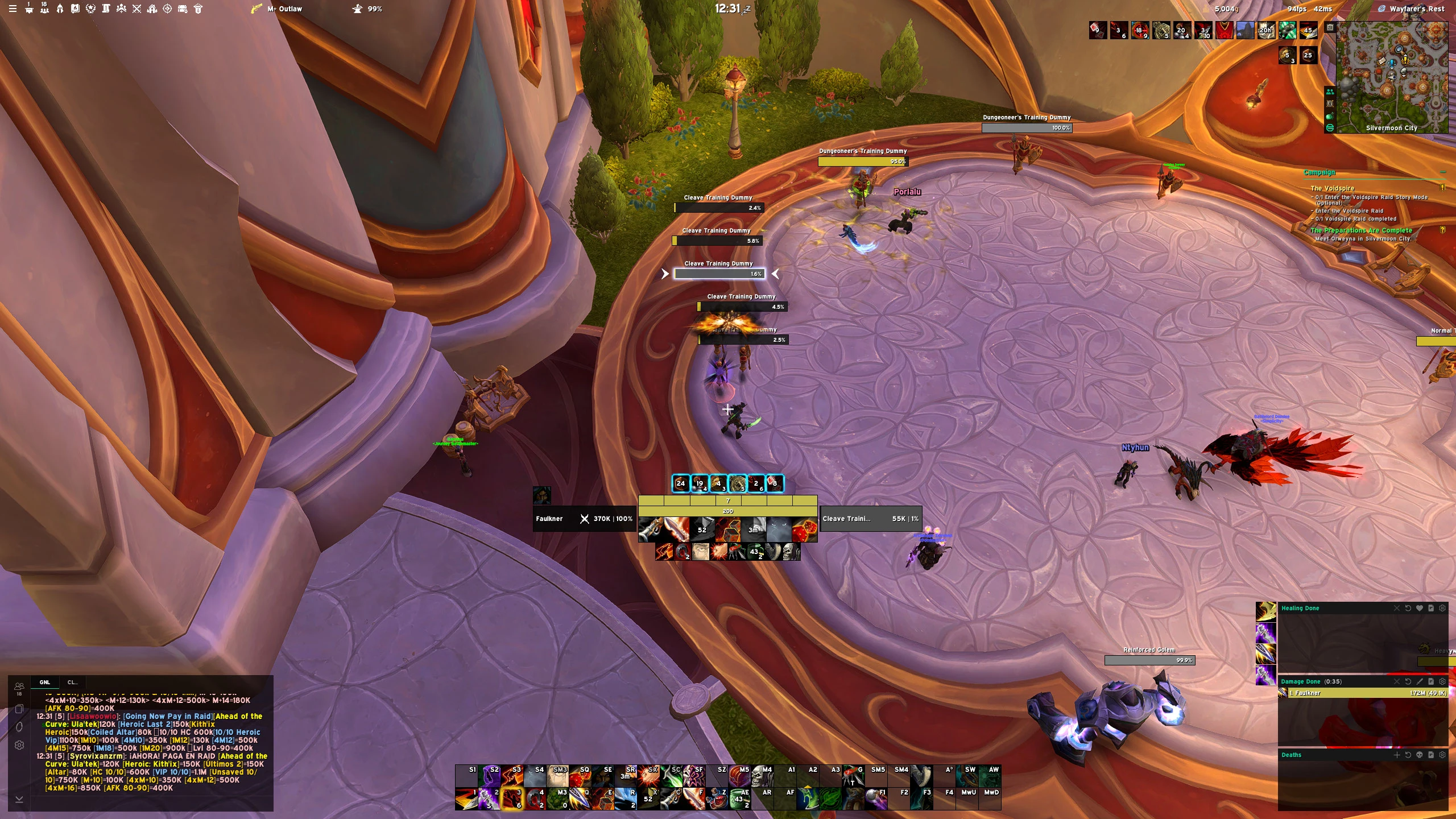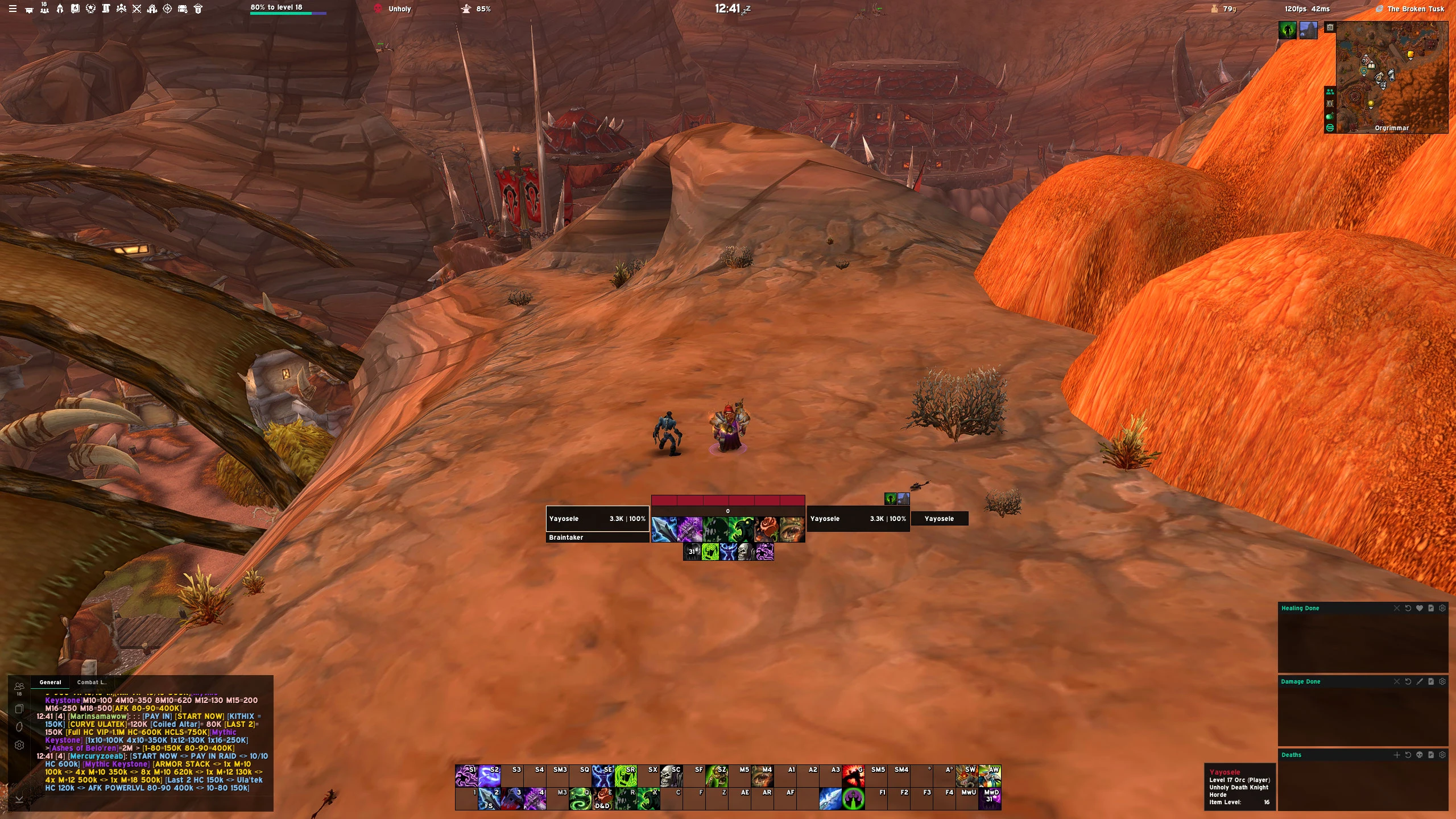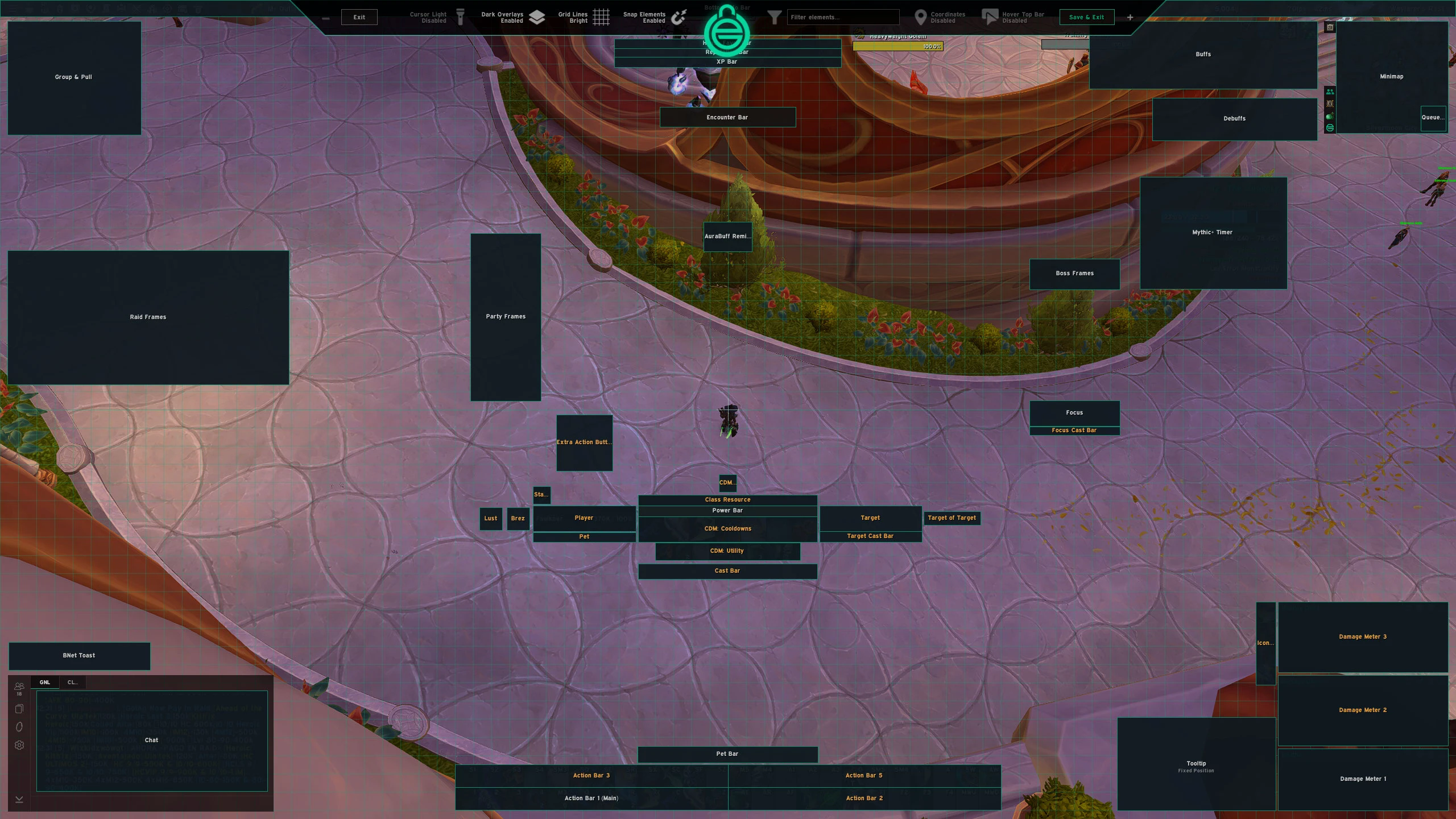


McArthurUI – DPS Minimal UI for 1440p
Profile Details
Profile ID:
29424
Uploaded:
Nov 16, 2026
Updated:
Nov 16, 2026
Installs:
Less than 100
Website:
Source Link
Theme & Expansion
Roles
Content
Resolution
Modified EllesmereUI to fit 2560x1440p Resolution with .53 scale with a few changes.
- Minimalist Design.
- Unit Frames in Dark Mode.
- Actions Bar at the bottom of the screen.
- EllesmereUI Nameplates.
- Almost everything anchored to Power Bar.
- Transparent Titan Bar.
- All the credit to Ellesmere to develop this incredible Addon and Profile.Future Changes:
- I did this in order to import the profile to WoW Forever. I'll make some changes starting on November 4, and when I think the profile is finished, I'll upload it again.
- I'll be streaming on Twitch during the WoW Forever launch and I'll play with this UI if you want to see it in a real environment.
Code
How to install
1 Copy the entire code string shown above.
2 Open World of Warcraft and open the EllesmereUI settings in the chat to open the EllesmereUI settings.
3 In the EllesmereUI window, go to Profiles → Import Profile.
4 Paste the code string into the box.
5 Click Import to apply the profile.