

Dartez UI v.2 (DPS/Tank)
Profile Details
Profile ID:
29470
Uploaded:
Nov 16, 2026
Updated:
Nov 16, 2026
Installs:
425
Website:
Source Link
Theme & Expansion
Roles
Content
Resolution
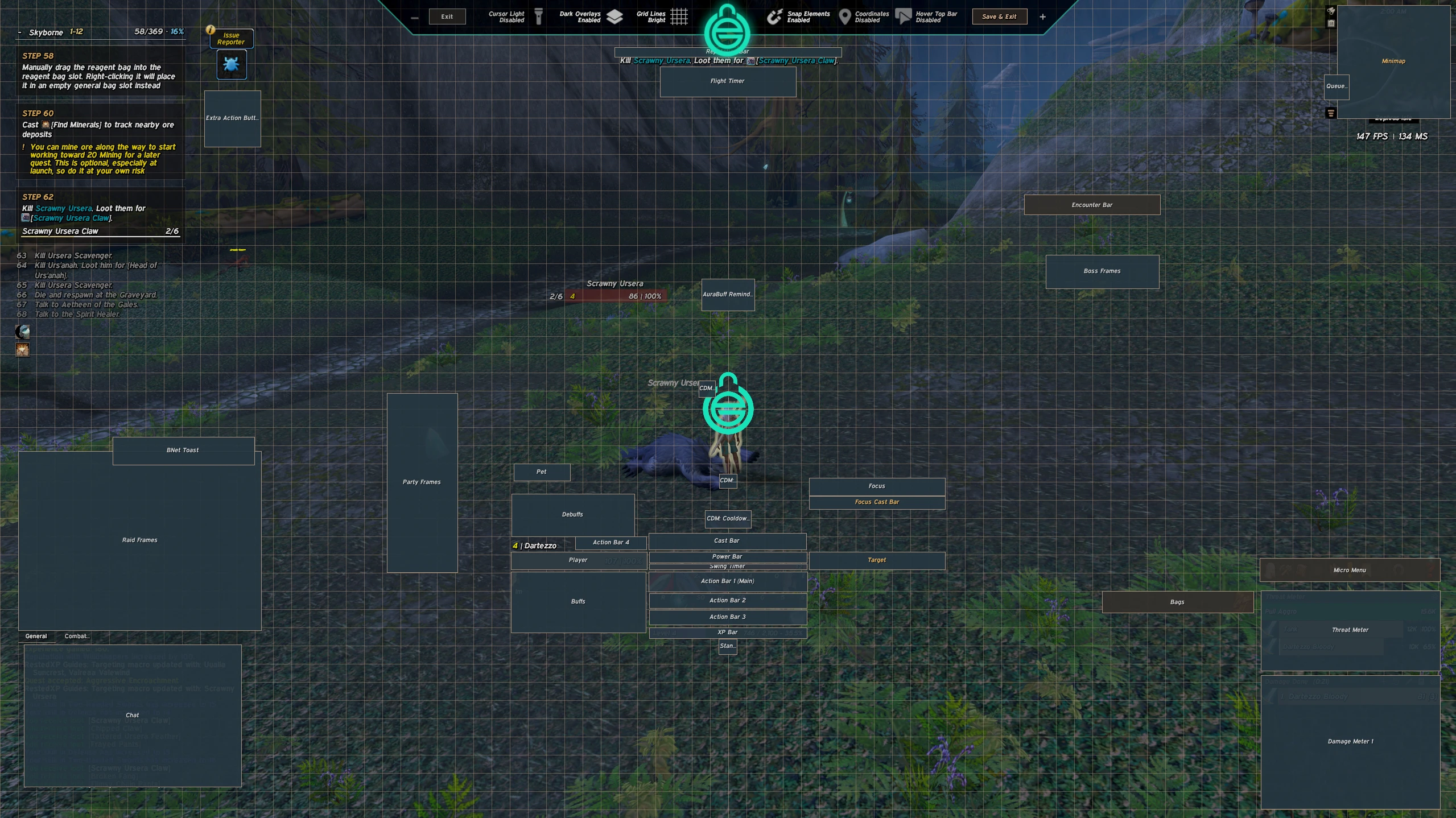
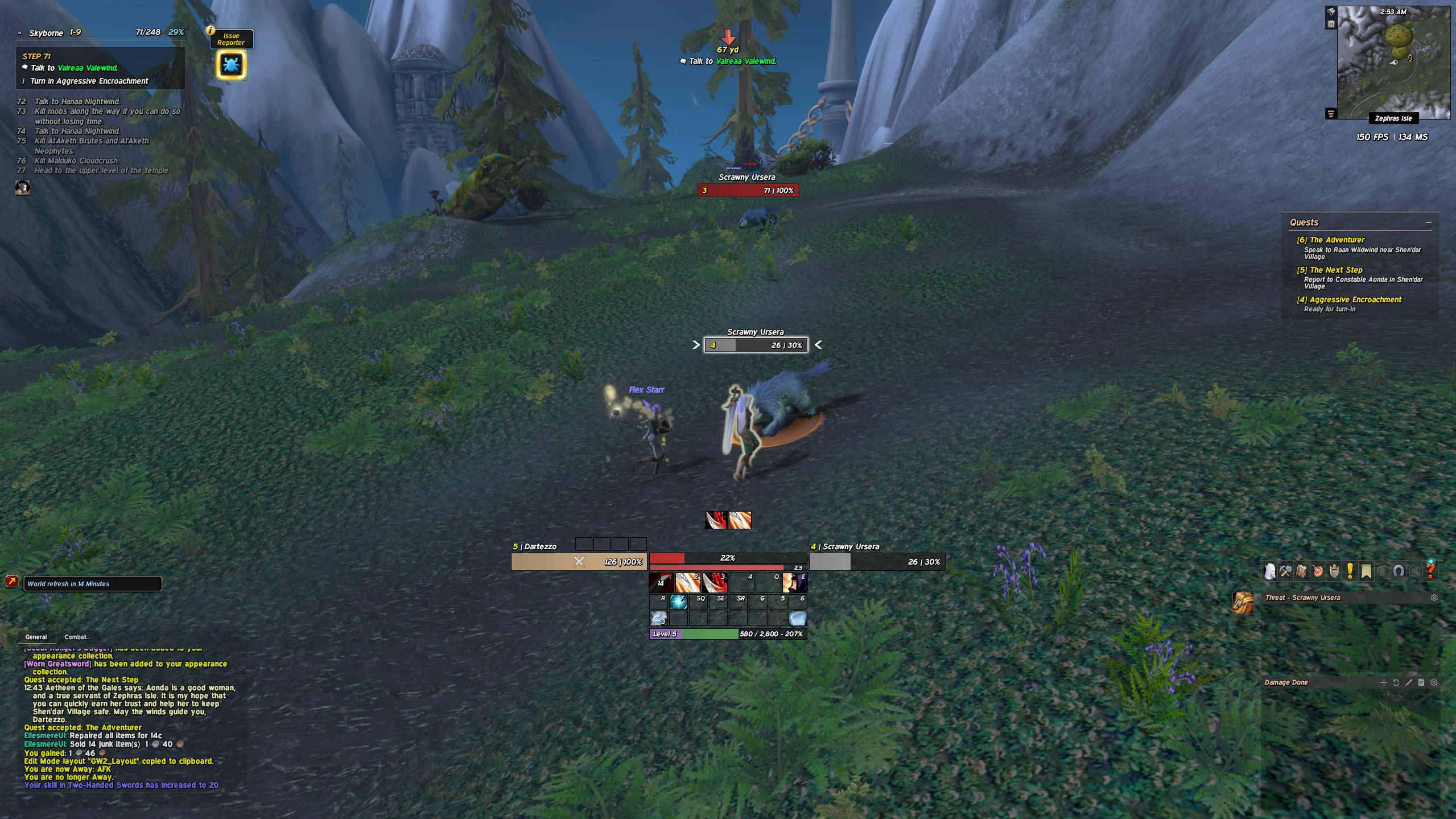
My clean, minimal EllesmereUI setup for WoW Forever — everything important at the bottom centre, nothing cluttering the screen.▶ What's in the UI
• Player and target frames around the mana bar
• Three compact action bars + XP bar
• Slim nameplates with target arrows
• Damage meter and threat bottom right
• Chat bottom left, quest tracker and minimap on the right
• Custom fonts and textures▶ Required addons
Dartez SharedMedia (fonts)▶ How to install
1. Install EllesmereUI and Dartez SharedMedia
2. In game: /ec → Profiles → Import
3. Paste the profile string, then /reloadWithout Dartez SharedMedia the fonts fall back to the defaults, but you can use what Ellesmere provide.#WorldOfWarcraft #WoWForever #EllesmereUI #WoWUI
Code
How to install
1 Copy the entire code string shown above.
2 Open World of Warcraft and open the EllesmereUI settings in the chat to open the EllesmereUI settings.
3 In the EllesmereUI window, go to Profiles → Import Profile.
4 Paste the code string into the box.
5 Click Import to apply the profile.