
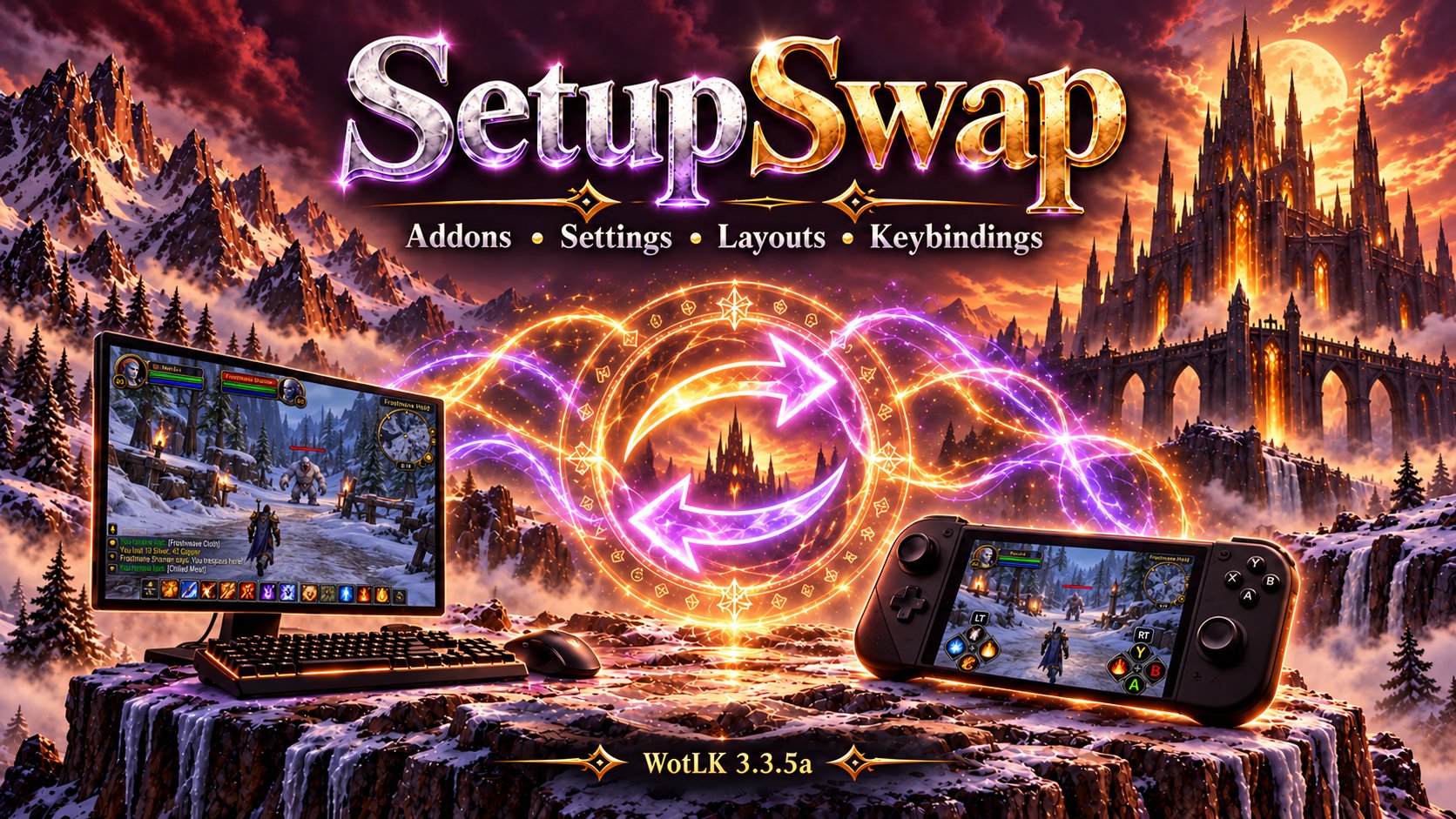
SetupSwap
Save and restore account-wide addon setups, settings, window positions, chat layouts, and keybindings. Switch between desktop, controller, questing, and raid profiles without logging out.
Details
Expansion
 Wrath of the Lich King
Categories
Developers

Having issues?
Your addons, your layout, your abilities—ready for the way you want to play.
SetupSwap saves reusable setups for World of Warcraft: Wrath of the Lich King 3.3.5a. Each profile can remember which addons are enabled, their captured settings and positions, your chat layout, and the abilities assigned to your action bars. Switch from the settings window, a slash command, or the minimap button to bring that setup back.
Move from your desktop to handheld remote play on the couch. Swap a questing interface for a focused raid layout. Keep the same addon in several profiles with different settings and positions. Set it up once, save it, and return to it when you need it - all without ever logging out of the game.
A setup for every way you play
- Desktop to couch: Instantly swap between a mouse and keyboard desktop setup or a ConsolePort controller setup, with different addons, window positions, chat layouts, and ability arrangements.
- A restore point for your current setup: save addon settings before experimenting with options, window positions or chat; save action bars/macros separately before rearranging abilities. Reapply that same profile to return to the saved setup; you can use SetupSwap without switching to a different profile.
- Questing and leveling: enable your quest tracker, navigation tools, and leveling helpers, with room to read objectives and explore.
- Raids and dungeons: disable questing addons you do not need and enable your encounter tools, raid utilities, and group interface. Restore the questing setup when the run ends.
- PvP and arenas: maintain a separate selection of combat tools, screen layouts, and ability arrangements for competitive play.
- Farming, gathering, and the auction house: bring up the maps, trackers, crafting tools, and trading addons that suit the task.
- Different roles or activities: build setups for healing, tanking, damage, casual play, or a cleaner screen for screenshots. Activation is manual, so you choose when to switch.
- The same addon, different preferences: an addon shared by two profiles can have different captured settings, visible windows, and positions in each. Your navigation window can sit neatly in a desktop layout and move out of the way of controller bars in another.
SetupSwap does not provide remote streaming or controller input itself. It remembers the interface setups you use with those tools. ConsolePort and the addons mentioned above are examples, not required dependencies.
What a profile can remember
| Part of your setup | What SetupSwap saves |
|---|---|
| Addon selection | Enabled and disabled addons, including enabled load-on-demand modules |
| Addon settings | Detected serializable SavedVariables and supported native addon profiles |
| Window layouts | Detected addon frame positions and supported layout settings |
| Chat | Blizzard chat window configuration and positions |
| Action bars | Spells, items, existing macros, companions, equipment sets, and empty slots, saved separately for each character and talent spec |
Settings capture discovers addon data automatically rather than requiring a hand-written integration for every addon. It supports ordinary SavedVariables, recognized AceDB databases, and detected movable frames. There is no artificial byte, entry, or nesting limit on capture; available game memory and serializable data still set practical limits.
Profiles are account-wide and available to your other characters. You can also use a profile for addon selection alone by leaving settings restoration disabled.
Customize addons for one character
Profiles keep their shared names across your account. Select desktop, check Customize addons for this specific character, choose that character's addons, and click Save overrides. For example, enable HealBot only on your healer's desktop setup while your mage keeps the shared desktop selection. Switch normally with /ss desktop, /ss gamepad, or the minimap button; SetupSwap applies the current character's overrides automatically.
Only differences from the shared selection are saved, keyed by realm and character. Addons without an override inherit later shared changes. These choices apply to both talent specs. The window shows Shared addon selection or Character overrides: realm/character, and changed addons are marked [override]. Uncheck the option and save to remove this character's overrides and return to the shared selection. Save shared edits the account selection; other characters' overrides remain intact.
The character option affects addon selection only. Addon settings, positions, and chat remain shared per profile. Ability assignments remain separate per character and talent spec. Saving settings on another character replaces that profile's shared settings snapshot.
/ss save NAME saves current enabled addons as character overrides when that character already has overrides for the named profile; otherwise it saves the shared selection. Creating character overrides uses the checkbox in the editor.
Installation
- Fully close WoW.
- Extract SetupSwap.zip.
- Place both SetupSwap and !SetupSwapLoader in
Interface/AddOns. - Enable both addons and log in.
The included startup helper allows settings to be restored early during profile switches. No separate addon download is required. For updates, replace both folders and keep your SavedVariables.
Save your first complete setup
- Open
/ssor left-click the minimap button. - Enter a profile name and choose its addons. Use current populates addons currently enabled by the player, including enabled modules that are not loaded in memory.
- Click Save shared (or Save overrides for a character selection). This saves only the enabled/disabled addon list. It does not capture settings, positions, chat, or action bars.
- Click Switch + Reload to activate that profile. A newly named profile also offers to enable its addons immediately.
- Arrange the UI and abilities. Configure the addons and chat the way you want them.
- Reopen SetupSwap and click Save Addon Settings + Positions. This captures addon settings, window positions, and chat using a reload, and preserves saved action bars.
- Click Save Action Bars / Macros separately to capture this character/spec's ability and macro placements without reloading or changing the shared layout.
Saving or selecting a profile in the editor does not activate it. Switch to it before saving its settings.
Repeat for your other setups. Save settings again after changing positions, addon configuration, or chat. For new ability or macro placements, use Save Action Bars / Macros on the active profile; this updates only the current character/spec and does not reload or overwrite shared settings. Editing an already tracked macro does not require saving again.
Switch your way
- Settings window: select a profile, then click Switch + Reload.
- Quick command: type
/ss desktop,/ss gamepad, or/ssfollowed by your saved profile name. - Minimap menu: right-click the minimap button and choose a saved profile.
The editor automatically selects a profile whose saved addon list matches the currently enabled addons. Select profile brings another profile up for editing; it does not switch to it.
Switches normally aim to finish with one reload. When early restoration is unavailable, a Continue Reload prompt provides the second-reload fallback. UI hangups after switching can usually be resolved with an additional /reload command. Switching and settings capture must happen outside combat.
Clear choices before a settings overwrite
When Save Addon Settings + Positions detects that the selected profile or edited addon list differs from the enabled addons, it offers:
- Save + Switch: save the displayed addon list and activate it. Arrange that setup, then save its settings separately.
- Overwrite: deliberately capture current addon settings, positions and chat into the selected existing profile. Its addon list and saved action bars/macros are preserved; no profile switch occurs.
- Cancel: leave everything unchanged.
If two profiles have identical addon selections, profile detection cannot automatically identify the current profile. Choose the correct name from the list before saving settings.
Adding or removing addons
After installing a new addon, update and save the addon list in each profile that should use it. Switch to that profile, configure the addon, and save addon settings/positions. Save action bars/macros separately after changing ability placements. An addon missing from an older profile's list is disabled when that profile is activated.
Questie tracker rows and resize handles remain managed by Questie; SetupSwap restores the main tracker position without reanchoring its internal components. Older captures remain usable without resaving.
Deleted addons are ignored when matching the installed addon list. SetupSwap does not install addons or recreate deleted addon folders.
The options window uses container-relative sizing and automatically adopts ElvUI's skin when ElvUI is loaded. ElvUI_AddOnSkins is not required.
Commands and reporting
| Command | Action |
|---|---|
/ss (also /ss config, /ss settings) | Open the settings window |
/ss ? (also /ss help) | Print every supported command in chat |
/ss name (also /ss switch name) | Activate a saved profile |
/ss list | List saved profiles |
/ss new name | Create an addon-list profile from current enabled states |
/ss save name | Save current enabled states to a profile |
/ss command name shortcut | Assign an optional direct shortcut, such as /desk |
/ss copy addon from-profile to-profile | Copy one addon's saved settings and positions between profiles |
/ss copynames | Open a copyable list of addon short names for the copy command |
/ss log (also /ss diagnostics) | Open a selectable, copyable diagnostic report |
/ss undo | Restore the last settings backup for the current character |
/setupswap is also available. Existing slash commands from other addons are not replaced.
To reuse one addon's captured settings and positions, run /ss copynames and use its short name. For example, /ss copy tomtom gamepad desktop copies TomTom's saved settings and positions from Gamepad into Desktop. Then run /ss desktop to apply them. This reads the saved capture, not the addon's current live state. It preserves other addons' captures, profile addon selections, character overrides, and native action-bar snapshots. It does not enable the copied addon automatically.
For an issue report, include the SetupSwap version, affected addons, reproduction steps, and the text from /ss log. It includes capture details and restore results without requiring a separate error-catching addon.
Compatibility and capture scope
Addon settings capture includes selected addons that are loaded. Open any desired load-on-demand modules before saving their settings. Unsupported data, cyclic tables, and settings that cannot be discovered or serialized are reported rather than guaranteed to restore. Ordinary SavedVariables may contain addon history or data as well as preferences.
SetupSwap does not capture, restore, or save native WoW keybindings. Old SetupSwap keybinding snapshots are discarded without changing your current bindings. ConsolePortBindingSet and ConsolePortLoaderBinding are excluded from settings capture and from restoring older snapshots. Controller override bindings remain managed by their owning addons. Captured addon settings can still contain an addon's own binding configuration.
Native macros receive SetupSwap tracking identities scoped to the account or current character. Blank names and identical icons are supported. Editing commands, names or icons while SetupSwap is enabled does not require resaving profile placements. Multiple bar slots can reference the same macro. Observed deletions invalidate the old identity; newly created macros get new identities. Macro contents are never restored or rewritten. Recognized addon-managed macros such as SmartTravel can also resolve by stable ownership markers when their bodies change.
SetupSwap is a setup manager, not a filesystem backup. Keep a backup of your WTF folder with WoW closed before making major configuration changes.
Separate ability arrangements for desktop and gamepad
Arrange your abilities for ElvUI or Blizzard bars in your desktop profile, then click Save Action Bars / Macros. Switch to your gamepad profile, arrange abilities for ConsolePort, and save again. Switching profiles restores the corresponding native action slots; the two interfaces do not need matching visible bars.
Each profile keeps a separate action-bar snapshot for each character and talent spec. Save each spec separately. Older profiles and character/spec combinations without a saved snapshot leave your bars unchanged. Use Save Action Bars / Macros to add or update assignments without replacing the shared layout. The character override checkbox affects addon enable/disable choices; settings, positions, and chat remain shared.
Unavailable spells, missing items, deleted or unidentifiable macros, and unsupported actions leave their destination slots unchanged and are reported in /ss log. Managed macros use a recognized stable ownership marker instead of exact dynamic body text. Ordinary macros retain their tracked identity and current contents, including when names are blank. Older captures without tracking information are adopted only by an unambiguous exact match, or can be recaptured once. Spell ranks are matched exactly. Pet, vehicle, and possession controls are excluded. Save outside combat and vehicles, with nothing on the cursor. /ss undo includes the action-bar backup for the current character/spec.
Related projects
- ConsolePortLK Enhanced: an improved version of the ConsolePort backport for WotLK 3.3.5a.
- FormFreedom: automatic druid form cancellation for supported actions.
These are separate, optional projects and are not bundled with SetupSwap.
Created by SuttonX. Released under the MIT license.
Fixed ElvUI bag slots and other internal controls staying behind when their parent window moves.
- Limit direct frame-position capture to persistent ORC, Questie tracker, and TomTom widgets.
- Leave temporary interface windows, item controls, and ElvUI movers under their native UI's control.
- Automatically filter unsafe entries from existing profiles, undo backups, and pending restores.
- Preserve supported widget positions and other addons' native saved layout settings.
Existing profiles and action-bar captures are retained. No settings reset or resaving is required. Close WoW, replace the SetupSwap and !SetupSwapLoader folders, and restart.
Validation: Lua 5.1 parsing and simulated regression checks passed, including the supplied saved profiles. In-game bag dragging and desktop/gamepad switching still need confirmation.
Fixed character-panel equipment slots staying behind when WoW moves the panel. Existing saved layouts are handled automatically. No settings reset is required.
Fixed Questie's tracker occasionally showing newly accepted quests one quest late. Deferred refreshes now preserve updates lost to the tracker's refresh throttle, without polling.
- Fixed window growth anchors, including Questie's tracker, while preserving resolution and UI-scale handling.
- Questie profiles now save customization without copying character quest data. Existing snapshots are cleaned automatically.
Fixed excessive SetupSwap saved-data size caused by capturing Questie's compiled database caches. Existing snapshots are cleaned automatically while Questie settings and positions are preserved.
Separate save controls, individual addon copying, and a refreshed options window.
- Save Action Bars / Macros captures placements for the current character and talent spec without changing shared settings.
- Save Addon Settings + Positions captures addon settings, window positions, and chat while preserving saved action bars/macros.
- Copy one addon's captured settings and positions between profiles with
/ss copy ADDON FROM_PROFILE TO_PROFILE. - Use
/ss copynamesfor a copyable list of addon short names. - Use
/ss ?or/ss helpto display all supported commands in chat. - Smaller options window with proportional sizing and spacing.
- Automatically adopts ElvUI's skin when ElvUI is loaded; ElvUI_AddOnSkins is not required.
- Window title reads its version from the TOC.
- Keeps TomTom's native saved positions synchronized with restored window positions.
Example:/ss copy tomtom gamepad desktop
Then /ss desktop to apply the copied settings and positions.
Existing profiles, character overrides, and action-bar captures are retained. When creating a new setup, save addon settings/positions and action bars/macros separately.
Installation:
Close WoW completely and replace both SetupSwap and !SetupSwapLoader folders. Keep SavedVariables and existing profiles.
Validation:
Passed user testing and automated regression, layout, skin, and TomTom/AceDB checks.
Separate save controls, individual addon copying, and a refreshed options window.
- Save Action Bars / Macros captures placements for the current character and talent spec without changing shared settings.
- Save Addon Settings + Positions captures addon settings, window positions, and chat while preserving saved action bars/macros.
- Copy one addon's captured settings and positions between profiles with `/ss copy ADDON FROM_PROFILE TO_PROFILE`.
- Use `/ss copynames` for a copyable list of addon short names.
- Use `/ss ?` or `/ss help` to display all supported commands in chat.
- Smaller options window with proportional sizing and spacing.
- Automatically adopts ElvUI's skin when ElvUI is loaded; ElvUI_AddOnSkins is not required.
- Window title reads its version from the TOC.
- Keeps TomTom's native saved positions synchronized with restored window positions.
Example:
`/ss copy tomtom gamepad desktop`
Then `/ss desktop` to apply the copied settings and positions.
Existing profiles, character overrides, and action-bar captures are retained. When creating a new setup, save addon settings/positions and action bars/macros separately.
Installation:
Close WoW completely and replace both SetupSwap and !SetupSwapLoader folders. Keep SavedVariables and existing profiles.
Validation:
Passed user testing and automated regression, layout, skin, and TomTom/AceDB checks.
Fixes three issues when switching between desktop, gamepad, and other saved profiles:
- TomTom: fixes the missing “persistence” settings error when Questie requests waypoints after switching.
- ElvUI: restores the square minimap correctly when returning from a profile with a circular minimap.
- Questie: prevents distorted quest rows by leaving internal tracker components under Questie’s control while preserving the main tracker position.
Existing profile captures remain usable. No resaving or SavedVariables deletion is required.
### Updating
Fully close WoW and replace both SetupSwap and !SetupSwapLoader with the folders from the attached SetupSwap.zip.
KEEP your SavedVariables and existing profiles.
Setup instructions:
https://github.com/SuttonX/SetupSwap#readme
Customize which addons each character uses without creating extra profile names.
Character-specific addon choices
- Added “Customize addons for this specific character.”
- Save character overrides while keeping shared profiles such as desktop and gamepad.
- Only differences from the shared addon selection are saved. Other addon choices inherit shared updates.
- The editor displays the current scope and marks overridden addons.
- Uncheck the option and save to return that character to the shared selection.
Keybinding management removed
SetupSwap no longer captures or restores native WoW keybindings. Old binding snapshots are discarded without applying them. ConsolePort’s dedicated binding variables are also excluded from settings capture and restoration.
Ability and action-bar assignments continue to save separately for each character and talent spec. Addon settings, window positions, and chat layouts remain shared per profile.
Updating
Fully close WoW and replace both SetupSwap and !SetupSwapLoader with the folders from the attached SetupSwap.zip.
KEEP your SavedVariables and existing profiles.
See the repository README for setup instructions:
https://github.com/SuttonX/SetupSwap#readme
New Feature: Save and restore abilities and action-bar assignments now! Along with the previous ability to save addon settings, positions, chat layouts, and keybindings.
Each profile keeps separate action-bar snapshots for each character and talent spec—ideal for different ElvUI desktop and ConsolePort gamepad arrangements. Supports spells, items, existing macros, companions, equipment sets, and empty slots. Missing or edited actions leave their destination unchanged and are reported in `/ss log`.
Existing users: close WoW, replace both SetupSwap and !SetupSwapLoader folders, and KEEP SavedVariables. Save settings & positions again for each profile to capture its action bars.
Initial release
You must be logged in to leave a comment.