
Lua Browser
Browse through the Lua environment in-game
Details
Expansion
 Wrath of the Lich King
 Categories
Developers

Having issues?
Description
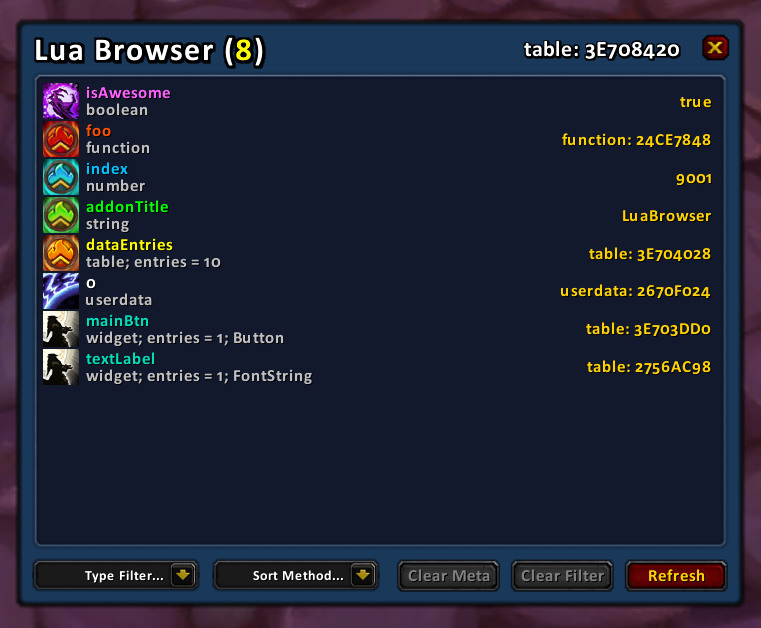
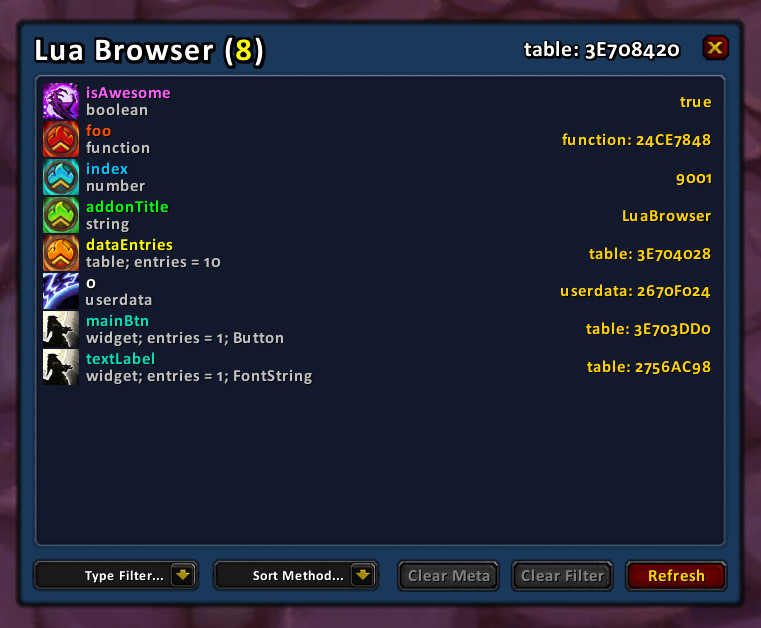
Using Lua Browser allows you to easily browse through the Lua environment, tables, widgets and other values.
This can be quite useful when developing addons.
The currently browsed root will have a reference in the global variable "lbRoot", this makes it easier to manipulate it using /run scripts and the likes.
Please note this is an advanced tool, do not use this unless you know what you are doing.
Controls
The Left click action depends on which item is under the mouse.
Tables and Widgets will be opened like a folder in normal file browsing. Hold down shift to try and open any possible metatables this table might have.
For functions, the function will be called, if you hold down shift, it will be called with "self" as the first parameter.
Right clicking will go back in history, to the previous browsed table.
If you hold down shift while right clicking, the key will be deleted!
You can link things into the chat editbox like normally. Open up the chat editbox, hold down shift and click an item.
Slash Commands
The slash command for Lua Browser is "/lb". Below are the valid parameters.
/lb filter <word>
You can use this to filter out what is shown, very useful in _G.
/lb code <code>
Executes the code and browses the result. If the result is not a table, you should add curly brackets like this: "{ <code> }".
/lb codemeta <code>
Works exactly like the "/lb code" slash command, but will browse the metatable of the code.
/lb mouse
Sometimes frames are unnamed, and the easiest way to get to them is through GetMouseFocus().
/lb mousemeta
Allows you to browse the meta table of the widget under the mouse.
You must be logged in to leave a comment.