

LFG/LFM FrostSeek
FrostSeek isn't just an addon, it's a gaming companion that saves you time and effort managing groups, leaving you more time to... play! ❄️


Details
Expansion
Categories
Developers

Having issues?
````
FrostSeek
Advanced LFG/LFM Manager for WoW Ascension & 3.3.5
Features
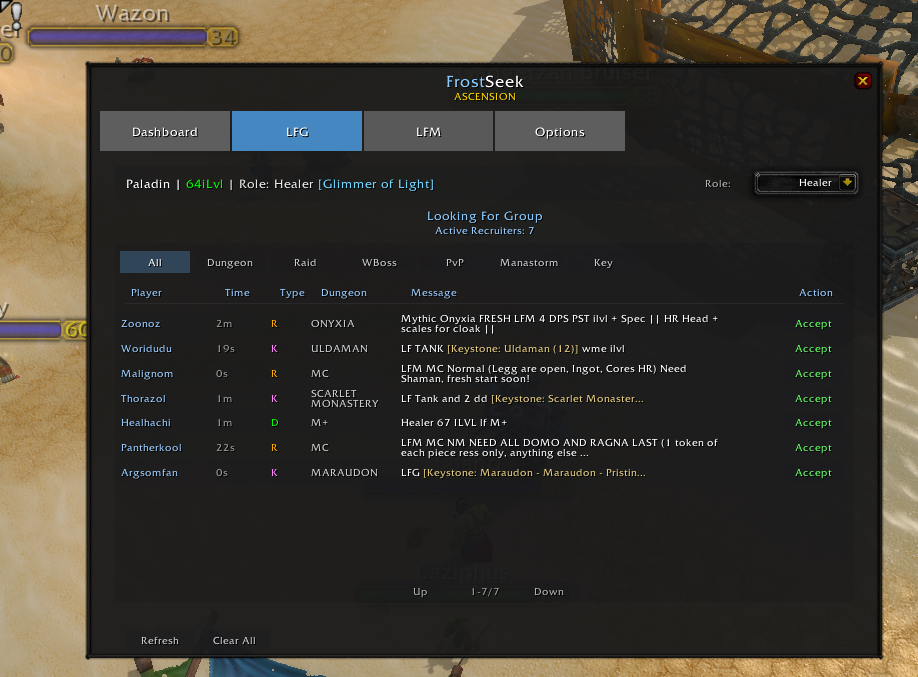
LFG — Looking For Group
Auto-detect recruitment messages with popup alerts, category filters (Dungeon, Raid, Keystone, PvP, World Boss, Manastorm), keyword filters, cooldown system, and customizable whisper templates with role/class/ilvl/enchant/keystone support.
LFM — Looking For Members
Full LFM interface with auto-spam, customizable timers, activity dropdown, real-time message preview, multi-channel support, and auto-invite by minimum ilvl.
Dashboard
Real-time player stats, average ilvl, role info, and module status overview.
Settings
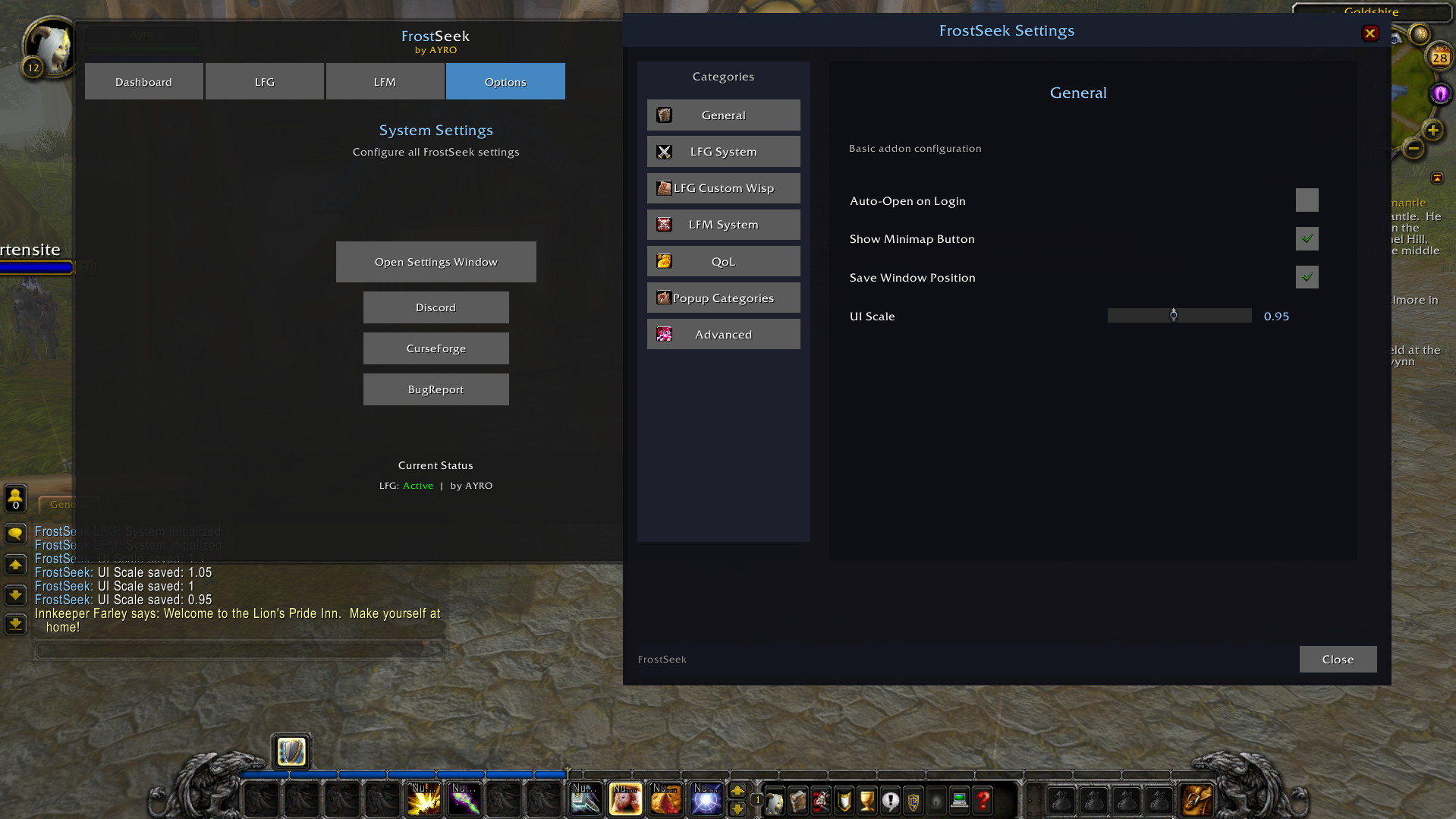
7 categories: General, LFG, Popups, Word Filter, Custom Messages, UI, Advanced. Minimap button, position saving, UI scale, debug mode.
Installation
1. Download the latest Release
2. Extract the `.zip` file
3. Place the `FrostSeek` folder inside `Interface/AddOns/`
4. Restart the game and enjoy
Compatibility
- WoW Ascension (Project Ascension)
- 3.3.5 Vanilla Servers
- Vanilla Classic, TBC Classic,Wotlk Classic, Cata Classic, Cata PS e Mists Classic
The addon automatically detects the client and adapts. No manual configuration needed.
License
All Rights Reserved — See license file for more info.
````
No changelog available.
No changelog available.
No changelog available.
No changelog available.
You must be logged in to leave a comment.