

Item Lock | (Supported: ElvUI / Bagnon / AdiBags)
ItemLock is a lightweight WotLK 3.3.5a addon that lets you lock items in your bags to protect them from accidental selling
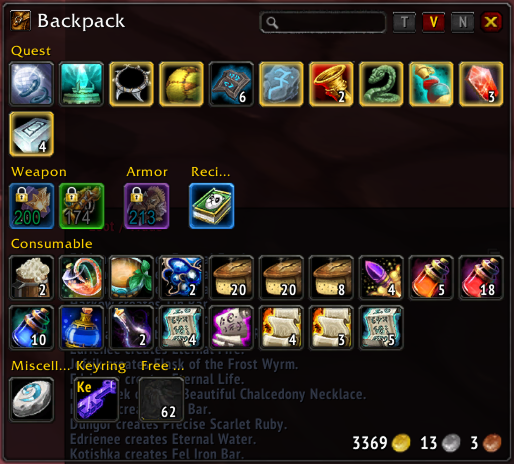
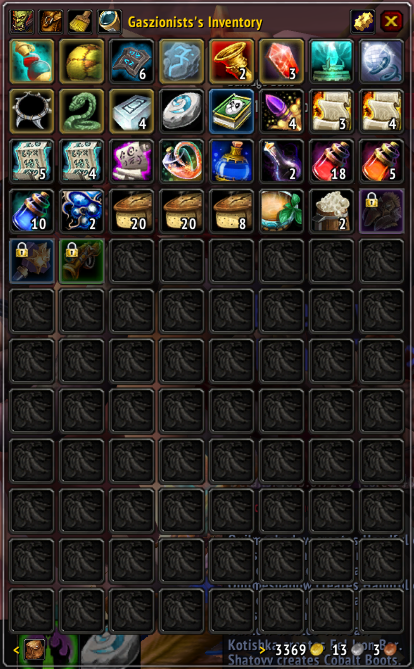
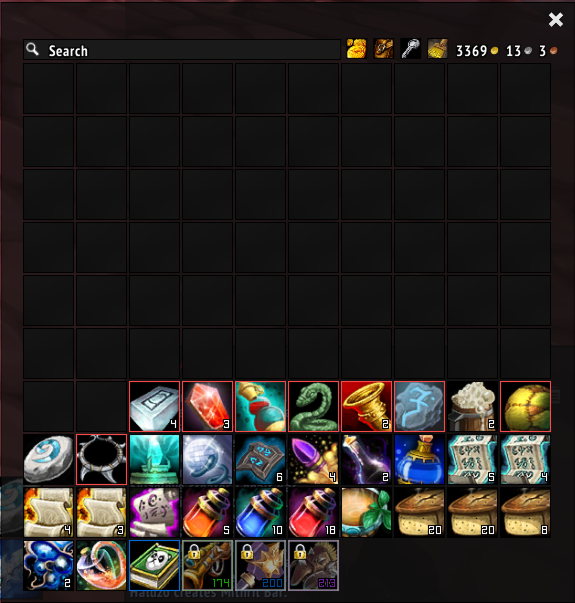
Details

Addon ID:
21211
Addon Version:
1.11.9
Expansion:
3.3.5
Upload date:
Mar 16, 2026
Last Updated:
Mar 16, 2026
Downloads:
252
Expansion
 Wrath of the Lich King
 Categories
Developers

Having issues?
ItemLock
ItemLock is a lightweight WotLK 3.3.5a addon that lets you lock items in your bags so they are harder to sell, delete, or use by mistake.
It supports these bag UIs:
- default Blizzard bags
- ElvUI bags
- AdiBags
- Bagnon
How It Works
When an item is locked, ItemLock adds:
- a dark slot overlay
- a lock badge in the corner of the item
- optional tooltip text
- vendor protection while a merchant window is open
- equipment set protection for items that belong to a saved equipment set
How To Use
- Open your bags.
- Hover the item you want to protect.
- Use one of the lock methods below.
Default Lock Method
/il lock
This toggles the lock state for the item currently shown in the tooltip.
Default Clickbind
Alt + Left Clickon a bag item
The clickbind can be turned on or off with a slash command.
Slash Commands
/ilor/itemlockShows the help text./il lockToggles the hovered item./il listLists all locked items./il lsShort alias for/il list./il resetClears manual locks./il tooltipToggles tooltip text for locked items./il vendorToggles vendor protection./il equipsetToggles equipment set locking./il clickbindToggles the clickbind./il iconToggles the corner lock icon./il debugToggles temporary integration debug output./il diagPrints integration diagnostics for the current bag UI setup./il versionPrints the addon version./il vShort alias for/il version.
Notes
- There is no minimap icon.
- There is no
Interface > AddOnsoptions panel in this 3.3.5a build (in progress). - The addon is intended for WotLK 3.3.5a clients only.
/il adidebugis still accepted as a compatibility alias for/il debug.
You must be logged in to leave a comment.