

Echoes Bot Manager
A lightweight WoW addon that provides a clean, tabbed UI for viewing and managing Echoes-related information at a glance.
Details
Expansion
 Wrath of the Lich King
 Categories
Developers

Having issues?
Echoes is a lightweight World of Warcraft addon that adds a clean, tabbed in‑game control panel for playerbot-based gameplay. Instead of relying on chat commands and remembering long syntax, Echoes groups the most common bot and group actions into an easy-to-use UI window you can open at any time.
It’s built with Ace3 (embedded, so it’s self-contained) and stores a small amount of UI state (like scale and last tab) so it feels consistent every time you log in.
What Echoes does
1) A single “dashboard” for bot control
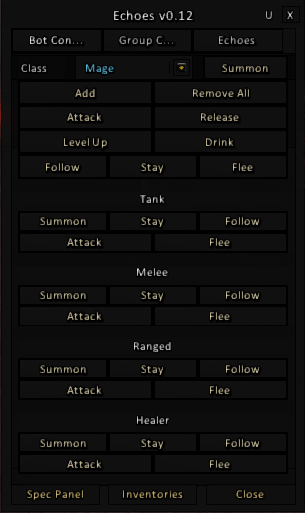
Echoes provides a main window with multiple tabs (for example: Bot, Group, Echoes) that act like a control dashboard. Each tab focuses on a specific set of tools so you can quickly find what you need without digging through multiple addons or command lists.
2) Group coordination tools
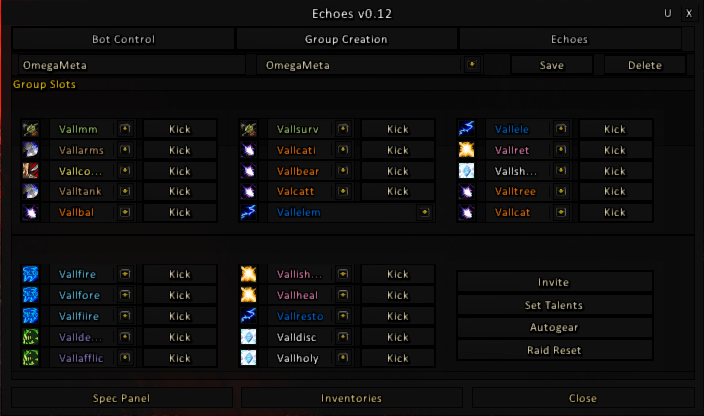
When you’re running multiple characters (or coordinating bots), Echoes includes group-oriented controls that help you manage actions at the party level. The goal is to make multi-character play easier by placing group commands and helpers into a dedicated tab.
3) Helpful panels for character management
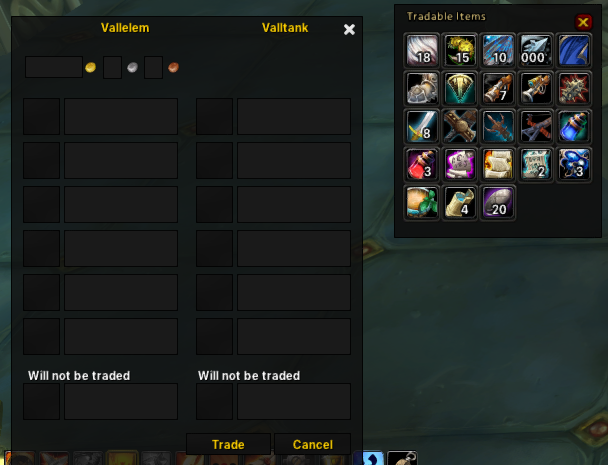
Echoes also includes supporting panels that assist with common character management tasks (such as spec-related utilities and inventory handling). These are integrated into the same UI flow so you don’t have to jump between separate windows.
4) Quality-of-life UI features
Echoes focuses on being simple and reliable:
- Tabbed navigation so the interface stays compact and organized.
- Skinned UI to match the addon’s look and keep controls readable.
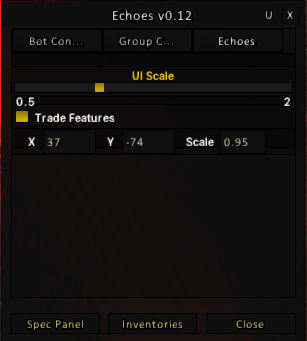
- Adjustable UI scale (stored in saved variables) for different resolutions and preferences.
- Persistent UI state such as remembering the last tab you used.
How it works (high level)
Echoes is designed to be self-contained and stable:
- Ace3 Embedded: The addon ships with the Ace3 libraries inside the addon folder, so users don’t need to install Ace3 separately.
- One main frame: Echoes creates a single AceGUI frame (“main window”) and shows/hides it instead of constantly rebuilding UI elements.
- Tabs are modules: Each major feature area is separated into modules (e.g., bot tools, group tools, minimap integration). This keeps the addon maintainable and makes it easier to expand.
- SavedVariables: Echoes stores simple UI settings in
EchoesDB(for example, UI scale and the last selected panel), so the window behaves consistently across sessions.
How to use Echoes
Installation
- Install via your addon client or download the zip from the addon page.
- Ensure the folder structure is correct:
World of Warcraft/_classic_/Interface/AddOns/Echoes/
(path varies by game version)
- Log in or type
/reloadto load the addon.
Opening the UI
- Open the Echoes window using its in-game entry point (such as its minimap integration if enabled in your build), then navigate using the tabs across the top.
Typical workflow
- Open Echoes
- Select a tab (Bot / Group / Echoes)
- Use the controls relevant to what you’re doing:
- Bot actions for individual character automation helpers
- Group tools for coordinating multiple characters
- Additional utilities like spec/inventory helpers
- Adjust scale if needed (Echoes remembers it)
Who it’s for
- Players on realms that support playerbots who want a UI-first way to control and coordinate bot gameplay.
- Users who prefer an organized control panel over remembering chat command syntax.
- Anyone who wants a small, self-contained addon that loads quickly and keeps a low footprint.
You must be logged in to leave a comment.