
CleanBot
A clean interface to manage Playerbots on WotLK 3.3.5a Servers.
Details
Addon ID:
22252
Addon Version:
0.12
Expansion:
3.3.5
Upload date:
Jun 07, 2026
Last Updated:
Jun 20, 2026
Downloads:
834
Website:
Source Link
Expansion
 Wrath of the Lich King
 Categories
Developers

Having issues?
CleanBot
A clean interface to manage Playerbots on WotLK 3.3.5a Servers. No more complex trees of buttons!
Requires the latest version of Playerbots installed on your server
- Fully Skinned for ElvUI or the default UI
- Automatically Switches
- Compatible Optional Extras:
- Multibot Bridge Server Module - Removes some of the whisper spam and speeds up query/action time
- Talented - Opens the large three panel talent tree for bots
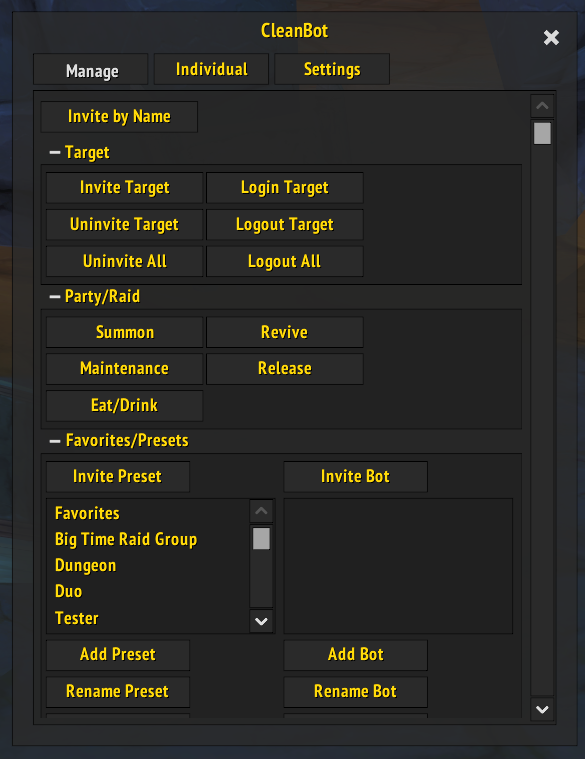
Manage Tab
- Invite/Uninvite, Login/Logout bots
- Group Revive, Release, Eat/Drink, Maintenence, Summon
- Create Custom Presets, Invite All From Preset
- Link an Account for Altbot Usage
- Invite Linked Account, Unlink Account
- Fully Collapsable Sections
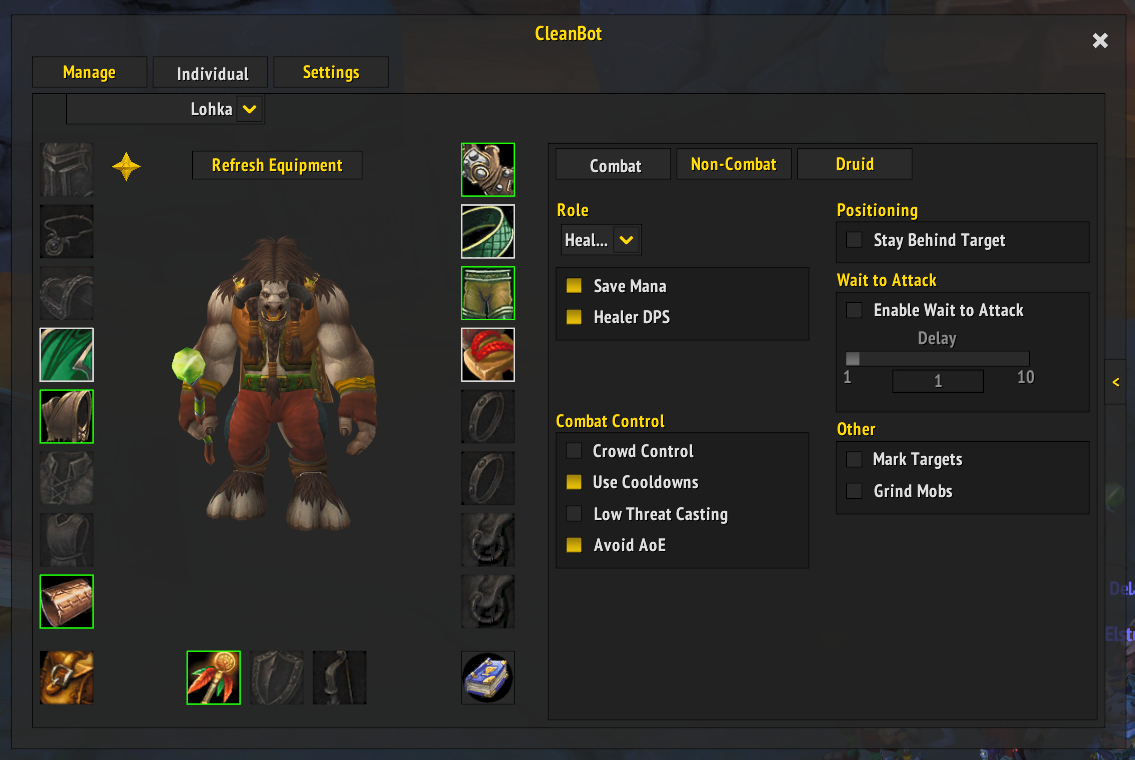
Individual Tab
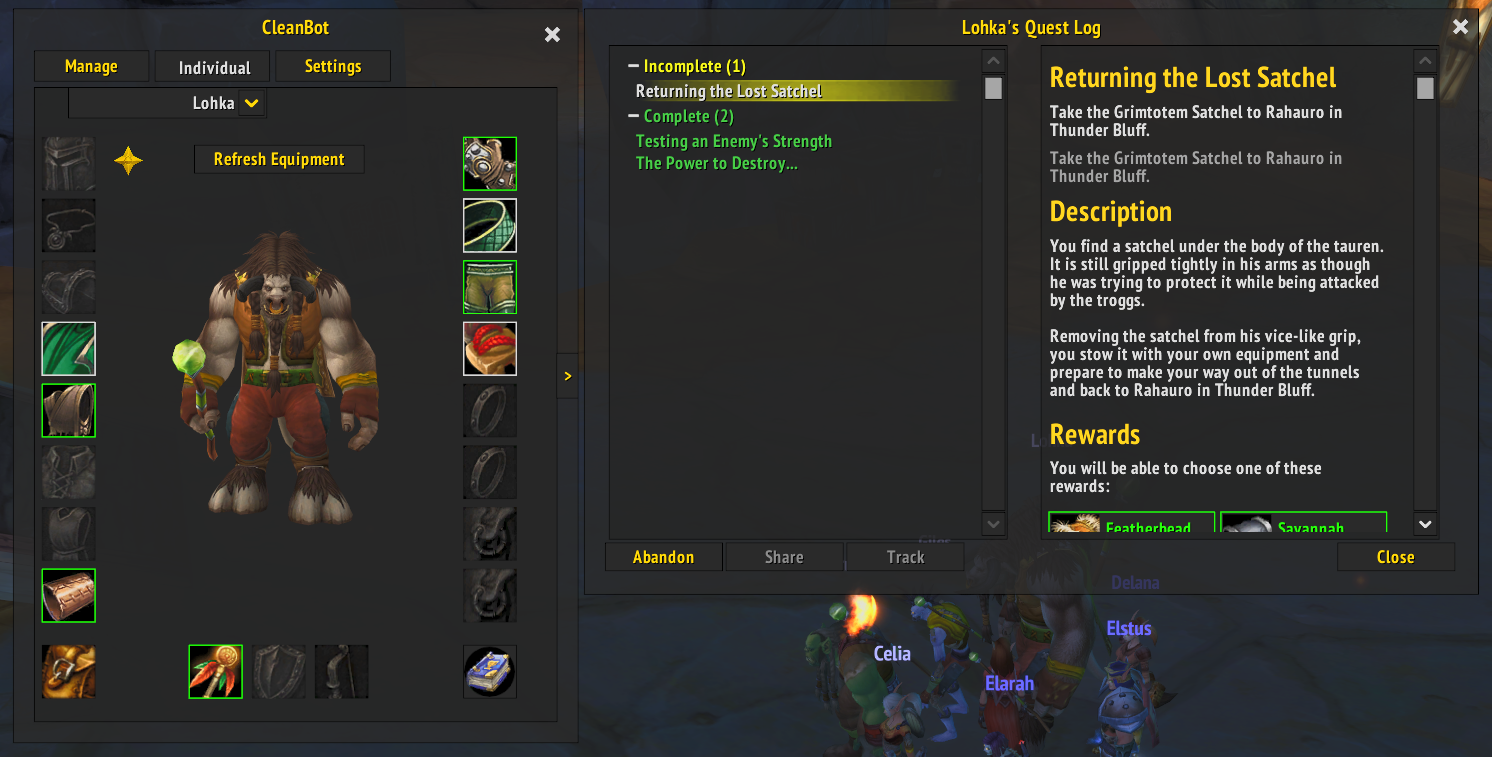
- Manage Individual Bots Within Your Party or Raid
- Set Combat, Non-Combat, and Class Specific Strategies
- Target Party/Raid Members to Swap to Them
- Manage gear through drag and drop or context menus
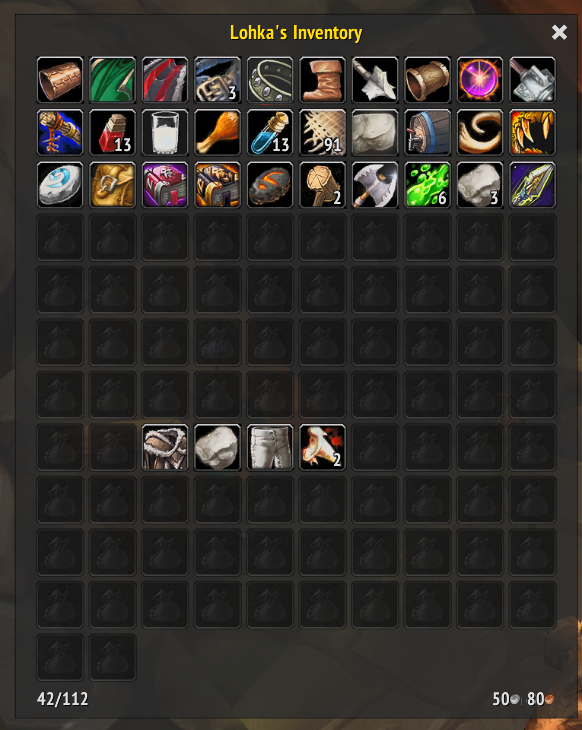
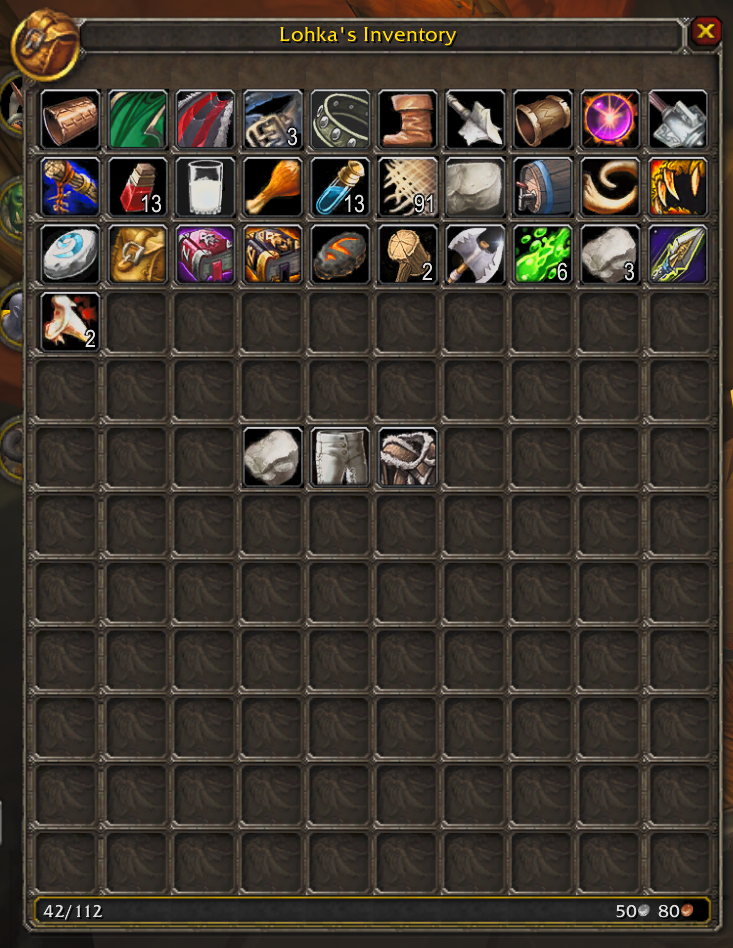
- View Gold and Items in an intuitive and familiar interface
- Open Bank (if nearby a banker) or Sell Grays (if near a vendor)
Quest Log
- Check Failed, Incomplete, and Completed Quests
- Read quest text and requirements directly for any quest you both share
- Abandon Bot Quests
Group Tab
- Multiselect groups and bots using the standard windows shortcuts
- CTRL + Click to add/remove selection
- Shift + Click for range selection
- Add groups, rename them,
- Add bots to the group via name or by current target
- Dynamic default groups for class and role
- With multiselect, these groups may be all you need to perfectly manage your next raid
Mini Action Bar
- Freely Movable, Snappable, Disableable, and Reorderable
- Revive/Release
- Follow/Stay/Runaway
- Toggle Passive
- Pull and Attack
- Summon
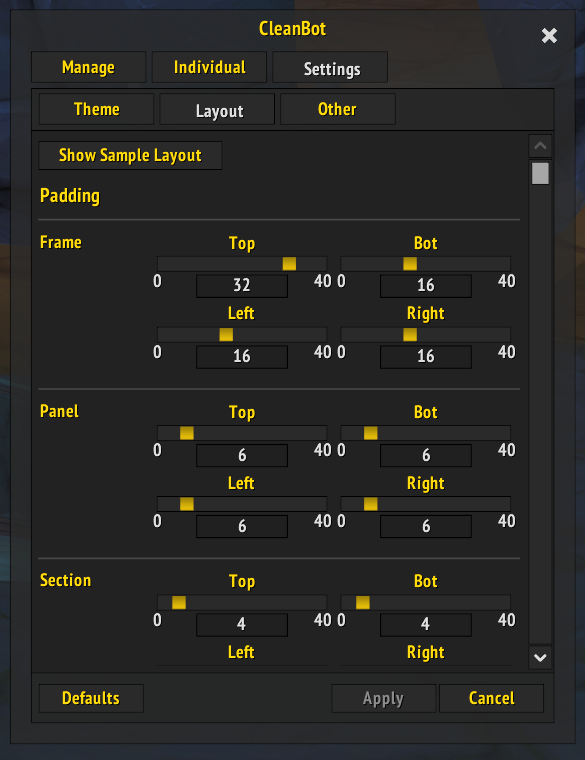
Settings Tab
- Change Transparency, Scale, Accent Color, and Layout Values
- Enable or Disable a /wave from the bot when selecting them in the UI
Automatic Actions
- Open Bot Inventory on Trade
- Drag and Drop Items to Trade
- Right Click Items to Remove
No changelog available.
No changelog available.
No changelog available.
Added Reset button to the individual tab to reset a bot's AI back to the default.
Added Sell Grays to Vendor Window Cog Panel
You must be logged in to leave a comment.