
Chat Monitor
Filters specific messages into a new window to make monitoring chat much easier.
Details
Expansion
 Wrath of the Lich King
 Categories
Developers

Having issues?
Chat Monitor
Chat Monitor (formerly know as LF Monitor) monitors the trade, guild, LFG and general channels for specific words or phrases. This includes, but is not limited to:
- Looking for Group (LFG)
- Looking for More (LFM)
- Looking for (LF) a crafter
- Looking for Work (LFW)
- Want to Buy (WTB)
- Want to Sell (WTS)
- Guild Recruitment
- Looking for Guild
- Looking for <role>
- Looking for <class>
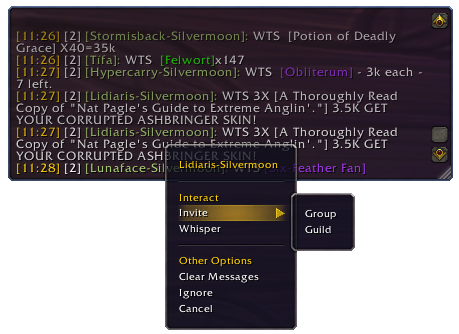
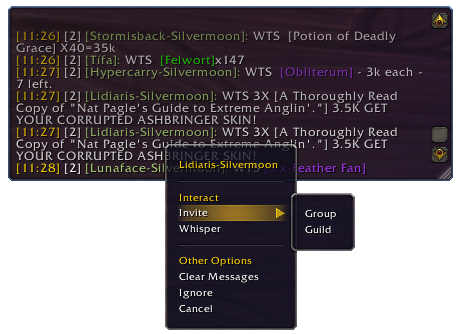
Messages are copied to a separate window with an audio prompt. Right-clicking on the player's name in this window will display a drop down menu of options allowing you (amongst other things) to invite that player to a group or guild.
- Approximate word matching helps catch misspellings and variations.
- If the same monitored message appears in the channel more than once in a 20 second period, it will only display once to try and cut down on spam.
If you notice any words that Chat Monitor is missing or not correctly recognising, please advise us.
Custom Monitoring
Chat Monitor also supports custom monitoring based on Lua pattern matching. Lua patterns must be enclosed in / marks to distinguish them from normal words,. e.g.
/<.+>/
The above is actually a Lua pattern of <.+> which will match anything contained with < and > marks. For more help with Lua patterns, please see:
https:www.lua.org/pil/20.2.html or http:www.wowwiki.com/Pattern_matching//
Slash Commands
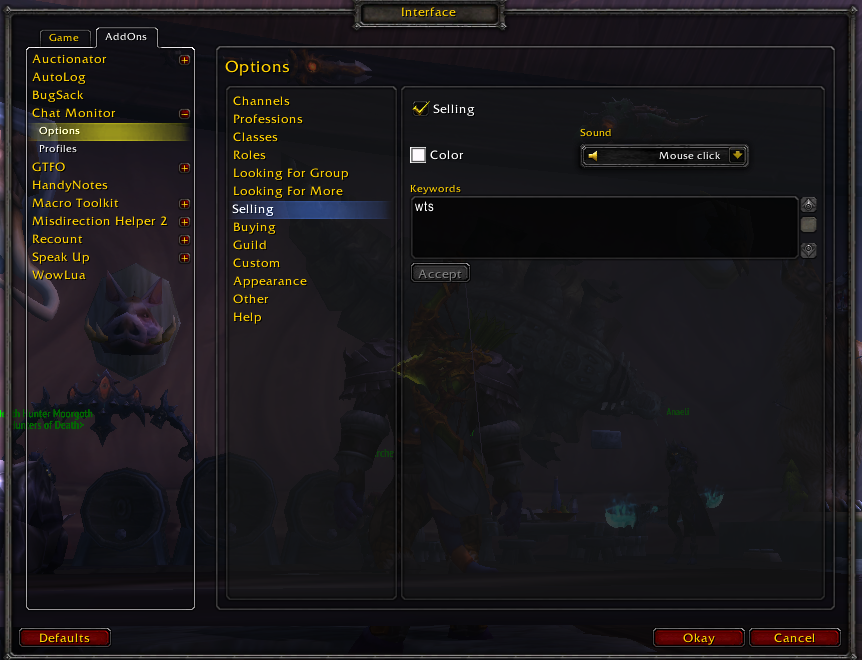
To open the options screen for Chat Monitor or to enable or disable it, use either of the following slash commands:
- /cm [enable/disable]
- /chatmonitor [enable/disable]
Localisation
If you would like to help translate Chat Monitor, please use this link
Bug Reports / Change Requests
Please use the CurseForge ticketing system here.
Other Information
Includes a skin for ElvUI
You must be logged in to leave a comment.